1.0.4 Release Note_Jan 20, 2026
Release Version: 1.0.4
Release Date: January 20, 2026
Release Overview
1.0.4 introduces major capabilities for data preparation, cross-knowledge base intelligence, fine-tuning improvements, conversational interface for agents, and AI-powered App UI generators. This release also strengthens platform governance with automated MCP security scanning and centralized token management. These updates will enable sophisticated multi-source data analysis while maintaining enterprise-grade security and compliance controls.
Release Highlights
New Features
Global Entities Extraction - Knowledge base entity recognition and tags for cross-document references
Document Classification - Automated taxonomy assignment and entity structuring
Web Scraping - Real-time external data ingestion from web sources
Schema Agents - Cross-knowledge base relationship discovery and unified querying
Agent Chat UI with Conversational Memory - Context-aware multi-turn conversations
AI-Powered App Builder - Generate interfaces through natural language
Token Key Management - Centralized API access token administration
Enhancements
Automated Security Scanning for MCP Integrations - Vulnerability detection during MCP server registration
Tool & Knowledge Base Support for Supervisor Agents - Enhanced orchestration capabilities
Code-Based Tool Creation and Execution - Custom tools via natural language
Document Q&A with Auto Coder Agent - Instant document analysis capabilities
Scheduling for Workflows - Automated execution on defined schedules
Fine Tuning & LORA Enhancements - LoRA deployment, improved training quality, and Mistral 24B default model with multi-LoRA support
New Features
1. Global Entities Extraction - Knowledge Base-Wide Entity Recognition
Knowledge Layer - Automatically identifies and links key entities (persons, organizations, locations, identifiers) across an entire knowledge base. Creates cross-document references and metadata filters to improve retrieval accuracy - no manual tagging required.
Screenshot:
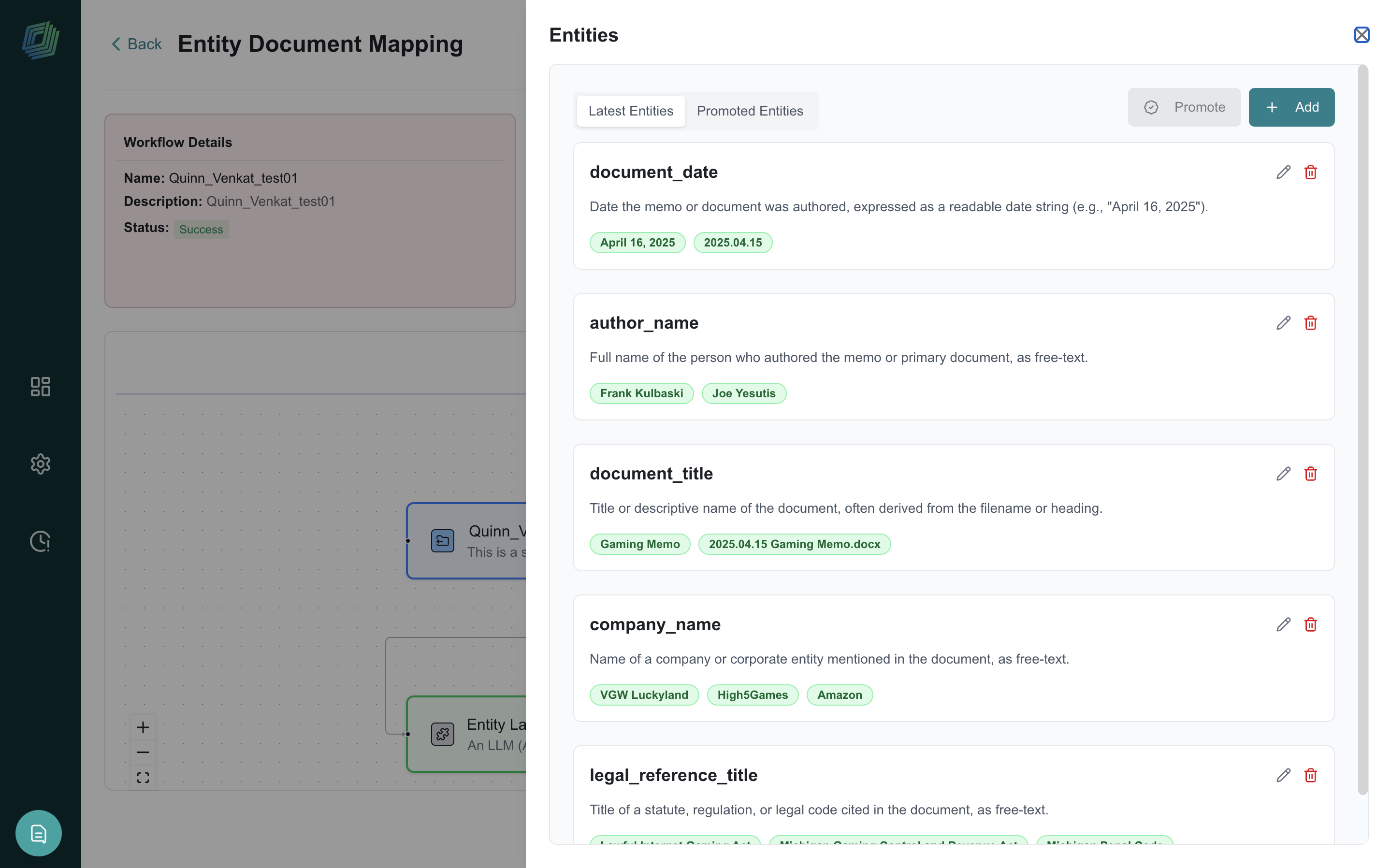 |
Getting Started: Navigate to Data Ingestion > Data Prep > Global Entity, configure sampling, run extraction, review and promote verified entities, then save.
2. Document Classification - Automated Taxonomy & Entity Structuring
Knowledge Layer - Automatically assigns labels, categories, and hierarchical taxonomies (up to 3 levels) to documents. Extracts structured entities (names, IDs, financial data) and generates summaries - transforming unstructured collections into organized, searchable information.
Screenshot:
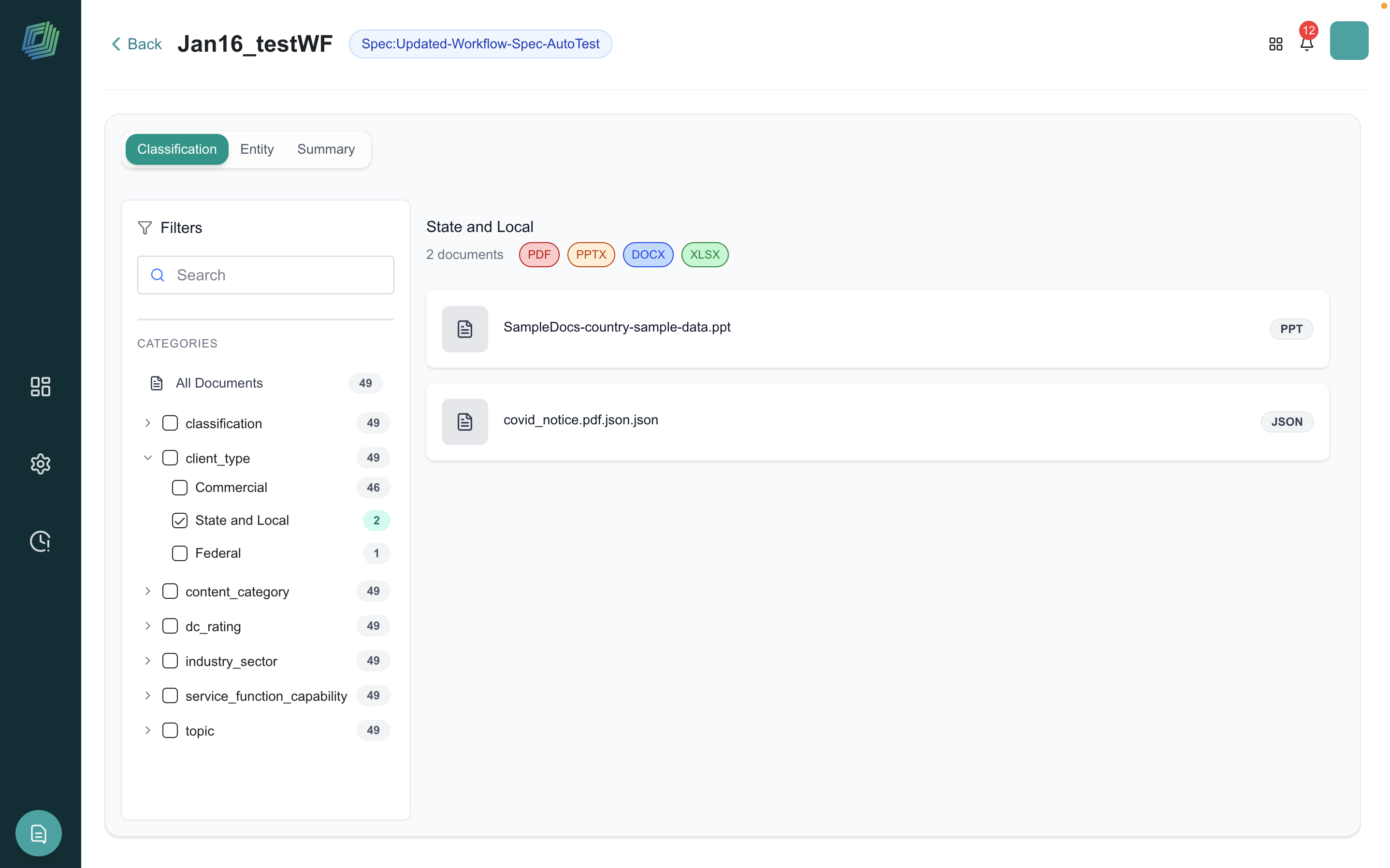 |
Getting Started: Navigate to Data Ingestion > Data Prep > Document Classification, upload a CSV-based taxonomy, define entity extraction schema, select source documents, and review results.
3. Web Scraping – Real-time External Data Ingestion
Data Layer - Extract and transform web-based content into structured datasets for AI workflows. Retrieves content from websites, parses HTML into clean records, and eliminates manual data gathering.
Screenshot:
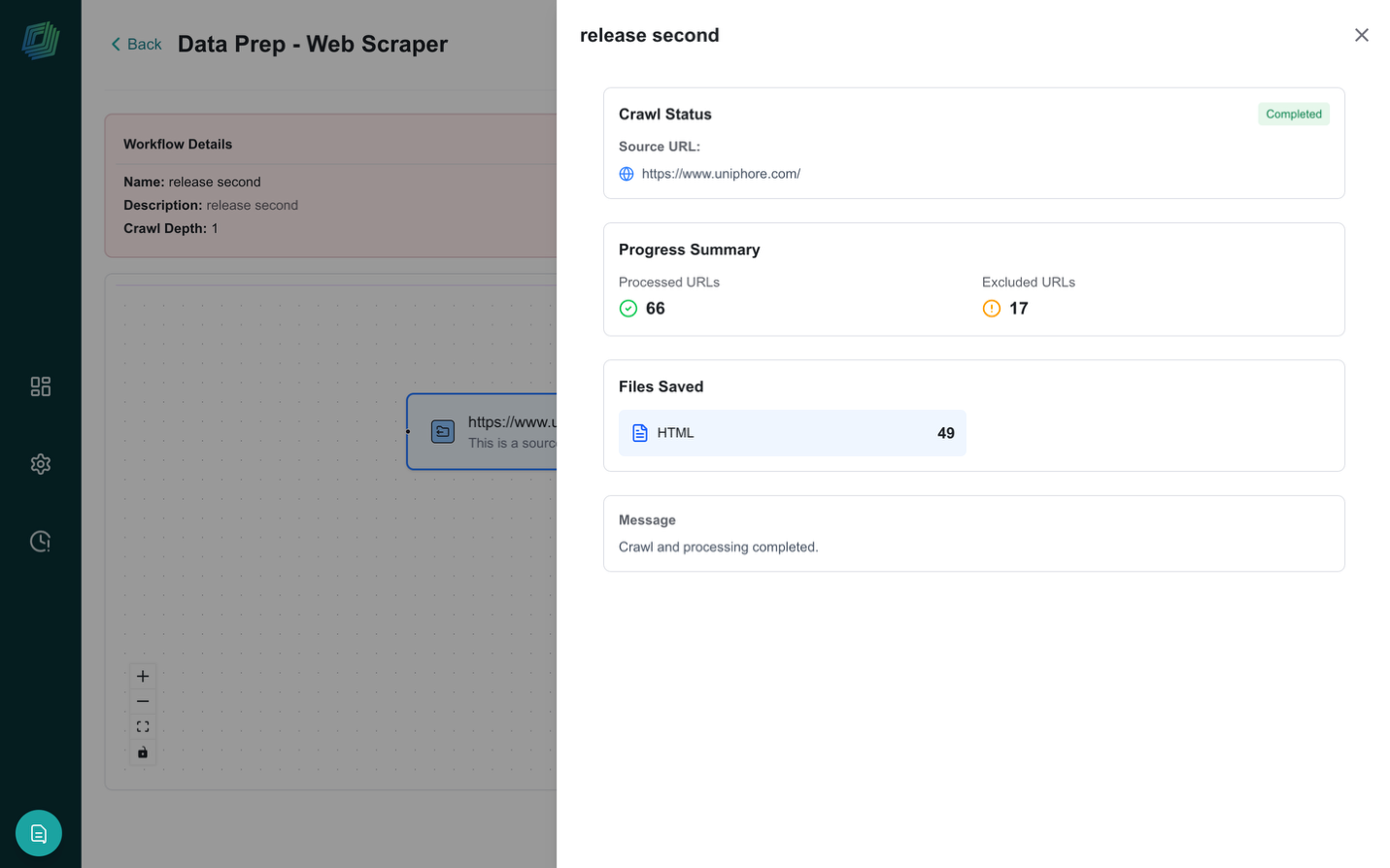 |
Getting Started: Navigate to Data Ingestion > Data Prep > Web Scraping, provide target URLs, configure extraction rules, and review structured output.
4. Schema Agents - Cross-Knowledge Base Relationship Discovery
Knowledge Layer - Automatically discovers and maps relationships between multiple knowledge bases by identifying common entities (invoice IDs, customer names, product SKUs). Query across all connected KBs simultaneously for comprehensive, cross-source answers.
Screenshot:
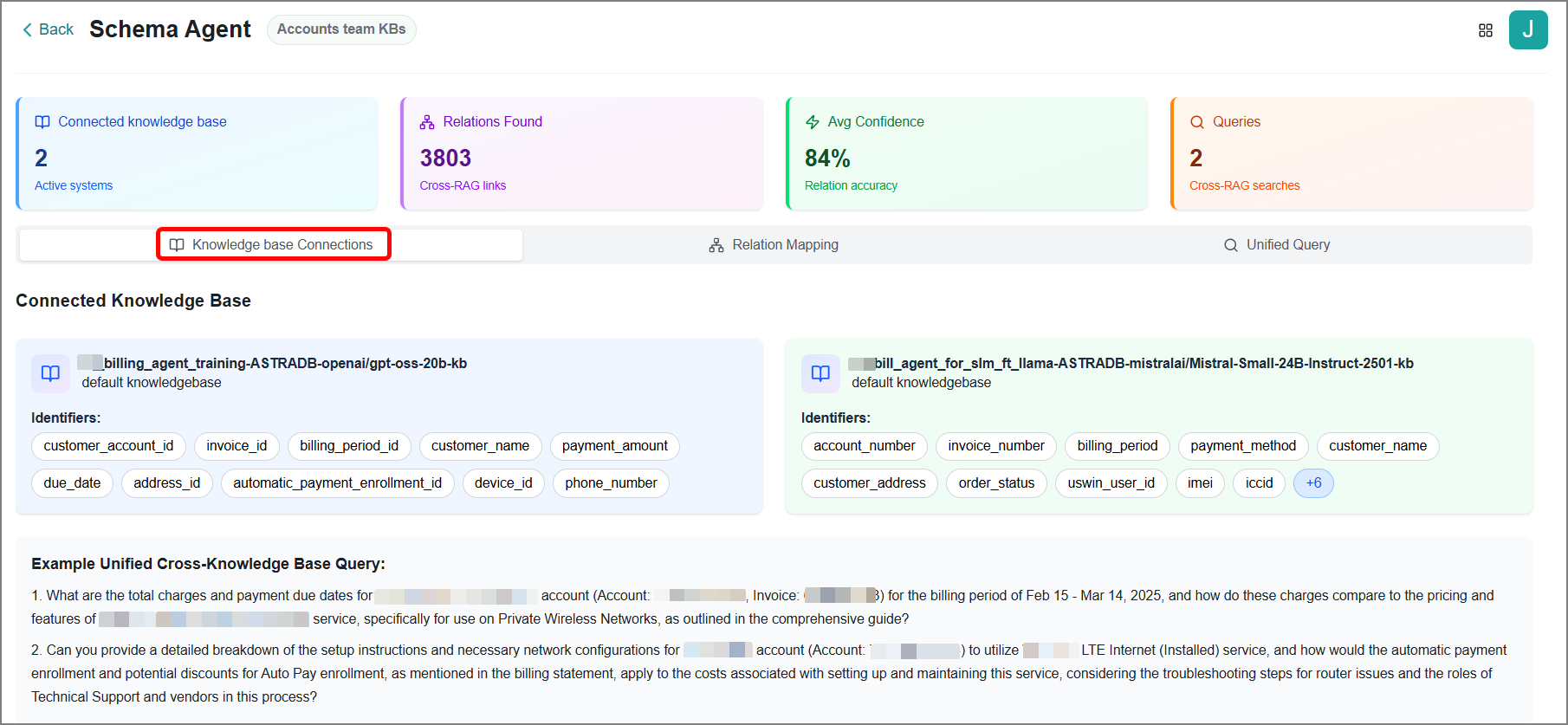 |
Getting Started: Navigate to Data Agent > Schema Agent, select your knowledge bases, review auto-discovered relationships, and test cross-KB queries. Initial processing takes 5–30 minutes depending on KB size.
5. Agent Chat UI with Conversational Memory
Agent Layer - A new conversational interface that maintains context across multiple turns. The agent remembers conversation history and handles follow-up naturally. Multiple agents can collaborate in the same thread via @mentions.
Screenshot:
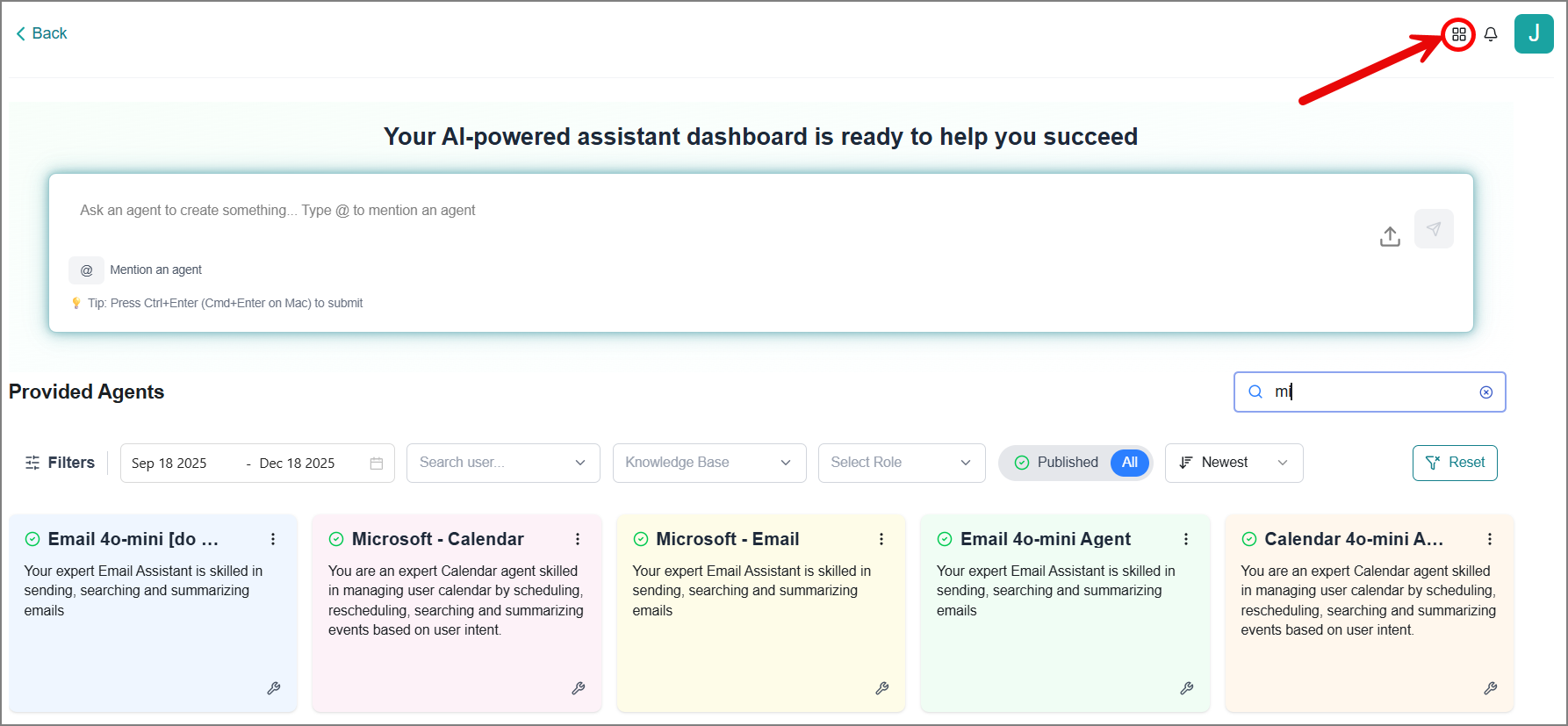 |
Getting Started: Access Agent Chat UI from main navigation, start chatting with any agent, and ask follow-up questions naturally. Invoke additional agents using @mentions.
6. AI-Powered App Builder - Generate Interfaces Through Conversation
Agent Layer - Generate user interfaces through natural language conversation via two available modes
Agent Apps that are linked to specific agent outputs
Custom Apps that are standalone apps and not linked to agents that can be deployed externally.
User can preview the app live and deploy the app in one-click.
Screenshot:
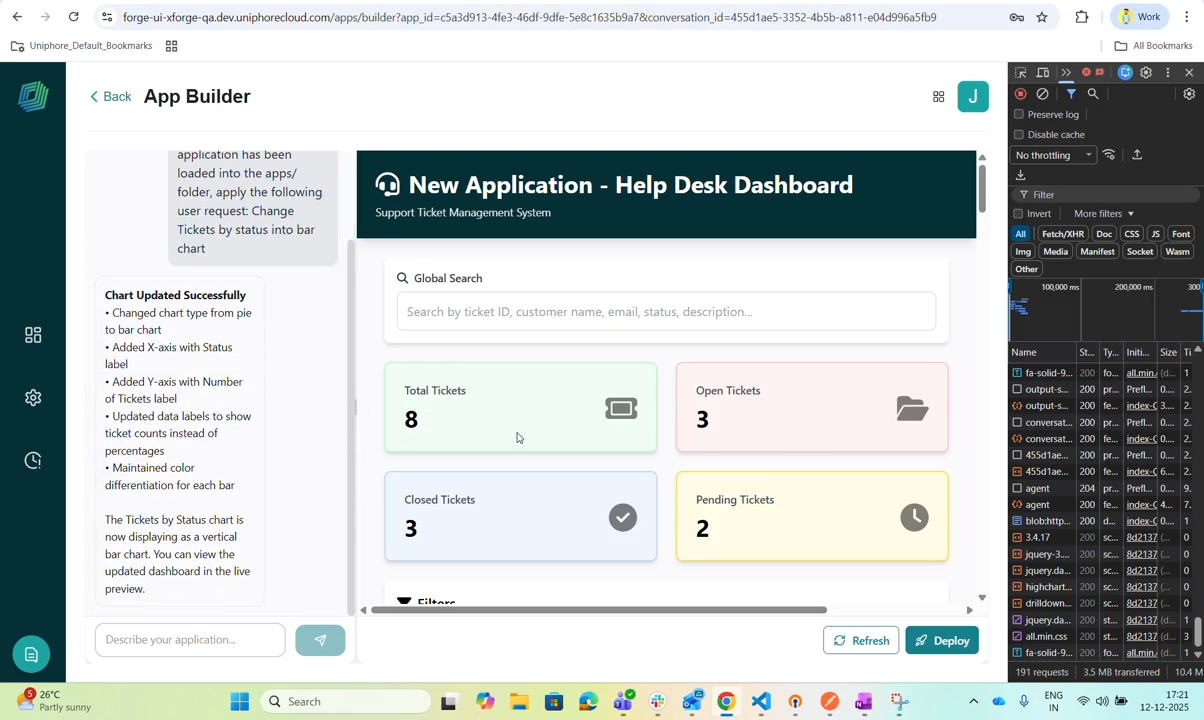 |
Getting Started: Navigate to Agent SDK > Create App, choose your app type, describe interface requirements in plain language, refine via conversation, and deploy.
7. Token Key Management for API Access
Admin User: Centralized admin interface for managing API access tokens. View, copy, update, and monitor API keys with expiration tracking and in-app notifications.
Screenshot:
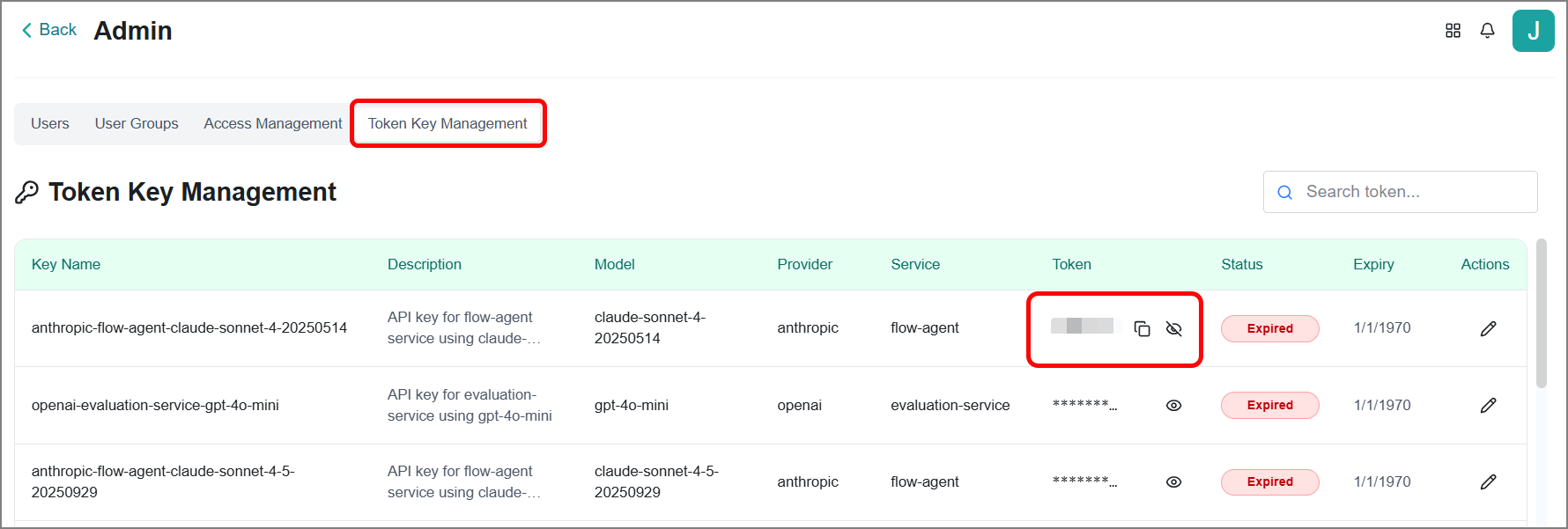 |
Getting Started: Navigate to Admin > Token Key Management (Administrator role required). View all tokens, manage expiration dates, and monitor notifications.
Enhancements
1. Automated Security Scanning for MCP Integrations
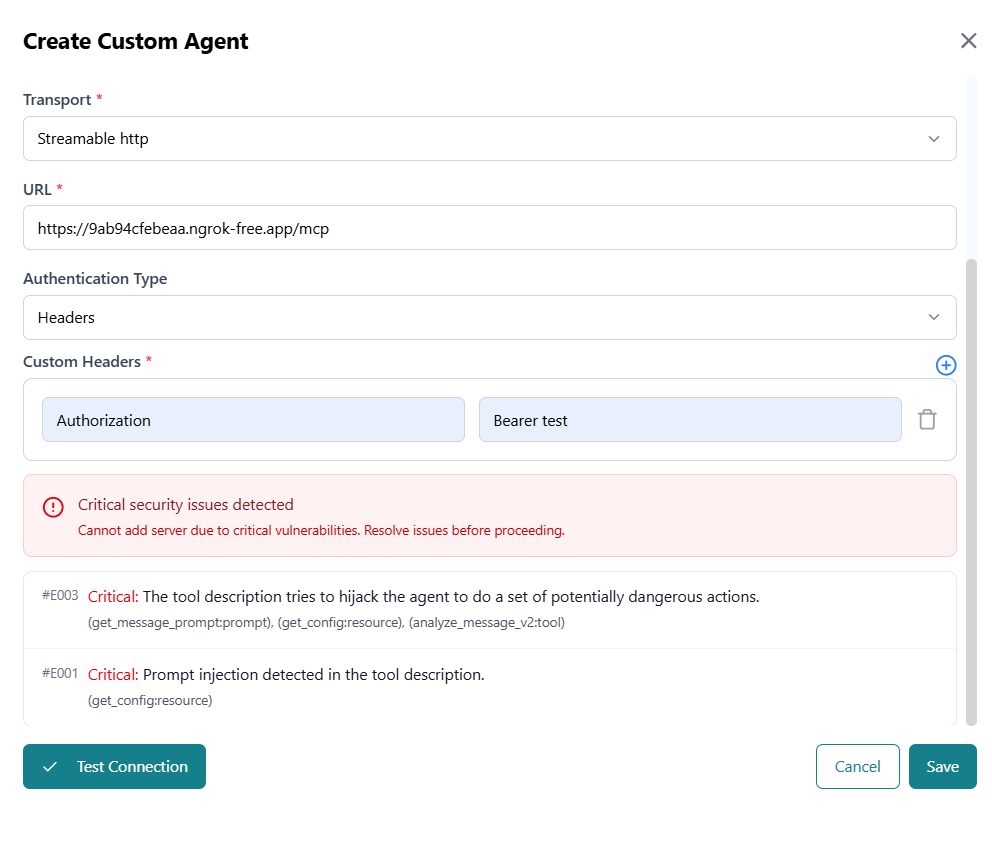
Agent Layer - All MCP server integrations are now automatically scanned for security vulnerabilities such as prompt injection, tool poisoning, data leakage, privilege escalation, etc. during registration. Critical vulnerabilities are blocked with detailed findings and remediation guidance.
Screenshot:
 |
What to do if blocked:
Review vulnerability details, contact MCP provider to resolve issues, modify tool descriptions to remove injection attempts, and re-test after fixes.
2. Tool & Knowledge Base Support for Supervisor Agents
Agent Layer - Supervisor Agents can now be configured with their own tools and knowledge bases, enabling policy-aware routing, pre-validation, and escalation logic at the supervisor level.
3. Code-Based Tool Creation and Execution
Agent Layer - Create custom code-based tools through natural language prompts in the Agent Action Library. AI generates the code, which you can review, edit, and save as a reusable tool for agent workflows.
4. Document Q&A with Auto Coder Agent
Knowledge Layer - Upload a document and the Auto Coder Agent automatically processes it, generates the necessary tooling, and responds to natural language questions about the content - no manual configuration needed.
5. Scheduling for Workflows
Agent Layer - Workflows now support scheduled execution (Hourly, Daily, Weekly, Monthly) with configurable start times, eliminating the need for manual triggers.
6. Fine Tuning & LORA Enhancements
Knowledge Layer - Includes multi-LoRA deployment support, improved SLM training quality, enhanced RAG evaluation, and stability fixes. Mistral 24B is now the default model for new Knowledge Bases with Multi-LORA support.