Token Key Management
Important
Only account Administrators have access to the Token Key Management.
The Token key Management feature provides a centralized interface for viewing and managing API access tokens that authenticate models and services within the Business AI Cloud platform. This feature helps you maintain secure access, reduce administrative overhead, control API costs, meet compliance requirements, and support your organization's growth.
You can access this feature from Business AI Cloud's home page.
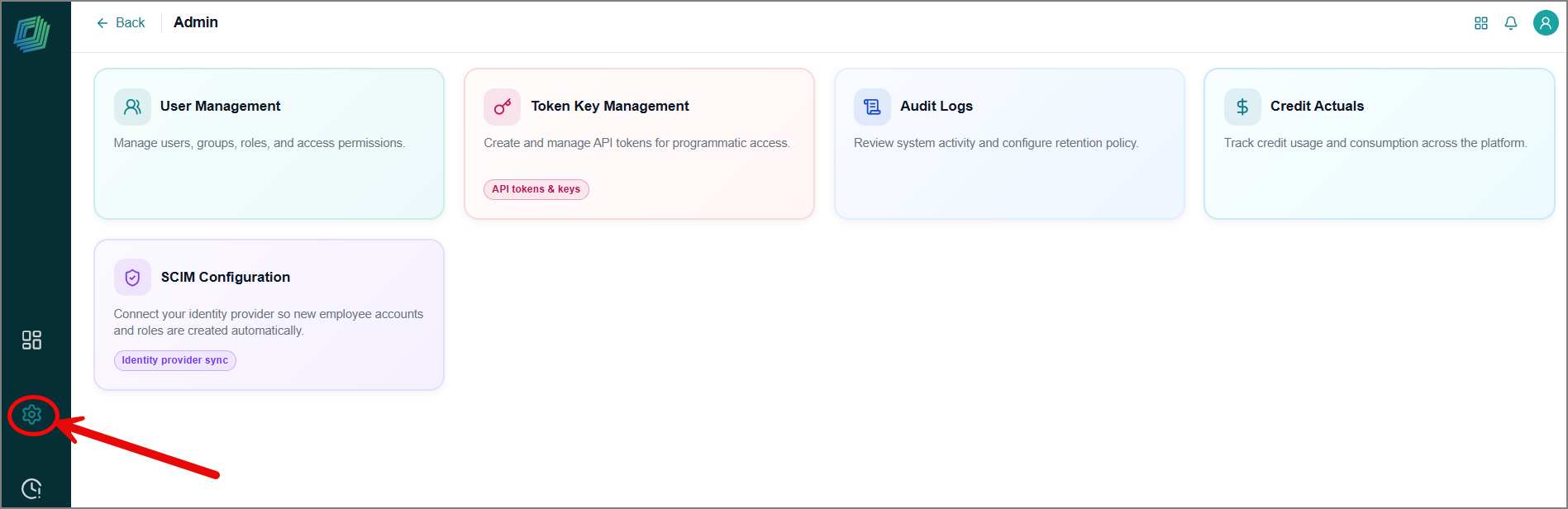
Click the Admin icon in the left-side panel.
The Admin page opens.
Click the Token Key Management card to view API tokens for the platform's default model in a list view.
You can view API key details for each model, including its name, provider, service, and more.
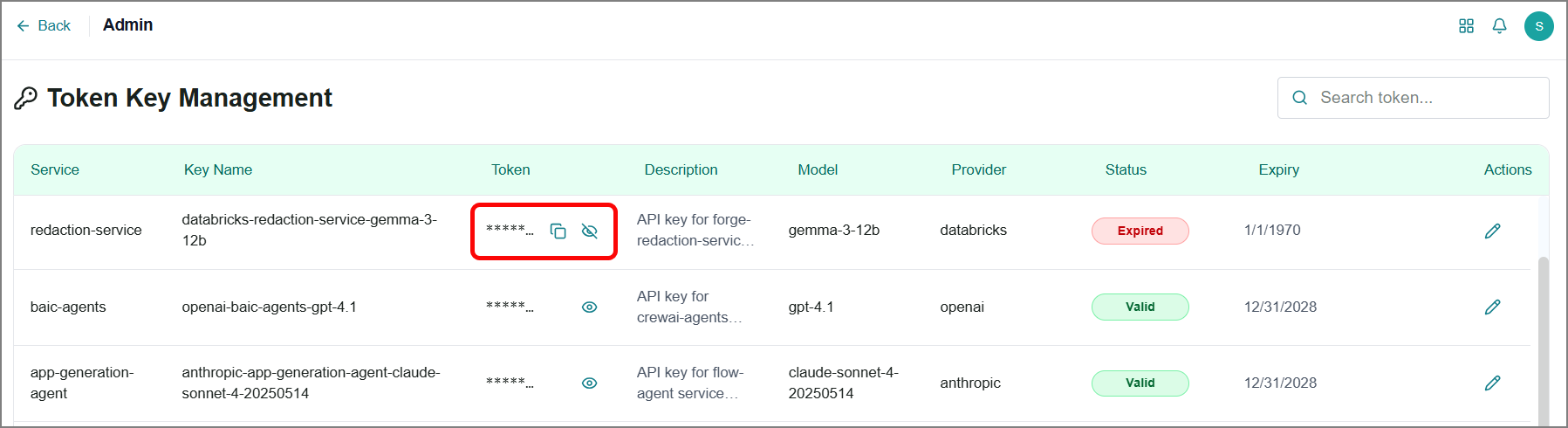
Click
 to view the API keys and click
  to copy them for your internal usage.
Warning
Keep your API keys secure. Do not share or expose them to others.
Note
If you need assistance, please contact your Uniphore Business AI Cloud support team.
Modifying API Keys
You can update existing API keys and their expiration dates as needed.
Note
You will receive in-app notifications when expiration dates are approaching. Refer to In-App Notifications for more information.
Click
 on the model.
The Edit Token window opens.
Update the Description, Value, or Expiry Date as needed.
Note
The Key Name field is read-only.
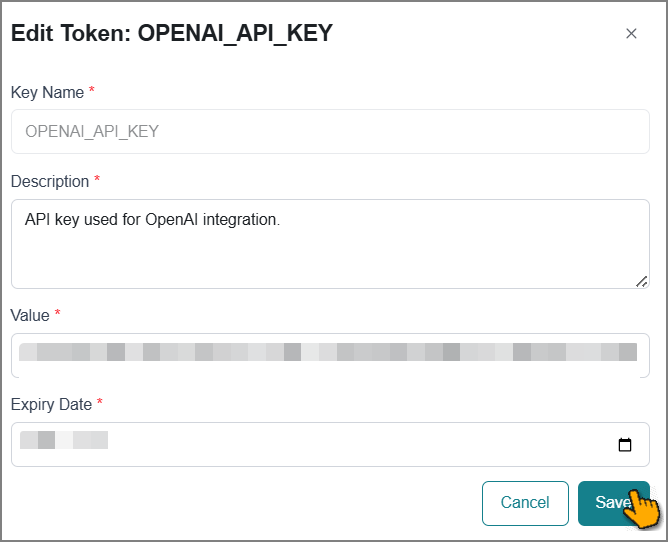
Click Save to apply your changes.
A success message confirms the update.
In-App Notifications
The Business AI Cloud platform includes an integrated In-App Notification system that provides real-time visibility into important platform activities. You will receive advance notifications for critical events, enabling proactive review and rapid response to action items directly within the platform interface.
To access this feature, go to the Home page and click  .
.
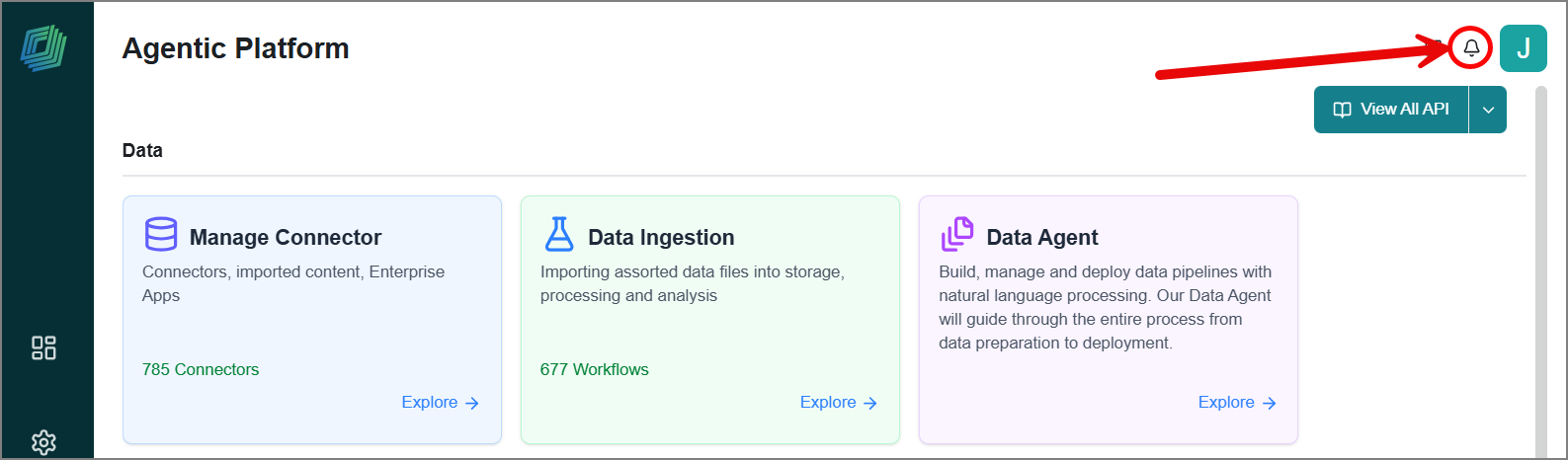
The pop-up window opens and displays multiple notifications:
Token Key Expire Notification