2026.02 Conversation Insights Agent
Release Date: 10 March 2026
The Conversation Insights Agent 2026.02 Release introduces the following features.
New Features
Folder Management in Custom Analytics
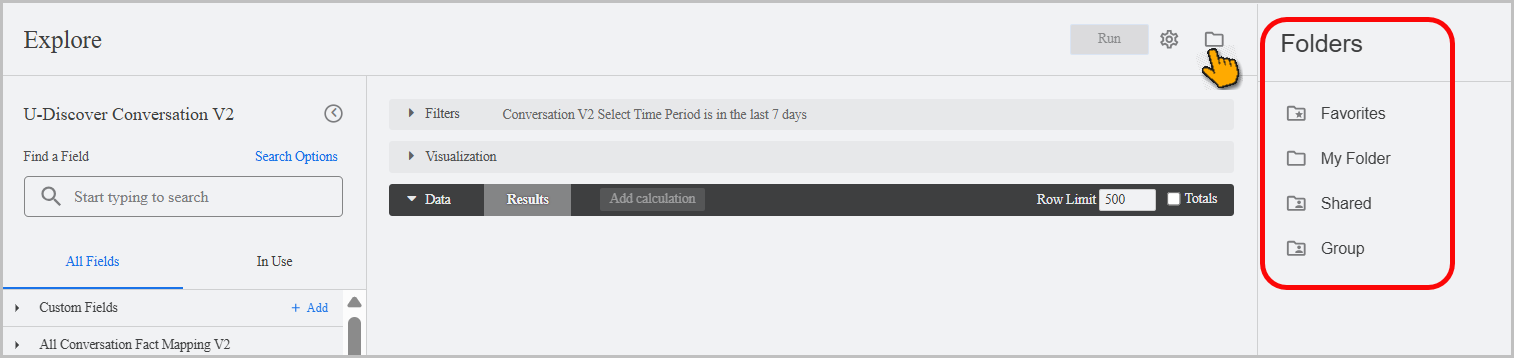
Custom Analytics now includes the Folders capability, helping you organize custom dashboards more effectively. The Folders functionality is available in Custom Analytics > Designer. The Folders contain Favorites, My Folder, and Shared.
Favorites displays all dashboards and looks you've marked as favorites in My Designer.
The dashboards moved to My Folder can only be viewed by the logged-in user.
Dashboards in Shared can be accessed by users with the BI designer role.
Note
Folder management is available only to the Administrator and Analyst.
The Folder Management feature must be enabled on your account to access this functionality. For more details, reach out to your Uniphore Support Representative.
Warning
Tenant folders should not be deleted.
To learn more about Folder Management, click here.
Enhancements
French Localization
As part of our ongoing localization efforts, the application now supports French localization in Chrome and Firefox. Users may enable this capability by configuring French as the primary language in Chrome's language settings or by adding it as an alternative language in Firefox's language preferences. This enhancement ensures that French-speaking users receive a fully localized experience across core application features.
To learn more about Localization, click here.
Introducing Assisted Manual QM for Faster Manual Evaluations
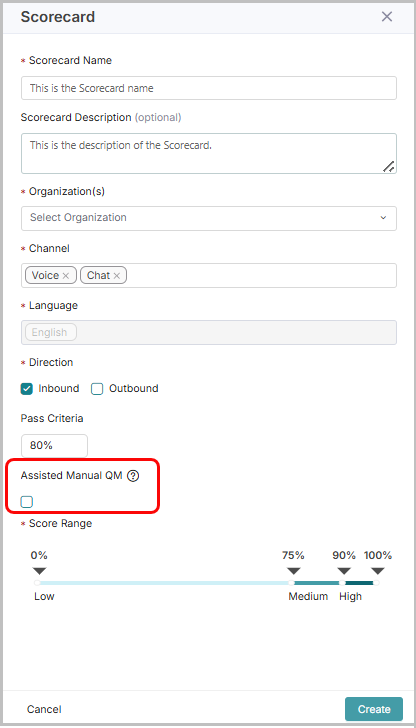
Introducing the Assisted Manual QM feature to speed up and simplify the manual evaluation process for Quality Analysts (QAs). Administrators, Analysts, and Quality Analysts can enable this feature by selecting the Assisted Manual QM option during scorecard creation.
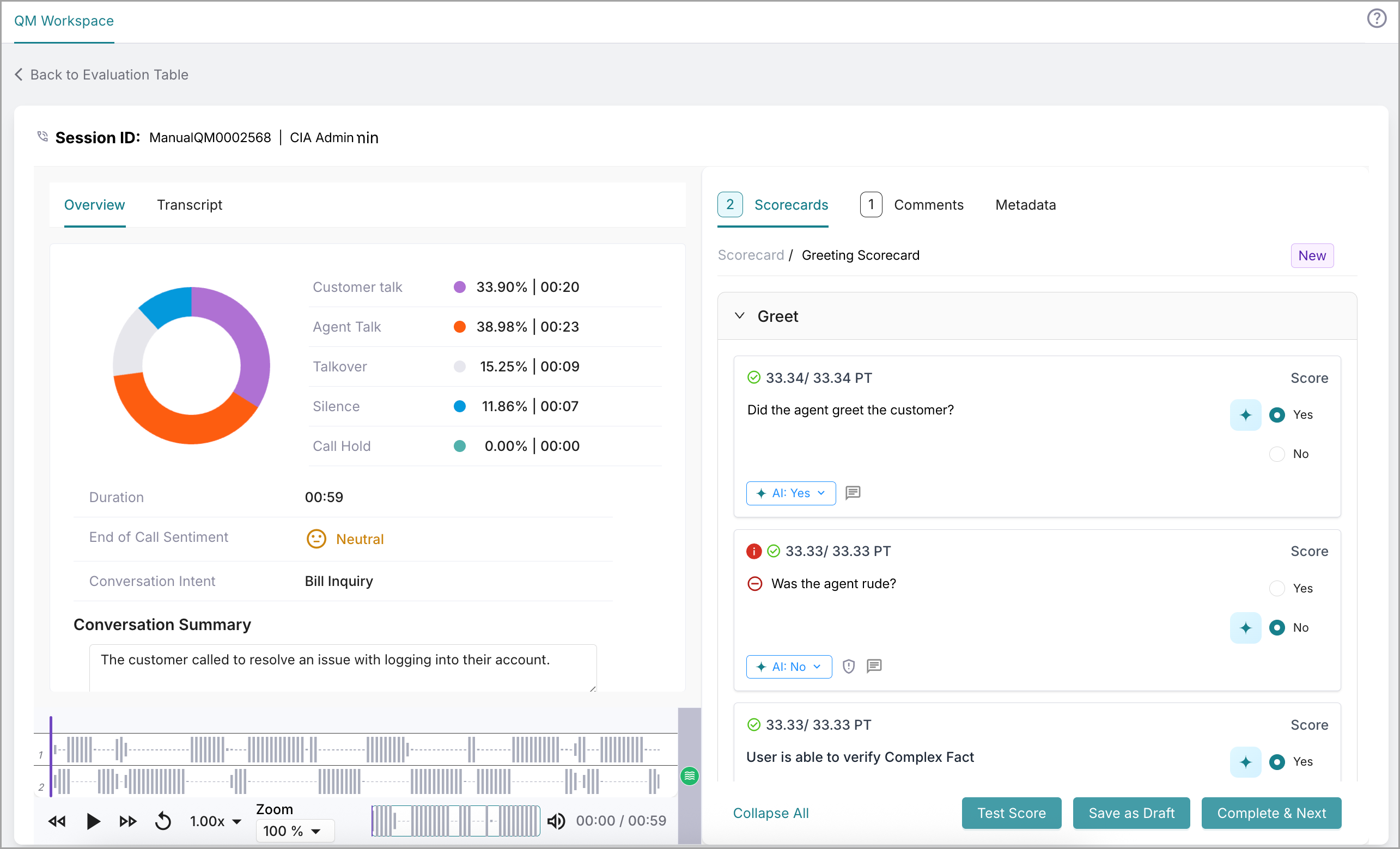
Once enabled and Conversations are processed, QAs can view the auto-evaluation results in the Scorecard section of the Evaluation details page. Clicking the AI icon reveals the supporting evidence and corresponding transcript offset occurrences. QAs can accept or modify the auto-evaluation result and, if needed, add a comment to explain the change. This eliminates the need to review entire audio recordings and transcripts to answer evaluation questions, significantly reducing the time and effort involved in manual evaluations.
Note
Reach out to your Uniphore Support Representative to enable Assisted Manual QM.
For more information, refer to the Create Scorecard and Manual Evaluation sections.
 |
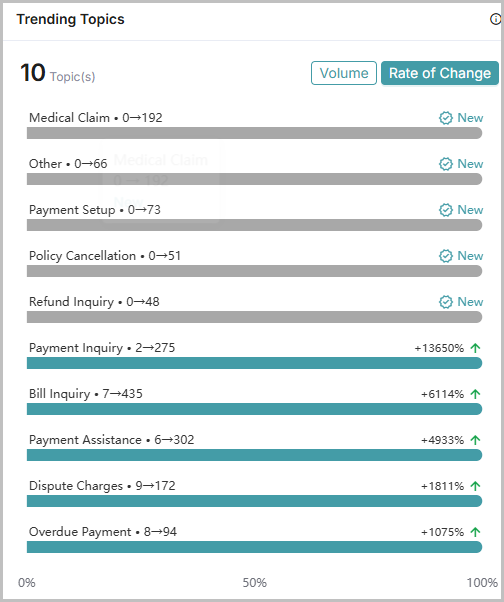
Trending Topics Widget now shows Emerging and Declining Topics
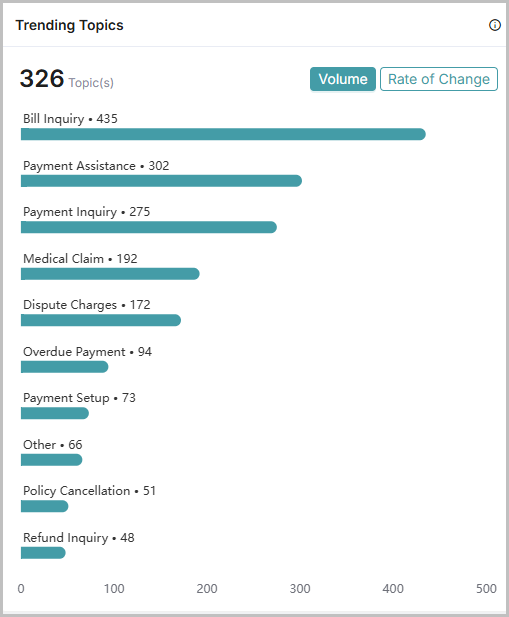
The Trending Topics widget in the Topic Discovery Dashboard has been enhanced to display conversation topics that are actively growing or declining, in addition to the top 10 most frequently occurring topics.
Topics are now ranked by their rate of change relative to the previous equivalent time period (e.g., this week vs. last week), making it easier to identify rising issues early.
The widget is organized into two sections:
Volume: Lists the top 10 topics for the selected time period based on conversation count.
Rate of Change: Displays actively growing or declining topics (10 topics) along with their percentage change. Topics appearing for the first time are marked with a New label. An upward green arrow (↑) indicates an increase in conversation volume, while a downward red arrow (↓) indicates a decrease.
For more about Trending Topics, click here.
 |
 |
Constraints and Limitations
The following constraints and limitations exist for this release:
Item | Description | Workaround |
|---|---|---|
1 | The disposition module cannot be localized into Spanish and French. | NA |
Bug Fixes
The following issues were fixed in this release:
Item | Description |
|---|---|
1 | On the Conversation Details page, the Customer Talk component displayed a negative value. This issue has been fixed in this release. |
2 | In the Scorecards section of the Conversation details page, the Conversation turns along with their timestamps and evidence were missing. This issue has been resolved in this release. |