1.0.13 Release Note_August 27, 2026
Release Date: August 27, 2026
The Business AI Cloud 1.0.13 release introduces the following new or enhanced features.
Important
This document provides high-level information on the latest release features and enhancements for the Business AI Cloud. For detailed procedures, configuration steps, and comprehensive guidance, please refer to the Business AI Cloud User Guide.
Release Highlights
Note
This release focuses on fixes and improvements, with no new features included.
Enhancements
Data Ingestion Workflow - Automatically repairs damaged PDF files by removing any extraneous bytes after the last
%%EOFmarker, making previously unreadable files accessible.Agentic Search - Expands graph-based retrieval across all workflow types, making it available throughout the platform.
Optimized Workflow - Supports a broader range of file types beyond PDF. Ingest images, text documents, presentations, and spreadsheets through the same schema-aware extraction path.
Smarter Instructions - Automatically rewrites instructions for Knowledge Bases and Knowledge Clusters into AI-optimized content using the platform's AI agents, ensuring consistent, reliable formatting without manual effort.
Data Agents - Allows you to view and resume previous sessions within each Data Agent's AI chat, enabling seamless continuation from where you left off.
Prompt Optimization via AI - Optimizes any prompt with a single click using a built-in AI agent, eliminating the need for manual prompt tuning.
User Management - Filters users by active or inactive status and indicates whether each user was added directly to the platform or via SCIM provisioning.
Process Intelligence - Allows you to download the original data source files you uploaded, directly from the Data View page.
Agent SDK - Updated interface for the Agent SDK page, improving navigation and ease of use.
Platform Knowledge Agent - Adds an in-app help agent, accessible from any page, that answers questions about the platform using the product documentation, offers pre-selected common questions, and links directly to the relevant User Guide section and UI page. On select pages, it also introduces Quick Tour, a guided walkthrough of that page's key tasks.
Enhancements
Data Ingestion Workflow
Business AI Cloud automatically repairs damaged PDFs during ingestion. Some PDFs contain garbage bytes appended after the %%EOF marker, which previously caused these files to fail during processing. This enhancement detects and removes those extra bytes while leaving the actual PDF content untouched, reducing ingestion failures caused by malformed source files and removing the need for manual file remediation before upload.
Important
Automatic PDF Repair applies to the following workflow nodes: Preprocessor, Preprocessor Optimized, DeepDoc Processor, and Schema Generator.
Key Capabilities:
Detects and removes garbage bytes appended after the %%EOF marker in damaged PDFs.
Repairs the file automatically during processing, no manual cleanup needed.
Preserves the original PDF content; only the extraneous trailing bytes are removed.
The Data Ingestion Workflow is available within the Data Ingestion in Business AI Cloud's Data Layer. For more information, refer to Data Ingestion in the User Guide.
The Schema Explorer is available within the Data Preparation in Business AI Cloud's Data Layer. For more information, refer to Creating a Schema Workflow in the User Guide.
Agentic Search
Business AI Cloud enables Agentic Search across all workflow types. Agentic Search uses the Knowledge Graph to perform graph-traversal-based retrieval, a method previously limited to a one workflow. Teams get the same retrieval experience regardless of workflow type.
Key Capabilities:
Extends graph-traversal-based retrieval to every workflow type.
Delivers consistent retrieval quality across all workflows.
The Agentic Search is available within the Data Ingestion in Business AI Cloud's Data Layer. For more information, refer to Viewing Workflow Details in the User Guide.
Optimized Workflow
Business AI Cloud now extends Optimized Workflow to support multiple file types beyond PDF. You can ingest images, text documents, presentations, and spreadsheets through the same schema-aware extraction process, so more of your source content can flow into structured, queryable output without manual conversion.
Key Capabilities:
Processes a broader range of file types within the same Optimized Workflow ingestion path.
Supports the following formats:
Category
Supported Formats
PDF
Up to 100 pages
Images
JPEG/JPG, PNG (plus API-only: APNG, BMP, DCX, DDS, DIB, GD, GIF, ICNS, JP2, PCX, PPM, PSD, TGA, TIF/TIFF, WEBP)
Text Documents
DOC, DOCX, ODT
Presentations
PPT, PPTX
Spreadsheets
CSV, XLSX (up to 50 MB via API)
The Optimized Workflow is available within the Data Ingestion in Business AI Cloud's Data Layer. For more information, refer to Creating a RAG Pipelinein the User Guide.
Smarter Instructions
Business AI Cloud automatically rewrites the instructions you add to Knowledge Base (KB) and Knowledge Cluster (KC) resources into AI-ready content. An agent reviews each instruction as you save it and reformats it into clear, model-ready language. You can write instructions as you would naturally, and the platform takes care of preparing them for the model.
Key Capabilities:
New users can write instructions in plain language and trust the platform to prepare them correctly.
Clean, AI-ready instructions improve the reliability of query filters, business rules, and mapping logic passed to the model.
The Instructions for KB are available within the Data Ingestion in Business AI Cloud's Data Layer. For more information, refer to Prompt Instructions in the User Guide.
The Instructions for KC are available within the Data Agent in Business AI Cloud's Data Layer. For more information, refer to Knowledge Clusters in the User Guide.
Data Agents
Business AI Cloud adds session history to the AI chat built into every Data Agent. You can view your previous conversations with any Data Agent, easily review past questions and answers, making it simple to recall information or solutions discussed earlier and pick up where you left off instead of starting over.
Key Capabilities:
Past interactions with an agent stay accessible for reference.
Resume earlier conversations instead of starting fresh each time.
The Session History of AI chats is available within the Data Agents in Business AI Cloud's Data Layer. For more information, refer to Data Discovery Agent in the User Guide.
Prompt Optimization via AI
Business AI Cloud introduces an agent-assisted experience for optimizing agent prompts. When you enable this feature, the platform starts a dedicated optimization agent session and supplies it with instructions to refine the prompt. Instead of manually rewriting and testing prompts, you trigger the optimization with a single click, and the agent analyzes and improves the prompt on your behalf, reducing the trial-and-error typically required to get an agent to perform well.
Key Capabilities:
Optimizes any agent prompt with a single click, without manual editing.
A dedicated AI agent session runs in the background, using built-in instructions to analyze and refine the prompt.
The agent prompt is available within the Agents SDK in Business AI Cloud's Agent Layer. For more information, refer to Optimizing Agents in the User Guide.
User Management
Business AI Cloud adds new filters to User Management. Filter the user list by active or inactive status, and view whether each user was added directly on the platform or through SCIM provisioning. These filters make it easier to review large user lists, especially in organizations that use both provisioning methods.
Key Capabilities:
Filter users by active or inactive status.
View each user's provisioning source: platform or SCIM.
The User management is available within the Administration in Business AI Cloud. For more information, refer to User Management in the User Guide.
Platform Knowledge Agent
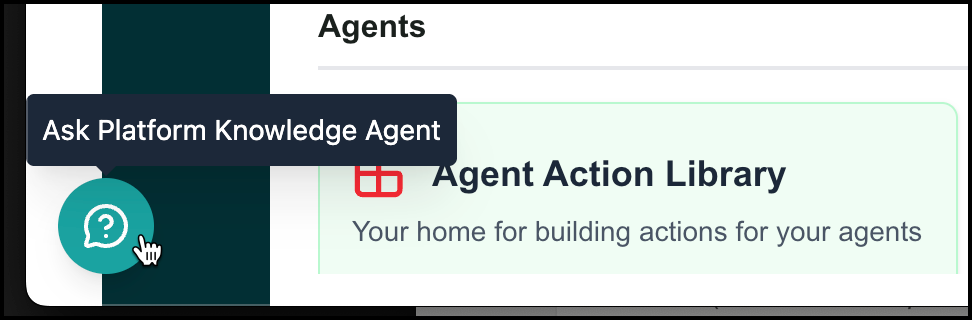
Business AI Cloud now includes the Platform Knowledge Agent, an in-app agent that helps you find answers and complete tasks without leaving the product. Available from an icon in the corner of every page, the agent answers free-form questions using the platform documentation, and also surfaces a set of pre-selected questions covering common tasks, such as connecting a source or pairing an SLM, so you can get started without typing a question yourself.
 |
When the agent answers a question, it includes a link to the relevant section of the User Guide and, where applicable, a direct link to the corresponding page in the UI, so you can act on the answer immediately.
For select pages, the agent also offers a Quick Tour: a guided, step-by-step walkthrough that highlights the key elements of a page or walks you through completing a core task.
Key Capabilities:
Ask questions in plain English from anywhere in the platform and get answers sourced from the product documentation.
Choose from a curated list of common questions instead of typing your own.
Get a direct link to the relevant User Guide section with every answer.
Jump straight to the relevant UI page from the agent's response, where applicable.
Launch a Quick Tour on supported pages for a guided, step-by-step walkthrough of a page or core task.
The Platform Knowledge Agent is available throughout Business AI Cloud.
To access, click the Platform Knowledge Agent ( ) icon in the bottom corner of any page.
Constraints and Limitations
The following constraints and limitations exist for this release:
Item | Description |
|---|---|
Agentic Search | Only a limited number of files are processed for the Knowledge Graph in the workflow. |
Supporting file types: .pdf, .doc, .docx, .odt, .ppt, .pptx, .csv, .xlsx, .png, .jpg, .jpeg, .bmp, .dib, .tif, .tiff, .webp | |
Agentic Search using the Knowledge Graph can produce more accurate answers to complex, multi-hop questions, but it takes significantly longer to generate a response than Semantic Search does. |