Communication Recording Agent Application
The Communication Recording Agent application in Administration Platform offers a browser-based UI for instant access to captured conversations and audit log data, along with system configuration and user management options. The Communication Recording Agent application interacts with various Administration Platform components to provide a robust system for finding and accessing captured conversation audio and metadata, as well as flexible system configuration and user management.
For a quick summary of the features the Communication Recording Agent application provides, along with a quick link to more detailed articles, see the following:
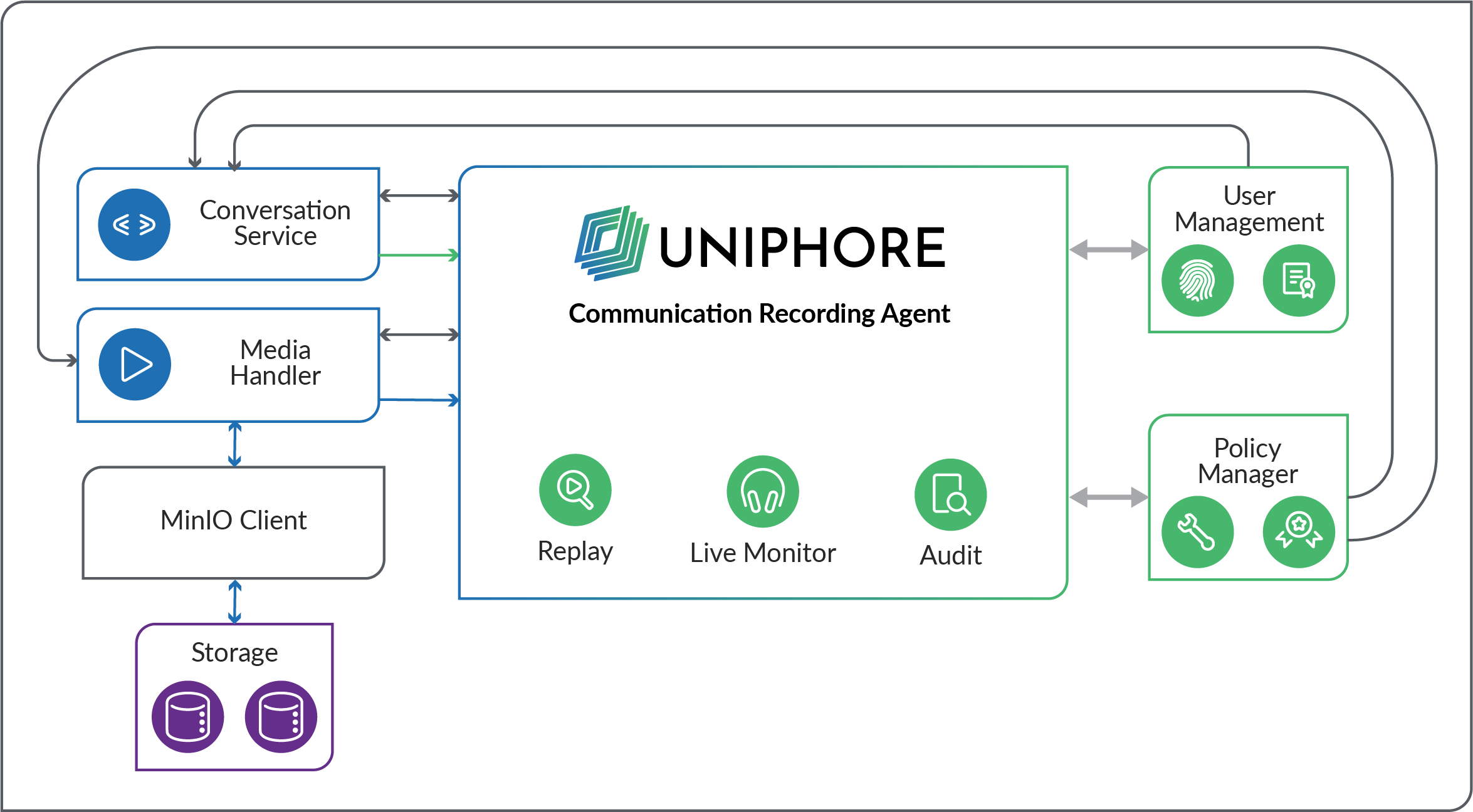
Below is an overview of the main actions users and admins can perform within the application, along with the system processes involved. While user management on the platform extends beyond just Communication Recording Agent users, this information focuses specifically on user management within a Communication Recording Agent enabled system.
User Search – When the user navigates to either the Recorded tab or the Live Monitor tab in Conversations, a request is sent to the Conversation Service to retrieve data. The Conversation Service checks with the Policy Manager and User Management to confirm what access the user has (which conversations they can see). Once confirmed, the Conversation Service supplies the application with filtered results depending on the user's access privileges. If the user applies a filter to their search, the Conversation Service applies this filter, providing the user with conversations matching their filter within their access privileges.
Call Playback – When a user clicks on a previously recorded call (Recorded tab) or an ongoing call (Live Monitor tab), the call's media (audio/Screen Recording) is requested from the Media Handler, the Media Handler retrieves the conversation from storage and streams it to the application, where the user has full media playback control.
Audit – When a system administrator uses the Audit tab, a log of all system actions is loaded, where the user can open each entry to see additional details.
Configuration – System administrators can configure Policies (Recording Control, Storage, Export, Transcription, Access, and Locks) to automatically manage the system and captured calls within the system, as well as configure Storage Locations and Endpoints. These are all designed to help with regulatory, data retention, and management requirements. When a user creates or updates a policy, the application writes these changes to the Policy Manager, where they can be implemented and queried by the system.
Admin – System administrators can use the Users tab to add and edit users as required, and use the Organization Hierarchy tab to manage users, groups, and subgroups across multiple applications, including Communication Recording Agent. A user's access is determined with a combination of their Roles (sets a base access level) and Access Policies applied either directly to the user or to the groups/subgroups they belong to in the Organization Hierarchy.
Search and Replay
Conversations > Recorded provides access to metadata search and media replay capabilities:
Instant Search, just start typing.
Filter Search, using advanced search logic.
Integrated Media Player, with full audio control capabilities.
Transcription, view call speech as text.
One-Click Actions including Annotate, Export, Lock, and Delete.
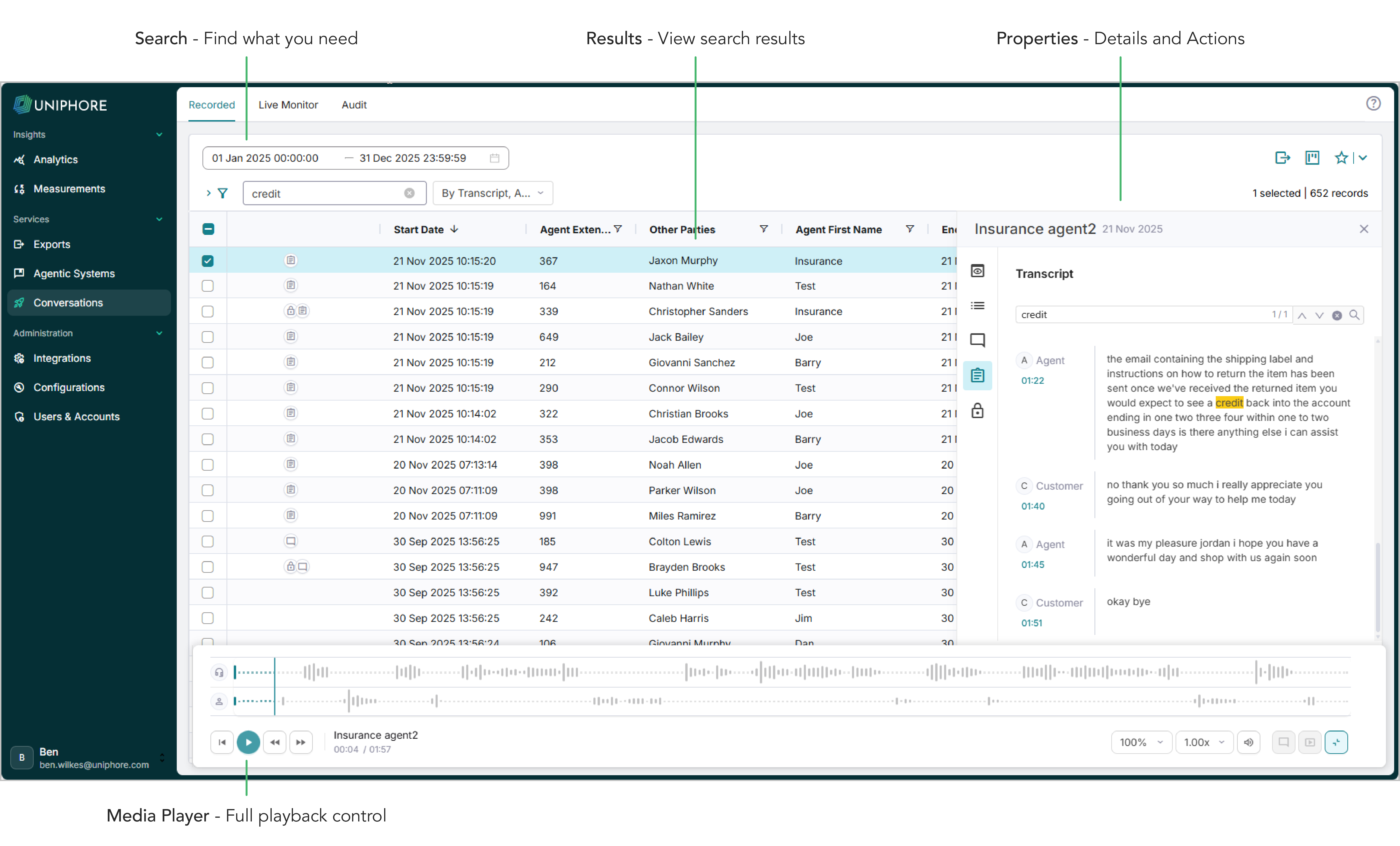
For detailed information on how to search and replay your captured conversations, see Search and Replay Recordings.
Live Monitor
Conversations > Live Monitor provides access to live conversation data:
Monitor conversation activity.
Listen to live audio for your agents in real-time.
Integrated Media Player, with full audio control capabilities.
One-Click Actions: Annotate, Lock, and View Previous Calls.
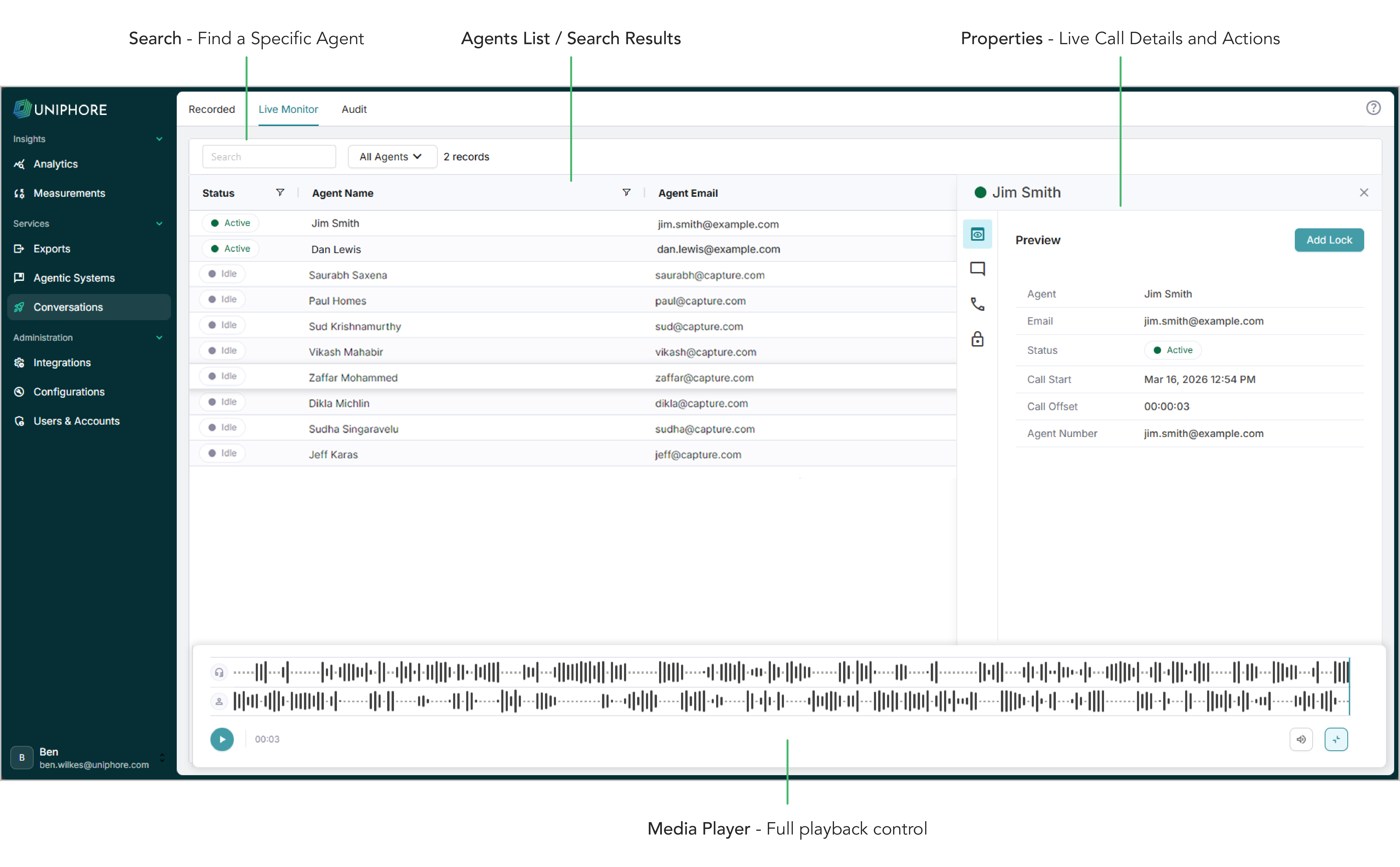
For detailed information on how to use Live Monitor, see Listen to Live Calls.
Audit
Audit provides access to all audit log entries for system monitoring, with full search, filter, and export capabilities.
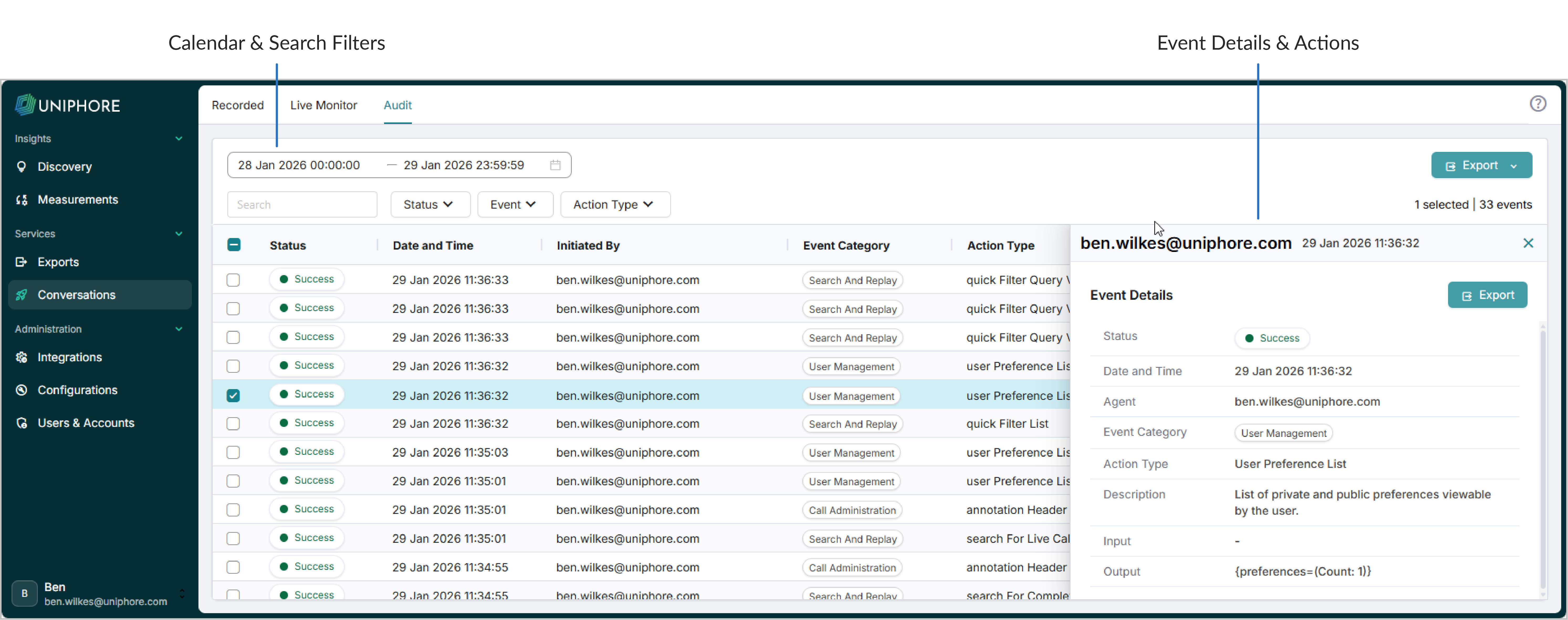
For detailed information on using the Audit screen, see Manage Audit Logs.
Configure
Communication Recording Agent configuration provides system management capabilities for System Administrators, covering key areas including Annotation Headers, Policies (recording control, storage/retention, transcription, automated export, access control), Endpoints, and Storage Locations.
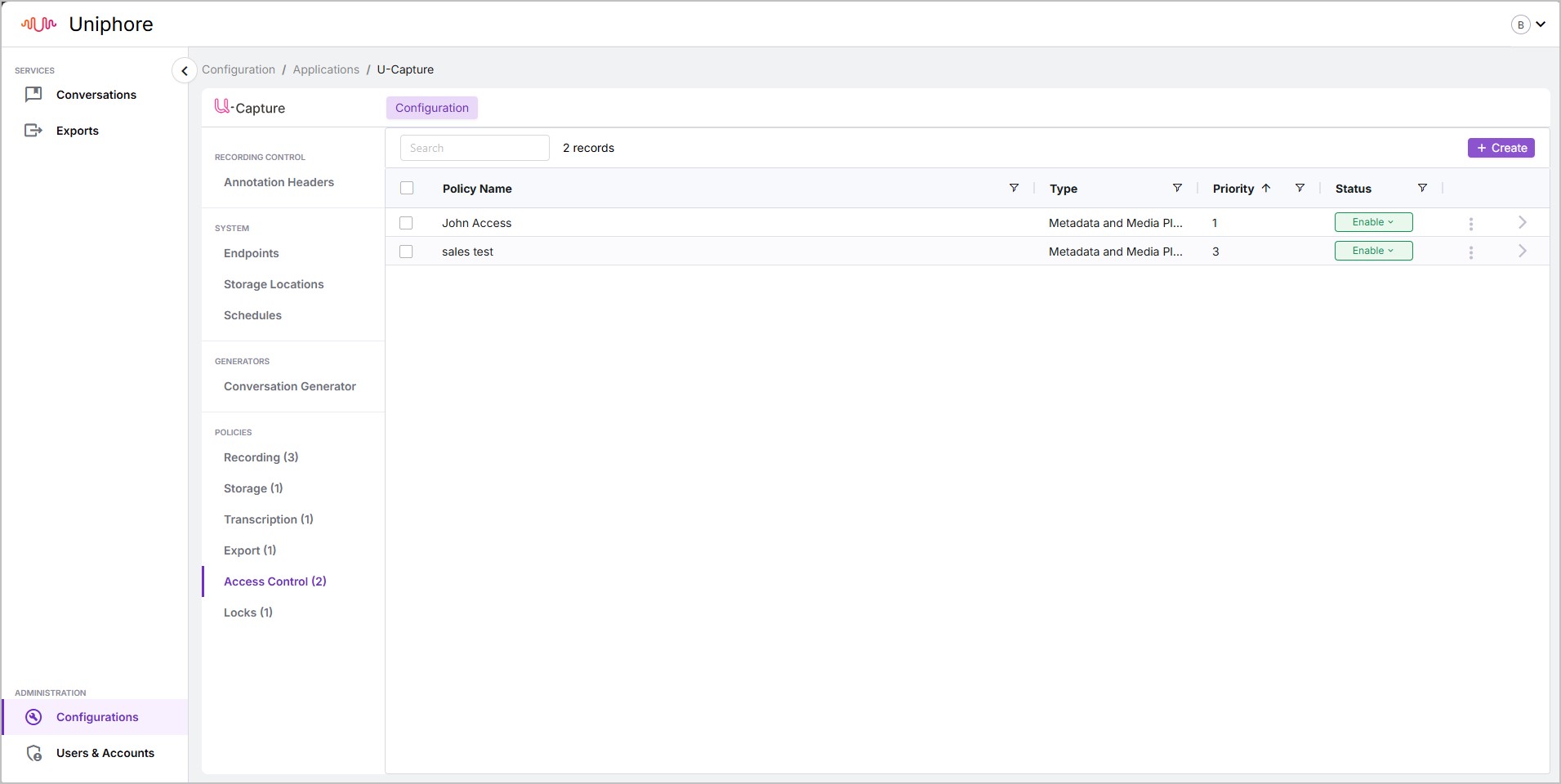
For detailed information on managing and configuring policies, see Manage Communication Recording Agent Policies.
For detailed information on managing Endpoints and Storage Locations, see Manage Endpoints and Storage Locations.
Administration
Use the Users & Accounts page to manage your users by editing existing users, adding users manually or using CSV import, as well as configuring your organization hierarchy to work in combination with automated access polices. View information on your account and your active applications.
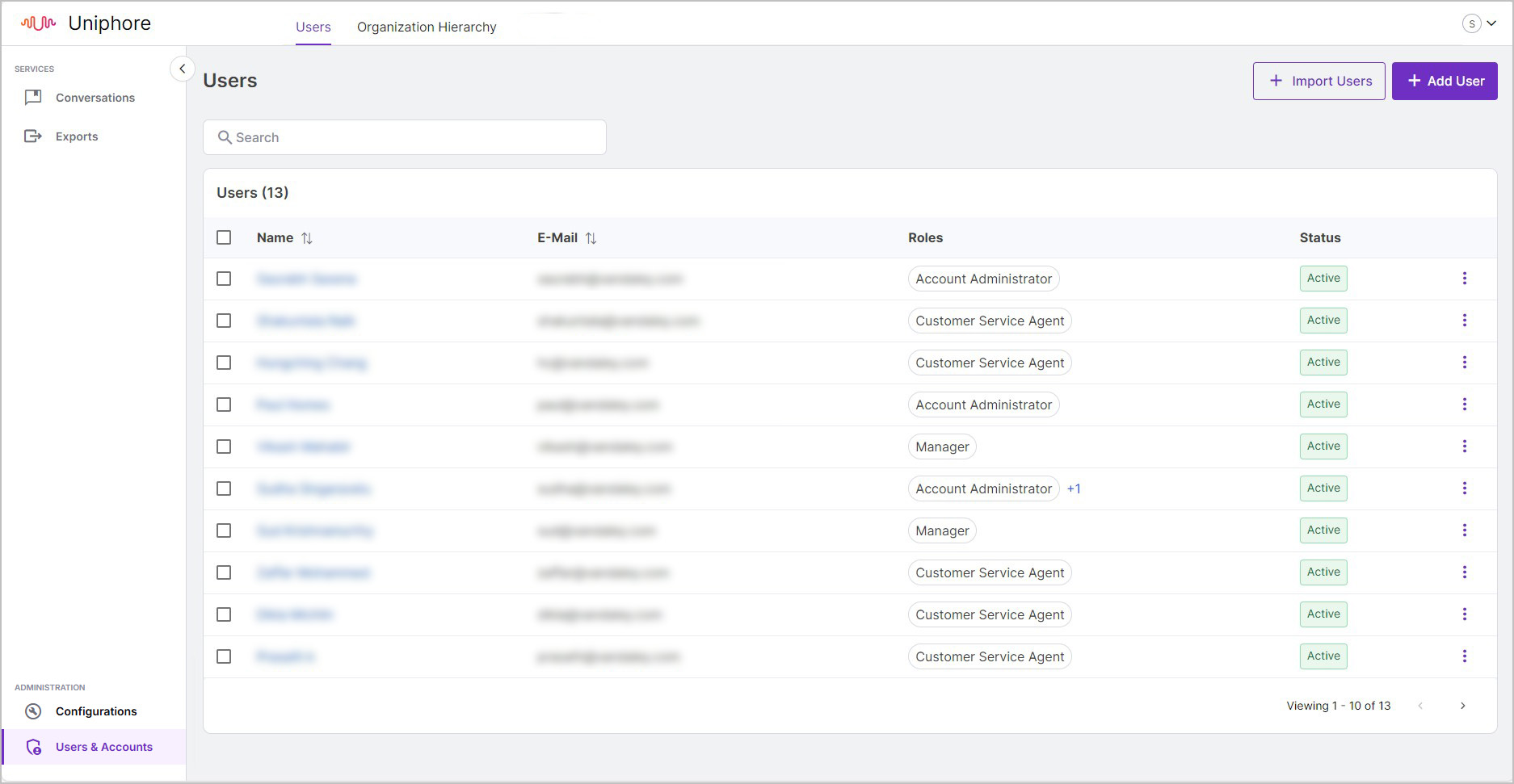
For detailed information on managing users and your organization hierarchy, see User Administration. For Communication Recording Agent specific user administration considerations, click here.