Configuration
This topic contains detailed configuration guidelines to enable call recording for Five9:
Step | Reference | Description |
|---|---|---|
1 | Deploy the Five9 Media Integration (Uniphore Engineers Only) | A Uniphore Engineer will deploy the Five9 Media Integration for your account on the Uniphore Cloud Admin Portal. |
2 | Create the VoiceStream Subscription on the Five9 Administrator Console, most of the hard work is done automatically via API. | |
3 | Edit the VoiceStream Subscription to determine which calls will be streamed to the Audio Connector. |
Note
This topic provides a number of setup and configuration steps using Five9 admin tools and processes. These are subject to regular changes and although the configuration steps covered here will be maintained to ensure the correct process is followed, there may be some differences present.
The configuration steps detailed in this topic should be performed by a suitably qualified Five9 engineer/administrator only. Uniphore recommends this is performed as an assisted/supervised install with a Uniphore engineer, please contact your Uniphore representative to discuss options.
Create VoiceStream Subscription
The following steps must be performed by a Uniphore installation engineer as access to the Uniphore admin portal is required to initiate the connection between Uniphore and the Five9 Voicestream Subscription, however the steps are detailed in this guide to provide transparency for the actions required on the Five9 admin portal., and provide additional context for the Determine Which Calls to Capture step of the configuration.
Following the Media Integration configuration steps in the Uniphore admin portal (see Deploy the Five9 Media Integration) you can now configure the VoiceStream Subscription.
Caution
It is essential that you get to the Five9 admin page via the SETUP VOICESTREAM button as described below, going to the Five9 page manually will fail to configure Media integration and authorization flow.
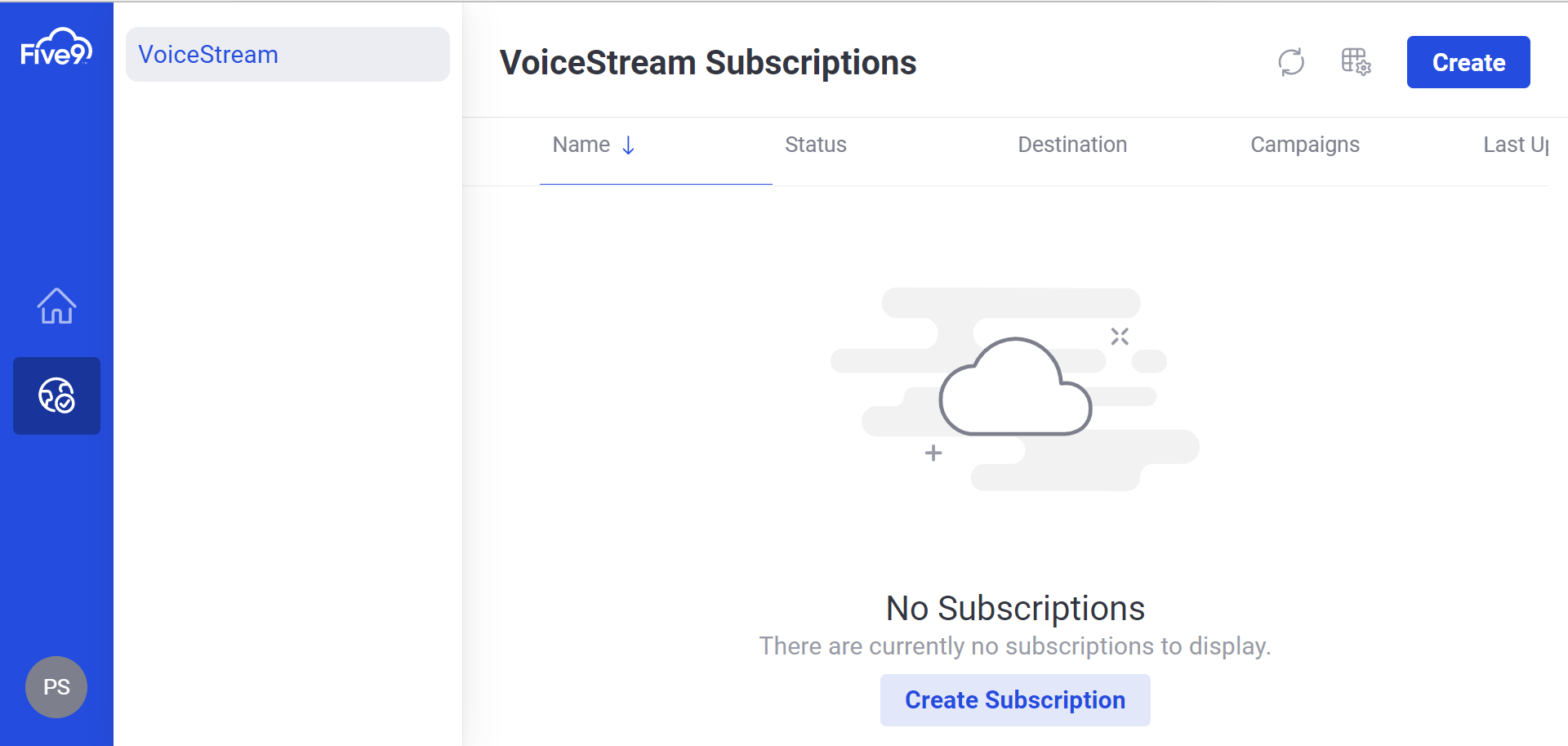
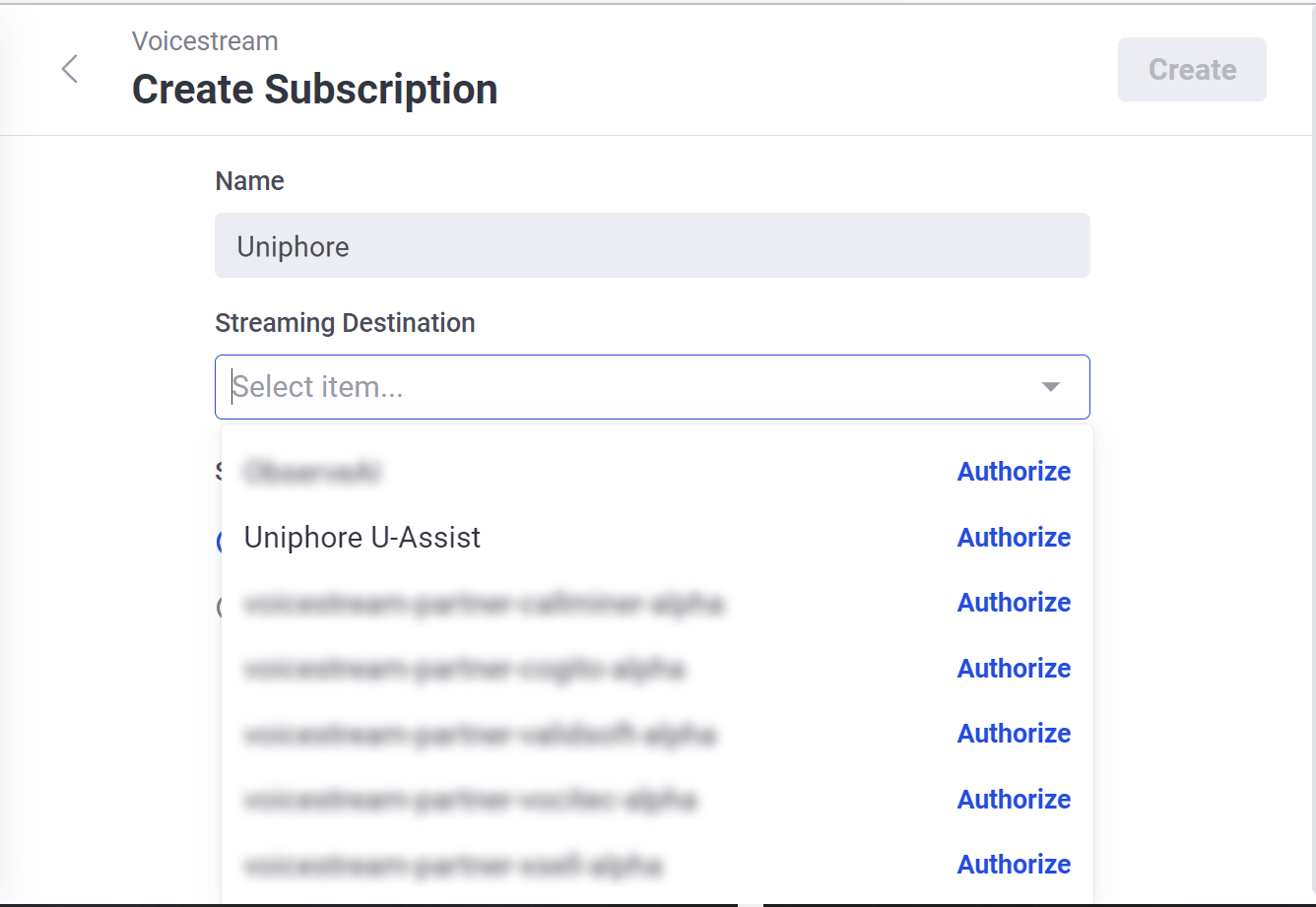
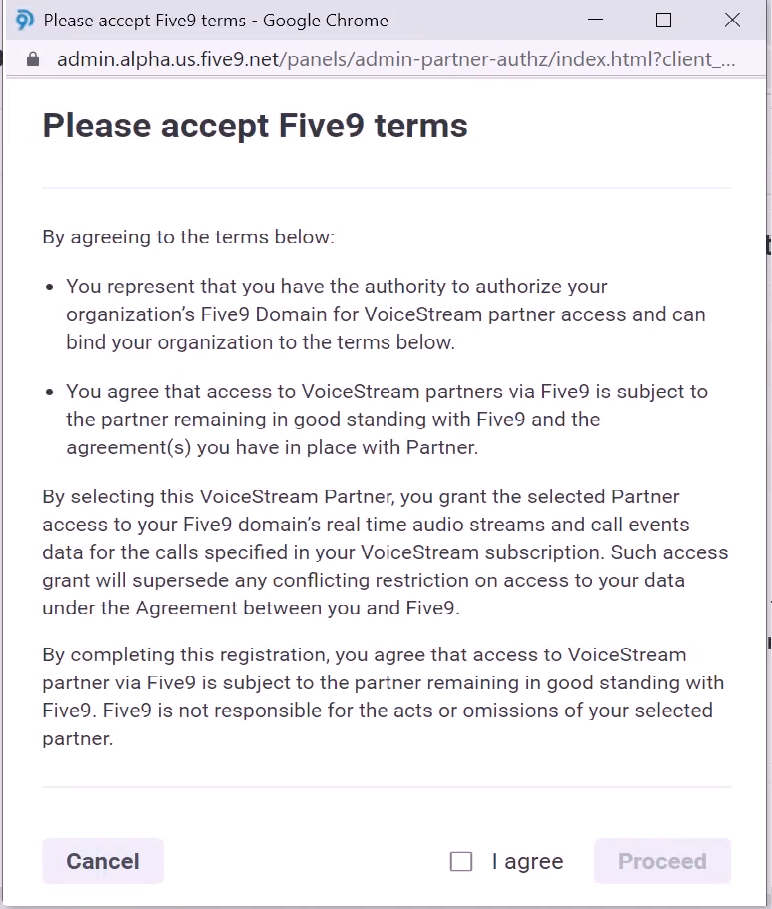
To Create the VoiceStream Subscription:
|
Note
Which calls are captured is determined within the VoiceStream Subscription settings on the Five9 Admin Portal, this is editable during or after the VoiceStream Subscription is created under Streaming Filter, however it's recommended to edit the filter after the VoiceStream Subscription is configured to avoid duplication of work in the unlikely case the authorization flow fails.
 |
 |
 |
 |
Determine Which Calls to Capture
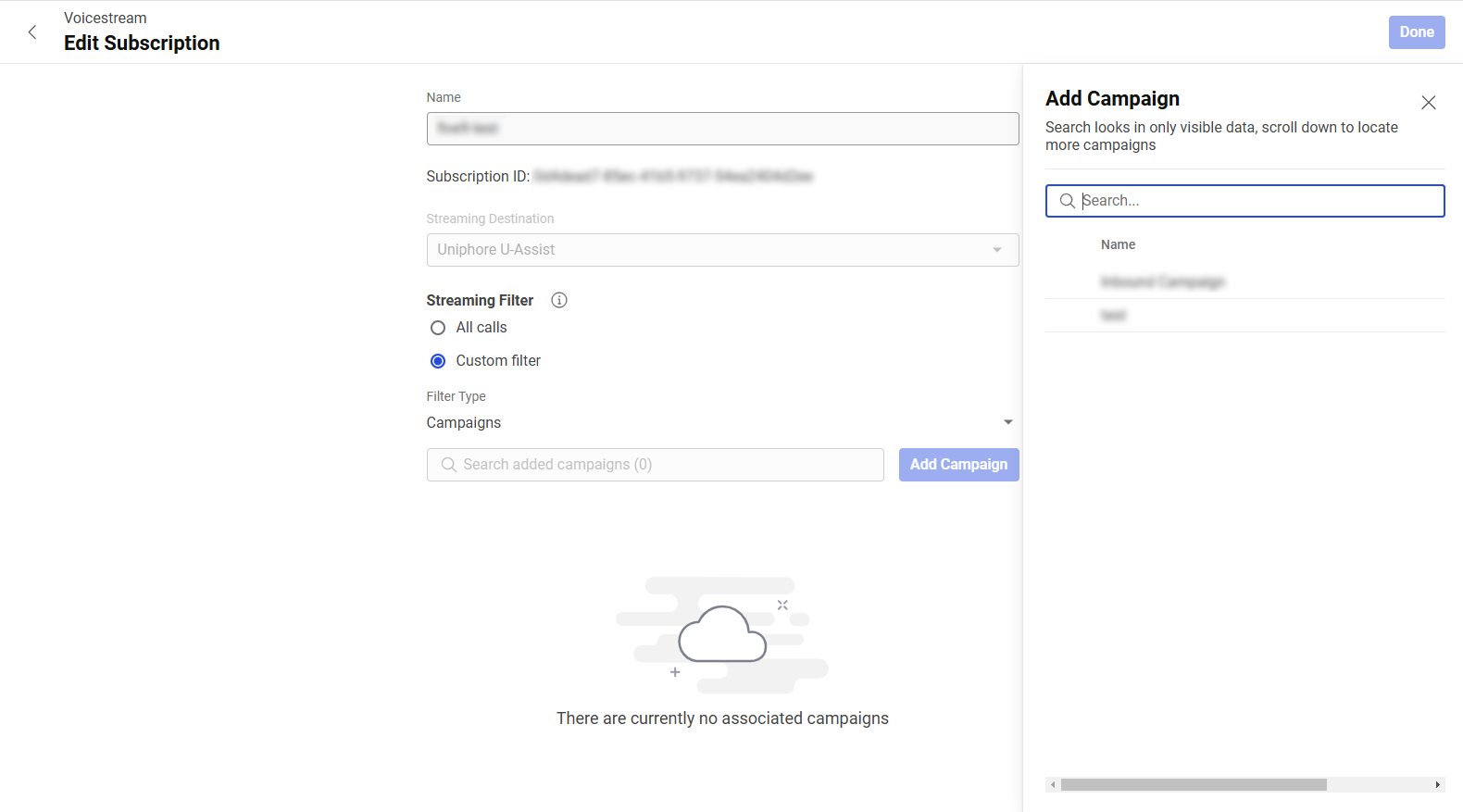
Which calls are captured is determined within the VoiceStream Subscription settings on the Five9 Admin Portal under Streaming Filter.
The below details how to edit the VoiceStream Subscription to determine which calls will be streamed to the Audio Connector.
Note
For an agents calls to appear in the Communication Recording Agent application, the agent must also be configured in the tenant, see Manage Users for Communication Recording Agent.
To Edit Which Calls are Captured:
|
For more information on editing VoiceStream Subscriptions, see the Five9 documentation on Creating Subscriptions for Partners here.