Basics
The following is a reference for each of the Administration Platform pages used to manage platform users. It provides a brief description of each of the features provided on each page and provides links to detailed instructions for that page.
Note
Administration Platform user management functionality is relevant for all Uniphore products. However, there may be additional user management considerations for specific products. Please see the relevant product for further details:
Users Page
You can view and manage all account users from the Users page.
From the main menu, go to Administration > Users & Accounts > Users. The Users page is displayed:
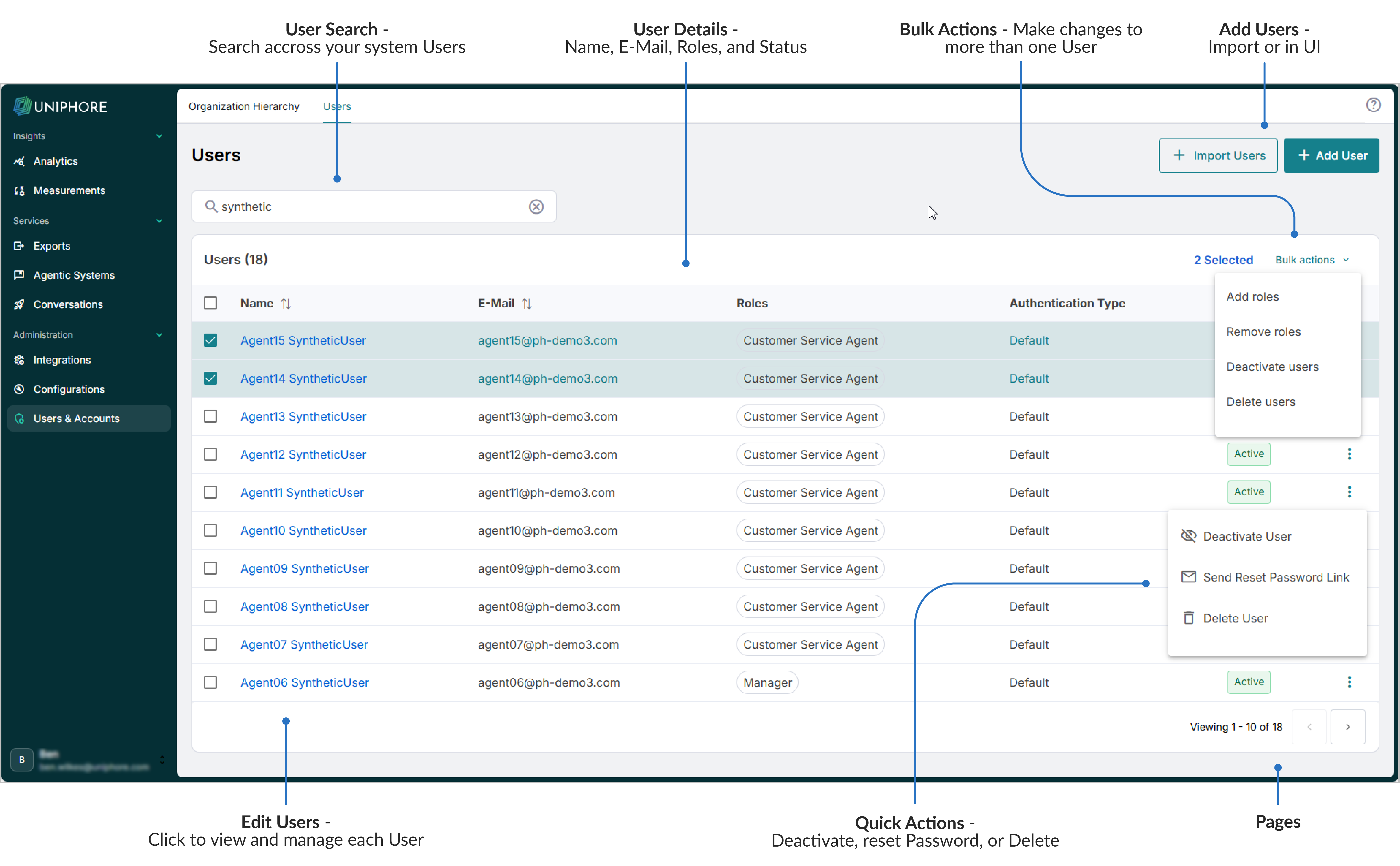
From the Users page, a user with the Account Administrator role can perform the following activities:
Search across all platform users to find a specific user.
View user basic details (such as Name, Email, Roles, Status, etc.).
Click on a user to see additional user details.
Add users one by one or by a bulk import mechanism.
Edit user-specific details, such as changing a Name, Email, Role, etc.
Edit users in bulk, including adding or removing Roles, deactivating or deleting users, etc.
Perform quick user actions, such as deactivating or deleting a user, sending a Reset Password link, etc.
For complete information about viewing and managing users, click here.
Organization Hierarchy Page
You can view and manage your Organization Hierarchy from the Organization Hierarchy page.
Go to Administration > Users & Accounts > Organization Hierarchy. The Organization Hierarchy page is displayed:
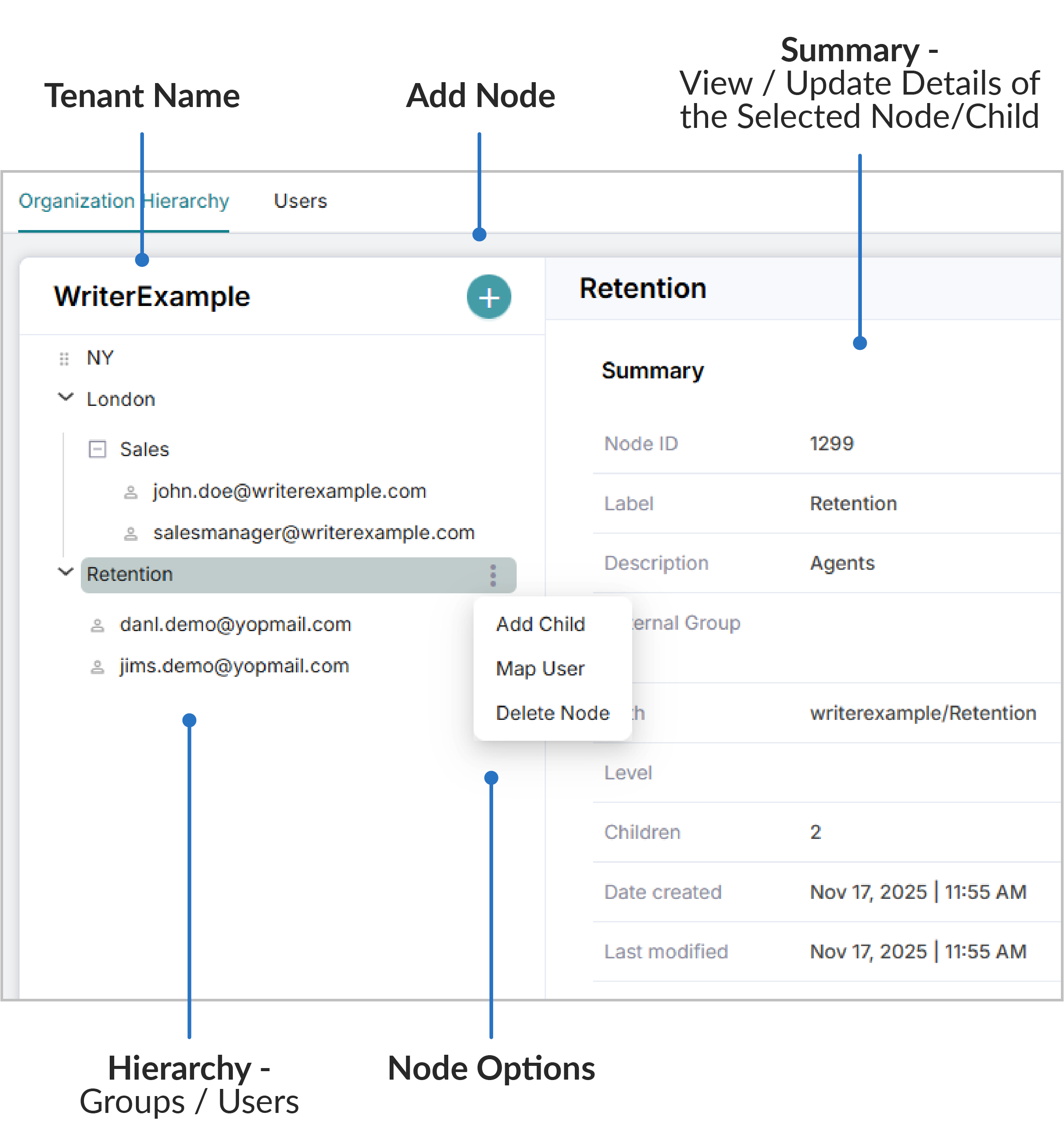 |
The Organization Hierarchy page allows administrators to manage the structure of your system users and groups. Use the following features to add groups/subgroups, assign users to groups/subgroups, and view the organization hierarchy details of groups, subgroups, and users.
Add Nodes to your hierarchy (groups).
Add Child Nodes to your existing Nodes (subgroups).
Map existing users to your Nodes/Child Nodes (groups/subgroups).
Use the Summary to view and edit the details of your groups, subgroups, and users in those groups.
For complete information about viewing and managing the Organization Hierarchy, click here.