2026.05 Real-Time Guidance Agent
Release Date: 11 June 2026
The Real-Time Guidance Agent 2026.05 Release introduces the following features.
New Features
Introducing Pre-Call Intelligence Handoff Context for Agent Call Transfer
With this release, the Pre-Call Intelligence Handoff Context feature is now available for Agent Call Transfer in Real-Time Guidance Agent. This capability enables Agents to quickly understand the context of transferred calls before engaging with customers, improving continuity and operational efficiency during call transfers.
By providing a summarized view of the preceding interaction, the feature helps reduce customer repetition, enables Agents to immediately understand previously completed actions, improves transfer efficiency, minimizes Average Handle Time (AHT), and delivers a more seamless customer experience across transferred call journeys.
Handoff Context Configuration
An Account Administrator or Analyst can configure how handoff summaries are generated and displayed to Agents during transferred calls at the Experience level. The configuration option includes:
Enabling the Handoff Context feature
Configuring the metadata key (i.e., Link Conversation ID), which acts as the primary identifier to detect transferred calls and associate related call legs within the same customer interaction journey.
Assigning a Summary Template to the selected Experience to generate the handoff summary
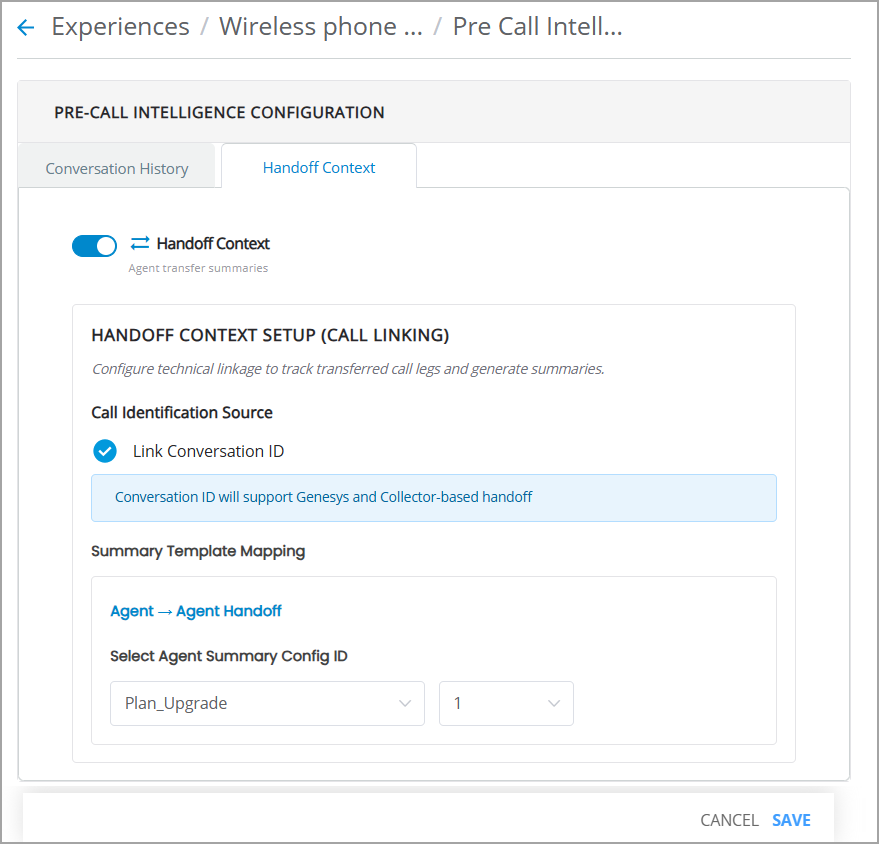
For more details, refer to Configuring Pre-Call Intelligence Handoff Context.
View Handoff Summary in Runtime
When a transferred call is received, the Agent is notified within the application. The Customer Info panel displays the Handoff Summary, including:
Call reason
Steps already completed in the previous call leg
Open issues or pending tasks that remain unresolved prior to the transfer
This contextual intelligence enables the receiving Agent to continue the interaction efficiently without requiring the customer to repeat information.
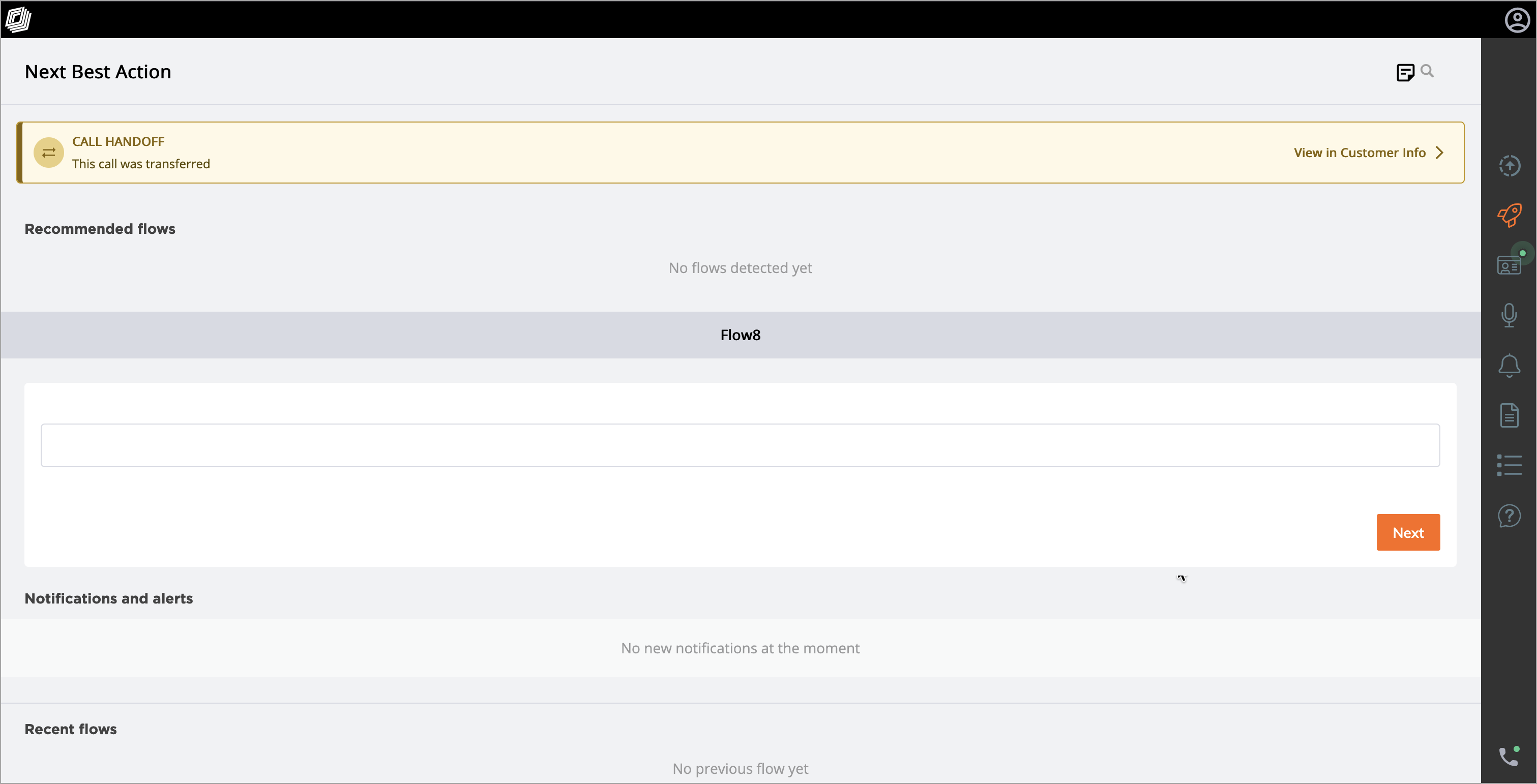 | 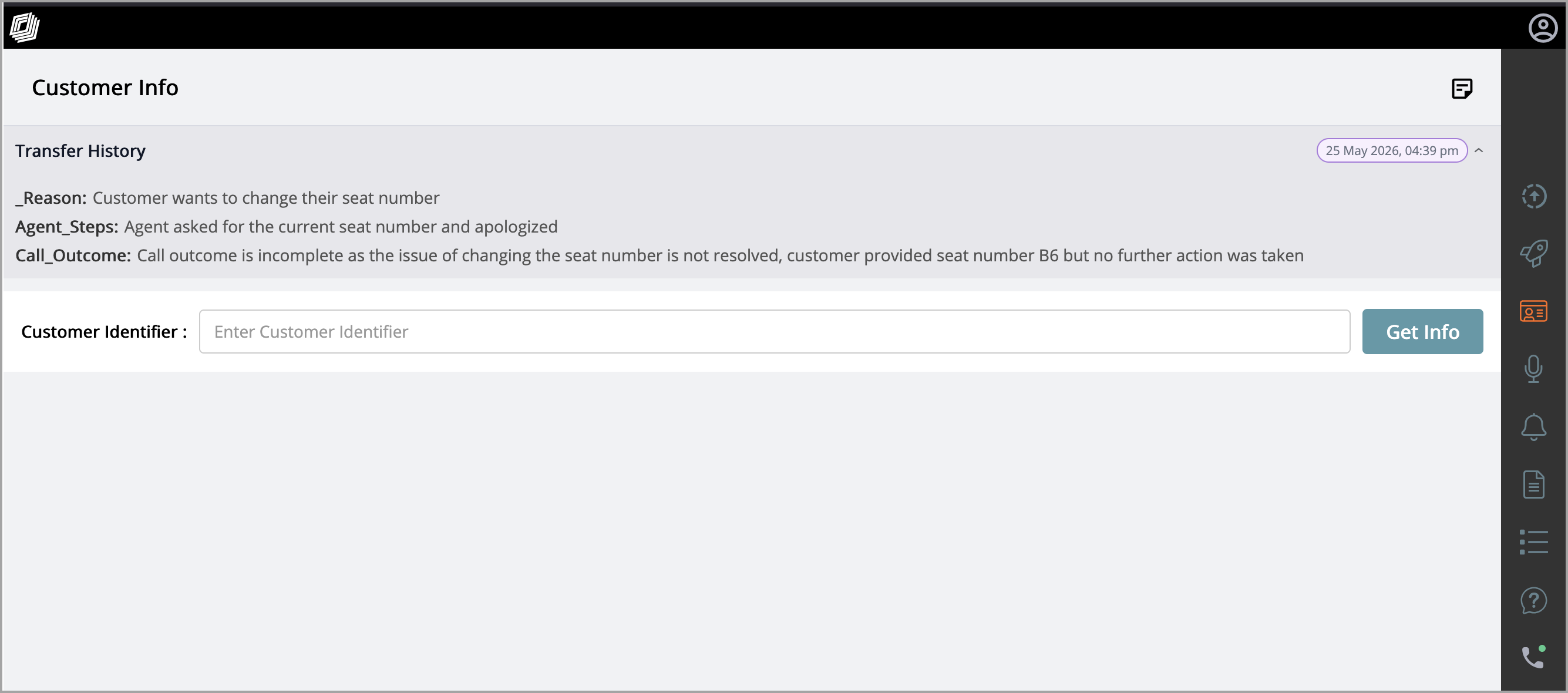 |
For more details, refer to Viewing Agent Handoff Summary in the AI Agent application.
Integrating Real-Time Guidance Agent Dashboards into Conversation Insights Agent
Real-Time Guidance Agent performance and Business Information (BI) dashboards are now integrated into the Conversation Insights Agent platform, providing a unified analytics view across real-time guidance and post-call analysis.
This capability is currently available only to customers with both Real-Time Guidance Agent and Conversation Insights Agent deployed.
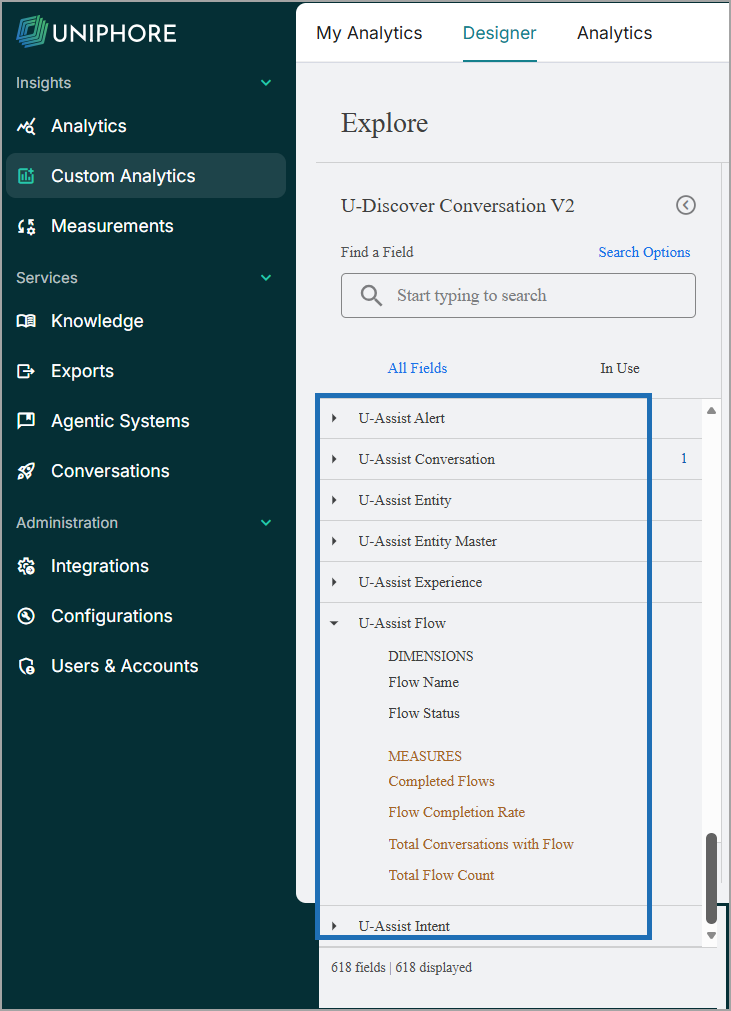
The integration allows users to create custom dashboards using the Real-Time Guidance Agent 'out-of-the-box' metrics and flows metrics by the Designer tool.
The integration provides the following key benefits:
Unified Analytics Platform - Provides a centralized view of operational insights, performance metrics, and reporting across customer interactions.
Custom Visualization Support - Enables users to create personalized dashboards using out-of-the-box metrics and flow data, supporting flexible and tailored reporting needs.
Enhanced Guided Flow Tracking - Guided Flow metrics are now available in the CIA Dashboard, improving visibility into flow execution, intent correlation, and step-level performance.
Flow Steps Tracking - Flow Start, Partial Completion, and Flow Completion events are now independently tracked to provide better visibility into flow progression, drop-offs, and completion behavior.
Intent & Step-Level Analytics - Flows can be filtered and grouped by triggered intents, and each step is tracked individually to enable analysis of step-wise progress, drop-offs, and completion rates at each stage.
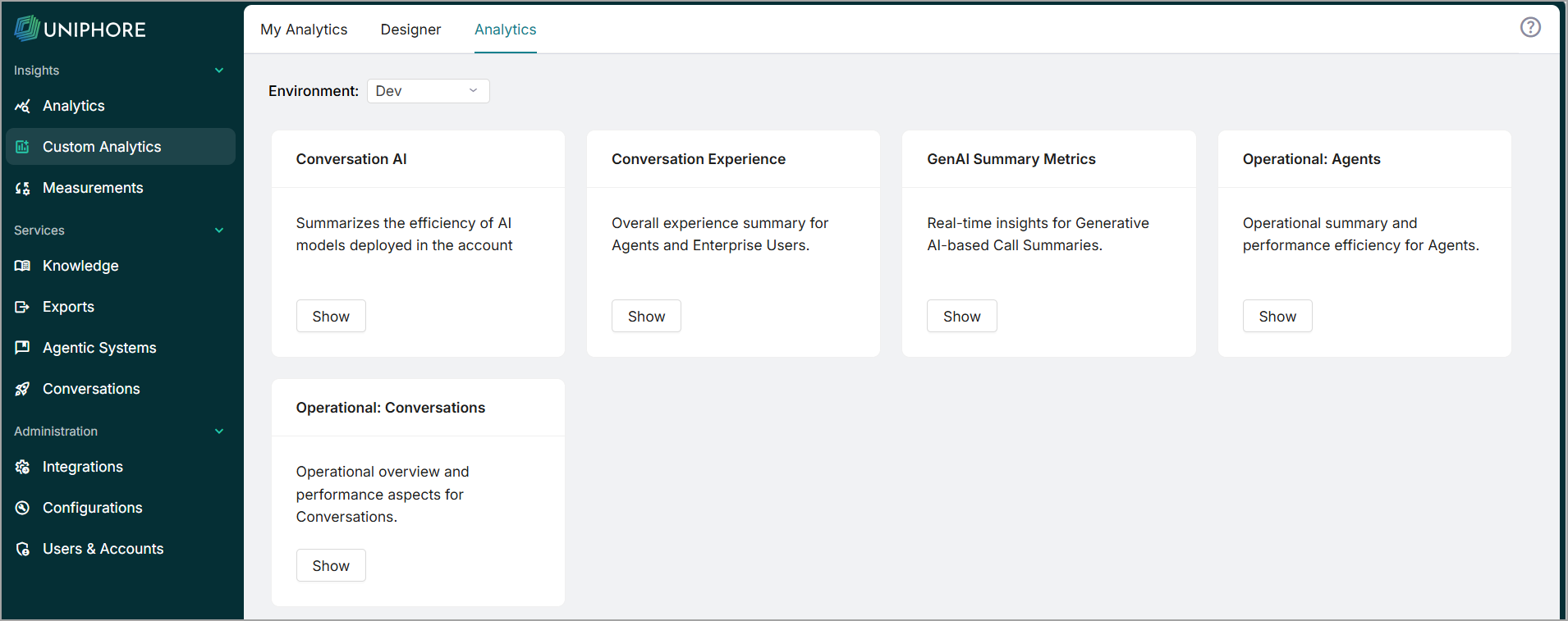 |  |
For more details, refer to Real-Time Guidance Agent Analytics in Conversation Insights Agent.
For more details, refer to Design Custom Dashboard in Conversation Insights Agent.
Test Module for Proactive Questions & Answers
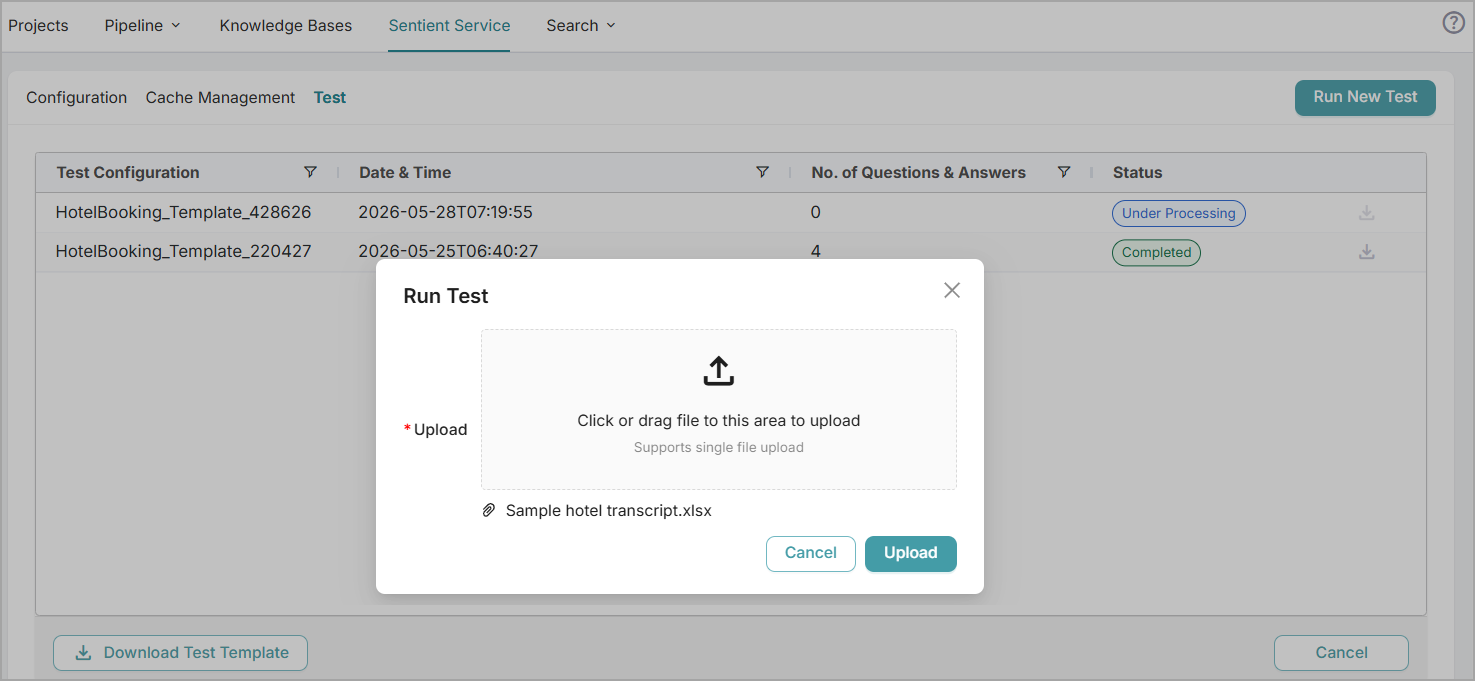
With this release, the Sentient Agent Design Environment page now includes a Test Module that provides users with a sandbox environment for testing. It allows them to run tests on call transcript datasets with a Knowledge Configuration Template created for an account to validate automatically predicted questions prior to deployment. This helps identify gaps and fine-tune the configuration, resulting in greater accuracy.
For more details, refer to the section Test Knowledge Configuration Templates.
AI-Based Mid-Call Disposition Retrieval Using the Disposition API
With this release, a new Disposition API has been introduced to trigger AI-based Call Disposition generation during an active call or after call completion using either the Conversation ID or the external conversation ID.
The API is primarily intended for third-party applications that do not use the AI Agent Assist UI, enabling them to retrieve Call Disposition values while the call is still in progress or after it has ended.
Note
Only one active Disposition generation occurs per conversation.
For more details, refer to the section Retrieve AI-based Call Disposition Values Using the Disposition API.
Enhancements
Session Timeout Warning for AI Agent Assist
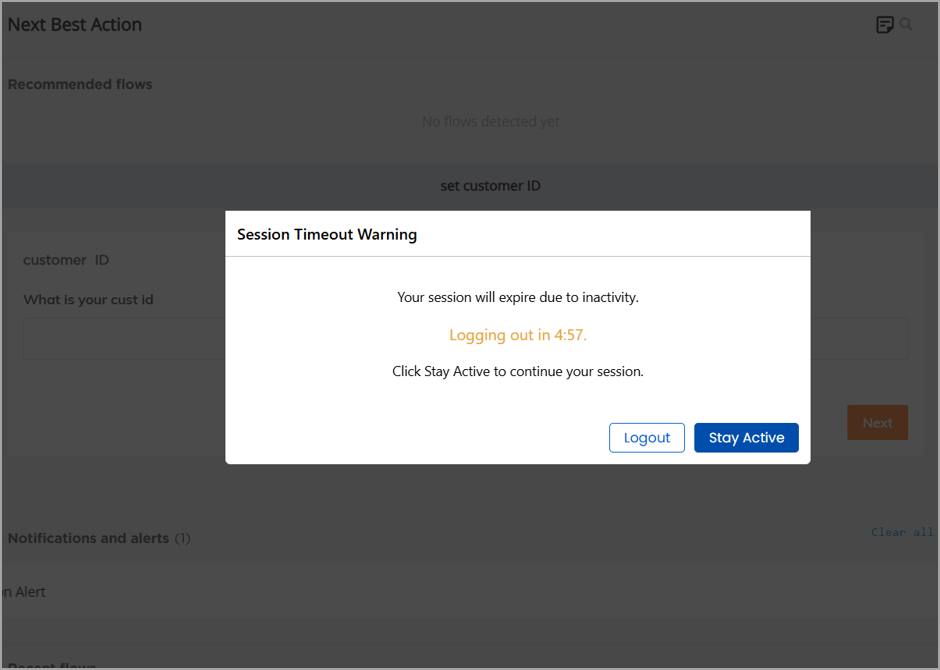
With this release, the AI Agent Assist application displays a Session Timeout Warning when an Agent's browser session remains inactive (no user activity in the application and no active call streaming). The warning appears five minutes before the configured Agent Session Timeout is reached.
This enhancement helps prevent stale browser sessions from remaining active, improving application security and reliability while ensuring that interaction data, transcripts, summaries, and other real-time information remain accurate and up to date.
The warning includes a countdown timer and allows Agents to either remain signed in or log out immediately. If no action is taken before the countdown expires, the application automatically logs the Agent out.
For more details, refer to Logging In to the AI Agent.
Constraints and Limitations
The following constraints and limitations exist for this release:
Item | Description | Workaround |
|---|---|---|
1 | Currently, the Manager Dashboard only supports live monitoring for up to 200 Agents simultaneously per Manager. | When using the Manager Dashboard for live monitoring of call sessions in your account, do not map more than 200 Agents to a Manager. Contact Uniphore Support for additional information and options. |
2 | When using the Auto-Submit option with the GenAI Summary, if the Trigger is set to 'End of Current Call', the X-Platform Conversation Summary variable for the current call returns an empty value. | Contact Uniphore Support for additional information and options. |
3 | When creating an Alert for Agents, you can currently map it to a Service Flow; however, the selected Flow will be executed only at the end of the call. | Execution of a Service Flow that is mapped to an Alert will be possible only in a future release. |
Bug Fixes
There are no bug fixes specific to this release.