2025.11 Real-Time Guidance Agent
Release Date: 10 December 2025
The Real-Time Guidance Agent 2025.11 Release introduces the following features.
New Features
There are no new features added in this release.
Enhancements
On-Demand Summary Generation
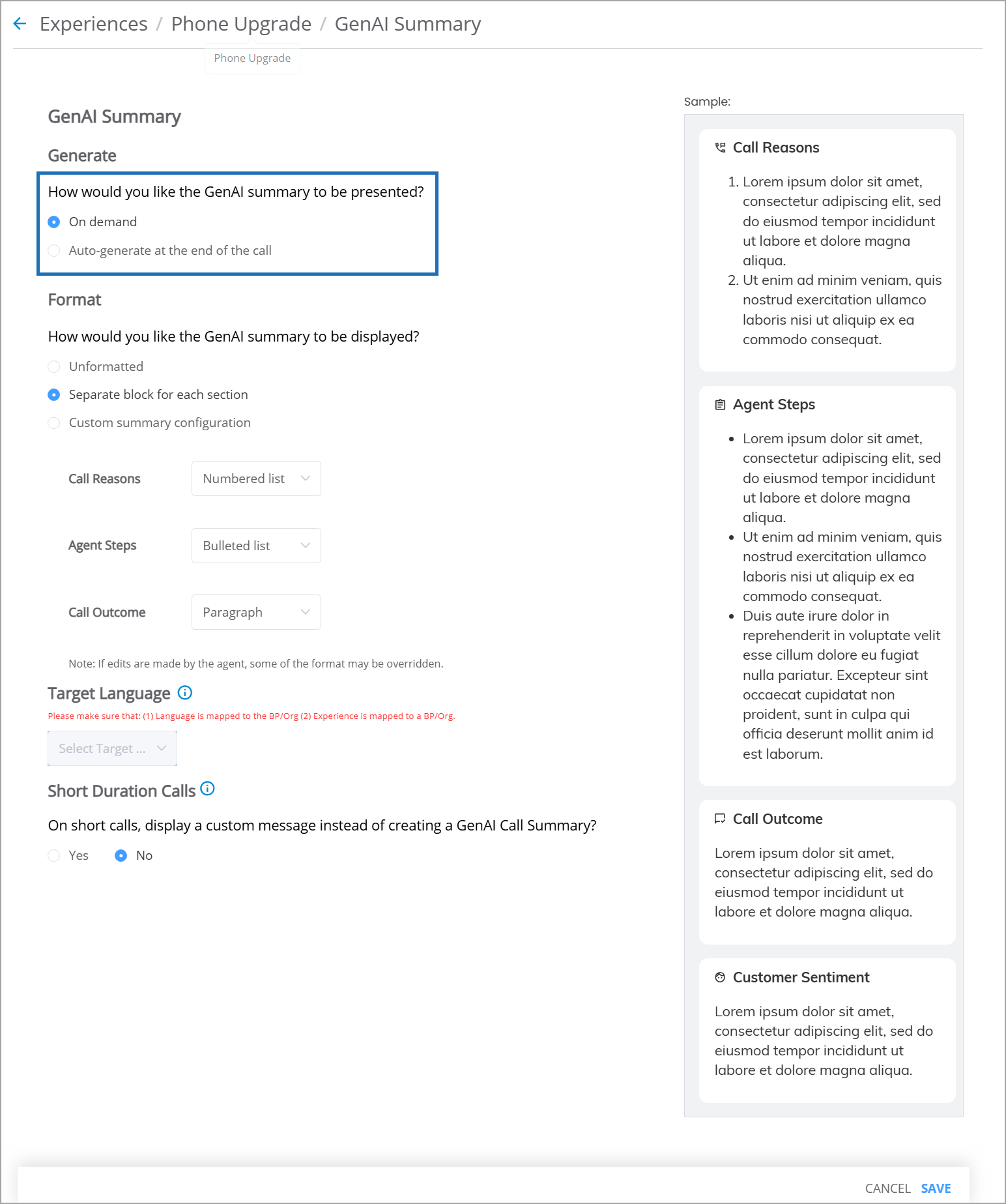
With this release, the Real-Time Guidance Agent has been enhanced with a unified, standards-based On-Demand Summary generation capability within GenAI Summary. For each Experience, a Business Analyst can now select how the GenAI Summary is generated (either On-Demand or Auto-generate at the end of the call) during runtime.
For more information on configuring GenAI Call Summary, click here.
 |
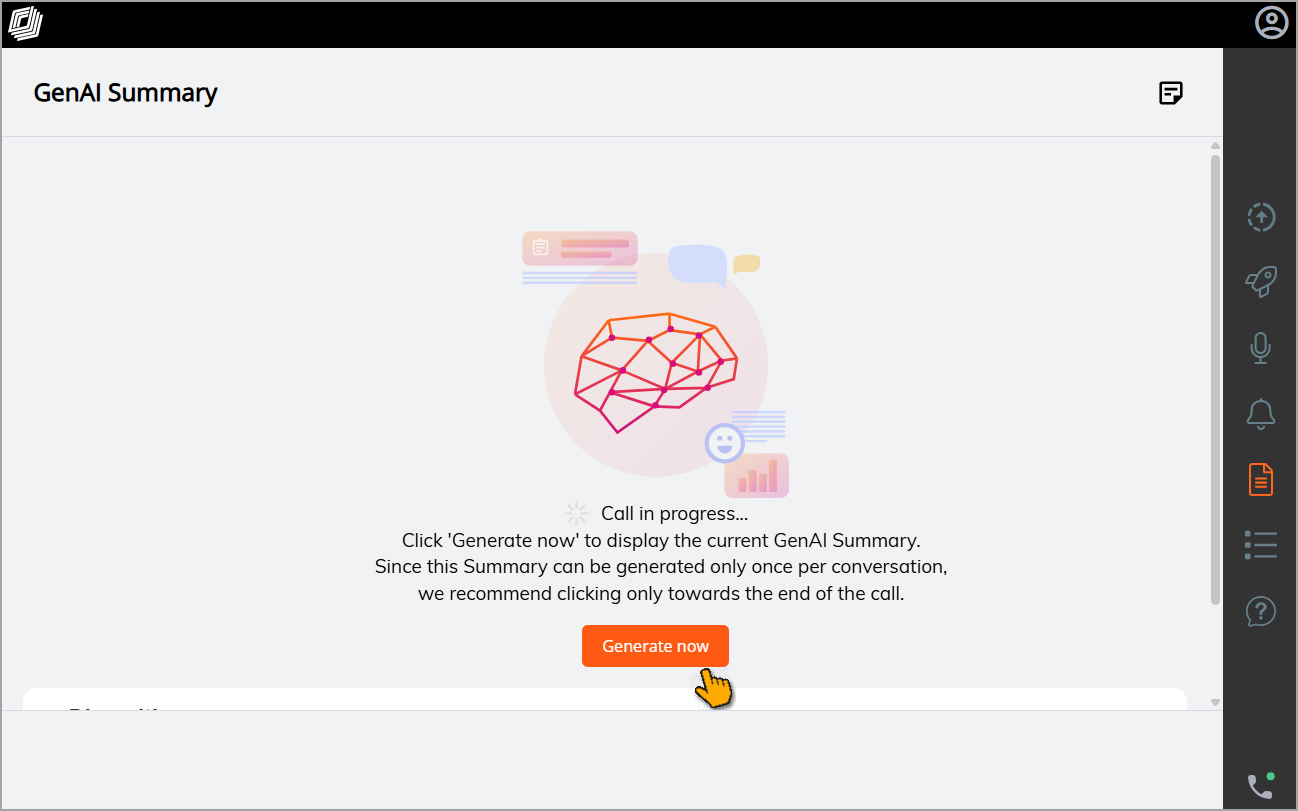
For On-Demand Summaries, during the call, an Agent can click Generate Now to immediately generate the Summary using the assigned Summary Template. If an Agent edits the Summary while the call is in progress, those edits will now be retained as part of the final Summary when the call ends.
Important
The Summary can be generated only once per conversation. It is recommended that Agents trigger On-Demand Summary generation toward the end of the call.
The Generate Now button will be enabled in the UI only after 60 seconds to ensure that a meaningful Summary can be generated.
For more information on generating On-Demand Summaries with the GenAI Summary, click here.
Updated Business Information (BI) Dashboard Metrics
With this release, the metrics presented in the GenAI Summary Metrics dashboard have been enhanced to provide more targeted analytics on real-time activities for Generative AI-based Call Summaries.
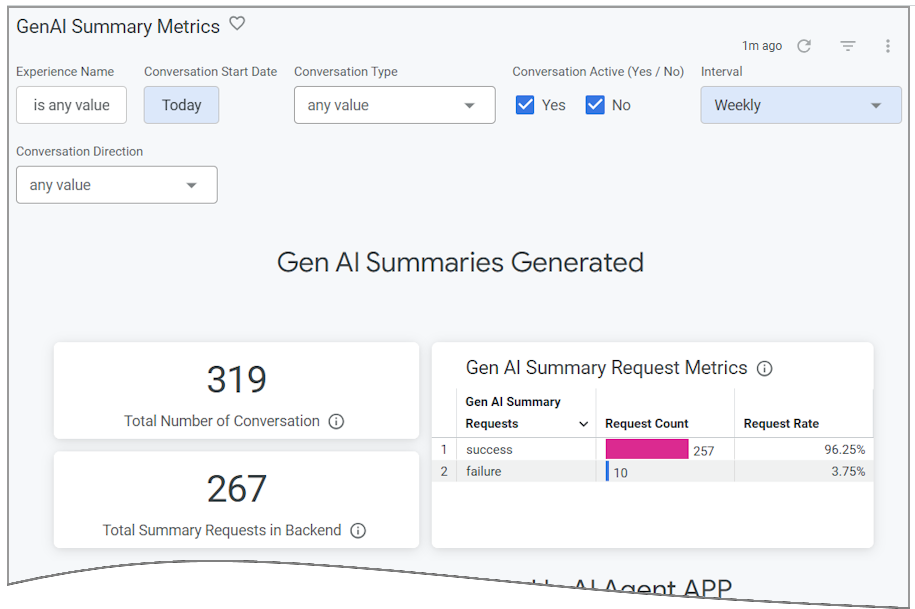 |
Revised metrics for this dashboard now include:
GenAI Summary Generated Metrics - Shows the success or failure count of summary requests that are received from Agents for processing. This metric relates only to requests in the back-end, prior to results being sent to an Agent.
GenAI Summary in Agent Application Metrics - Tracks the Summaries as they are displayed to an Agent, including how many succeeded or failed to display, and how many were missing summary data.
GenAI Summary Submission Metrics - Tracks the status of submissions, including how many were submitted manually or automatically, and how many summaries were edited by the Agent prior to submission.
For complete information on using BI Dashboards, click here.
Added Variables in Summary Builder Advanced Mode
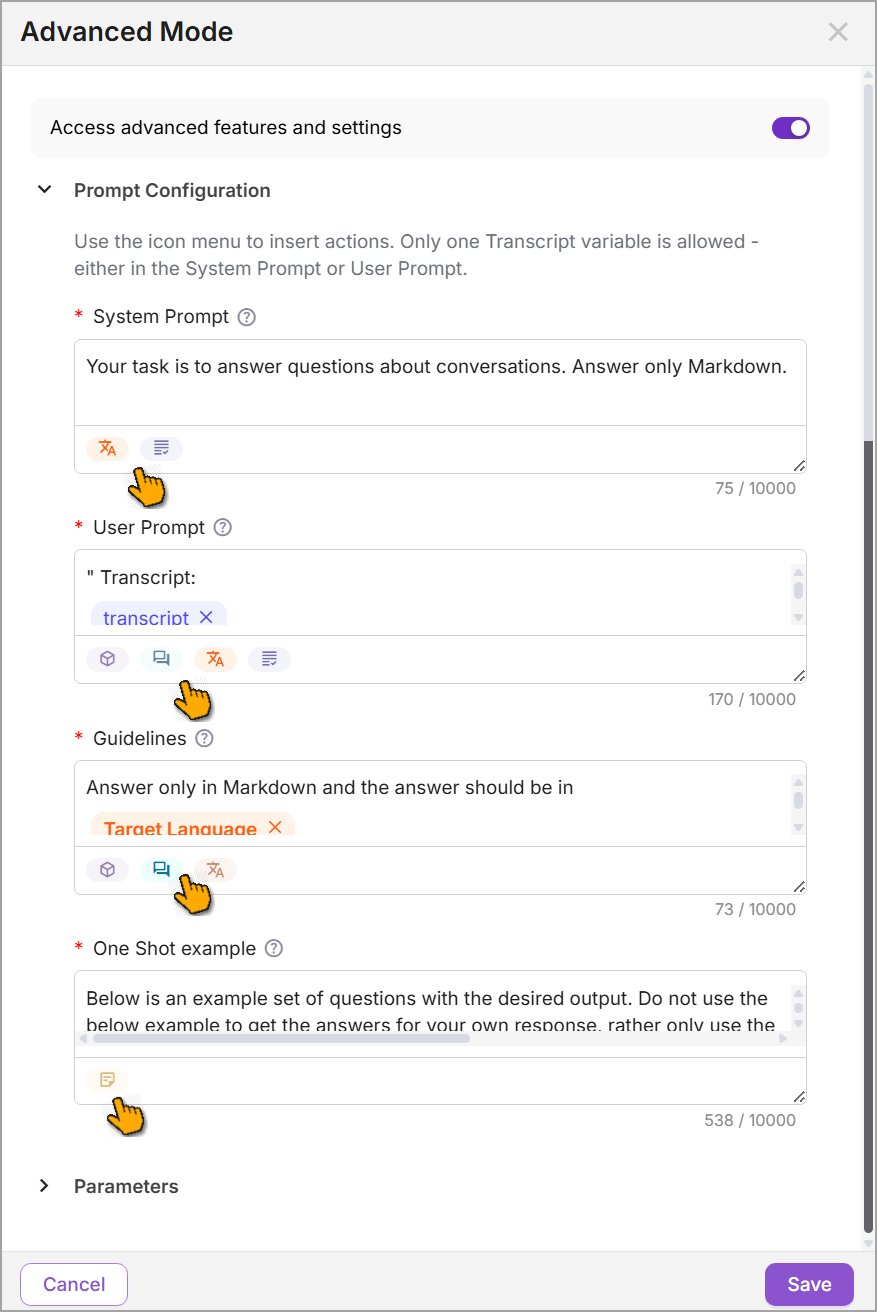
With this release, relevant variables such as Transcript, Target Language, Questions, and Answers can now be included across Advanced Settings in the Prompt Configuration (System Prompt, User Prompt, Guidelines, and One-Shot Example) within the Summary Builder's Advanced Mode. These variables enable the model to generate accurate, context-aware, and customized summaries that align with business requirements and support multilingual use cases.
For more information on adding variables in the Summary Builder, click here.
Added Retry and Download Capabilities for Failed Test Results in Summary Builder and Call Disposition
With this release, users can retry tests for Summary Templates and Disposition configurations using call transcript datasets specifically for test records that resulted in a Failed status. Failed test results can also be downloaded to identify the reasons for failure, streamlining the validation process by allowing users to focus only on the failed test records without having to rerun the entire dataset. This helps users to identify gaps and fine-tune the Summary Template and Disposition Configuration.
For more information on Test Summary Templates here.
For more information on Test Disposition Configurations, click here.
Constraints and Limitations
The following constraints and limitations exist for this release:
Item | Description | Workaround |
|---|---|---|
1 | Currently, the Manager Dashboard only supports live monitoring for up to 200 Agents simultaneously per Manager. | When using the Manager Dashboard for live monitoring of call sessions in your account, do not map more than 200 Agents to a Manager. Contact Uniphore Support for additional information and options. |
2 | A user is unable to upload and test an audio file or text file in the AI Agent Assist Application. | A user must log in to the U-Assist ACW platform at least once in order to successfully upload and test audio files in the AI Agent Assist Application. |
3 | When using the Auto-Submit option with the GenAI Summary, if the Trigger is set to 'End of Current Call', the X-Platform Conversation Summary variable for the current call returns an empty value. | Contact Uniphore Support for additional information and options. |
4 | When creating an Alert for Agents, you can currently map it to a Service Flow; however, the selected Flow will be executed only at the end of the call. | Execution of a Service Flow that is mapped to an Alert will be possible only in a future release. |
Bug Fixes
There are no bug fixes specific to this release.