2025.09 Real-Time Guidance Agent
Release Date: 05 November 2025
Note
'U-Assist' was rebranded to Real-Time Guidance Agent in Release 2025.07.
The Real-Time Guidance Agent 2025.09 Release introduces the following features.
New Features
Centralized Question Manager for Summary Builder
With this release, a centralized Question Manager has been introduced within the Summary Builder, which allows Super Admins to manage all Uniphore Standard and User-Defined (i.e., Custom) questions across the organization. It helps maintain and refine the questions the AI uses to gather information from conversations, reduce duplication, and enforce consistency in how Summary questions are framed and utilized across the organization.
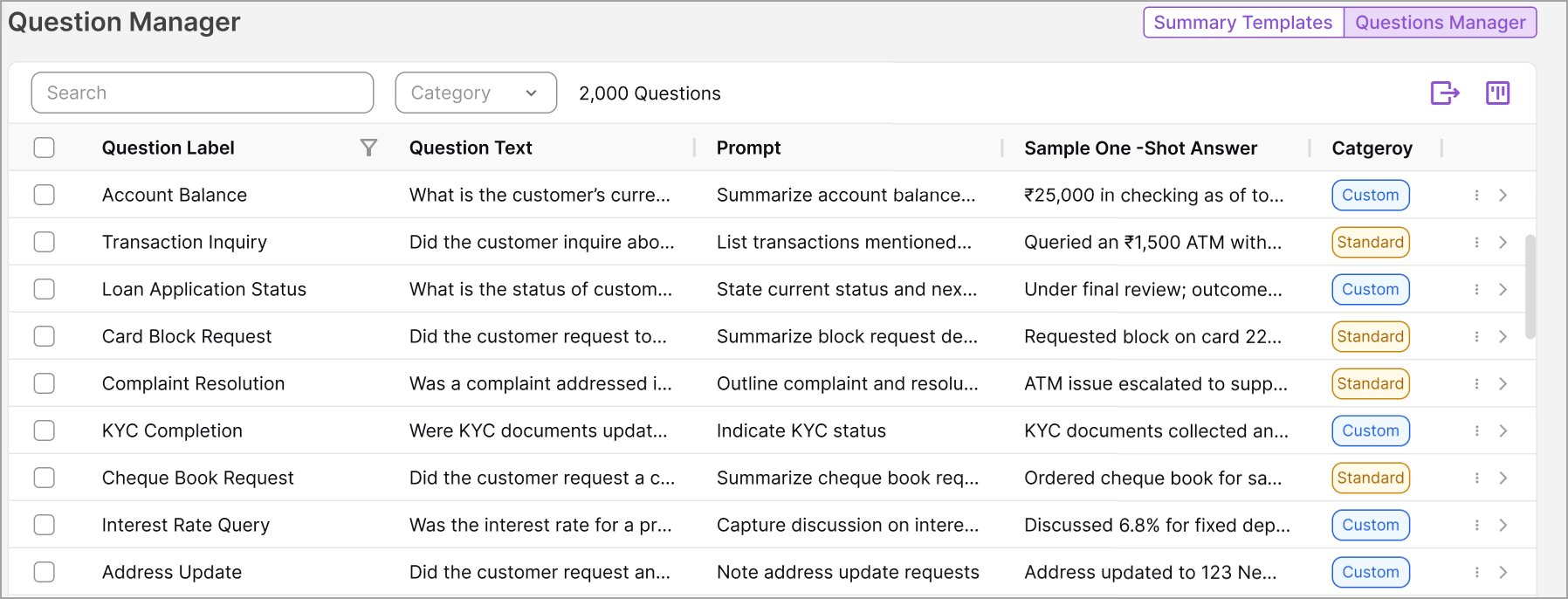
Super Admins can monitor, update, delete, and promote questions used across the organization for all users and Summary Templates, ensuring that the Summary includes the key insights needed.
For more details on the new centralized Question Manager, click here.
Test Module in Summary Builder
With this release, the Summary Builder now includes a Test Module, which provides users with a sandbox environment for testing. It allows them to run tests on call transcript datasets using a configured Summary Template to validate how summaries are generated in real time prior to deployment. This helps identify gaps, fine-tune the Summary Template, and export results for team review.
The module also tracks test history, provides transparent status updates, and allows easy iteration for template optimization.
For more details on the Summary Builder Test Module, click here.
Test Module in Call Disposition
With this release, the Disposition Hierarchy Configuration page now includes a Test Module that provides users with a sandbox environment for testing. It allows them to run tests on call transcript datasets with a Disposition configuration created for an account to validate disposition prediction results prior to deployment. This helps identify gaps and fine-tune the configuration, resulting in greater accuracy.
For more details on the Call Disposition Test Module, click here.
Enhancements
Advanced Settings Now Available in Summary Builder
The Summary Builder now includes an Advanced Mode, which allows expert users to tailor summary configurations based on their business needs rather than relying on predefined templates.
Previously, the Summary Builder's fixed, template-based structure limited flexibility for enterprise users and prompt engineers who needed to apply custom styles, domain-specific terminology, or mandatory keywords, resulting in workarounds and reduced adoption.
The new Advanced Mode provides greater control and flexibility through editable System Prompt, User Prompt, Guidelines, and One-Shot Example fields, along with access to AI model parameters such as temperature and token limits. It ensures seamless switching between advanced customization and standard templates, allowing users to fine-tune summaries easily.
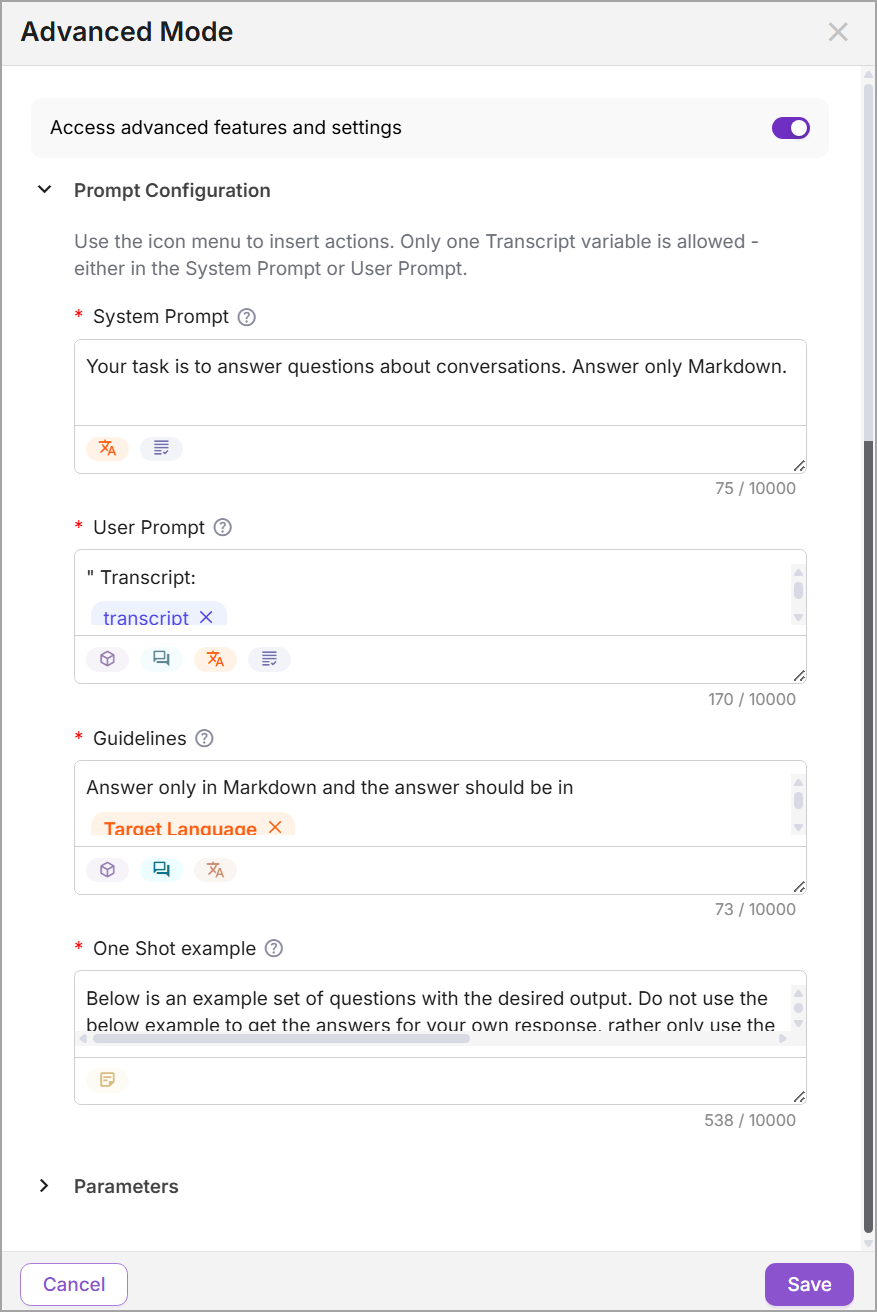
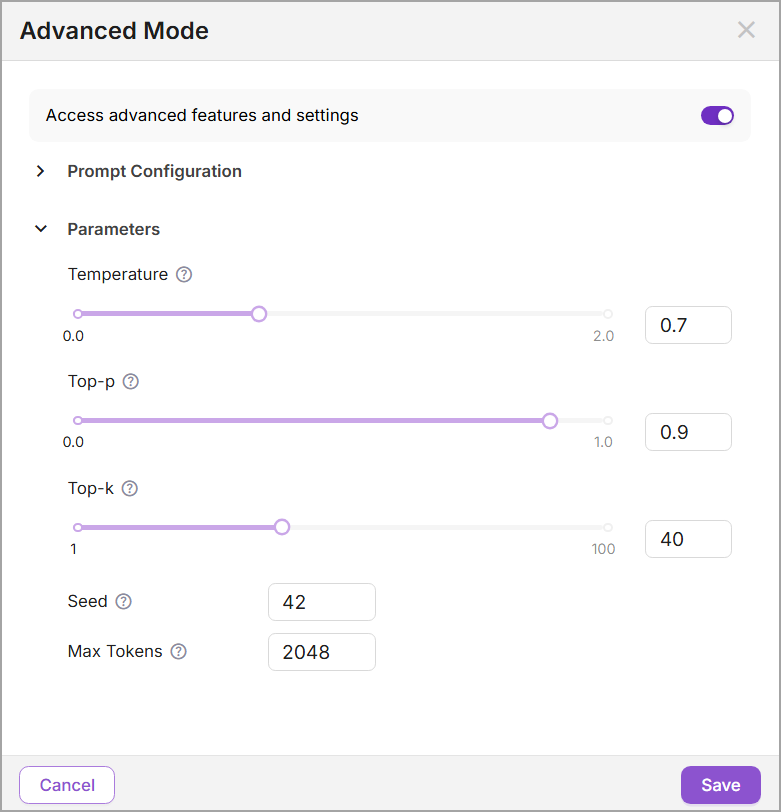
For details on using Advanced Settings in the Summary Builder, click here.
Manager Dashboard: View the Sign-In Status of Agents
From the Manager Dashboard, a Manager can now quickly see real-time metrics and details for which of their assigned Agents are currently signed in and which are not.
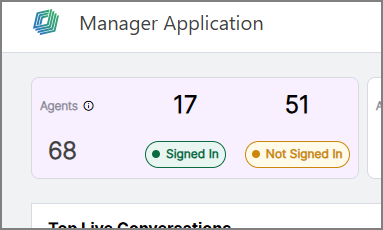
In addition, clicking the Agents metric displays the Agents panel, which provides the current sign-in status of each assigned Agent:
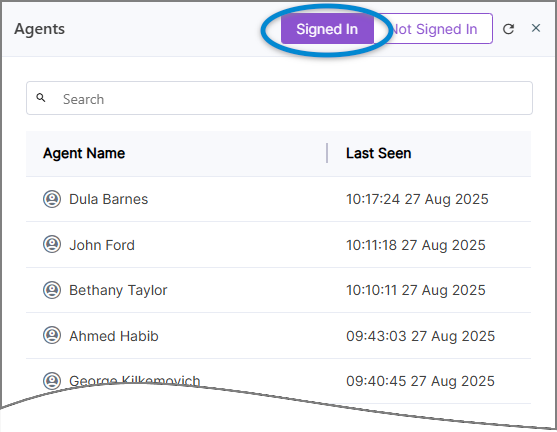 |
For more details on viewing signed-in Agent details, click here.
Retry Log In Screen for Session Timeouts
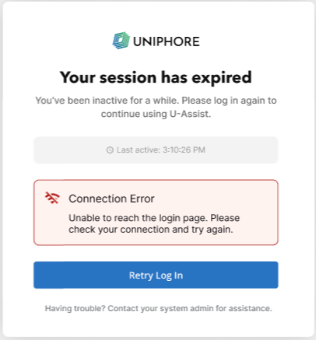
Previously, when a session expired in Real-Time Guidance Agent, Agents were redirected to a plain browser-generated 401 Unauthorized error page.
Real-Time Guidance Agent now shows a branded retry login screen whenever a session expires (401 Unauthorized error). Agents are clearly informed of the timeout and can quickly resume work by clicking a single 'Retry Log In' button, eliminating the need for manual refreshes or troubleshooting.
Constraints and Limitations
The following constraints and limitations exist for this release:
Item | Description | Workaround |
|---|---|---|
1 | X-Console only provides read-only access to existing SAML configurations. It is not possible to create or edit a SAML configuration. | In order to create or edit a SAML configuration, contact your Uniphore Support representative. |
2 | Currently, the Manager Dashboard only supports live monitoring for up to 200 Agents simultaneously per Manager. | When using the Manager Dashboard for live monitoring of call sessions in your account, do not map more than 200 Agents to a Manager. Contact Uniphore Support for additional information and options. |
3 | A user is unable to upload and test an audio file or text file in the AI Agent Assist Application. | A user must log in to the U-Assist ACW platform at least once in order to successfully upload and test audio files in the AI Agent Assist Application. |
4 | When using the Auto-Submit option with the GenAI Summary, if the Trigger is set to 'End of Current Call', the X-Platform Conversation Summary variable for the current call returns an empty value. | Contact Uniphore Support for additional information and options. |
5 | When creating an Alert for Agents, you can currently map it to a Service Flow; however, the selected Flow will be executed only at the end of the call. | Execution of a Service Flow that is mapped to an Alert will be possible only in a future release. |
Bug Fixes
There are no bug fixes specific to this release.