2025.05 U-Assist
Release Date: 10 June 2025
The U-Assist 2025.05 Release introduces the following features.
New Features
Call Disposition Configuration for U-Assist on the X-Platform
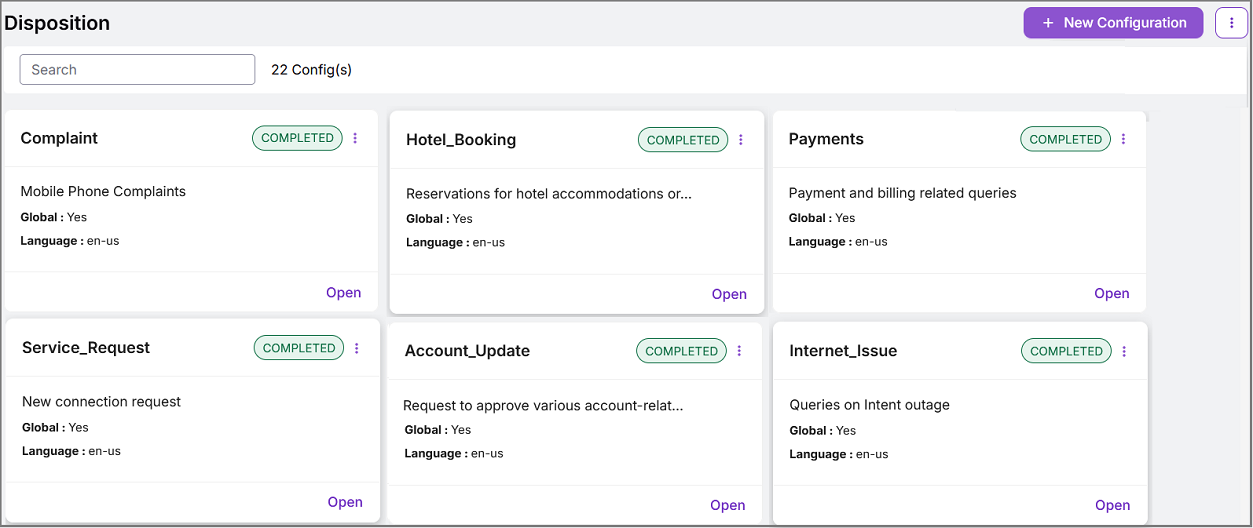
U-Assist now leverages Call Disposition Configurations created on the X-Platform to automatically categorize calls using LLM zero-shot classification. An Account Admin on the X-Platform can configure up to four levels of Call Disposition hierarchy based on customer requirements.
For more information about Disposition Configuration in the X-Platform, click here.
 |
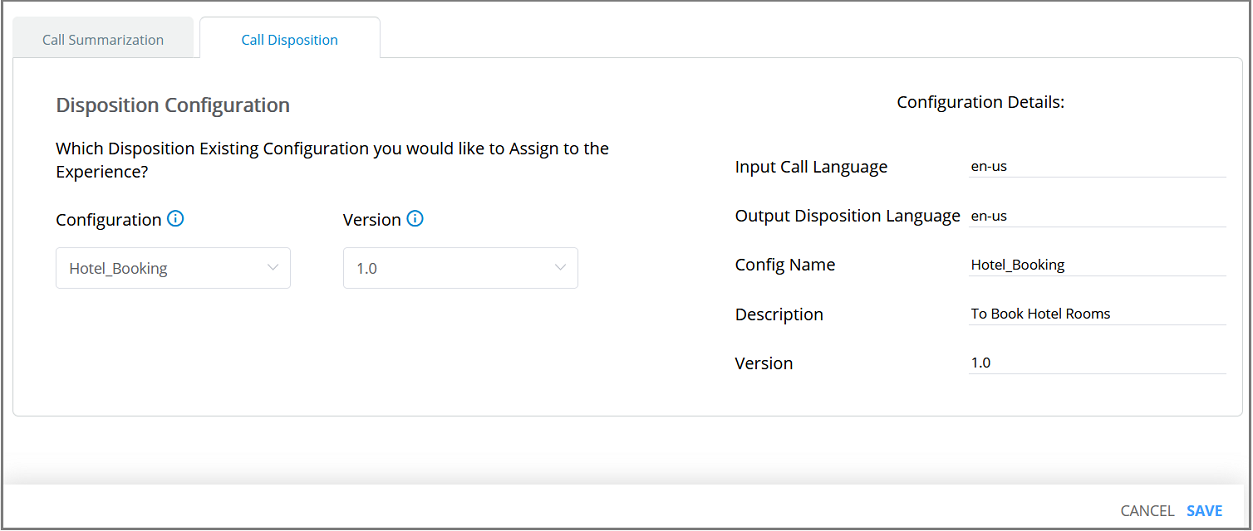
In U-Assist, a Business Analyst can map the desired version of a predefined Call Disposition to an Experience from the GenAI Call Summary Configuration page, eliminating the need to manually define categories.
For more information on assigning the Call Disposition, click here.
 |
When viewing is enabled in the Client Settings tab of the AI Agent Assist application, an Agent can view the automated and structured Disposition categorization in the GenAI Call Summary using the pre-defined Call Disposition. This automated Disposition categorization can eliminate the need for manual call categorization, reducing the Agent's After Call Work (ACW) time and preventing call classification inconsistencies.
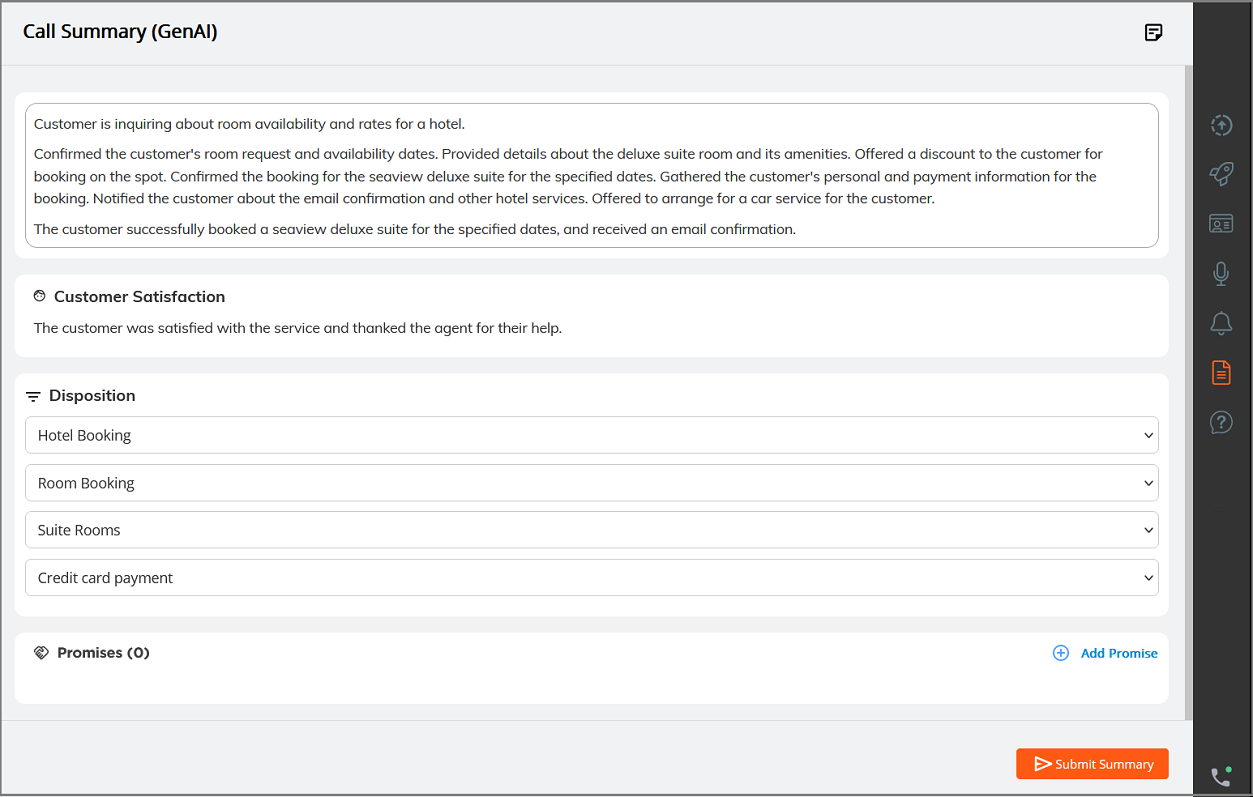
The Agent can also modify the automated Call Disposition values in real time when the relevant Disposition settings are enabled in the Client Settings tab.
For more information on Call Disposition Settings in the Client Settings, click here.
Enhancements
Add Speaker Selector to Speech Rate Alert Trigger
When adding or configuring a Speech Rate Alert trigger for an Experience, it is now possible to specify the speaker(s) for whom the Alert should be triggered: Agent, Customer or Both.
For complete details about configuring Alerts, click here.
Constraints and Limitations
The following constraints and limitations exist for this release:
Item | Description | Workaround |
|---|---|---|
1 | X-Console only provides read-only access to existing SAML configurations. It is not possible to create or edit a SAML configuration. | In order to create or edit a SAML configuration, contact your Uniphore Support representative. |
2 | Currently, the Manager Dashboard only supports live monitoring for up to 30 Agents simultaneously per Manager. | When using the Manager Dashboard for live monitoring of call sessions in your account, do not map more than 30 Agents to a Manager. Contact Uniphore Support for additional information and options. |
3 | A user is unable to upload and test an audio file or text file in the AI Agent Assist Application. | A user must log in to the U-Assist ACW platform at least once in order to successfully upload and test audio files in the AI Agent Assist Application. |
4 | When using the Auto-Submit option with the GenAI Summary, if the Trigger is set to 'End of Current Call', the X-Platform Conversation Summary variable for the current call returns an empty value. | Contact Uniphore Support for additional information and options. |
5 | When creating an Alert for Agents, you can currently map it to a Service Flow; however, the selected Flow will be executed only at the end of the call. | Execution of a Service Flow that is mapped to an Alert will be possible only in a future release. |
Defect Fixes
There are no defect fixes specific to this release.