2025.01 U-Assist
Release Date: 11 February 2025
The U-Assist 2025.01 Release introduces the following features.
New Features
Manager Application Dashboard
With this release, we announce the General Availability of our powerful Manager Application Dashboard, that leverages both real-time and historic call center information to display a comprehensive snapshot of call center status.
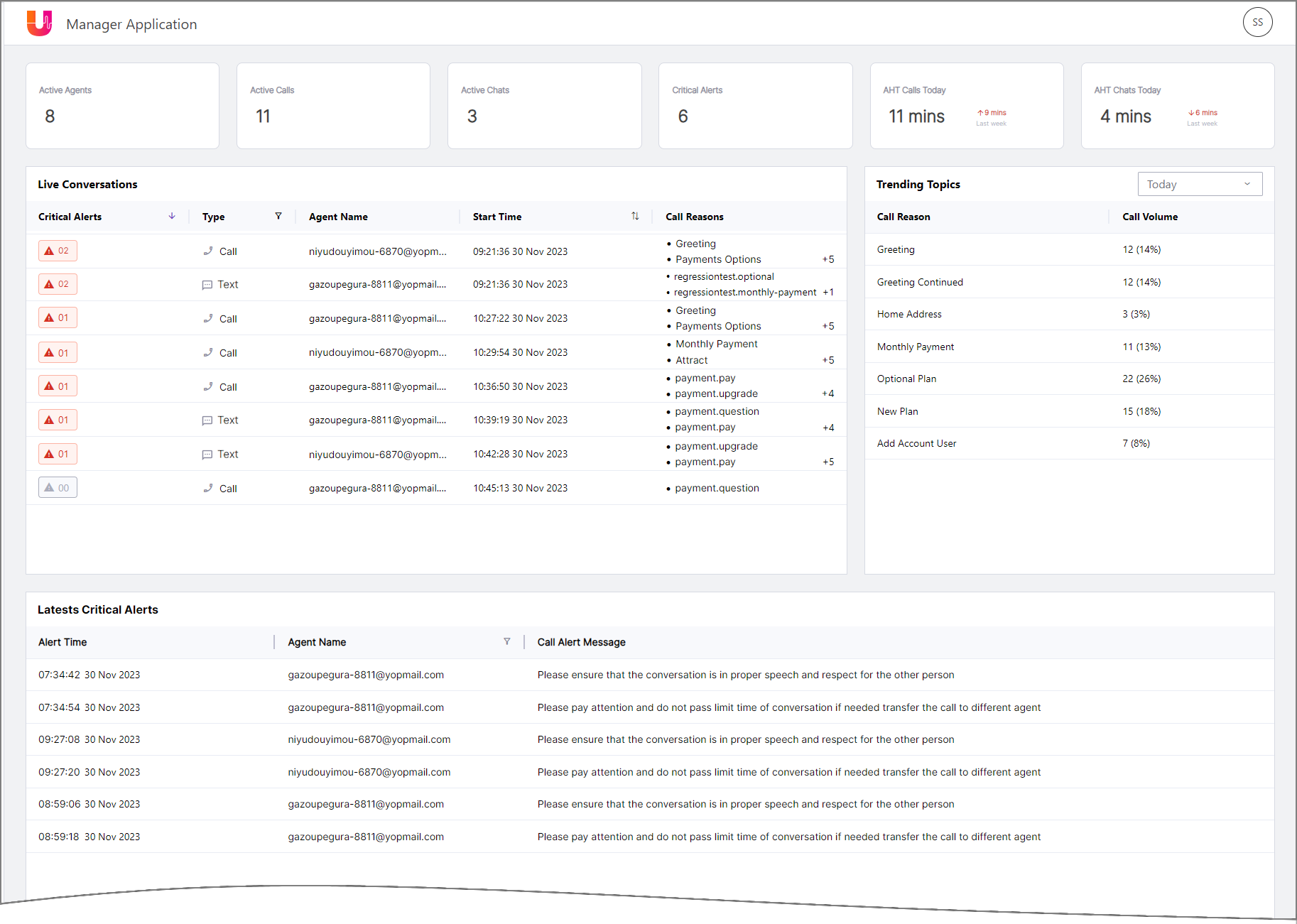 |
The Dashboard includes:
Team performance metrics, including running averages.
Live conversations with instant drilldown to details of each current or recently-active call or chat, together with their Alerts, Call Reasons and other real-time information, as well as the ability to see exactly what the Agent sees during a call, when required.
Trending topics listing, showing the number of times that a specific Call Reason was detected, together with its percentage of occurrence relative to all conversations.
Latest Critical Alerts triggered by all live conversations, along with key details about each Alert.
A Supervisor uses the Dashboard to monitor and assess the performance of their call center team.
For details on working with the Manager Dashboard, click here.
Enhancements
Multi Column Layout Option for AI Agent Assist Application
With this release, an optional multi column layout is being introduced in the AI Agent Assist application in addition to the default single column layout.
The new alternative layout enables an Agent to view Call Transcript and Knowledge Assist Question & Answer panels side-by-side with other panels. This allows the Agent to easily access all relevant runtime capabilities in a single window, without the need to navigate frequently between panels.
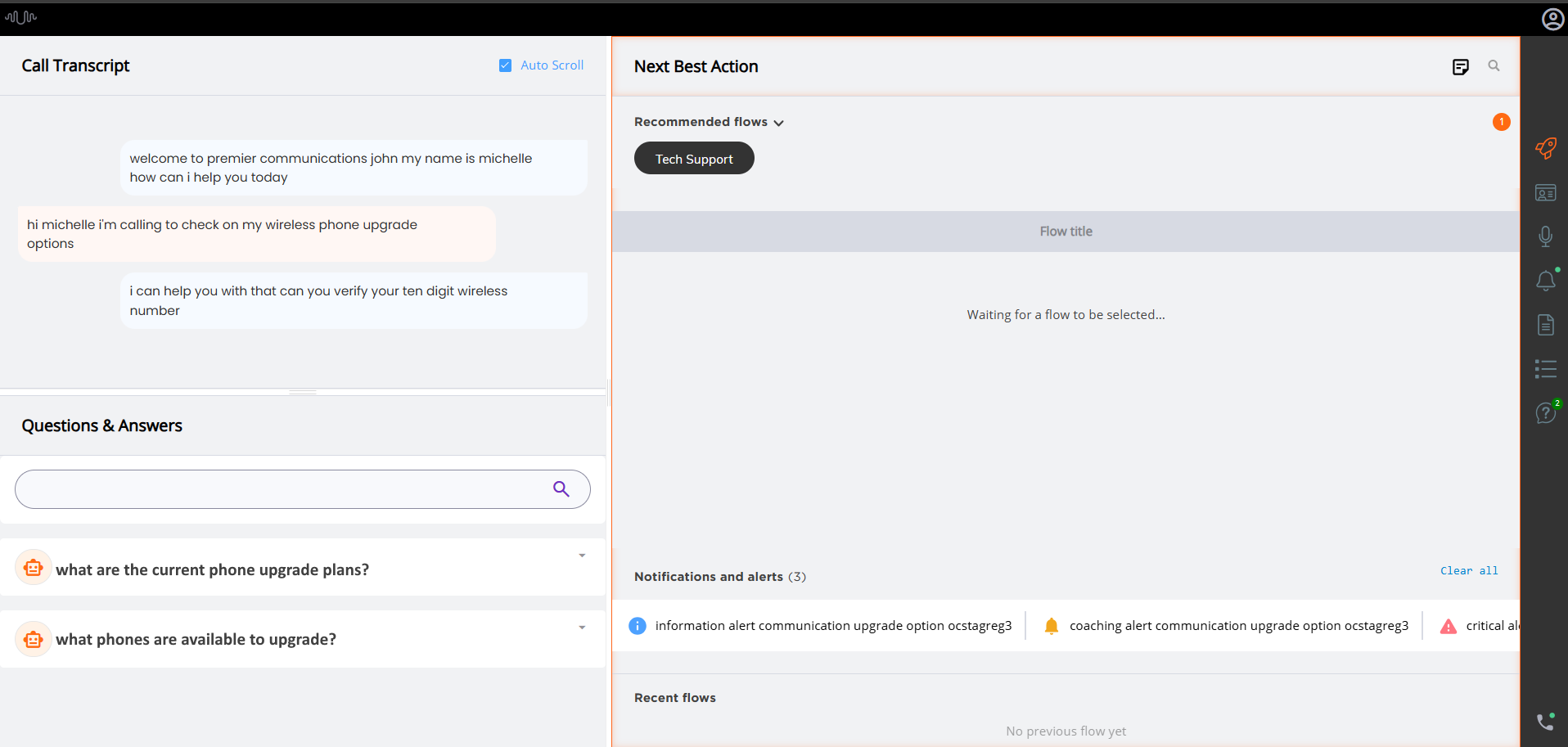 |
The Call Transcript and Knowledge Assist Question & Answer panels will always be displayed. To focus on them, the Agent simply clicks on the desired panel.
Note
To enable the multi column layout for your account, contact your Uniphore Support representative.
For more details on viewing the multi column layout, click here.
Introducing Automated FAQs in the Knowledge Assist Questions and Answers (Q&A) Panel
During a call, an Agent can now quickly see auto-generated questions and their LLM-based answers in the Knowledge Assist Q&A panel of the AI Agent Assist application.
Note
To enable this feature for your account, please contact your Uniphore Support representative.
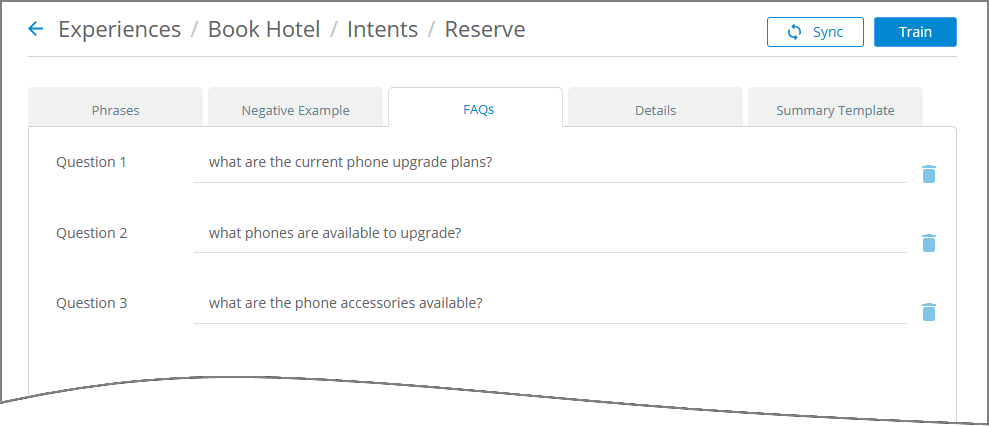
Add Automated FAQs for an Intent - An Analyst can now pre-define up to three FAQs for each Intent in an Experience. These questions (together with their answers) will be immediately available to the Agent whenever their associated Intent is detected during a conversation.
For more details on adding automated FAQs, click here.
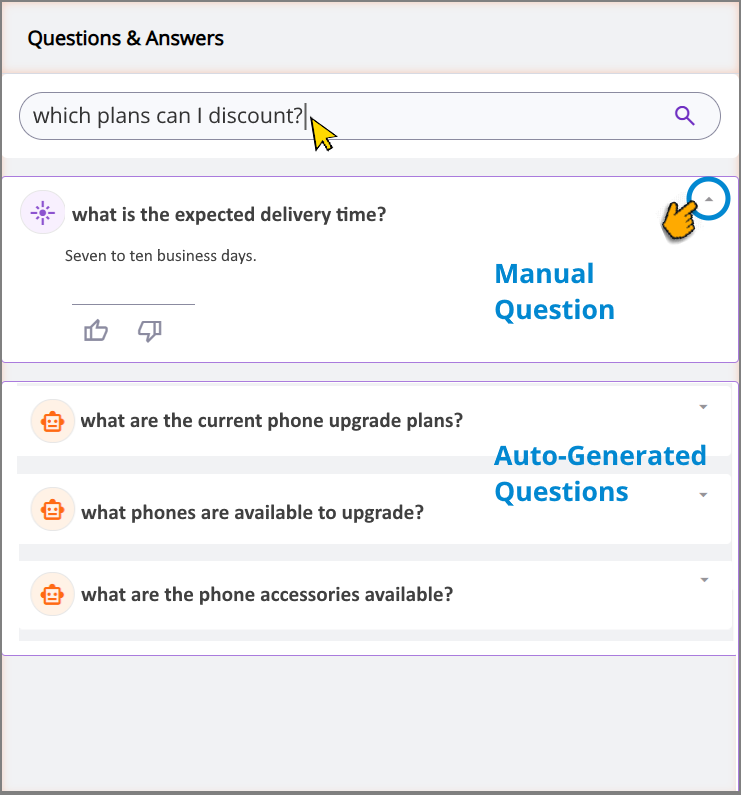
View Knowledge Assist Questions & Answers - The Knowledge Assist Q&A panel will now automatically display up to three automated FAQs to an Agent (as provided by the Analyst) together with LLM-based responses to these questions, as soon as their Intent is detected during a conversation. This reduces the need for Agents to manually enter questions, improving the efficiency of FAQ interactions.
Agents can still manually ask questions and view LLM-based responses, as needed.
For more details on using Knowledge Assist Question & Answers, click here.
In order to enable automated FAQ functionality for the Agent in real time, the relevant Experience must be mapped to the AI Agent Assist application on the AI Agent Assist Application settings page.
New Silence Trigger for Alerts
An Alert can now be triggered for an Agent based on the length of a silent period that is detected during a conversation.
For more details on creating Alert triggers based on Silence, click here
Constraints and Limitations
The following constraints and limitations exist for this release:
Item | Description | Workaround |
|---|---|---|
1 | A user is unable to upload and test an audio file or text file in the AI Agent Assist Application. | A user must log in to the U-Assist ACW platform at least once in order to successfully upload and test audio files in the AI Agent Assist Application. |
2 | When using the Auto-Submit option with the GenAI Summary, if the Trigger is set to 'End of Current Call', the X-Platform Conversation Summary variable for the current call returns an empty value. | Contact Uniphore Support for additional information and options. |
3 | When creating an Alert for Agents, you can currently map it to a Service Flow; however, the selected Flow will be executed only at the end of the call. | Execution of a Service Flow that is mapped to an Alert will be possible only in a future release. |
Defect Fixes
There are no defect fixes specific to this release.