Readiness
The Readiness section displays the agent's configuration status and provides a checklist of required setup items.
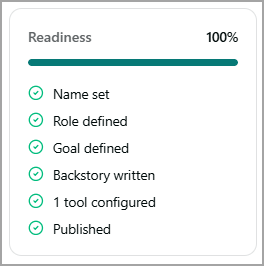
Readiness score
The readiness score displays the overall configuration completion percentage with a progress bar. The percentage increases as you complete the required configuration items.
Checklist items
A checkmark is displayed next to each item when the corresponding configuration is complete.
Item | Description |
|---|---|
Name set | Indicates that a name has been assigned to the agent. |
Role defined | Indicates that the agent's role has been specified. |
Goal defined | Indicates that the agent's goal or purpose has been specified. |
Backstory written | Indicates that the agent's backstory has been defined. |
[N] tool configured | Indicates the number of tools configured for the agent. |
Published | Indicates that the agent has been published and is available for use. |