Persona
From the Agent Studio page, you can create a caller persona by defining characteristics such as the caller's goals, behavior, communication style, and level of expertise. The persona is used in simulations and evaluations to assess agent performance across different customer scenarios.
For more details about testing the agent with selected personas, refer to Simulate.
To Create a New Persona:
Go to Agents from the left menu and click New Persona, or go to Process Intelligence from the left menu, click Persona Archetype, and click New Persona.
The New Persona dialog for defining the caller archetype appears.
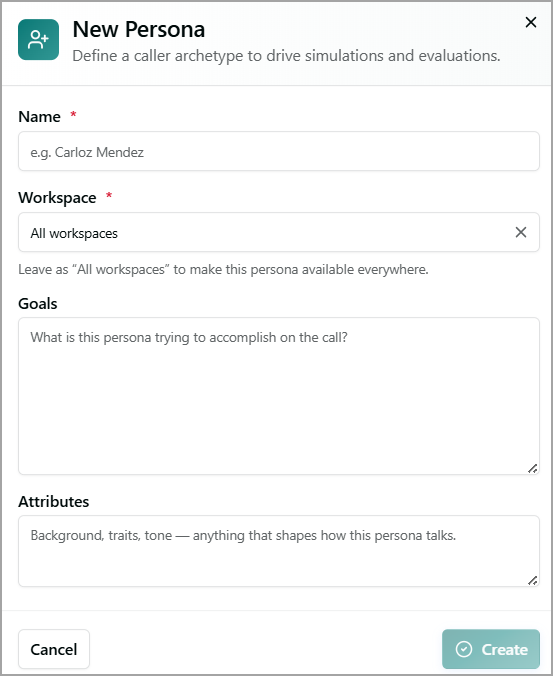
Enter a Name for the new persona.
Select an existing Workspace to make the persona available only in that workspace. Select All Workspaces to make this persona available everywhere.
In Goals, define the objectives or outcomes the persona aims to achieve during the call.
In Attributes, define the persona's background, personality traits, tone, and other characteristics that influence how they communicate in conversation.
Click Create to save the persona. The newly created persona is displayed under Persona Archetype.
To cancel your activity at any time without saving, click Cancel.
For more details about the persona archetype, refer to Viewing Persona Archetypes.