Loading a Dataset into a Pipeline
After creating datasets for a project, you can load the configured dataset into a pipeline at any time.
Go to the top menu and click .
From the dropdown list, select Data Integration.
The Data Integration page opens and displays a list of existing pipelines.
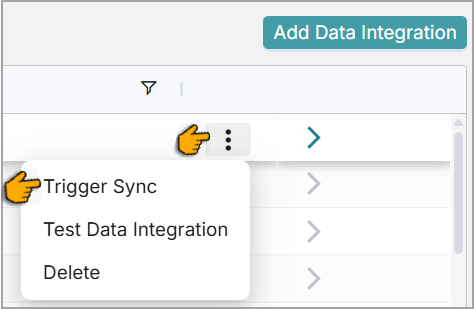
Hover over the data source and click the Ellipsis icon.
Select Trigger Sync.
A success message appears.

The system synchronizes data using the selected data source in the background. You can monitor the synchronization status in the Jobs page section.
Note
Each dataset created from a selected data integration source is populated by its associated connector. The data reflects the pipeline configuration linked to the dataset.