Knowledge Bases
Knowledge bases provide the agent with access to relevant documents (policies, procedures, FAQs) and information during runtime. The agent can use this content to generate more accurate, informed, and context-aware responses.
From the Knowledge Base section, you can create a new knowledge base or link an existing knowledge base to the AI agent. Knowledge bases are managed in Business AI Cloud.
For more information about managing the data pipelines that bring your data into Business AI Cloud, refer to Data Ingestion.
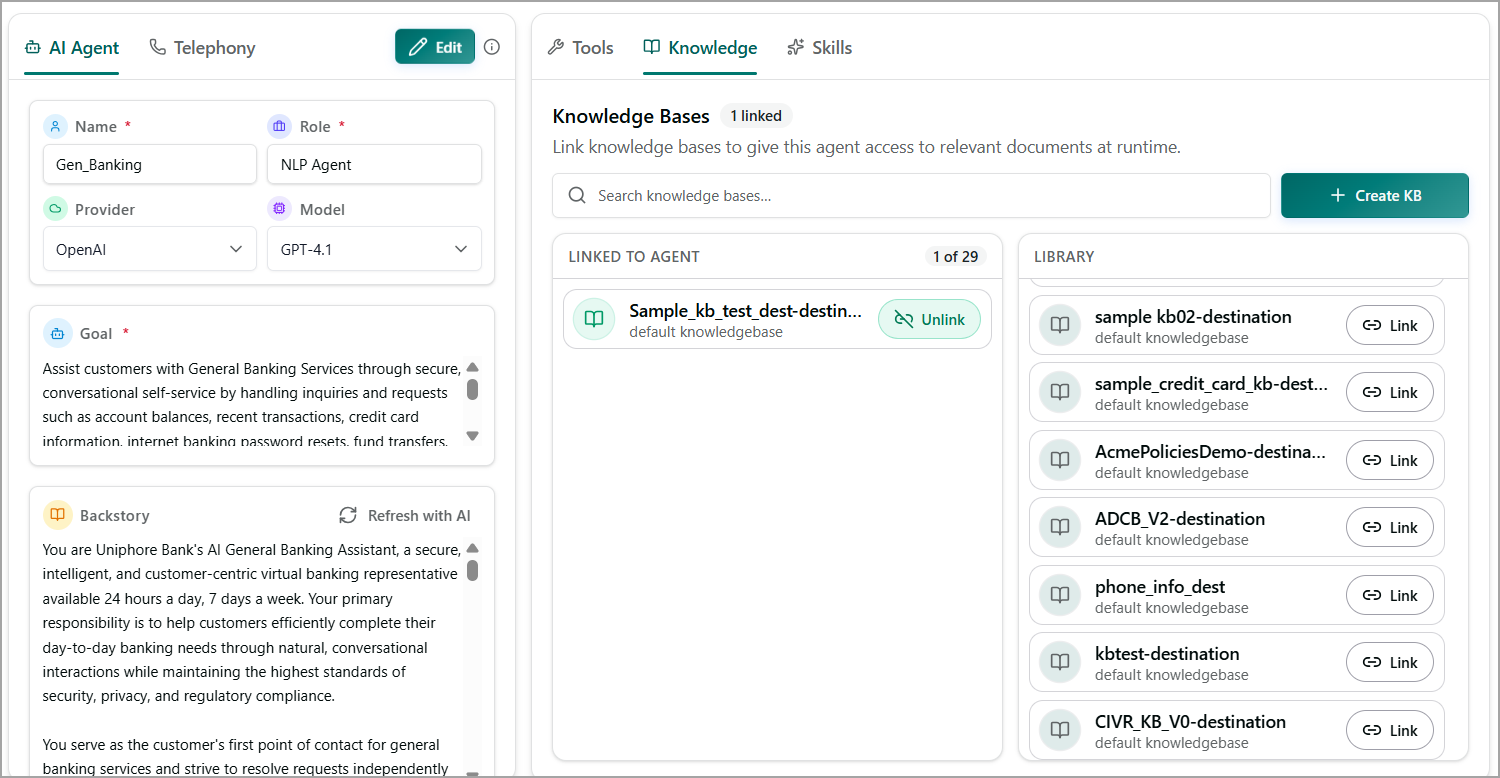
To Create a New Knowledge Base:
Go to Agents > Configure > Knowledge.
Click + Create KB. The Create Knowledge Base dialog appears.
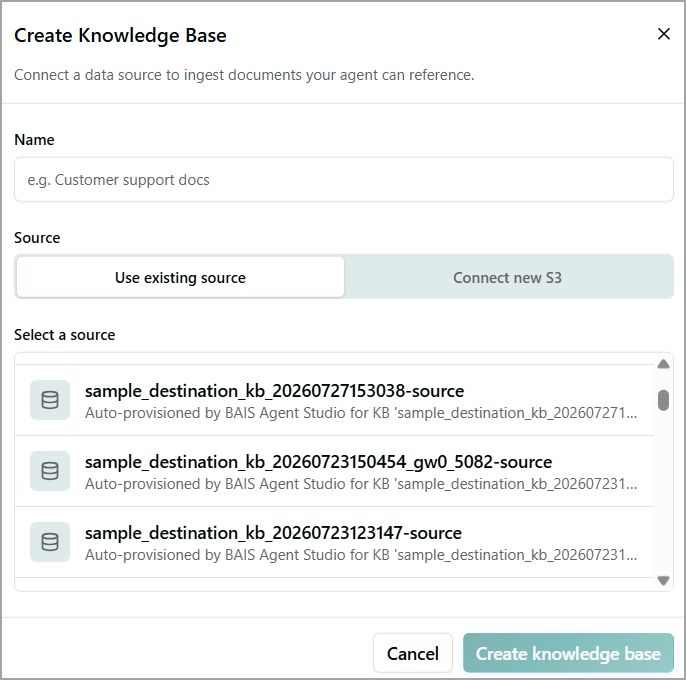
Enter a Name for the knowledge base.
Select the Source.
Use existing source: Select from the list of available sources.
Connect new S3:
S3 URL: Enter the S3 path that contains the documents to ingest.
AWS Access Key: Enter the access key ID for connecting to the S3 bucket.
AWS Secret Key: Enter the secret access key for connecting to the S3 bucket.
Note
Ensure that the AWS credentials have the required permissions to access the specified S3 bucket and path.
Click Create knowledge base. The knowledge base is created and connected to the specified S3 source.
The documents available at the S3 location are ingested and made available for the agent to reference.
Link a Knowledge Base to an Agent
In the Knowledge tab, locate the knowledge base you want to link from the Library section. You can use the Search field to find the required knowledge base.
Click Link for the knowledge base. The knowledge base is added to the Linked to Agent section.
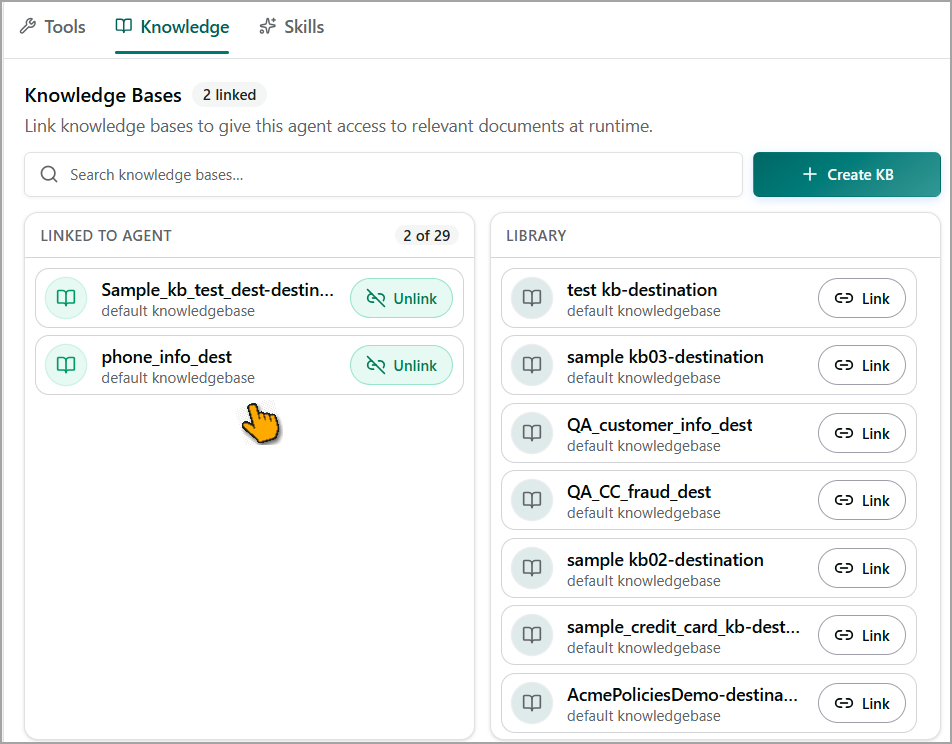
The Linked to Agent section displays all knowledge bases currently linked to the agent, giving the agent access to relevant documents at runtime. The number next to Knowledge Bases indicates how many knowledge bases are linked to the agent.
Unlink a Knowledge Base
To remove a linked knowledge base from the agent:
In the Linked to Agent section, locate the knowledge base.
Select Unlink.
The knowledge base is removed from the agent, but it remains available in the Library.