Application Tools
Application Tools is a catalog of business tool connectors that extend AI agents with access to external business applications and services. These tools enable agents to retrieve and use information from sources such as CRM systems, email, team communications, document management platforms, and knowledge repositories.
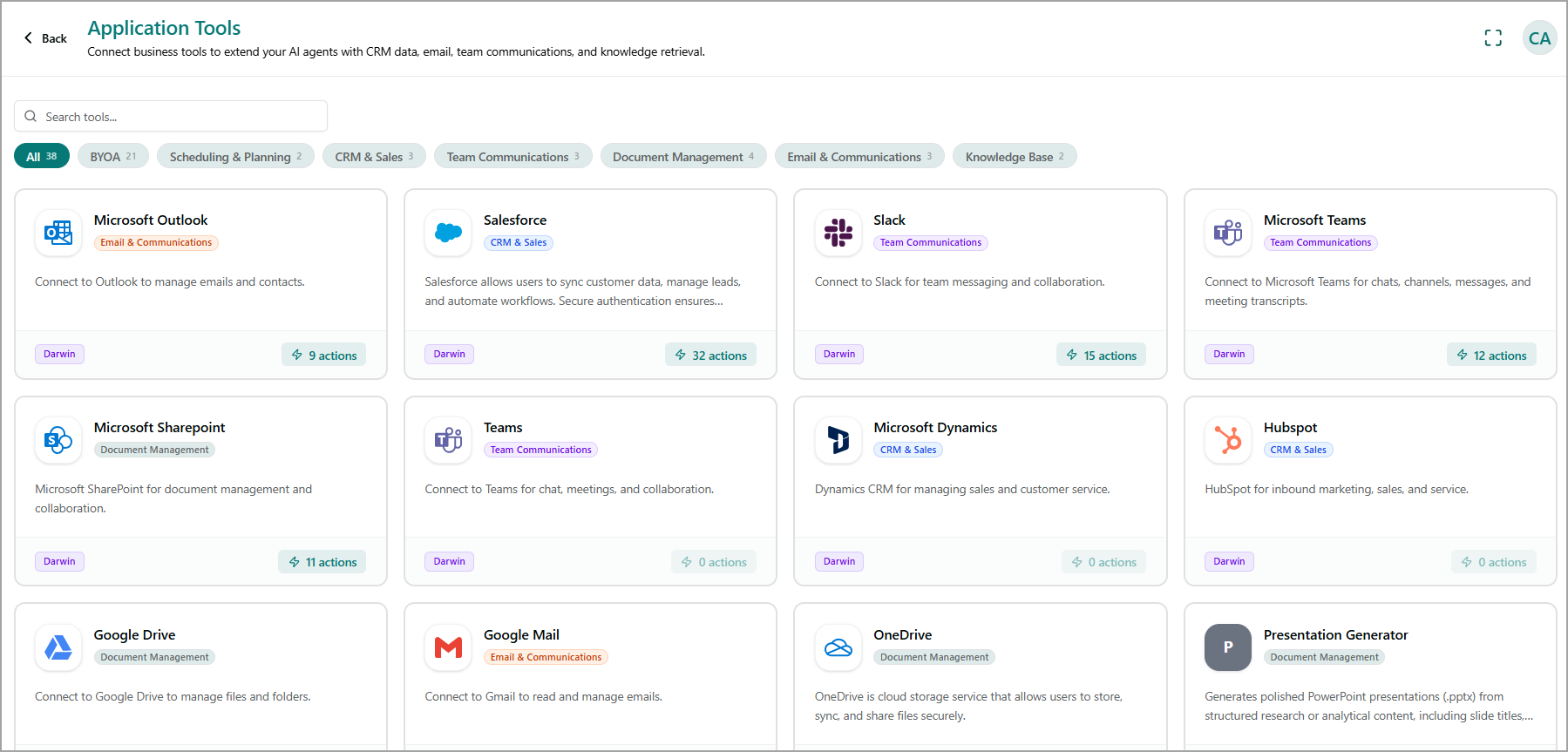
Application tools are integrated with an AI agent during AI agent configuration. Once configured, the agent can use the connected applications to access relevant information and perform supported actions during a conversation. For more information about integrating tools with an AI agent, refer to Tools.
View Application Tools
The Application Tools page displays available applications as individual cards. Each card provides information about the application, its category, and the number of actions it supports.
The page includes the following options:
Search tools - Search for a specific application by name.
Category filters - Filter applications by category, such as CRM & Sales, Knowledge Base, Email & Communications, Team Communications, and other available categories.
The number displayed next to a category indicates the number of available tools in that category.
Each application is displayed as a card containing:
Application name - Identifies the business application. Examples include Slack, Microsoft Outlook, Salesforce, Microsoft Teams, HubSpot, and Google Mail.
Category - Indicates the type of application.
Description - Provides a brief overview of the application's capabilities.
Tool source - Identifies the source or framework associated with the application, such as Darwin.
Actions - Shows the number of actions available for the application.
Search for an Application Tool
In the Search tools field, enter the name of the application you want to find. The page filters the application cards based on your search.
Select the required application to view its available capabilities.
Filter Application Tools
Click the required category tab. The page displays only the applications belonging to that category.
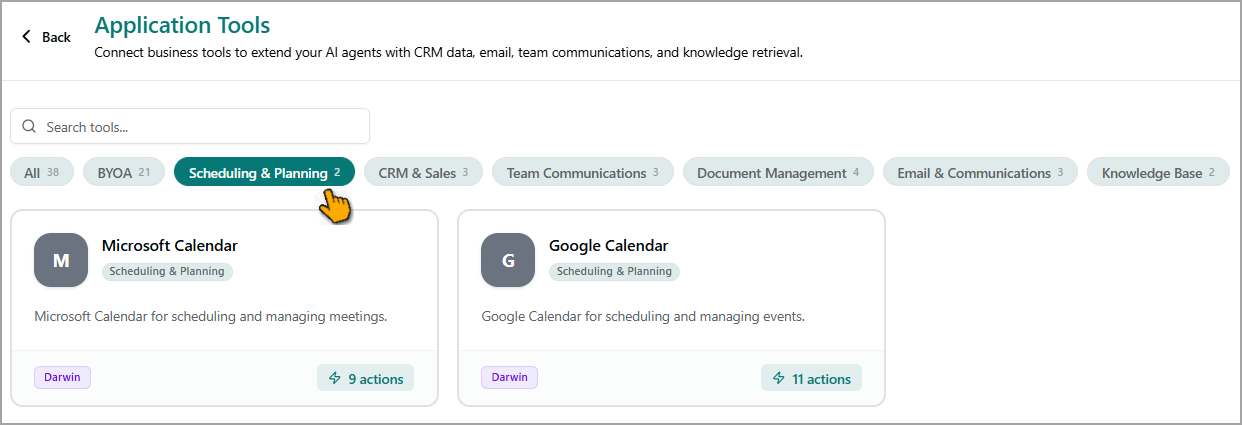
Select the application you want to use.
Application Actions
The Actions count displayed on each application card indicates the number of operations available through that application. These actions enable an AI agent to interact with the connected business application.
For example, an email application can provide actions for managing emails, while a CRM application can provide actions for accessing or managing customer and sales information.
Note
The available actions depend on the selected application.