2025.09 Conversation Insights Agent
Release Date:
The Conversation Insights Agent 2025.09 Release introduces the following new and enhanced features.
New Features
Download Dashboard and Tiles from Custom Analytics
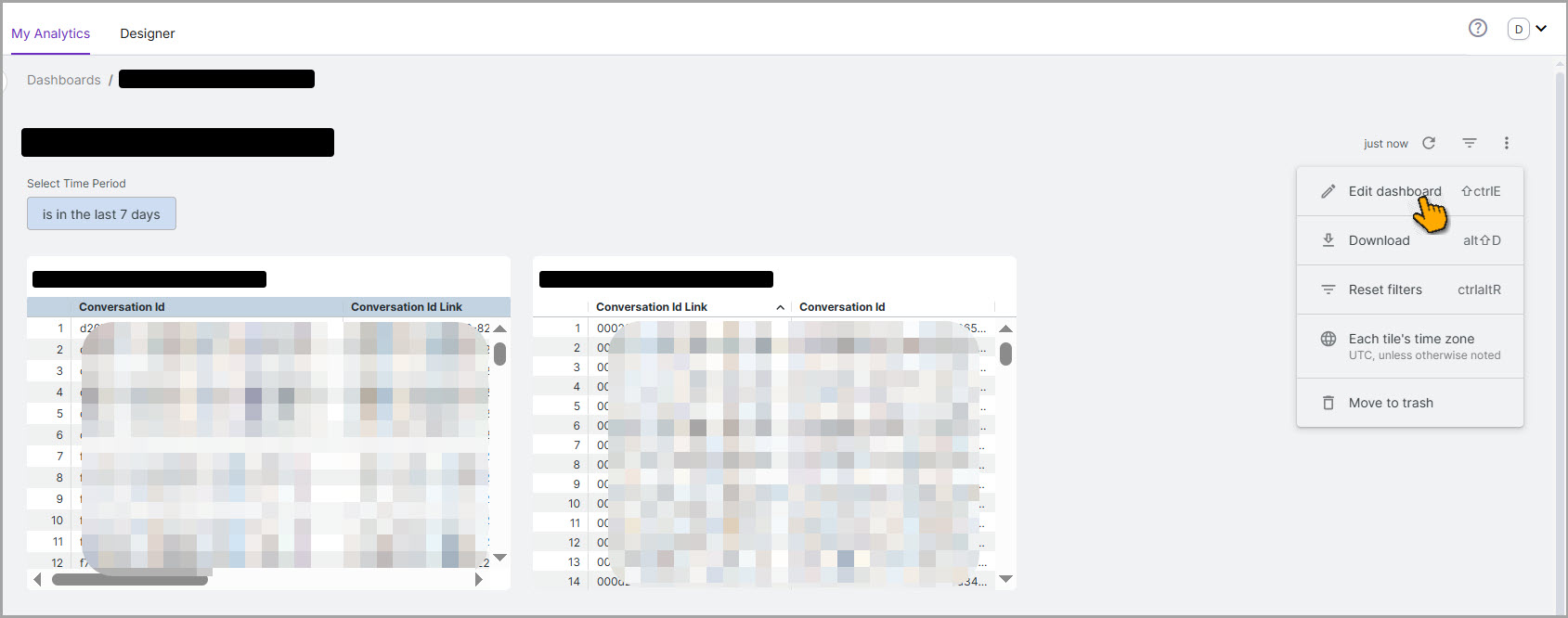
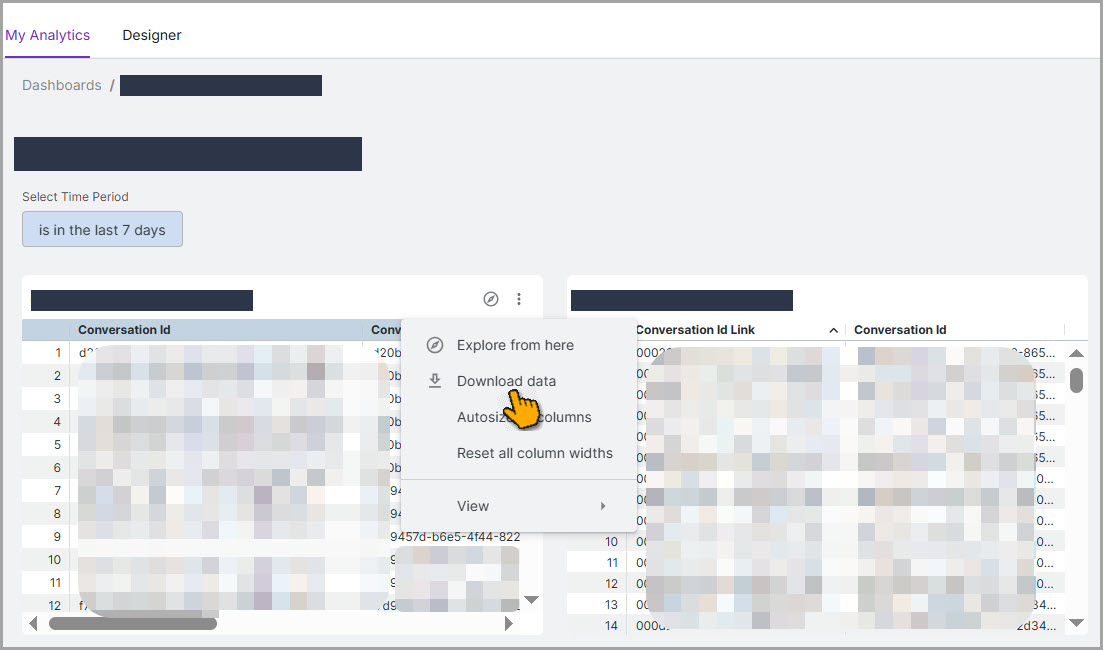
The Custom Analytics dashboard now provides download capabilities, offering users with multiple format options, including PDF, CSV, Excel, JSON, HTML, Markdown, and PNG. Users can download the entire dashboard, including all tables, charts, and individual tiles with their respective data.
Users can customize their downloads using advanced settings, such as data formatting preferences, row limits (up to 5,000 records), and specific PDF options, including paper size and table layout, for improved presentation. The download feature allows users to easily export their analytical insights in their preferred format for reporting and sharing purposes.
Download Dashboard
Download Tile
For more information on the download feature, click here.
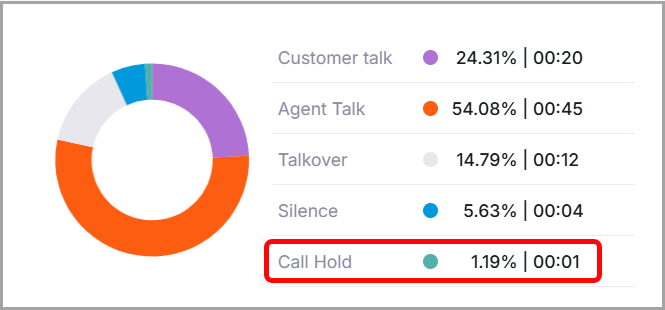
Introducing Call Hold as an Auxiliary Metadata
Introducing the Call Hold metadata, which indicates the duration a caller is placed on hold by an agent during a Voice interaction. This field helps to accurately calculate and display Call Hold Time during customer interactions. The value for this field is passed as a call_hold parameter within the Auxiliary Metadata through the Create Voice Conversation API. On the Conversations page, the existing Music element has been removed, and the Call Hold feature is now included.
For more information on adding the Call Hold parameter in the API, click here.
Enhancements
Handling Conversations with Fewer Turns
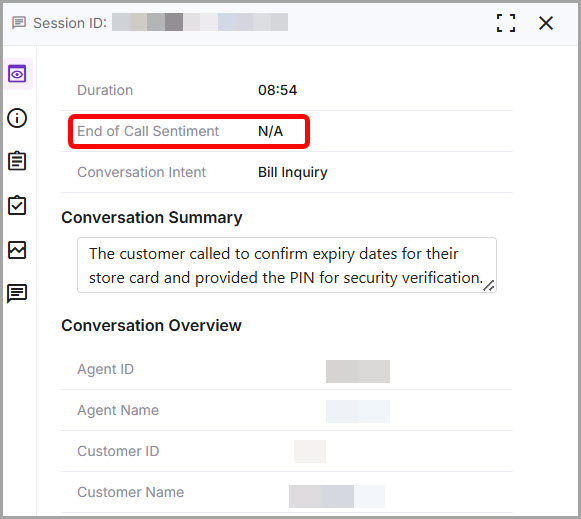
Conversations with fewer than two turns are now excluded from Facts and Scorecard processing. As a result, these short conversations are not included in the Interaction count or other analytical measurements in the Team Performance and Topic Discovery Dashboards. Additionally, they are excluded from the End of Call Sentiment (Closing Sentiment), so they are indicated as N/A in the conversation listings. Also, note that these short conversations cannot be reprocessed.
Important
This causes a discrepancy between the number of conversations available on the Conversations page and the Interactions count shown in the Dashboard for the same period.
Date and Time Localization
As part of our localization enhancements, date and time values are now displayed according to the user’s chosen language and regional time zone settings. Once a preferred browser language is selected and the system time zone is changed, the date and time values are formatted and displayed in the chosen language. This enhancement supports Spanish and Italian.
For more details about localization, click here.
New Filter options added in All Filters
We are introducing new filter options in the All Filters section, enabling users to refine the displayed data and focus on information most relevant to their needs. These additional filters are available in the Team Performance dashboard, the Topic Performance dashboard, and the Conversations page. The new filters include Facts, Scorecard, Evaluation Score, End of Call Sentiment, Language, Channel, Processing Status, and Handle Time.
Note
Currently, the Facts filter supports only the Boolean Fact type.
Filters in Team Performance Dashboard
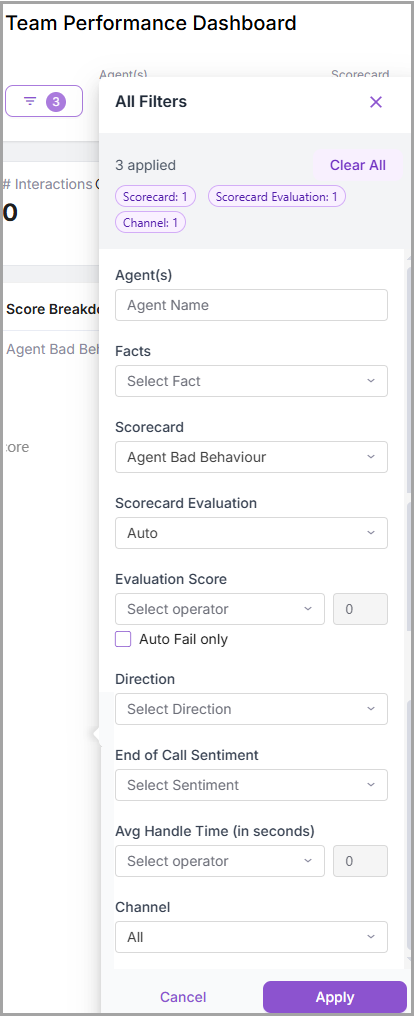 |
Filters in Topic Discover Dashboard
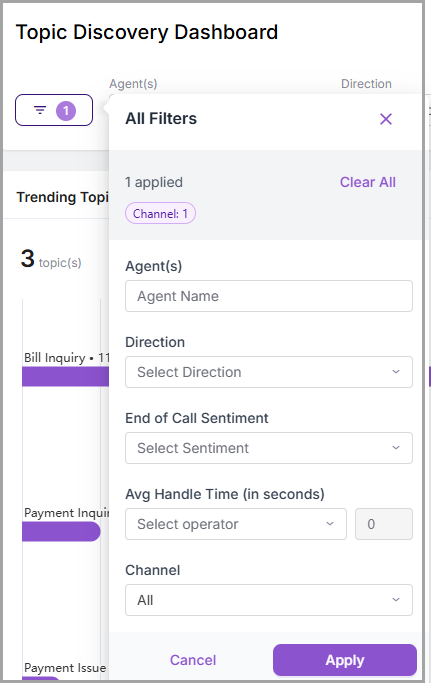 |
Filters in Conversations
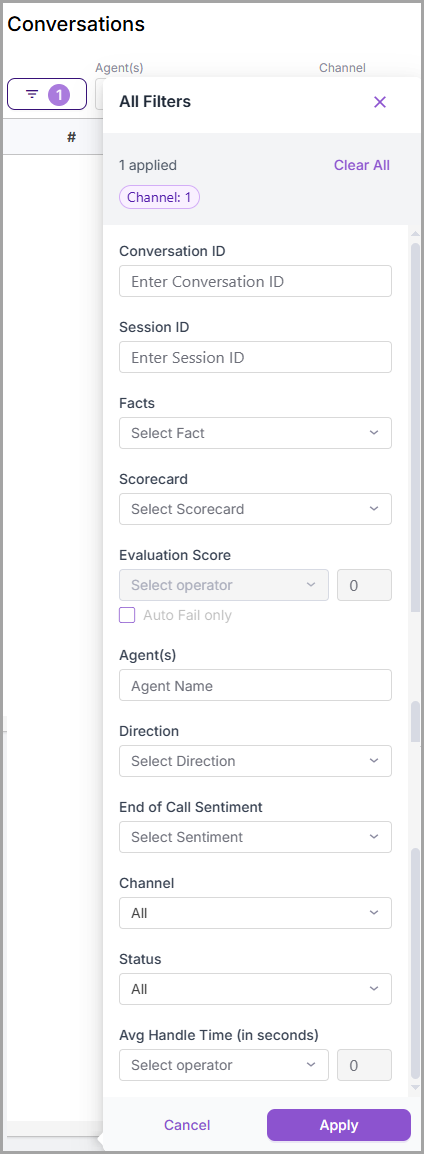 |
Chat Support Enhancements
The Chat support enhancements include the following capabilities:
Users can create channel-specific Facts and Scorecards for Chat and Voice separately. Based on the Channel selection, the Facts and Scorecards are processed on the respective Conversations.
Users can view the End of Call Sentiment for Chat conversations in the Team Performance dashboard, Topic Discovery Dashboard, Custom Analytics, and Conversations page.
Note
In Custom Analytics, Chat conversations processed before this release will not display End of Call Sentiment
In the Team Performance dashboard and the Topic Discovery dashboard, users can filter Conversations by Channel, allowing them to view only Chat Conversations.
Constraints and Limitations
The following constraints and limitations exist for this Release:
Item | Description | Workaround |
|---|---|---|
1 | In Custom Analytics, while performing a download dashboard action, there is a delay in selecting the file format and downloading the dashboard. This delay occurs as the custom chart is getting refreshed during the download process. | NA |
2 | In Custom Analytics, when users select Expand all rows and columns in the advanced download settings, the tables in the PDF output may appear misaligned or broken. | It is recommended to use the CSV format when downloading dashboards that contain seven or more tables, each with 5000 or more rows. |
3 | Conversations with fewer utterances are not included in the Facts and Scorecard processing and dashboard metric analysis. As a result, the total number of conversations may not match the interaction and metric counts displayed in dashboards for the same period. | To know the actual number of conversations, always refer to the Conversation page. |
Bug Fixes
There are no defects specific to this Release.