Uniphore Help Center Portal

View Screen Recordings

Use the optional Screen Recording service from Uniphore to capture an agent's screen alongside the call audio and metadata.

To view Screen Recordings:

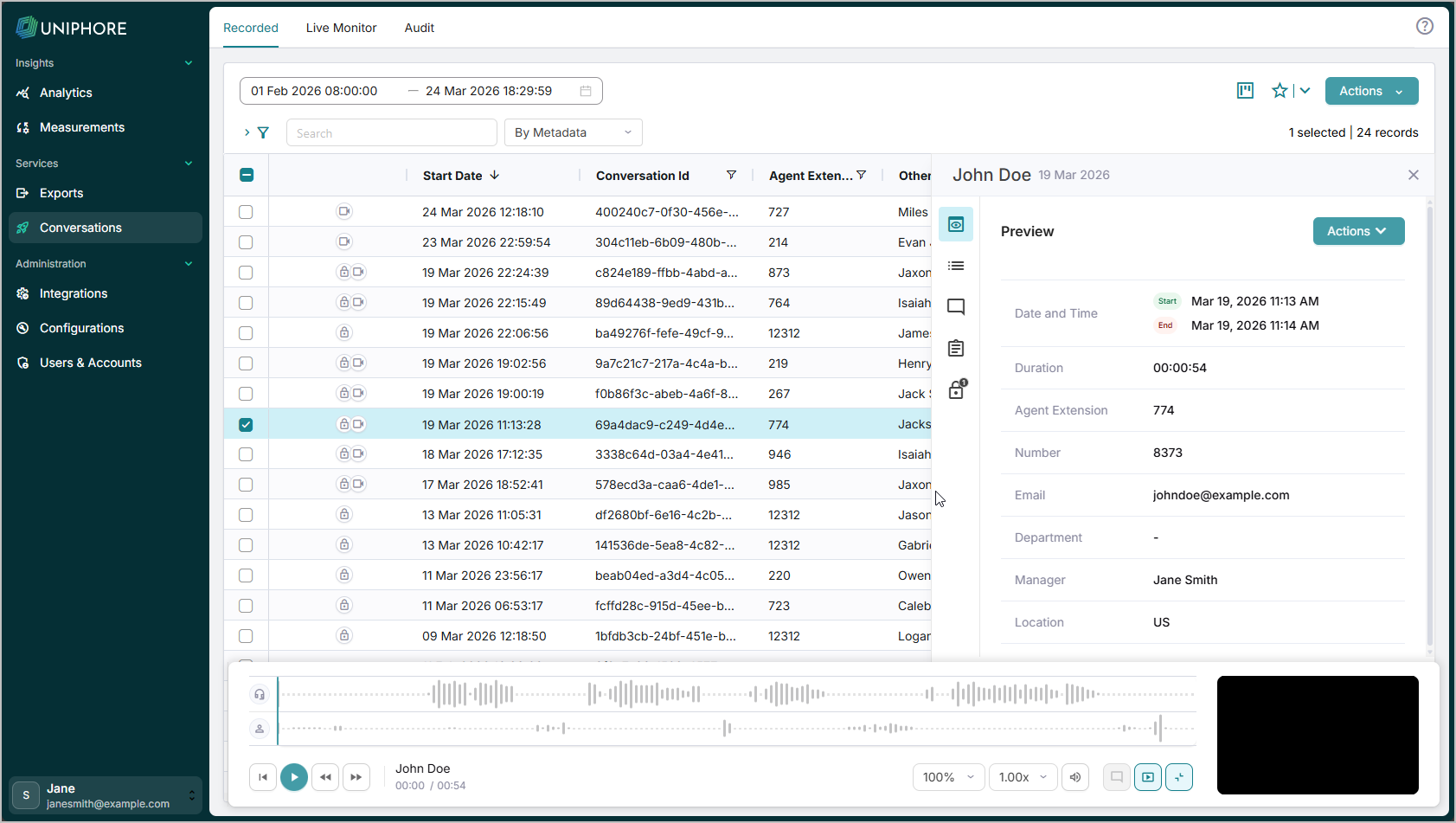
Viewing a call's screen recording is quite self-explanatory. If a recorded call has a screen recording, the screen recording thumbnail appears in the bottom-right corner when you open that call.

  1. Click on the > arrow to the right of the call with an associated screen recording to open the properties panel.

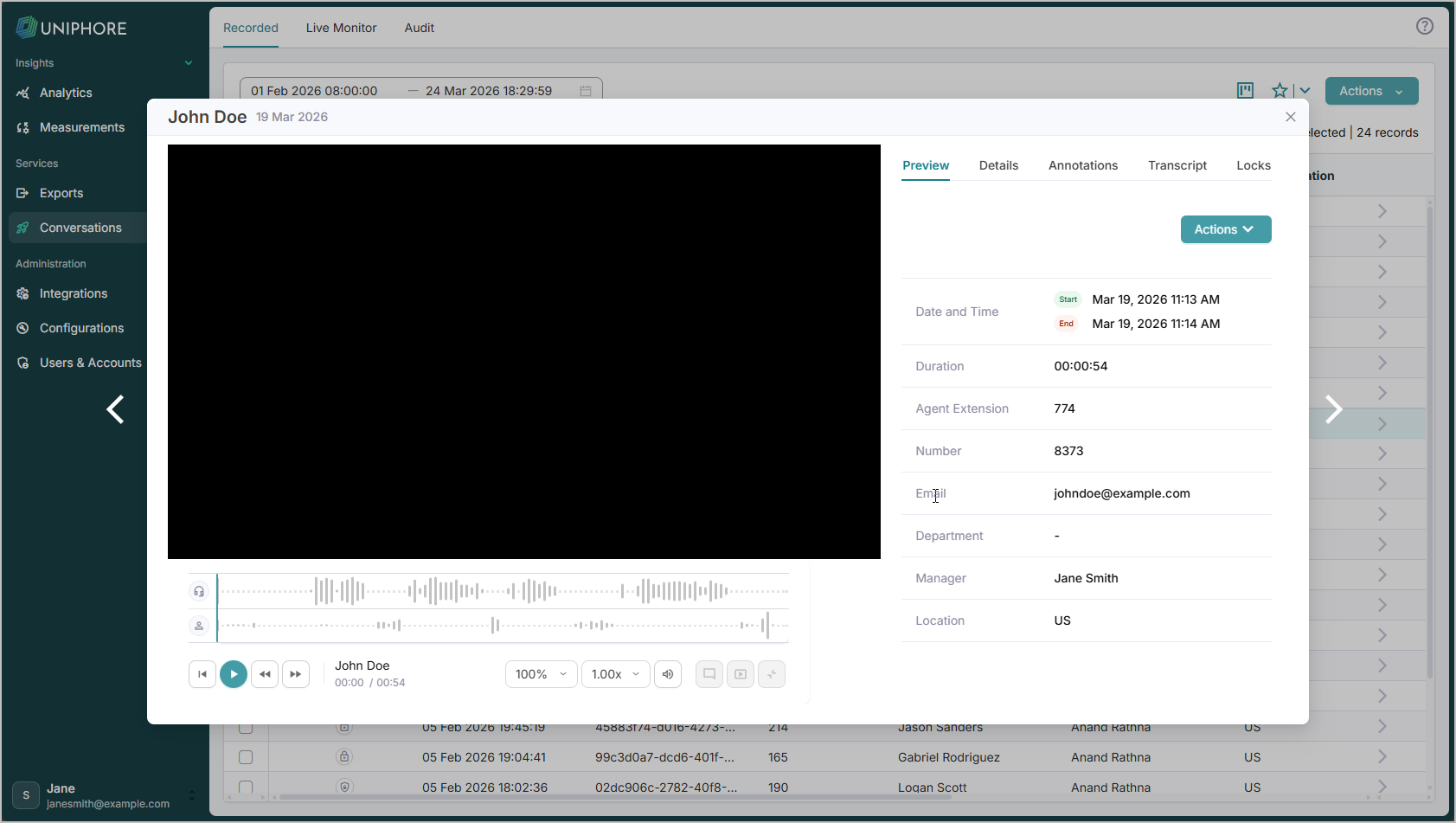
  2. Hover over the screen recording thumbnail at the bottom right of the properties panel and click the [ ] icon to enlarge the video player. This opens a pop-up that lets you view the screen recording and control the playback in the media player.

  3. Use the Preview, Details, Annotations, Transcription, and Locks tabs in the pop-up window as you would with any other call.

NGScreenRecording.png
NGScreenRecording2.png