Upcoming
The future meetings are listed here.
Important
In the My Settings > Configurations tab you have the ability to configure the internal meetings as well. By default, this option is selected to record external meetings only.
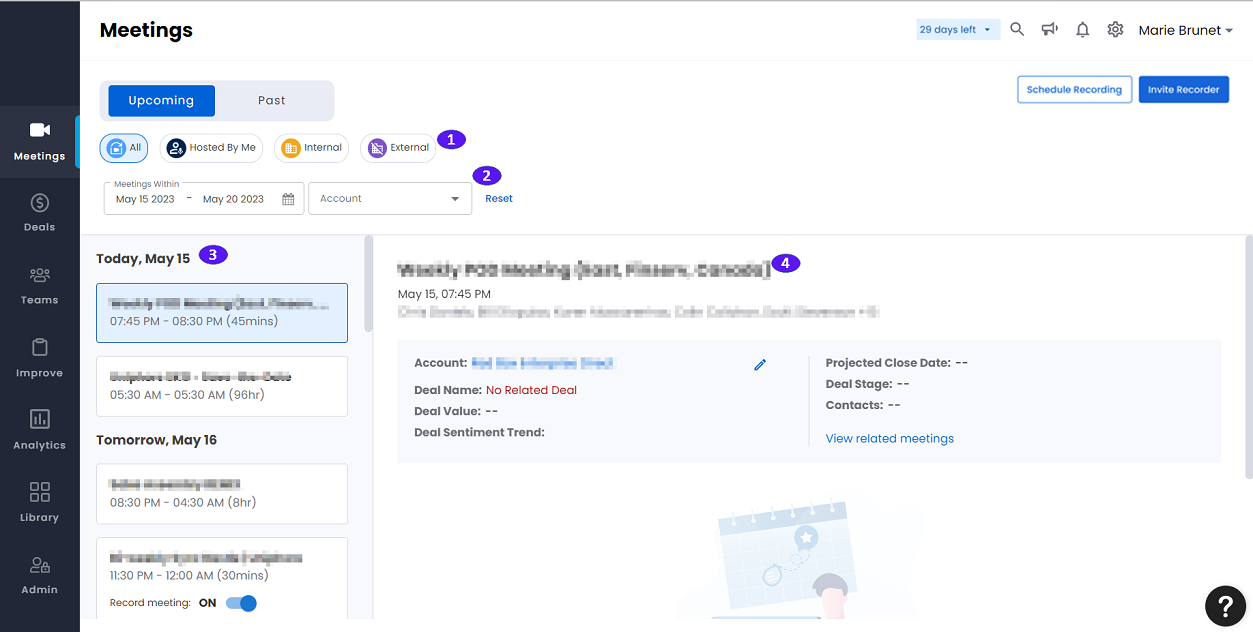
1. Shortcuts
Shortcuts to various meeting categories. Provides faster ease of access to past meetings that are categorized per their relevance.
The meeting category shortcuts are as follows:
All: Lists all the upcoming meetings.
Hosted By Me: Lists all the upcoming meetings that are hosted by you.
Internal: Lists all the upcoming internal meetings.
External: Lists all the upcoming external meetings.
2. Filters
You can apply various filters listed below to view the meetings:
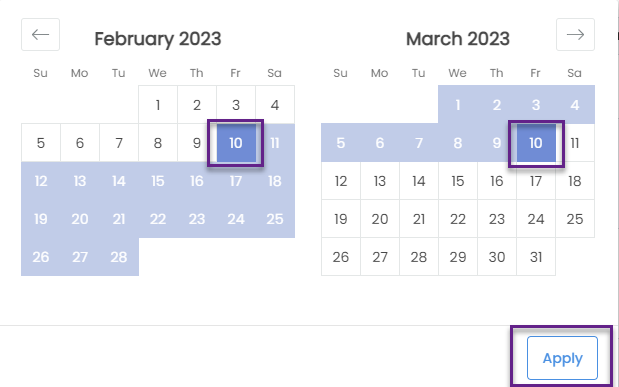
Meetings Within: View meetings within a specific date range. Select the from date from the month on the left and the to date from the from the month on the right of the calendar drop down and click Apply to select a specific date range.
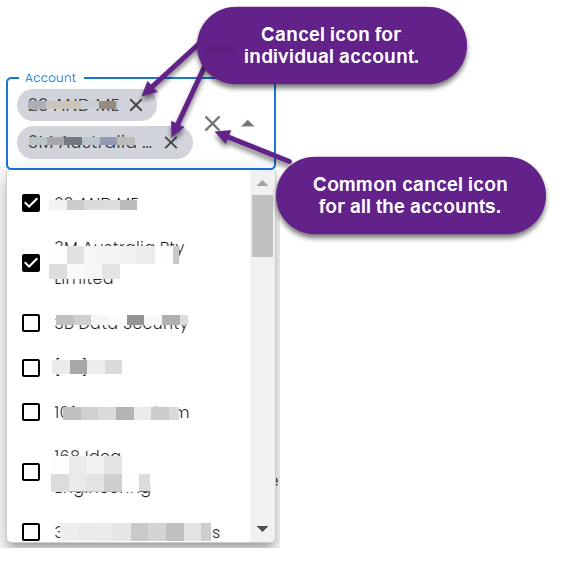
Account: Select the check box of a specific account or accounts from the drop-down list to view the meetings of a specific account or accounts. Unselect the check box of a specific account or accounts from the drop-down list to remove from the meetings list. Alternately, you can click the cancel icon on the right of the selected account name to remove an account or click the cancel icon at the left of the drop-down arrowhead to remove all the selected accounts.
3. Meeting List
Lists the meetings per the Shortcuts selected.
4. Meeting Details
Click a meeting to view its details.
The meeting details that are shown are as follows:
Account: Shows the account name. Click it to view the Overview (Account View)
page.
Deal Name
Deal Value
Deal sentiment Trend
Projected Close Date
Deal stage
Contacts
View related meetings: Click to view all the past meetings related to this account.
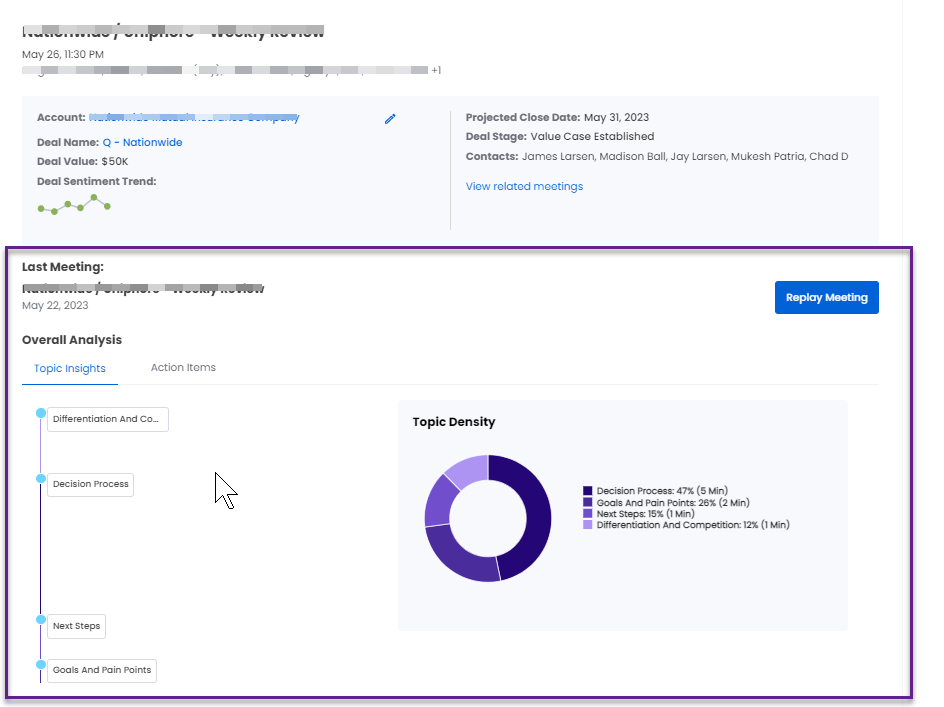
If this is not the first meeting associated with a particular deal, a summary of the last meeting of this deal is shown. See Overall Analysis: in Past meetings page for details of the summary shown.