SCIM Configuration
System for Cross-Domain Identity Management (SCIM) connects the platform to your identity provider (IdP) so that users and group memberships stay in sync automatically, without manual updates on either side.
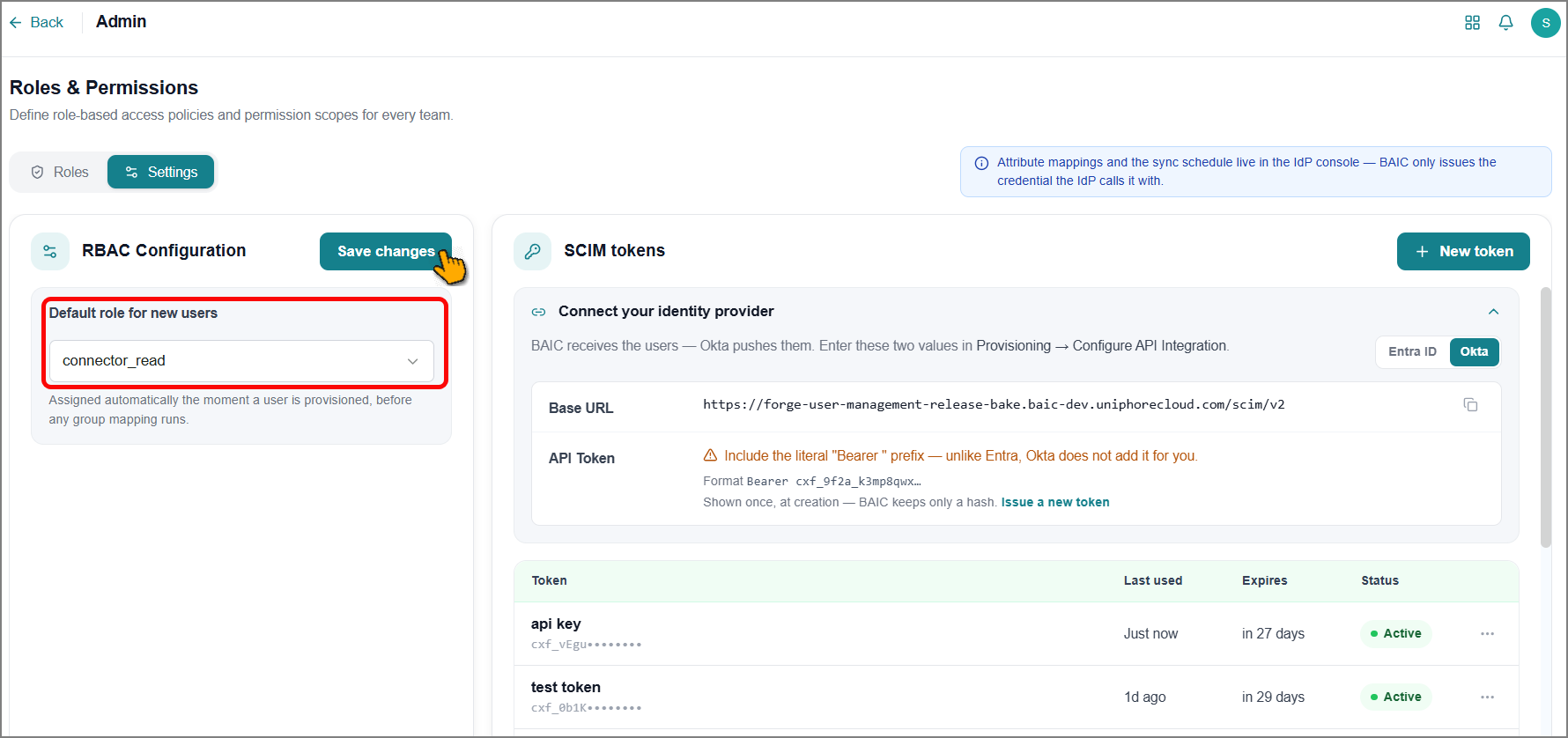
To set up the connection, use the Base URL provided by the platform as your tenant URL, along with a token you generate. Your IdP uses both to communicate with the platform. Once connected, creating a new user or user group in the IdP and pushing it to SCIM automatically creates the same user or user group on the platform.
You can define a default role for new users from SCIM. This role is assigned automatically when a user is provisioned, so even if a new user isn't added to a user group or the user's group has no assigned permissions, the user still has the necessary default permissions.
To select a default role for a new user, choose a role from the dropdown, then click Save Changes.
Important
After SCIM syncs a user, manually assigning a role and permissions to that individual user isn't supported. Roles and permissions can only be assigned to a user group.
By default, user groups have no permissions. You need to manually assign roles and permissions to provision them on the platform as needed.
Tip
Push user groups first, then users. This is recommended to quickly delegate the group's roles and permissions to users.
To enable SCIM communication, create a new token for the platform:
Click New Token.
The New Token panel opens from the right.
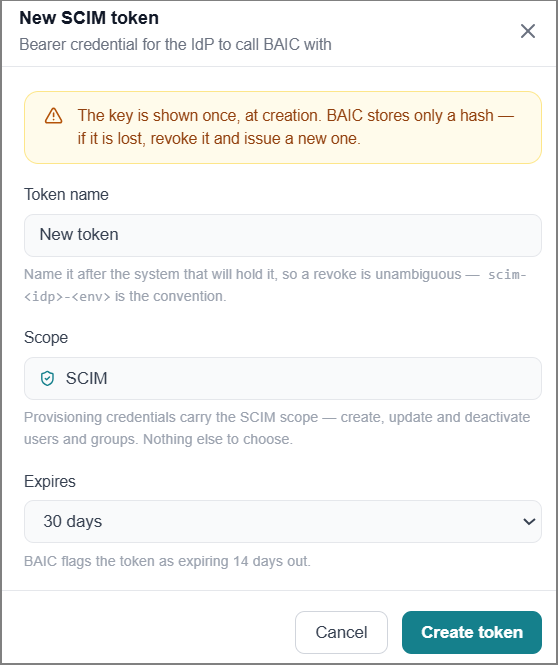
Enter a Name for the token.
The scope is selected by default.
Choose the expiry time frame from the dropdown.
Click Create Token.
The token is generated and available in the next panel.
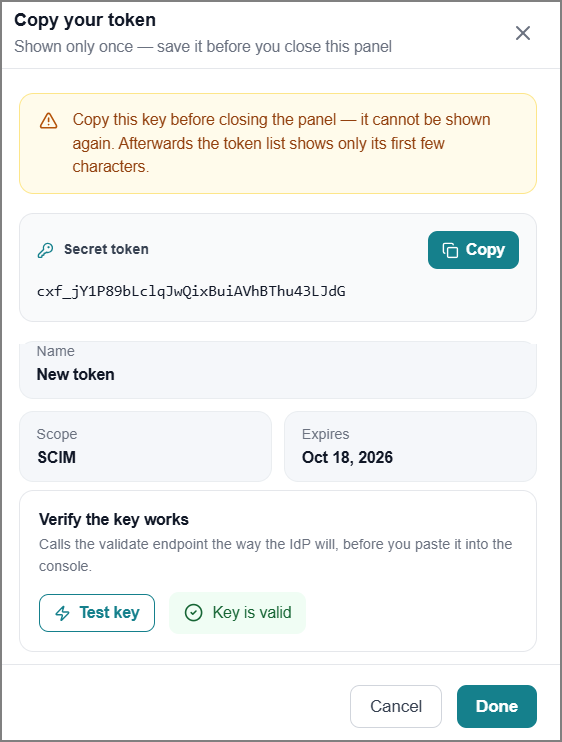
Click Test Key to verify it's working.
Click Copy to copy the token to the clipboard.
Click Done to close the panel.
Give your identity provider the platform's Base URL (which serves as your tenant URL) and the token you generated to establish the connection.