Profile Management
Access and update your profile information at any time through the Business AI Cloud platform. Your profile includes personal details, contact information, and account settings that you can modify to keep your account up to date and personalized.
To access your profile information, click the profile icon (the first letter of your name) located in the top right corner of the screen.
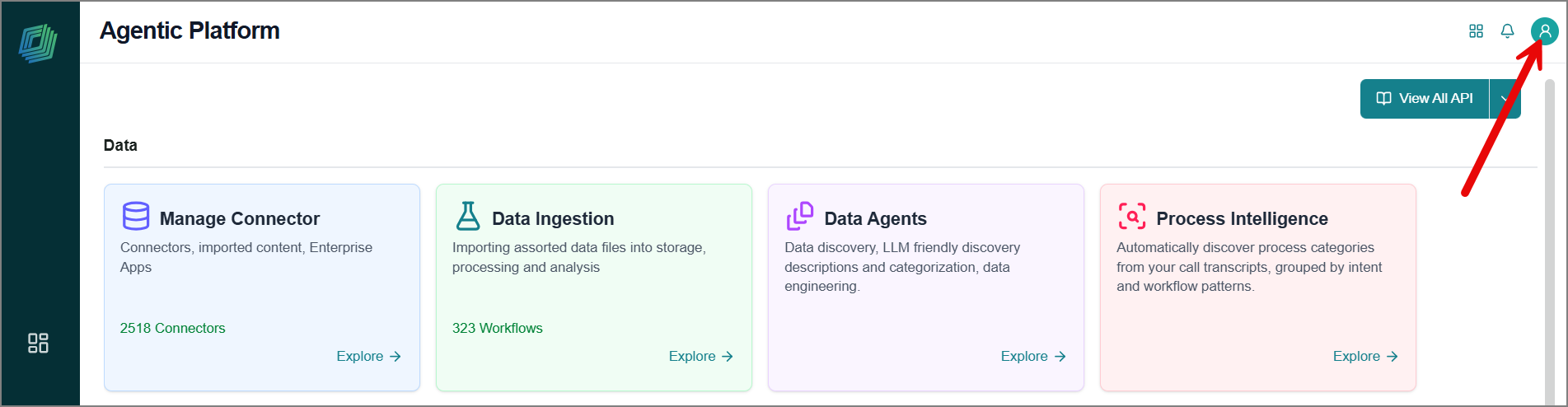
A profile panel opens on the right side of the screen.
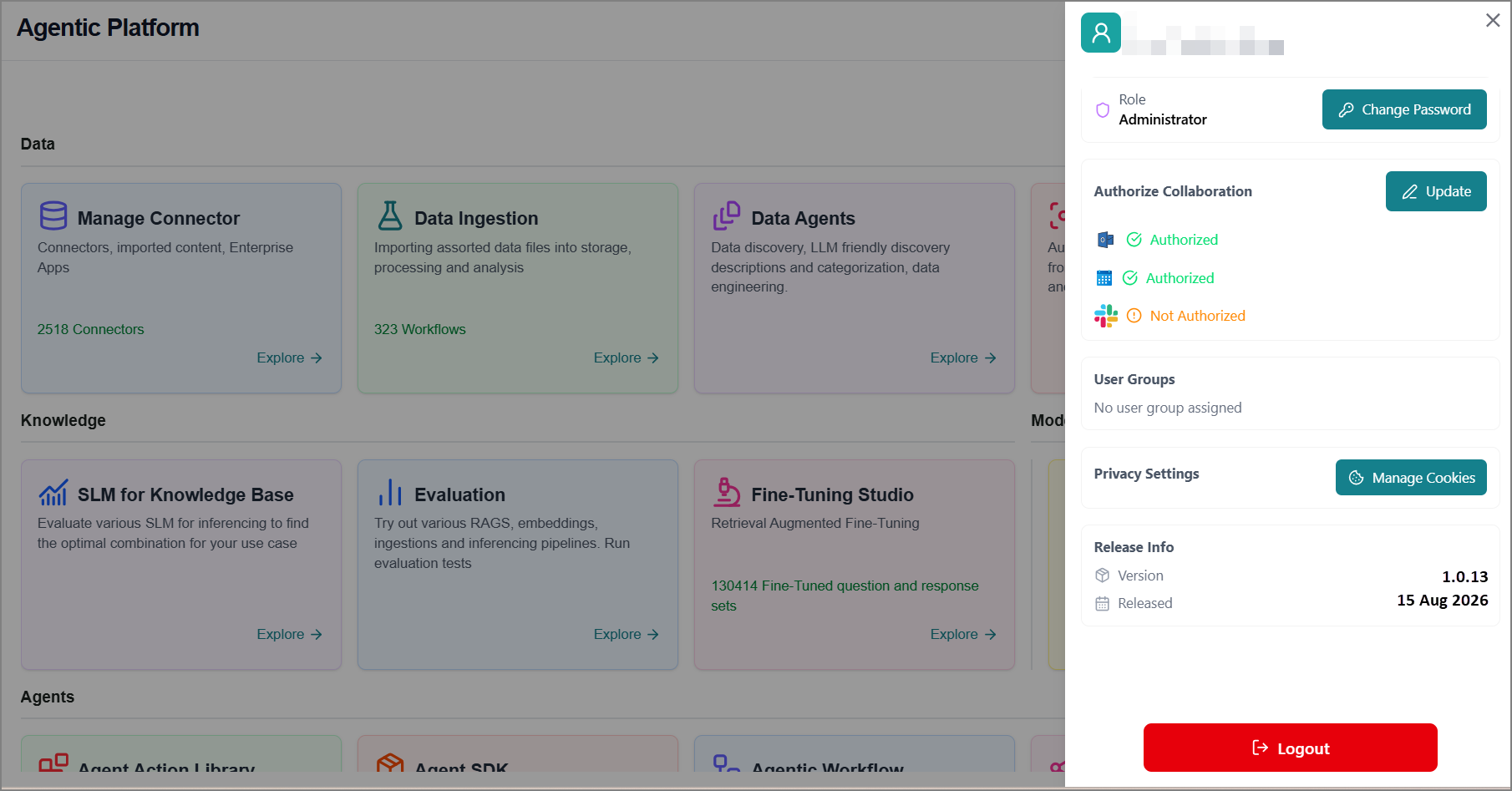
This panel displays the following details:
Your name
Your email address
Your assigned platform role
The user groups you're tagged in
Latest release information
You can perform the following actions in this panel:
Logout – Sign out of your account.
Password Management
Update your login password for account security.
Click Change Password.
Click the Info
 icon to view the predefined requirements.
Enter a new password that meets the requirements.
Re-enter the password for confirmation.
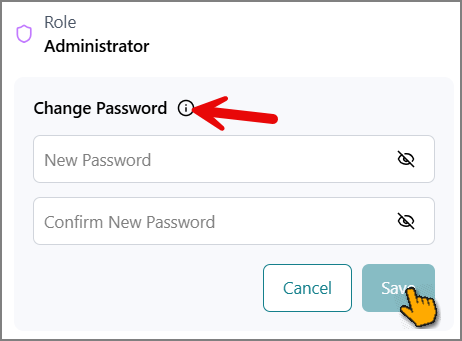
Click Save to confirm the changes.
Your new password takes effect at your next login.
Tools Authorization Management
Authorize Collaboration – View all the tools integrated with your AI agents and check whether they're authorized. You can easily control which tools your agents can access and interact with.
Click Update to modify collaboration permissions.
The new panel expands.
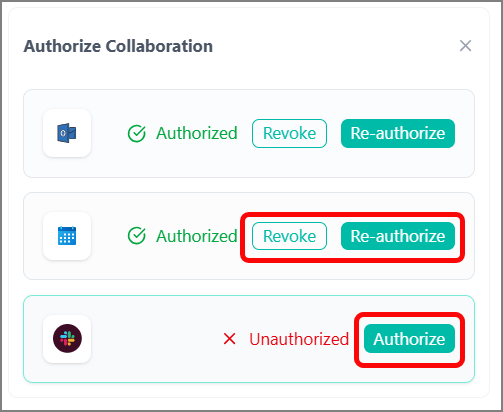
Click Authorize to grant the tool access to your AI agent.
Click Re-authorize to refresh the tool authorization and resolve any access issues.
Click Revoke to remove the tool authorization.
Cookies Management
Privacy Settings - Manage cookies accepted during your initial login session.
Click Manage Cookies.
Review the cookie preferences.
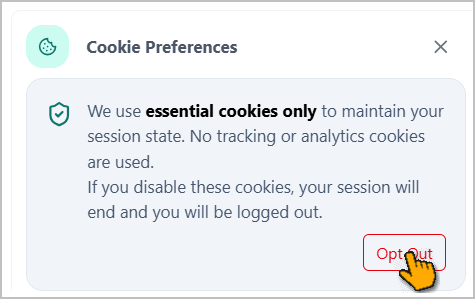
Click Opt Out to decline the use of essential cookies.
You will be logged out of the session.