RTBF
Use this tab to set up and manage the “Right to be Forgotten” (RTBF) for employees and customers.
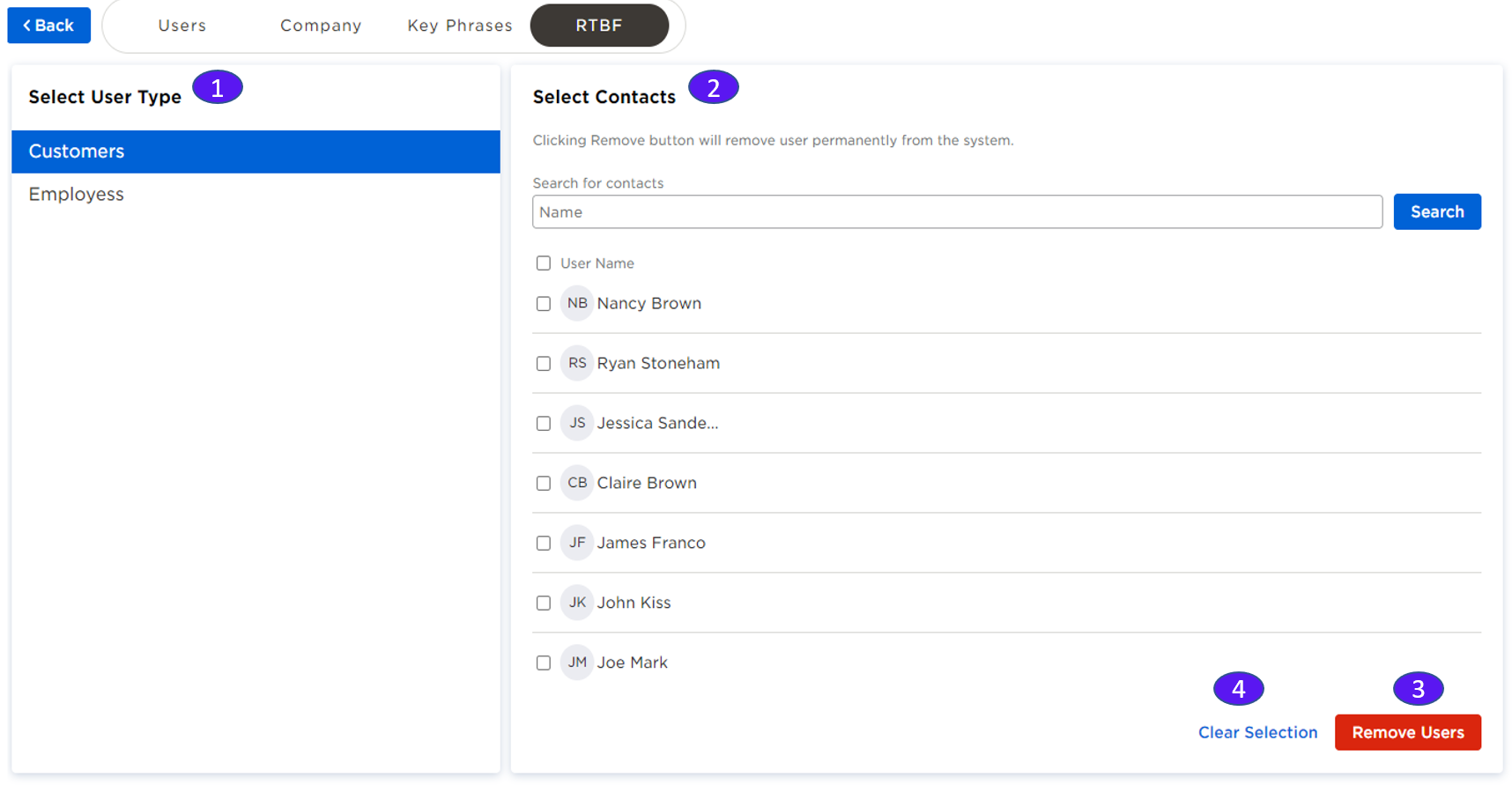
1. Select User Type
Two selections are available:
Customers: A customer involved in a deal with your company.
Employees: An employee of your company.
2. Select Contacts
Select the users you want to remove.
3. Remove Users
Click Remove to remove the users permanently from the system. This removes all their data (videos, transcripts, emails) from the system.
4. Clear Selection
Click Clear Selection to clear all the selected contacts.