Redaction Configuration
Redaction Configuration lets you control how sensitive data is redacted across the tenant. Use this page to enable or disable redaction and configure the specific types of sensitive information that must be protected.
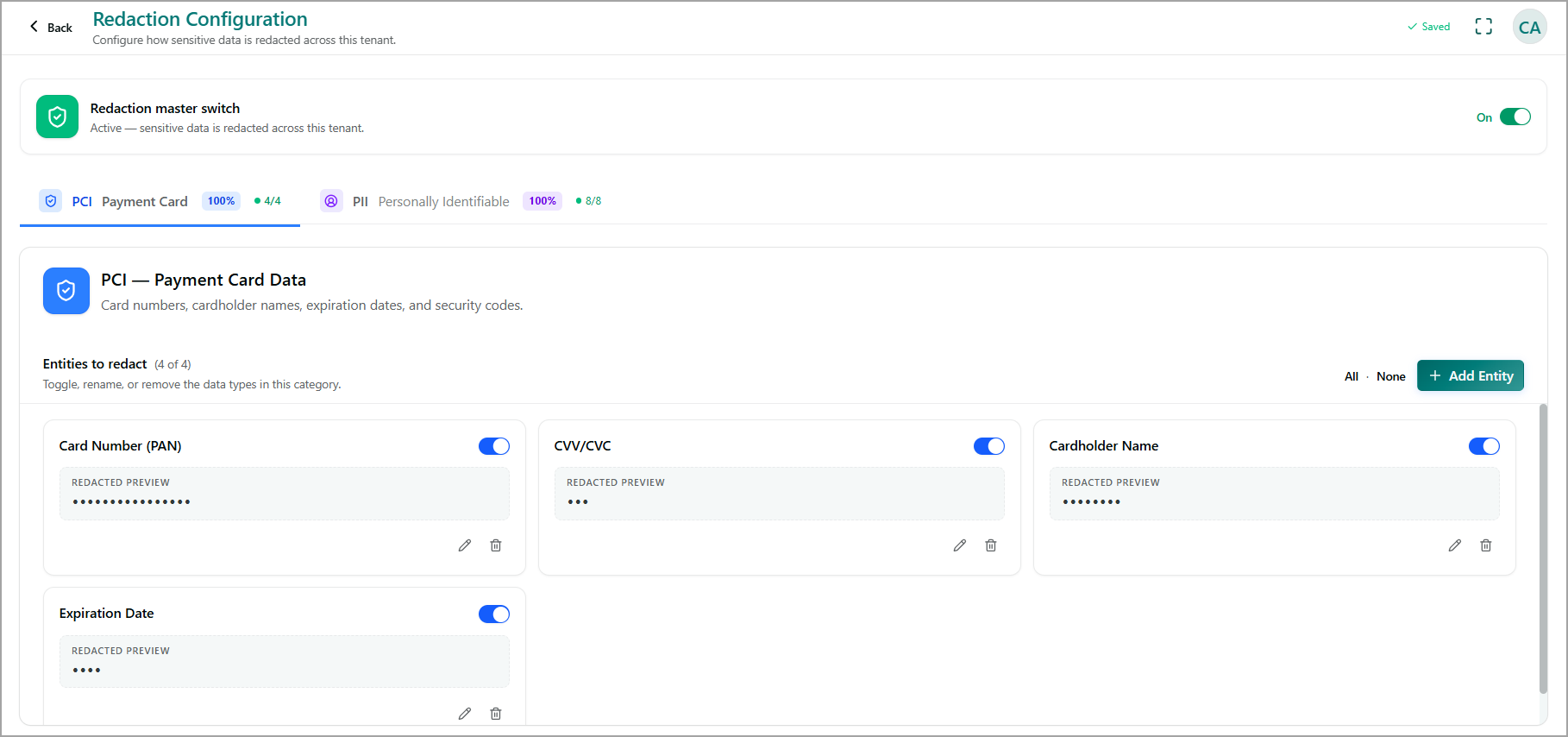
Redaction master switch
The Redaction master switch controls redaction across the tenant.
Turn the switch On to redact configured sensitive data across the tenant.
Turn the switch Off to disable redaction across the tenant.
Data categories
Sensitive data is organized into categories, such as:
PCI (Payment Card) – Includes payment card information such as card numbers, cardholder names, expiration dates, and security codes.
PII (Personally Identifiable Information) – Includes configured types of personally identifiable information.
A percentage and count displayed next to each category indicate the number of entities enabled for redaction within that category.
Select a category to view and manage its configured entities.
Entities to redact
The Entities to redact section lists the data types configured for the selected category. For example, PCI includes:
Card Number (PAN)
CVV/CVC
Cardholder Name
Expiration Date
Each entity includes the following options:
Toggle - Enable or disable redaction for the entity.
Redacted Preview - Shows how the sensitive data appears after redaction.
Edit – Modify the entity configuration.
Delete – Remove the entity from the category.
Use All to enable all entities in the selected category or None to disable all entities.
Add an entity
To add a new sensitive-data entity:
Select the required data category and click Add Entity.
Enter the entity name and click Create. The new entity is added to the selected category and can be enabled for redaction using its toggle.