Monitor and Listen to Live Calls
Monitor agents and listen to ongoing calls. See the tips below for details on the Live Monitor feature.
A brief video has been created to demonstrate Live Monitor. See the Live Monitor Demo below.
Go to Conversations > and click Live Monitor at the top.
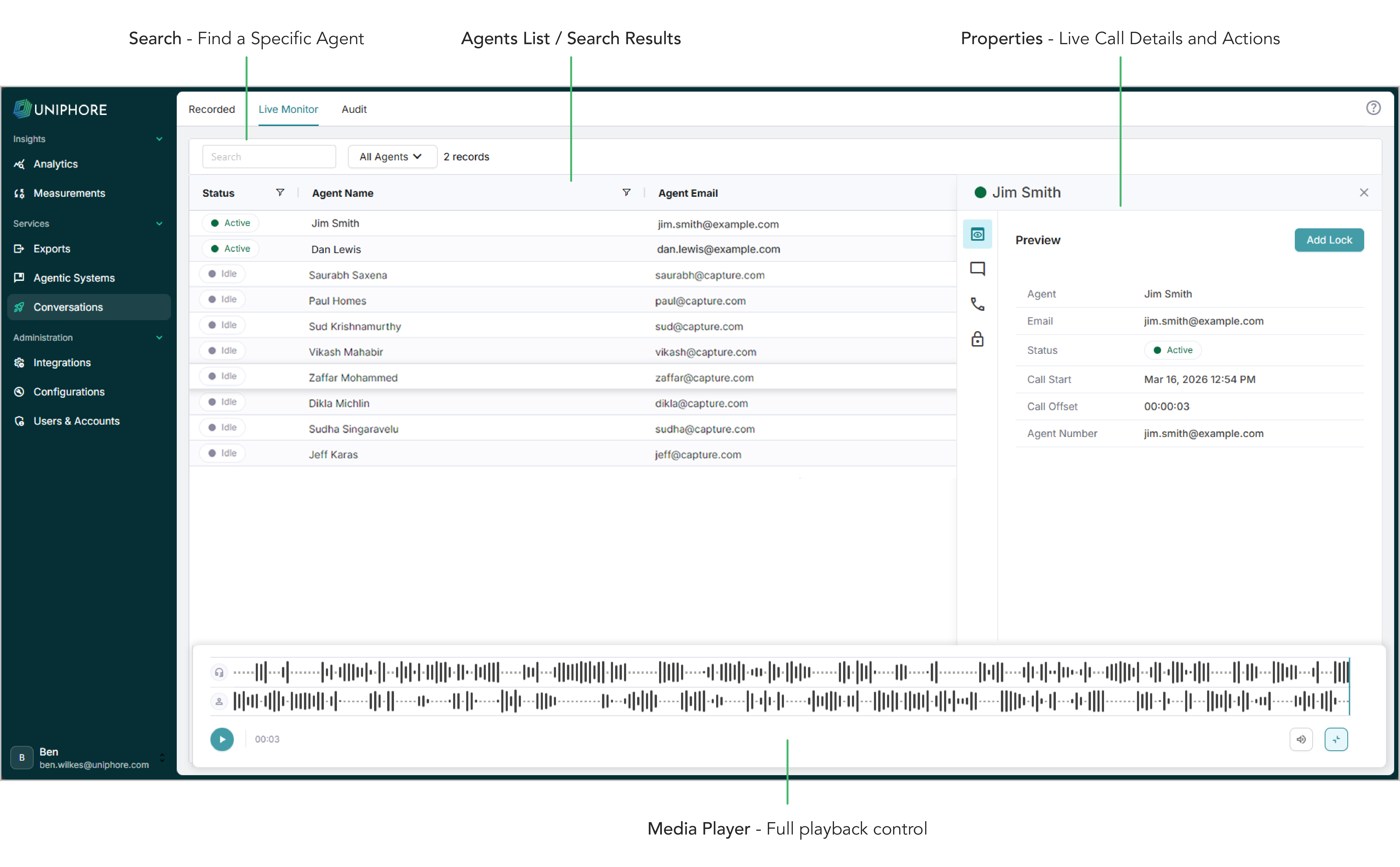
All agents that you have monitoring permissions for are shown in the agents panel — any agent currently on a “live call” is highlighted as Active using the status column.
To listen to a live call, click the arrow to the right of the Agent to open the properties panel. Details for the live call are displayed in the Summary tab. The Media Player is displayed when you listen to a call — use its features as you would in the Recorded tab, some functions are limited for live calls.
When in the properties panel for an Active agent, perform actions like adding annotations or locking the call — see Actions.
To stop listening to a live call, either pause the call using the media player buttons, close the properties panel, or select a different agent.
Use the Search bar to search for and filter your agents.
Use the Call Records tab in the panel to view a list of that agent's previously captured calls.
Live Monitor Demo
The following video demonstrates how to listen to an ongoing agent's call live: