Key Phrases
Set up key phrase definitions used at runtime based on the MEDDIC sales methodologies and industry-specific business terms. Also, you can import key phrases from the webistes and allows you to create custom key phrases.
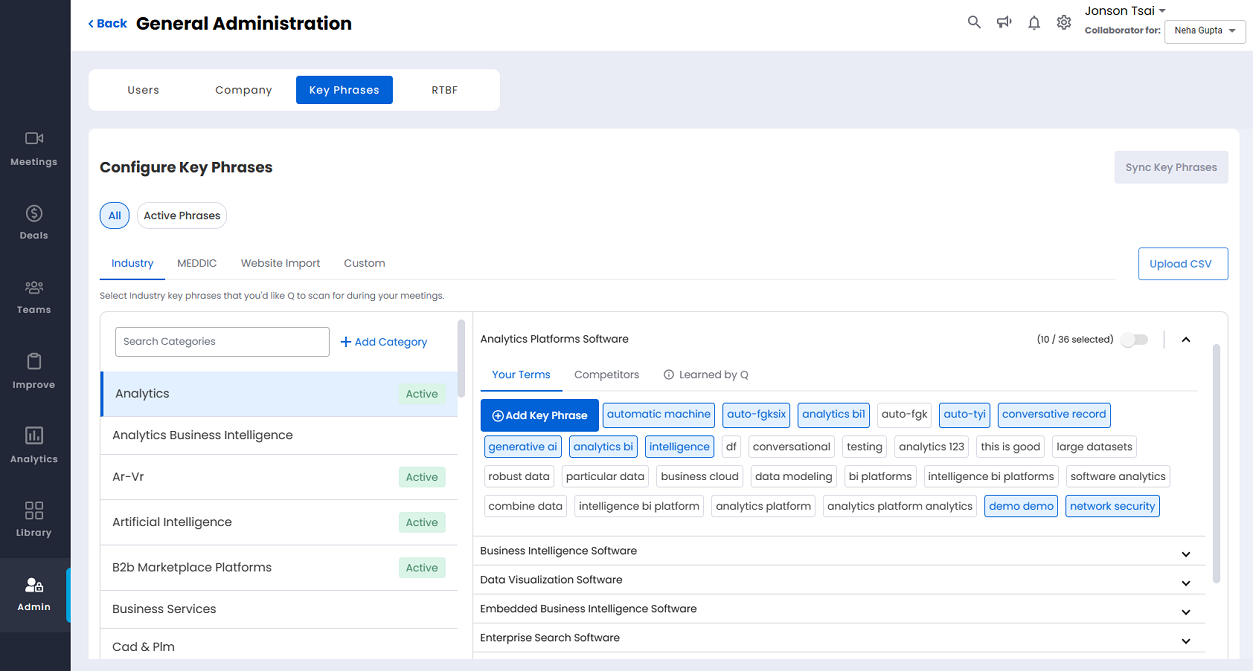
Categories
Shows categories for MEDDIC key phrases as well as INDUSTRY-specific key phrases that you have imported using Identify Your Business under the Company tab. Also, it displays the key phrases that you imported from the websites and customized key phrases. The keywords are listed by category.
You can search a category using the search bar, and also, add category using + Add Category .
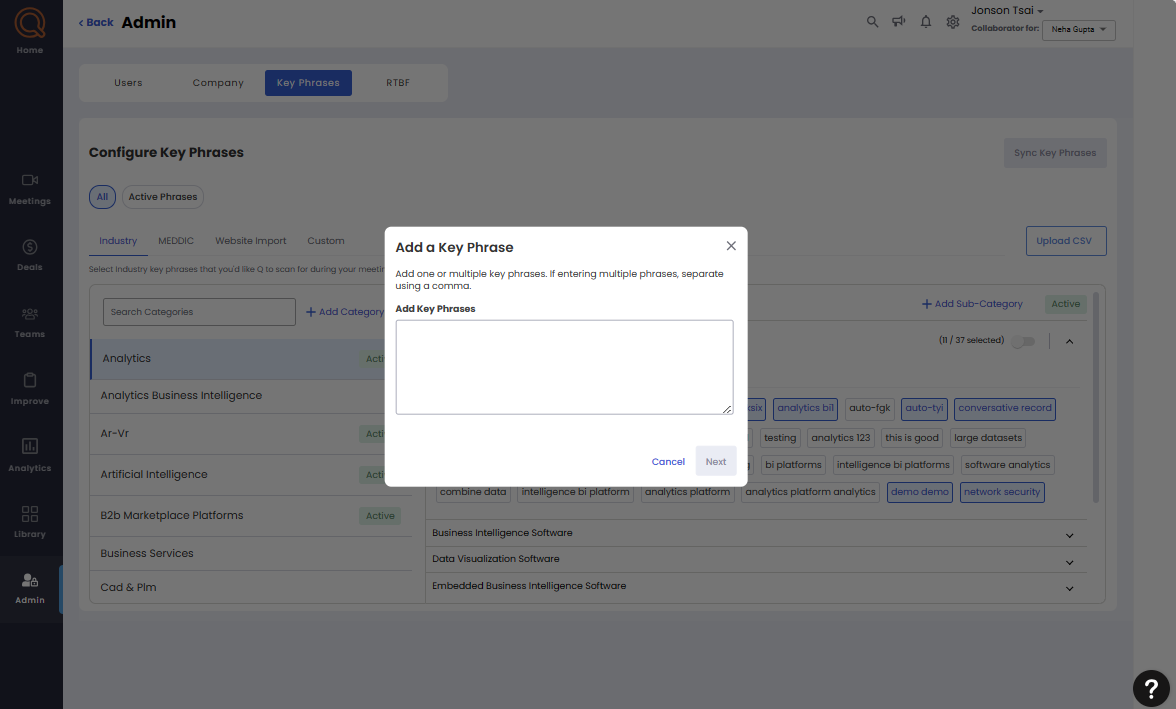
Add Key Phrases
To add a key phrase:
Search or select the required category.
Click + Add Key Phrases
Enter the Key Phrase. If the key phrase already exist, then it displays the list of existing key phrase along with their category. To proceed, you can remove or replace the existing key phrase.
Click Add Phrases.
Repeat the above steps to add more key phrases.
Upload CSV
This feature allows you to upload bulk key phrases in CSV format.
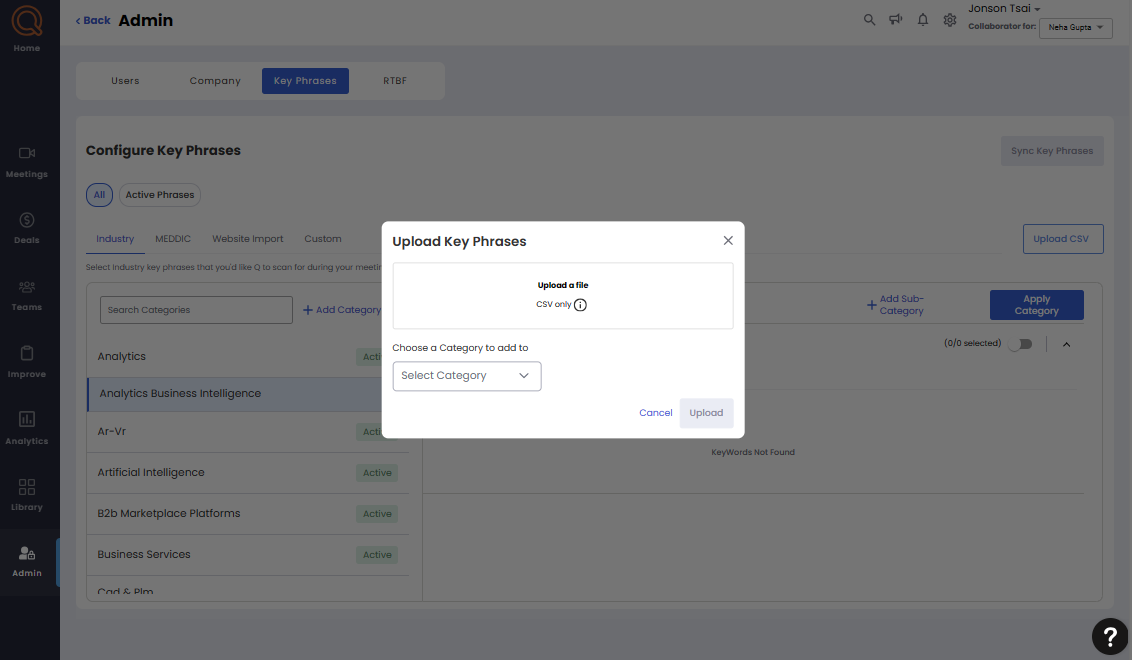
To upload key phrases in bulk:
Select the required category.
Click Upload CSV.
Browse and select the CSV file. Also, you can download a sample CSV file for reference.
Select the category from the drop-down menu.
Click upload.