Improve EQ
The Improve Page is used by sales reps to do self-coaching and monitoring of sales techniques to understand how well they have performed in meetings. By encouraging self-coaching, sales reps can improve their sales techniques based on real-life examples.
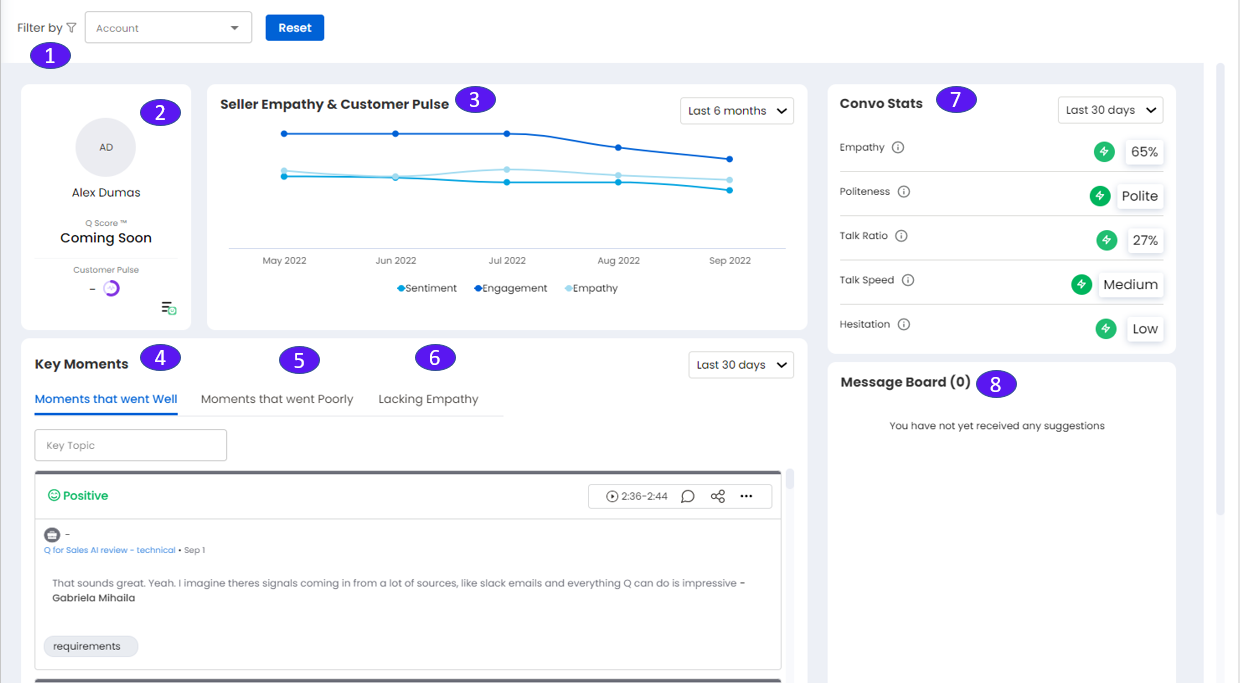
1. Filter Selections
Filter and analyze meetings by account.
2. Profile Pane
Activities Icon (top right): Shows how activities such as the number of accounts and email exchanges.
ID: Shows photo, name, and EQ Score for each sales rep (how well they have been handling customer conversations).
Q score: The score measuring individual sales rep’s sales techniques, coming soon as we analyze your historical performance data
Customer pulse icons: Show overall Sentiment (left) and Engagement (right) across all customers for the sales rep.
Hamburger icon (lower right): Shows Top 10 positive sentiment meetings.
3. Seller Empathy & Customer Pulse
Graphs average customer pulse for sentiment, engagement, and seller empathy. Use the pulldown to select a date range.
4. Key Moments (Moments that went Well)
Click Moments that went Well to show key moments for that meeting with Positive sentiment.
5. Key Moments (Moments that went Poorly)
Click Moments that went Poorly to show more information about areas of improvement (empathy, politeness, talk speed), etc.
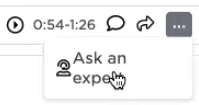
Click on the ellipsis icon to bring up “Ask an Expert” and click on it to show topics and experts on topics within the organization.
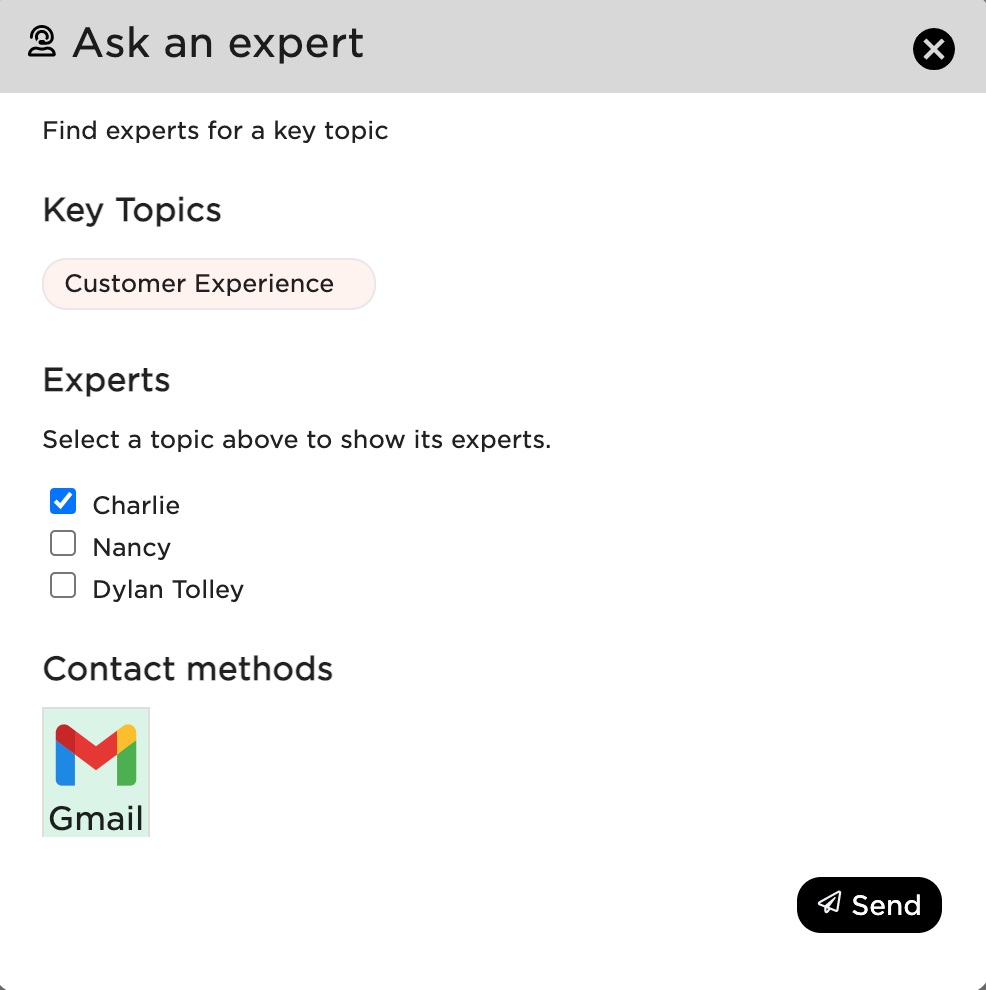
Check the name of an expert and use the Contact methods to send them a request for assistance. For example, when using Gmail, this will send a templated email to the person to initiate a conversation.
6. Key Moments (Lacking Empathy)
Click Key Moments Lacking Empathy to show key moments for that meeting that lack empathy.
7. Convo Stats
Shows rep’s trend averages for Empathy, Politeness, Talk Ratio, Talk Speed, and Hesitation in conversations. You can sort from 30 to 90 days using the pulldown.
A green checkmark indicates values are within the ideal range.
A red triangle warning sign indicates values are outside the ideal range.
8. Message Board
A board where other sales reps can post feedback and exchange comments.