Feedback
There are two tabs that are available as follows:
Comments (Default)
Clips
Comments
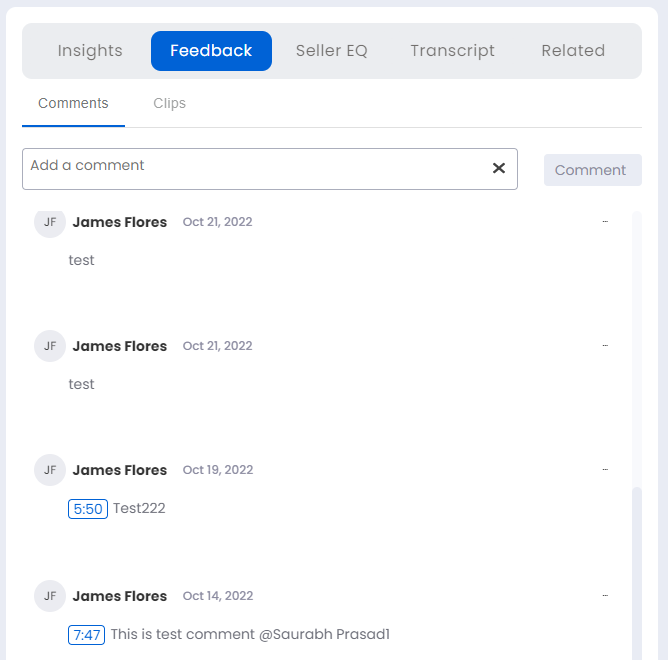
The comments added by clicking the Add a comment icon in the Left Pane – Video Area and Controls are added in the comments tab. The name of the sales rep and the date at which the comment was added is displayed besides each comment. The time at which the comment was added during the meeting can be clicked to replay the meeting at this point of time in the meeting. Additionally, any further comments can also be added in this tab's Add a comment dialogue box and clicking the Comment button.
Clips
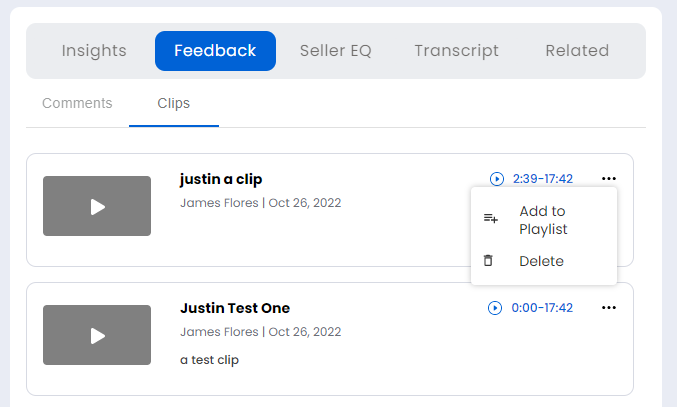
The meeting clips that were created in the Left Pane – Video Area and Controls are available here. Click on the play button to view the clip. Hover over the horizontal ellipsis icon to access the two available options that follow:
Add to Playlist: Click to add this clip to a playlist.
Delete: Click to delete this clip, if the clip is no longer required.