Defining Session State Parameters
The Session State page stores parameter names that the AI Agent uses during a call or chat session. Each name is a placeholder that refers to a specific value to be used in a Guideline, Task or Tool (e.g., first_name or customer_id). At runtime, the AI Agent is able to use the values and understand the context of a Session State parameter for the duration of the session.
By adding a Session State parameter, you also enable the AI Agent to easily use data from external business systems. For example, the AI Agent will have access to values that are populated in real time via a REST API Tool.
Session State parameters on this page are valid only for the current AI Agent.
Click the AI Agent for which you want to define Session State parameters. The landing page for the selected AI Agent will be displayed.
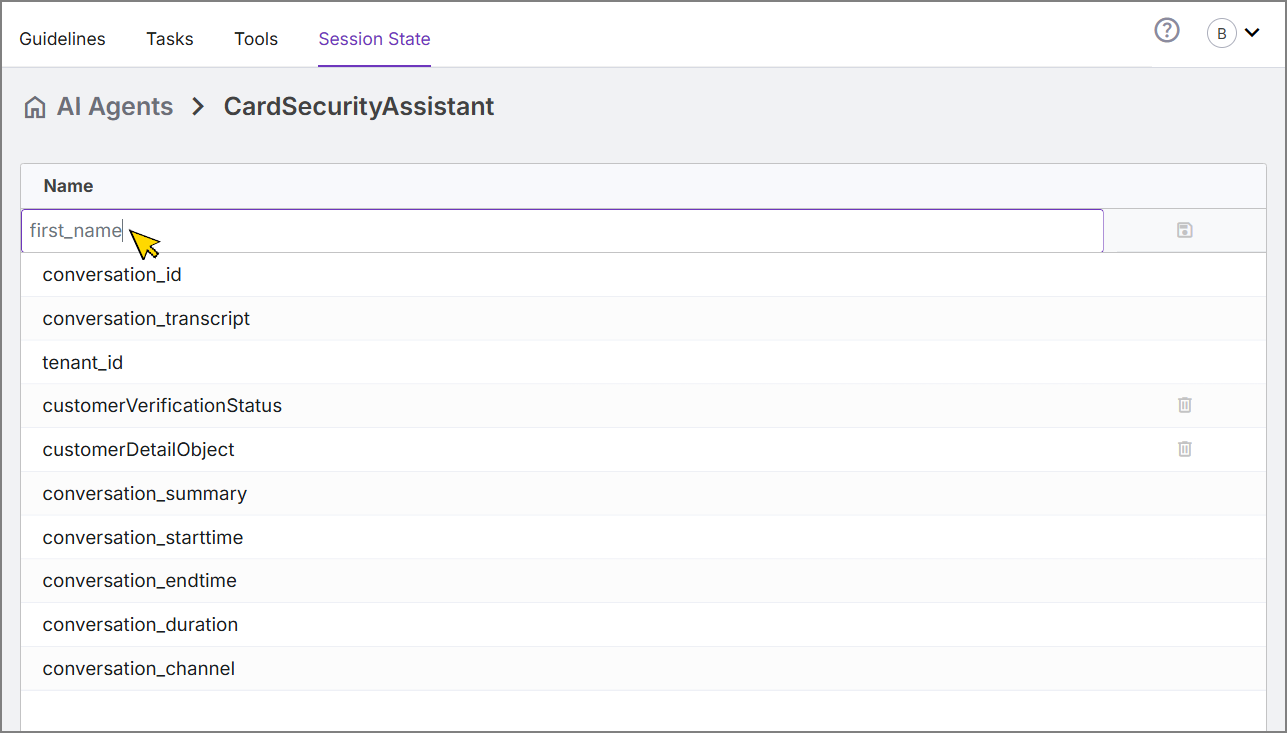
At the top of the page, click the Session State tab. The Session State page will be displayed, showing any parameters that may already exist for this AI Agent:
Note
Some Session State parameters are added automatically for your account. These default system parameters cannot be removed.
To define a new parameter, in the text field at the top of the parameter list, enter a unique name. Then, on the right side of the field, click the Disk
 icon. The new parameter will be saved in the AI Agent and displayed in the list.
To delete an existing Session State parameter, click Delete
 on the right side of its list entry.