Conversation Trends
Consists of conversation trends of all the rep's sales meetings at the organization level and has two sections as follows:
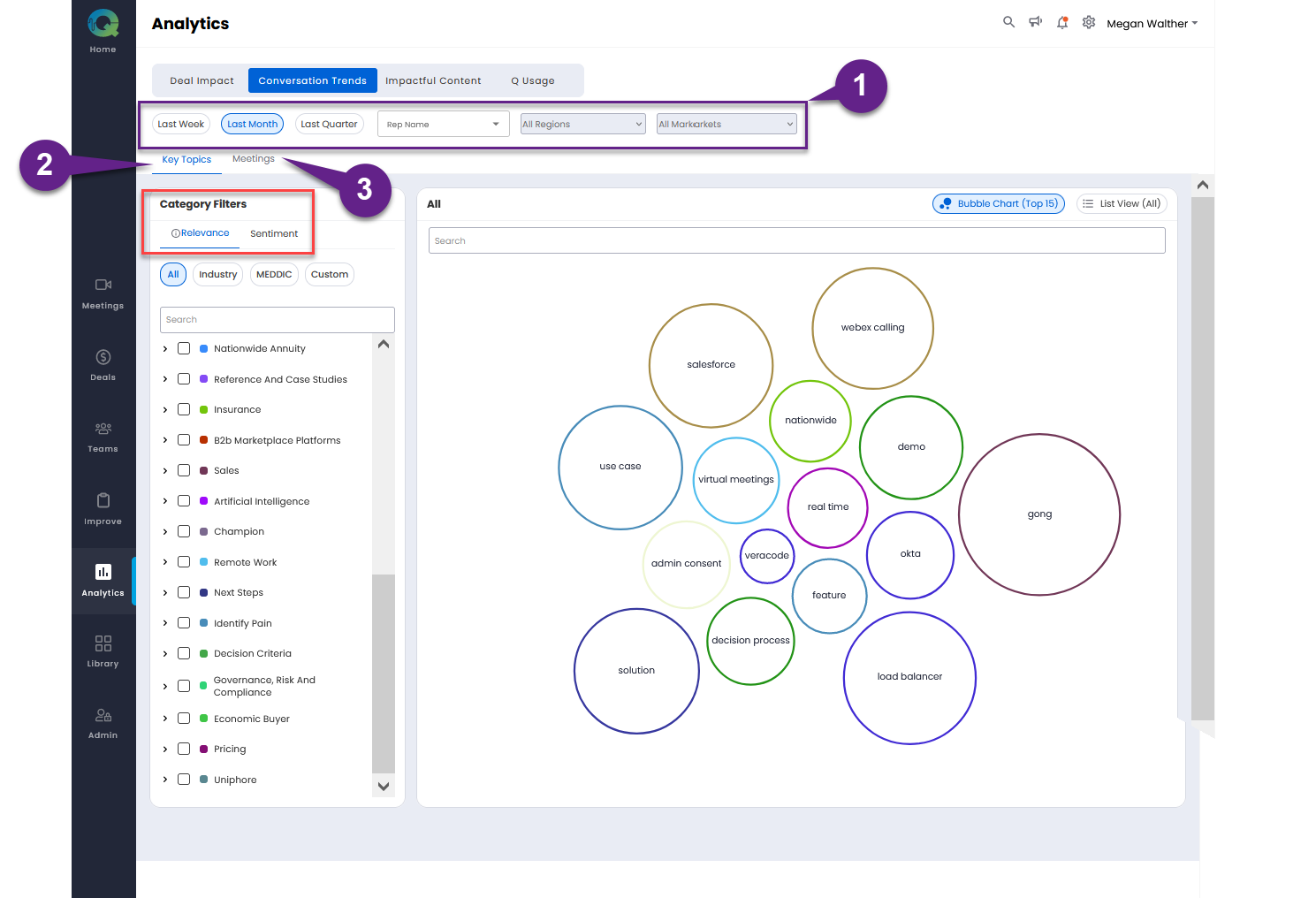
Key Topics
Meetings
1. Filter Ribbon
The conversation trends can be filtered by:
Last Week
Last Month (Default)
Last Quarter
Rep Name (Select the rep name(s) from the drop down)
All Regions (Currently inactive, will be available soon.)
All Markets (Currently inactive, will be available soon.)
2. Key Topics
The key topics that are recurring/trending across the meetings are analyzed and displayed here. The key topics are categorized under the Category Filters: Relevance and Sentiment.
Relevance (Default): They can be filtered by: All , Industry, MEDDIC, and Custom. Some of the examples of key topics could be Security, Analytics, Decision Process, Data Privacy etc.
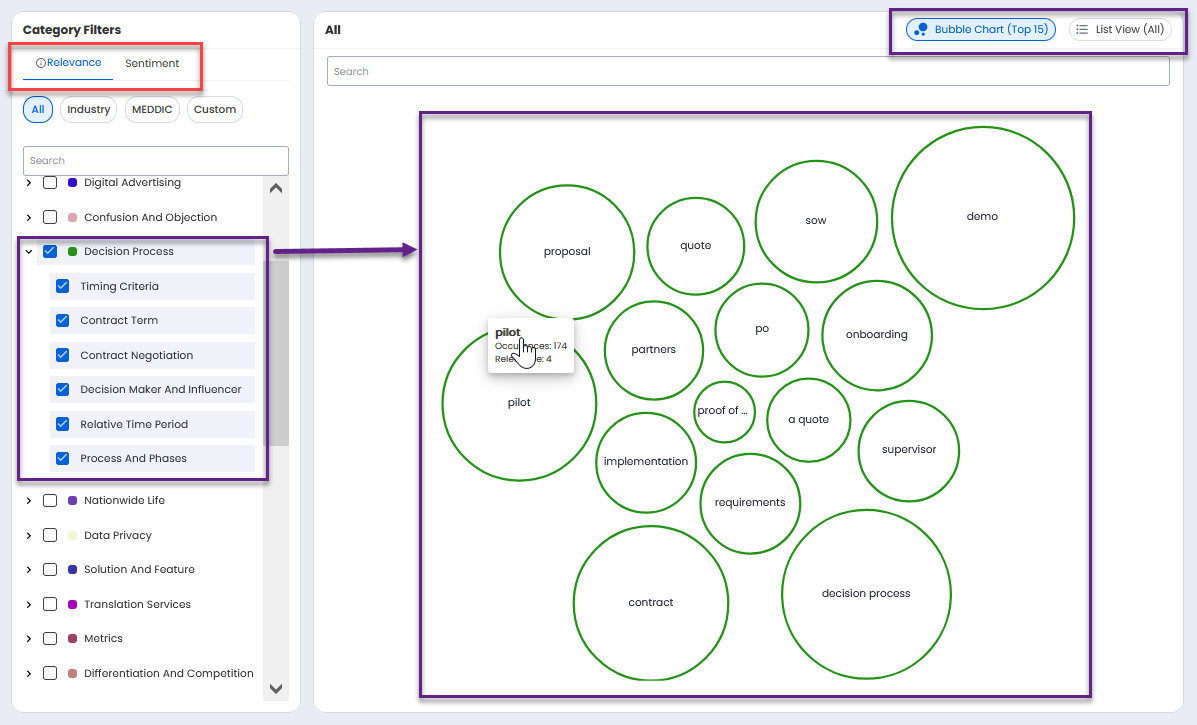
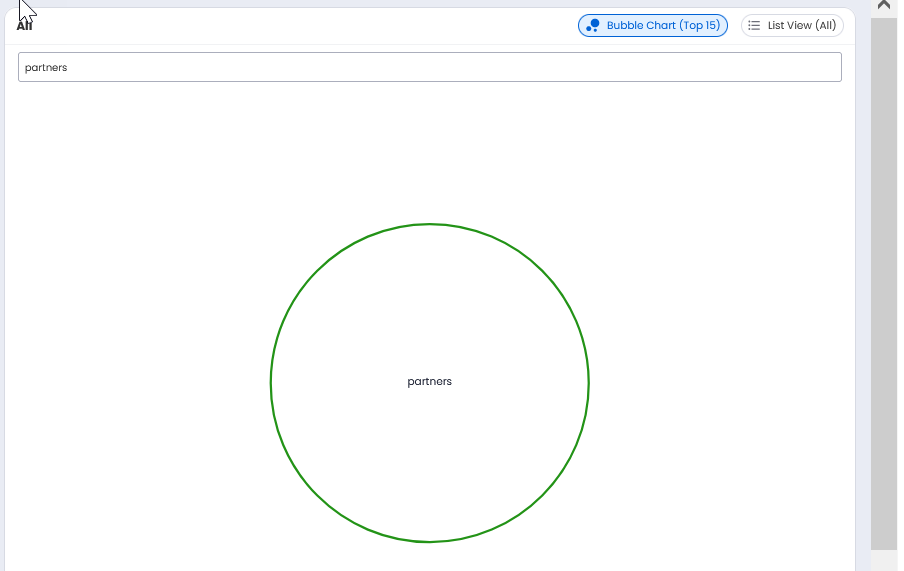
The key topics under relevance can be viewed as a bubble chart (default) or as a list. The bubble chart view is shown above, it displays only the top 15 key topics. In the search bar you can type the sub key topic to be displayed. Only the bubble of the sub key topic will be displayed.
The list view displays all the key topics as shown below:
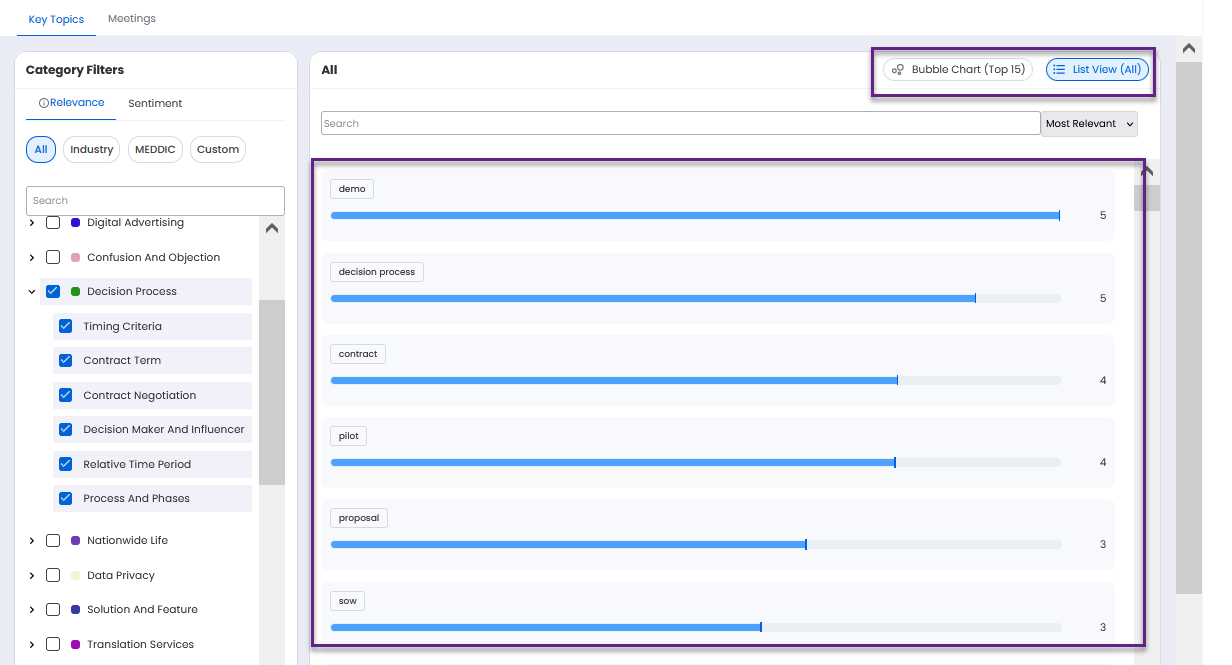
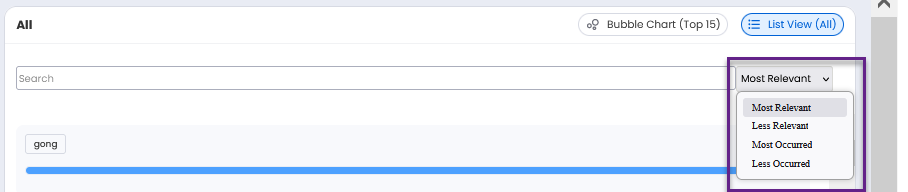
The list view can be sorted by relevance and occurrence as shown below.
Type a topic in the search box to search for a key topic. You can click the check box of a key topic to view only that particular key topic. You can click the arrow on the left of a key topic to view/collapse the sub key topics. When a key topic is selected all the sub key topics listed under it are selected by default. You can click the check box of a sub key topic to deselect that particular sub key topic.
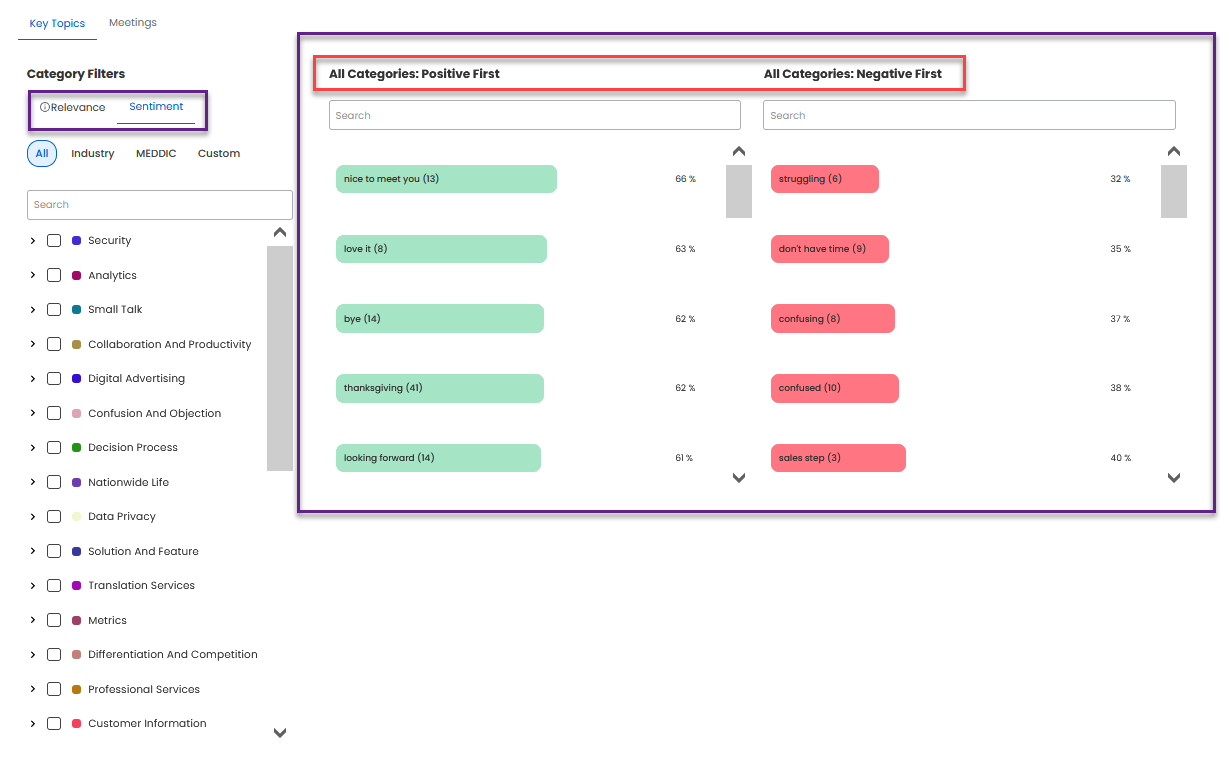
Sentiment: Displays the sentiment of the key topics grouped under two categories: Positive First and Negative First. The positive key topics are shown in green color. The key topics with a higher positive percentage are placed at the top. The negative key topics are shown in red color. The key topics with a lesser negative percentage are placed at the top.
3. Meetings
These are the most trending meetings in terms of:
Most Viewed
Most Shared
The meetings displayed here are irrespective of whether the meeting sentiment was either positive, neutral or negative.
Click on a meeting name to view the Meeting Replay page associated with this meeting.
Click on See All in Most Viewed or Most Shared tabs to view all the respective meetings in a slide out.
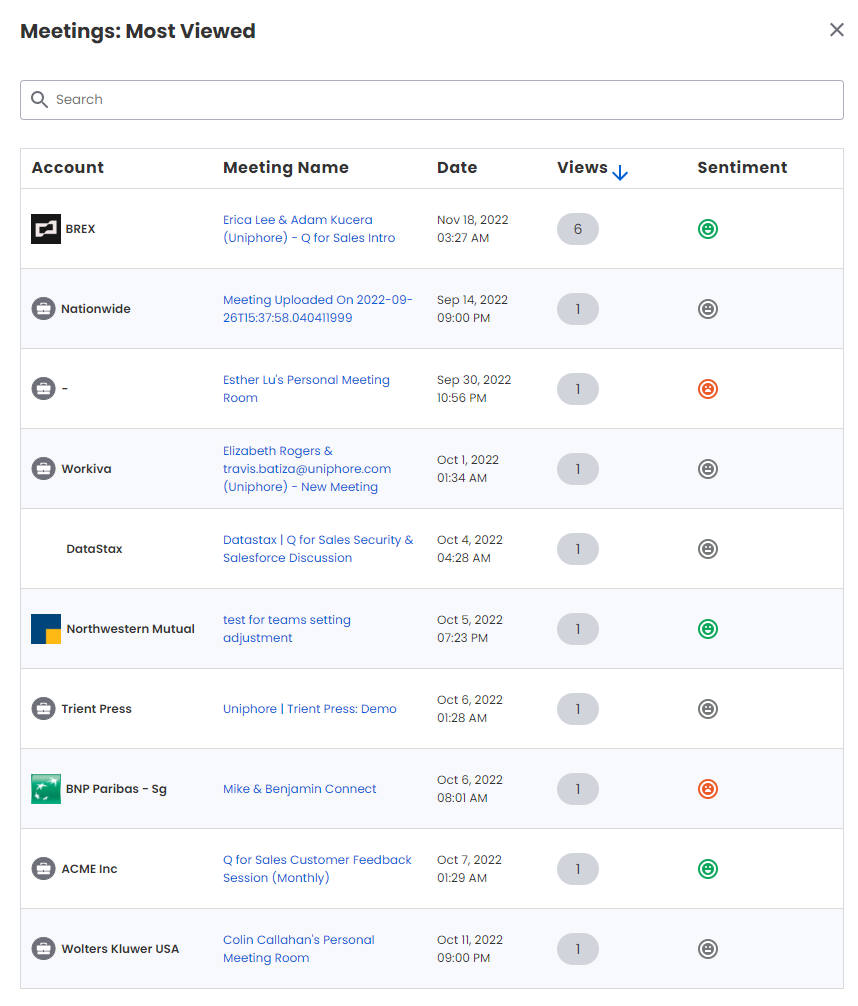
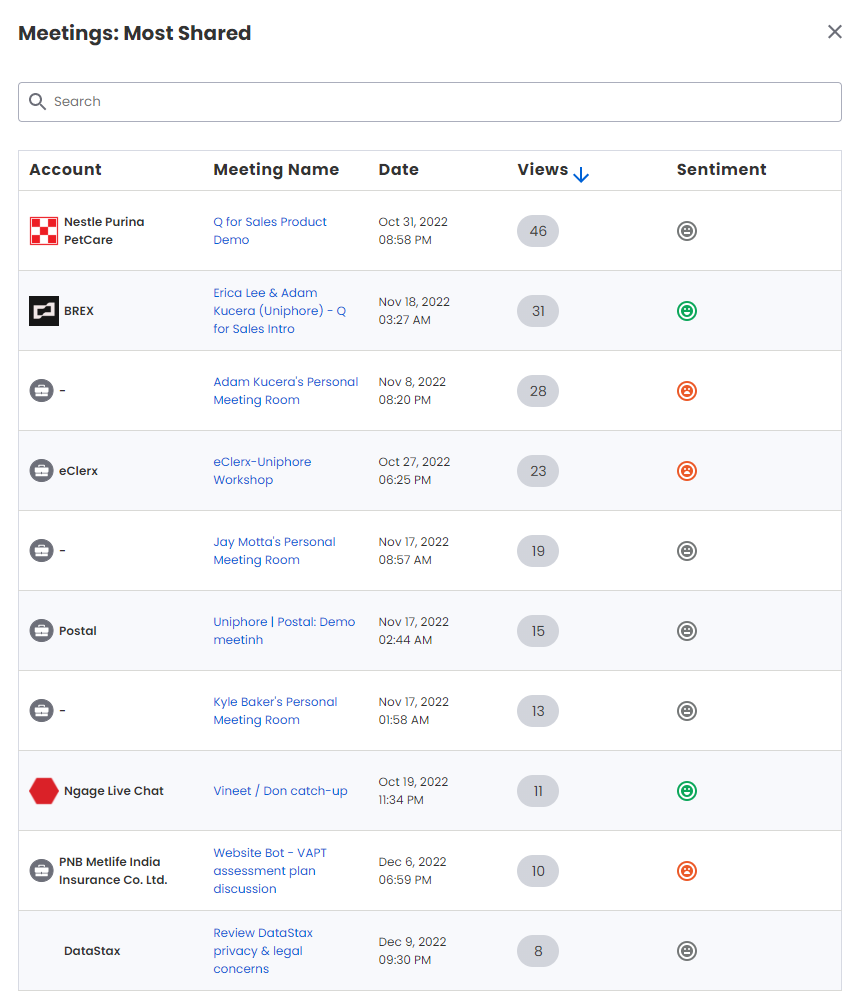
The meetings can be sorted in an ascending or descending order by the number of views. Click on upward/downward arrow to sort the meetings in ascending/descending order. Key in the account or meeting name in the search box to search for specific meetings by account or meeting name. Click on a meeting name to view the Meeting Replay page associated with this meeting.