Connect your Collaboration Service
Use this tab to set up and integrate multiple video conferencing tools such as Zoom, Webex and Teams.
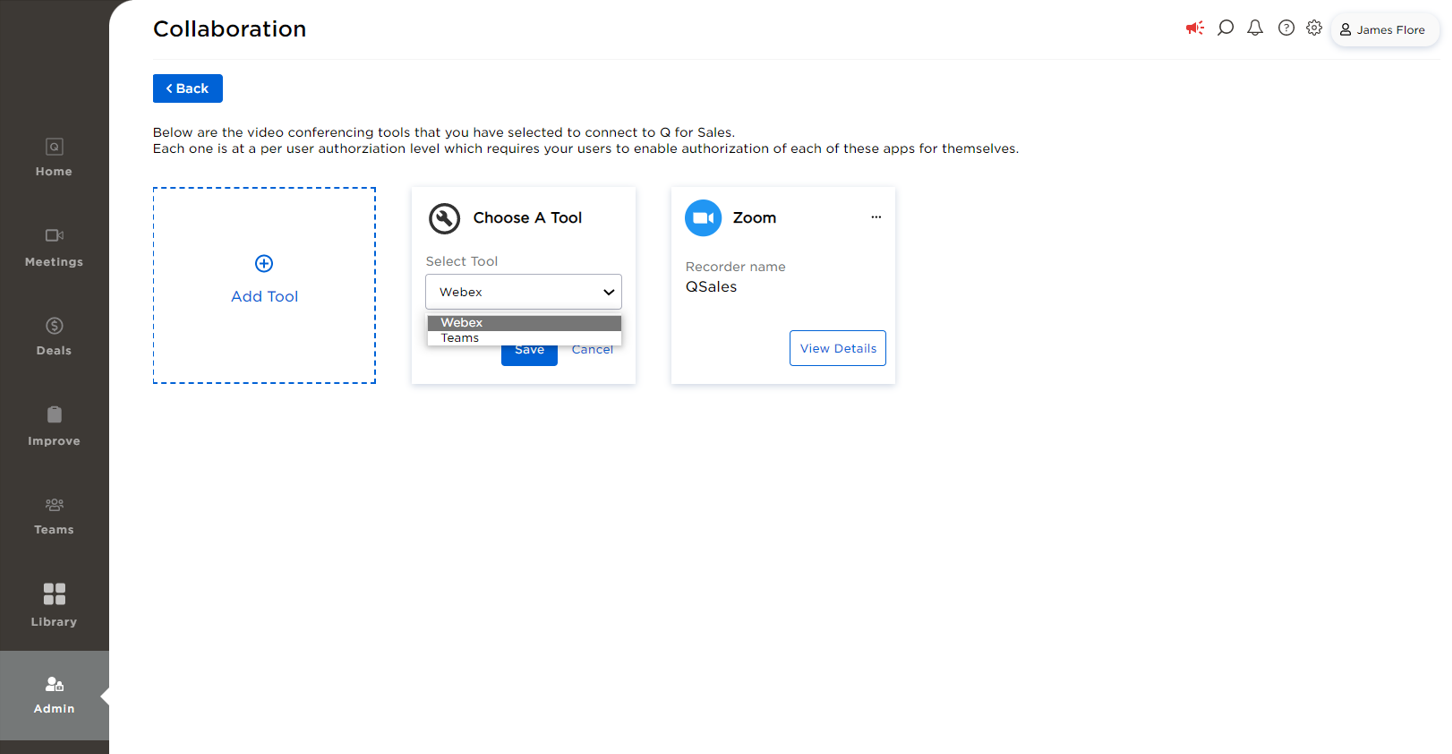
Before you connect a video conferencing tool to Sales Interaction Agent you can select the tool to connect from the Choose A Tool select tool dropdown shown below. In below view Zoom is already set up and integrated while Webex and Teams are yet to be set up and are available in the dropdown.
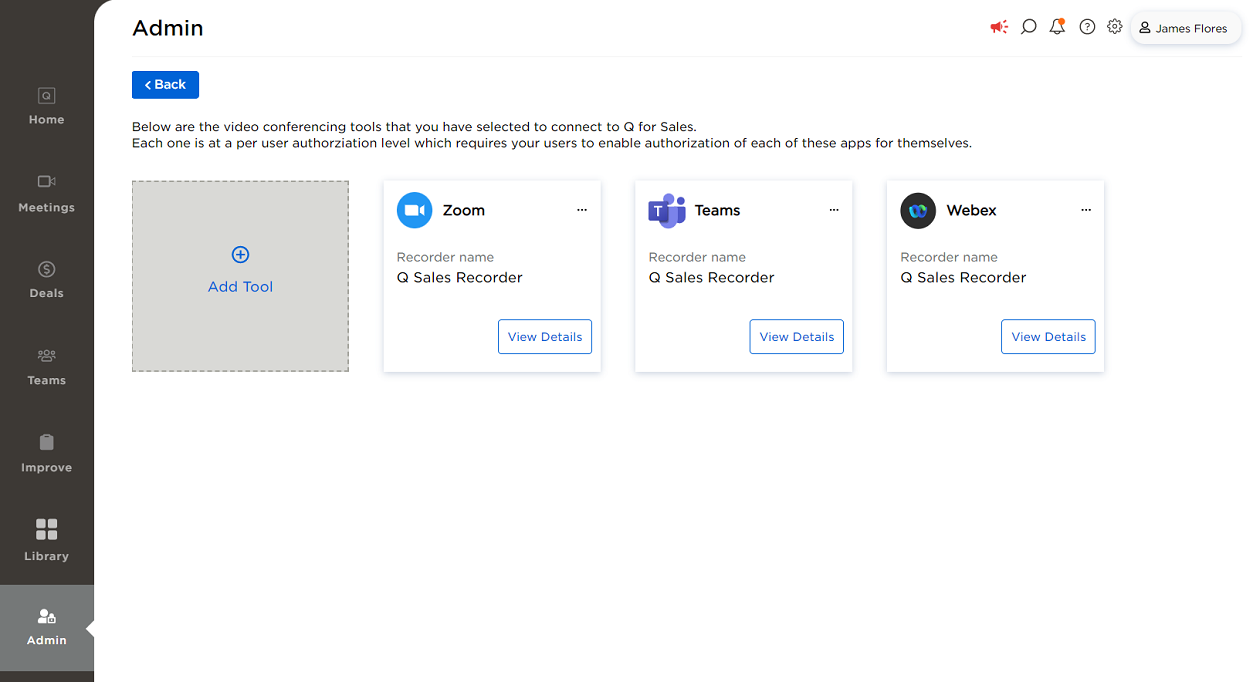
The video conferencing tools that are integrated are displayed as shown below:
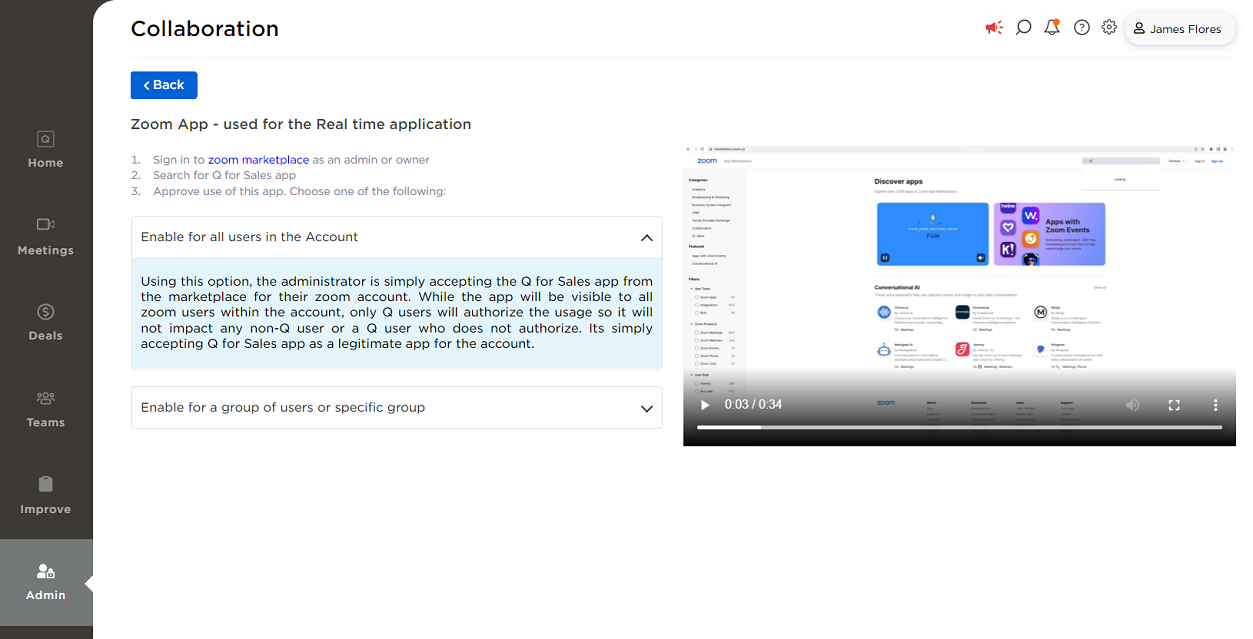
When you click on View Details button of Zoom tool you will see the display as shown below.
Follow the instructions given in this page to complete the setup of Zoom video conferencing tool. Alternately, you can also view the video instructions to set up Zoom video conferencing tool.
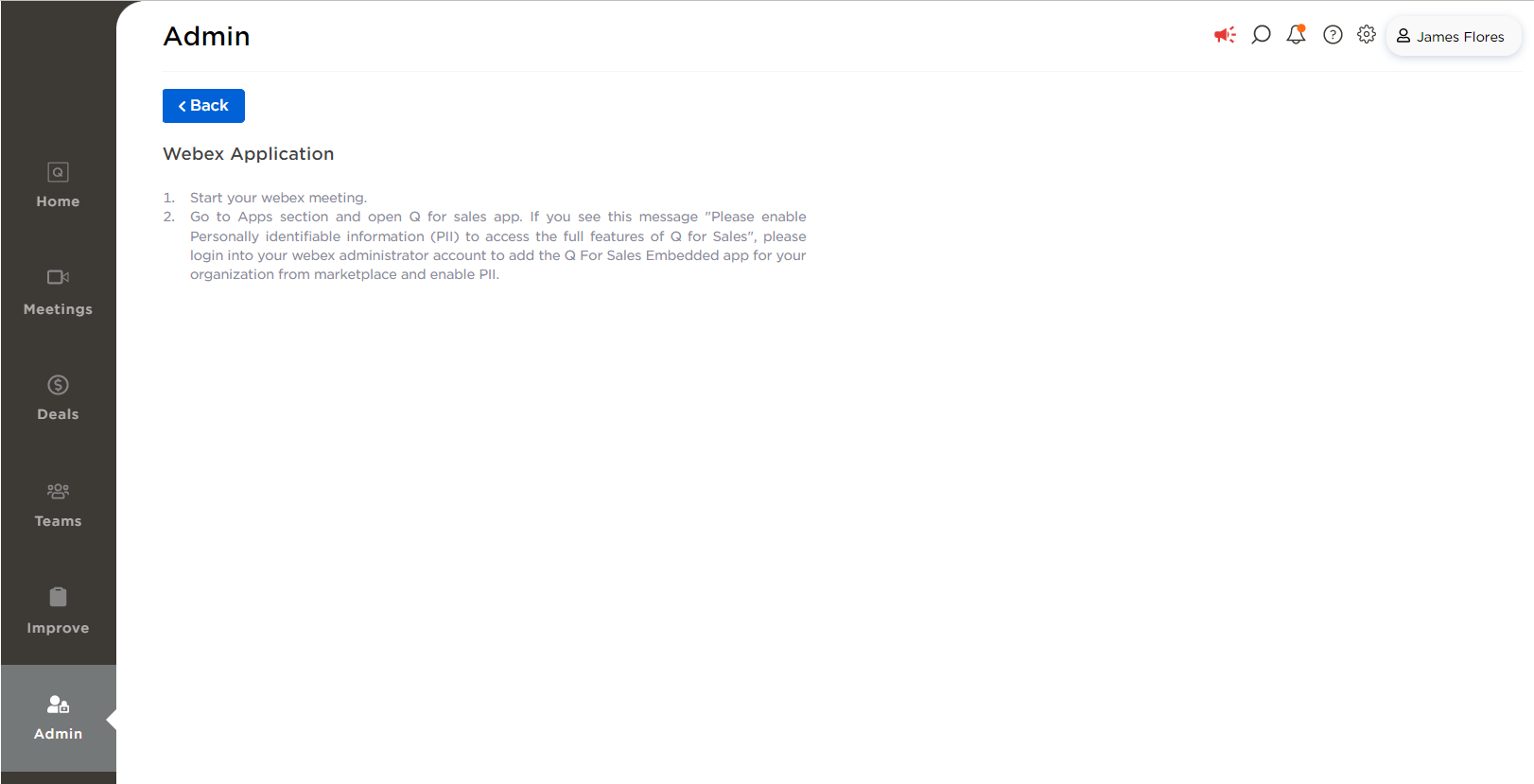
When you click on View Details button of Webex tool you will see the display as shown below.
Follow the instructions given in this page to complete the setup of Webex video conferencing tool.