Capability Routing
Capability Routing lets you define routing capabilities as skill and metadata key-value pairs and map each capability to a specific Guidance Agent. When an incoming call matches the routing metadata configured for a capability, the call is automatically routed to the assigned Guidance Agent.
If no capability matches the incoming call metadata, the call is routed to the tenant's Default Guidance Agent.
Prerequisites
Before configuring Capability Routing, ensure that:
At least one Guidance Agent is created. Each capability must be mapped to a Guidance Agent.
You know the skill or metadata values used by your telephony or contact center setup to route calls. For example, skill IDs or language codes.
View Capabilities
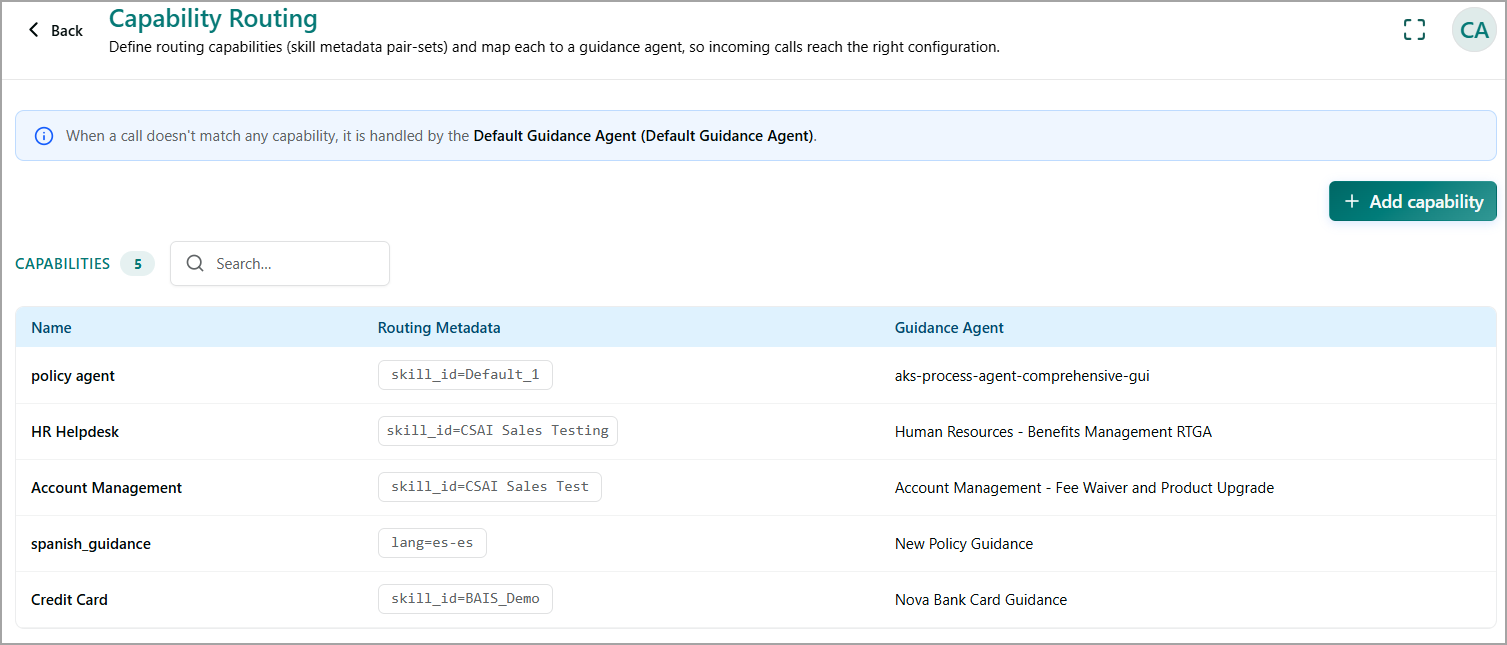
The Capability Routing page displays all configured routing capabilities. The page includes:
Capability count - Displays the total number of capabilities configured.
Search - Filters the capability list by keyword.
Capabilities table - Displays the following information for each capability:
Name - The name assigned to the capability.
Routing Metadata - The skill or metadata key-value pair used to match incoming calls to the capability.
Guidance Agent - The Guidance Agent assigned to handle calls that match the capability's routing metadata.
Review and Add Capability Routing
From the left navigation pane, go to Setup > Capability Routing.
Review the Default Guidance Agent notice to identify the agent that handles calls when no configured capability matches the incoming call metadata.
Use the search box to locate an existing capability by name if the list is long.
Review the Routing Metadata and Guidance Agent columns to verify that each capability is mapped correctly.
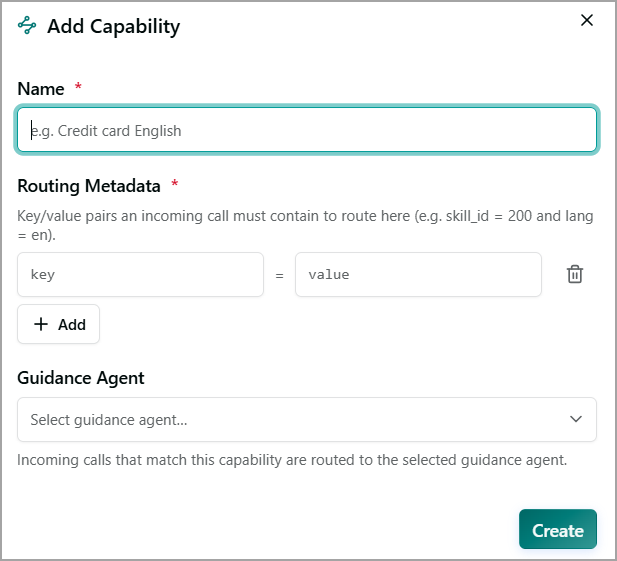
Select + Add capability to define a new routing capability and map it to a Guidance Agent.
How Capability Routing Works
The routing process follows this sequence:
An incoming call provides routing metadata.
Capability Routing compares the call metadata with the configured capabilities.
If the metadata matches a capability, the call is routed to the Guidance Agent assigned to that capability.
If no capability matches, the call is routed to the tenant's Default Guidance Agent.