2026.05 Conversation Insights Agent
Release Date: 11 June 2026
The Conversation Insights Agent 2026.05 Release introduces the following features.
New Features
Introducing Exact Match Fact
Conversation Insights Agent introduces a new Exact Match fact type, enabling compliance and QA teams to verify that Agents read specific phrases verbatim during calls. Exact Match returns a True/False result based on whether the configured key phrase(s) appears in the conversation. Users can search for one or more key phrases in the conversation.
The Match Mode has ANY and ALL options. Selecting ANY returns True when at least one phrase is matched, while selecting ALL returns True only when every phrase is matched. You can also search by speaker using the Speaker field. Select Agent to search for the key phrase only in the Agent's conversation, or Customer to search only in the Customer's conversation. Choose Either to search across the entire conversation, regardless of the speaker.
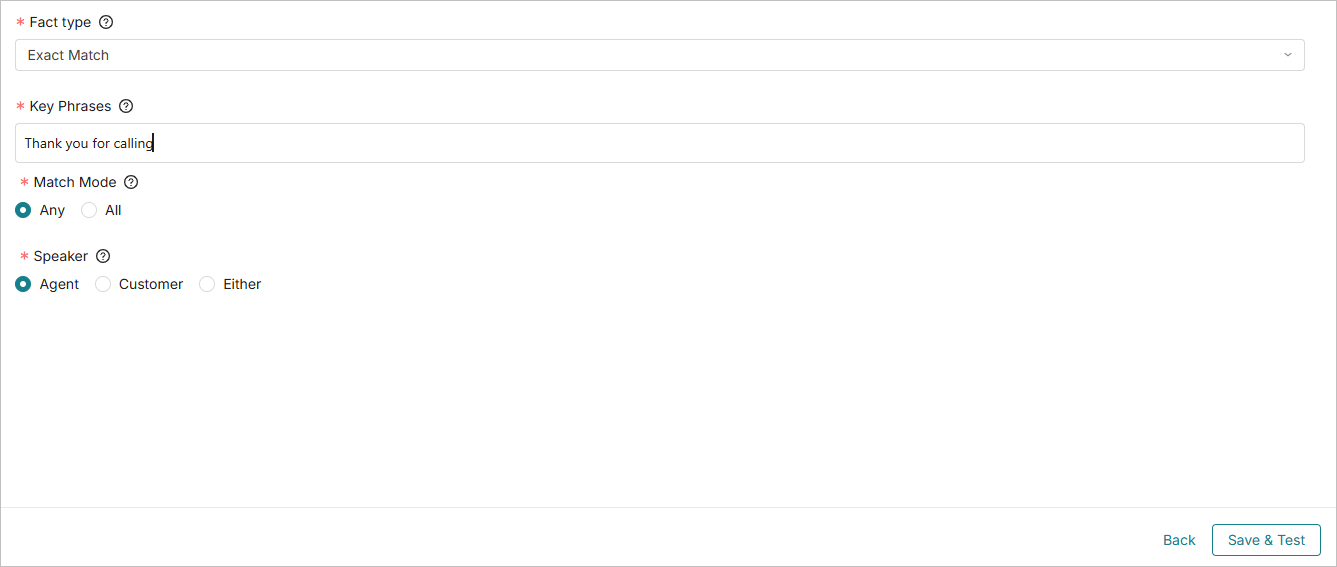
For more information about Exact Match Fact, click here.
Introducing Real-Time Guidance Agent Dashboards in Custom Analytics
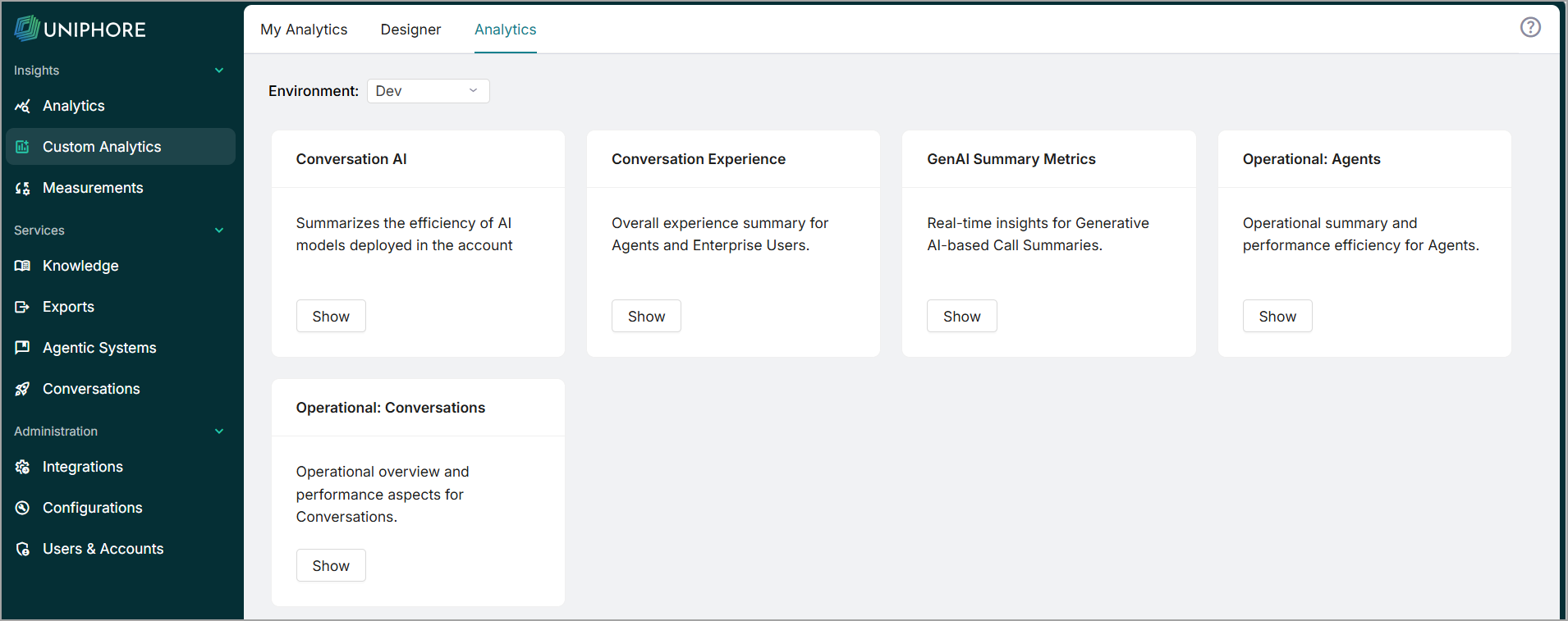
In Custom Analytics, you can now view the Real-Time Guidance Agent dashboards. This dashboard is available for customers who use both Real-Time Guidance Agent and Conversation Insights Agent
Based on Real-Time Guidance Agent data, custom dashboards can be created through Custom Analytics > My Analytics.
Enhancements
Introducing Descriptions for List Facts Values
A Description field is introduced for each list value of List Facts. This is an optional field. These descriptions are included in the LLM prompt to improve prediction accuracy.
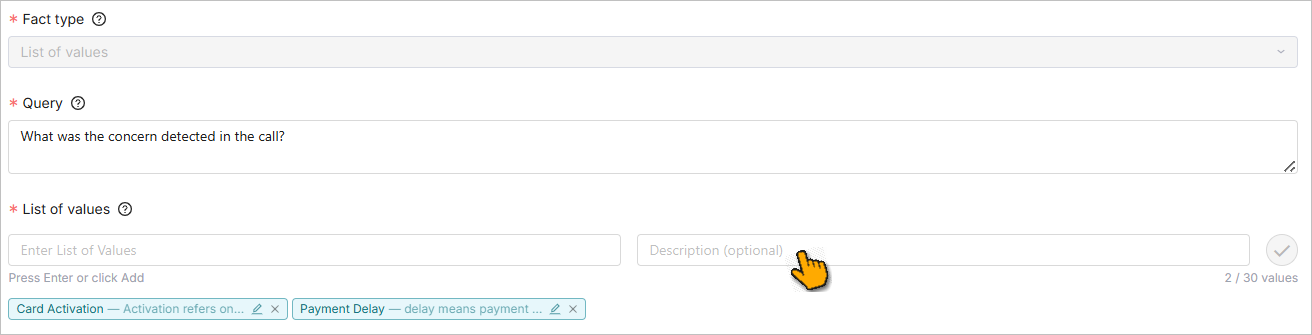
For more information on List Facts, click here.
Conditional Scorecards data in Custom Analytics
In Custom Analytics, you can view Conditional Scorecard data by adding it as a dashboard dimension or filter. The Question Evaluated Condition Name dimension displays the Conditional Scorecard Name, while Question Evaluated Condition Criteria displays the associated Criteria. Both dimensions are available under the Conversation Scorecards Questions V2 view.
Conditional Scorecards supports Autofail
The Autofail feature is now supported in Conditional Scorecards, applying to the Scorecard Question's base fact (Auto Evaluation). The scorecard automatically fails under the following conditions:
When enabled on the positive impact question, and the base fact result is False.
When enabled on the negative impact question, and the base fact result is True.
Note
Autofail is currently not applicable during manual scorecard evaluation.
Constraints and Limitations
The following constraints and limitations exist for this release:
Item | Description | Workaround |
|---|---|---|
1 | Autofail cannot be overridden during manual scorecard evaluation. Users are allowed to choose the score from the configured conditions of the question. | NA |
Bug Fixes
There are no defects specific to this Release.