Workflow-level Roles and Permissions
At the workflow level, we have two roles:
Workflow admin: users can be invited to a workflow to become a workflow admin, and have access to view, edit, delete workflows as well as inviting other workflow admins and reviewers; workflow admin can also add, view, delete, review and assign tasks
There are two ways of inviting a workflow admin: one way is to add them as part of workflow creation, the other way is to add admin to workflow later by clicking ‘Share‘
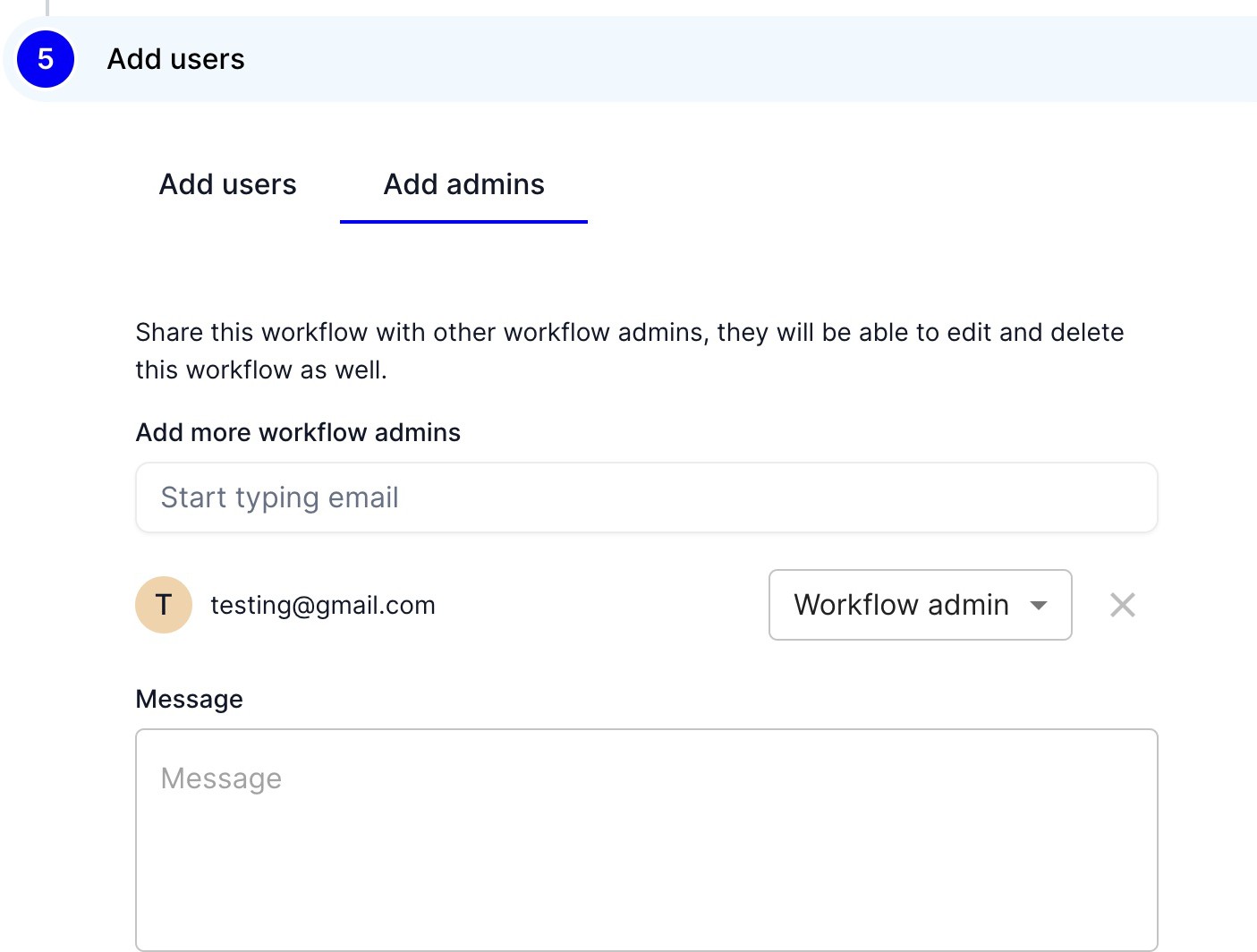 |
Add worklow admin during worklow creation
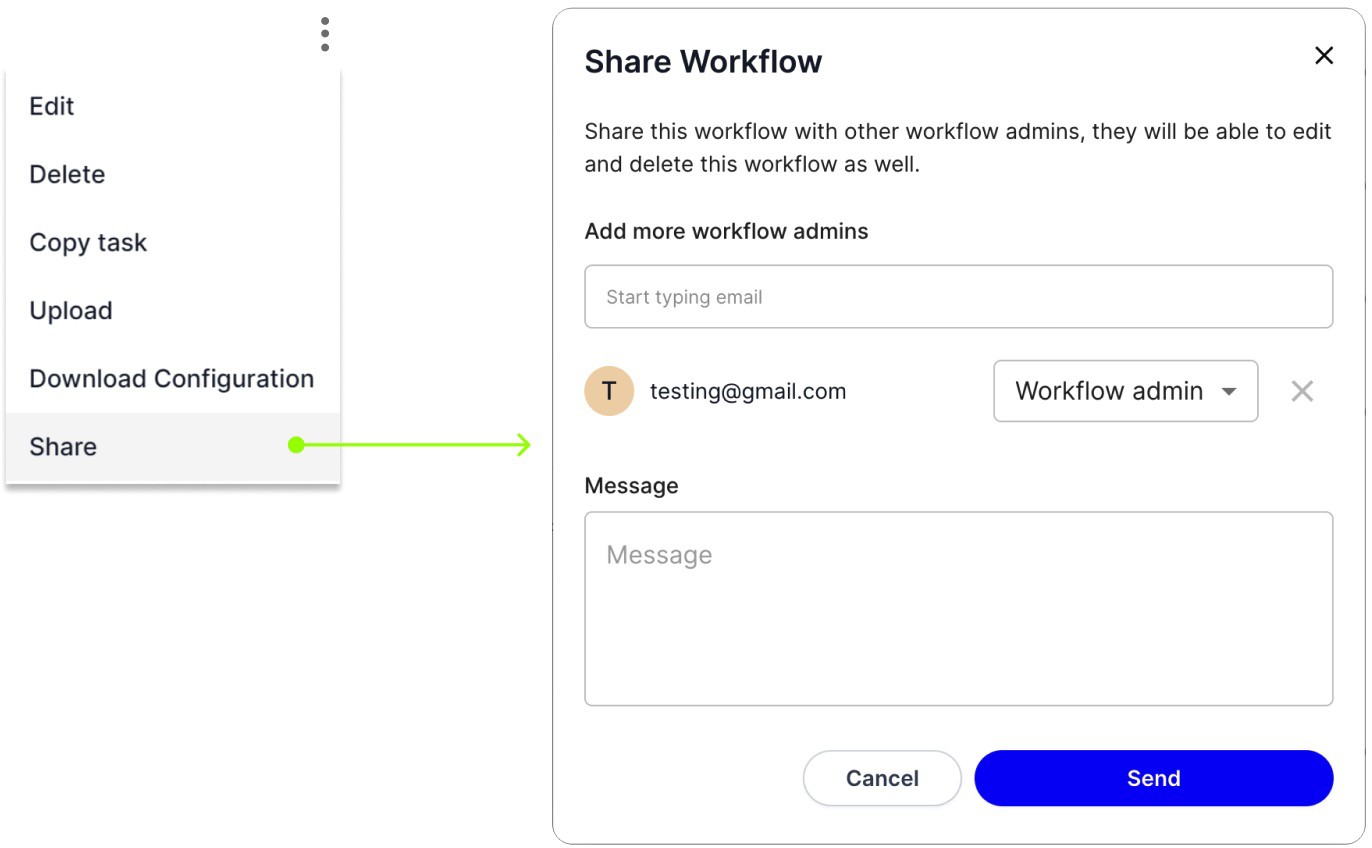 |
Share workflow and add a workflow admin from there
Reviewer: Reviewers will be invited to review tasks of specific workflows
Permission | Workflow Admin | Reviewer |
|---|---|---|
Workflow (API Automation) | ||
Create workflow | □ | □ |
View workflow | □ | |
Edit workflow | □ | |
Delete workflow | □ | |
Invite workflow admins and manage workflow reviewers | □ | |
Tasks (of API automation workflows) | ||
Add tasks | □ | |
View tasks | Only the ones assigned to them | |
Delete tasks | □ | |
Review tasks | Only the ones assigned to them | |
Assign tasks to users | □ | |
Executions (of API Automation workflows) | ||
View executions | □ | |
Delete execution | □ | |
Retry execution | □ | |
Workflow (UI Automation) | ||
Create workflow | □ | □ |
View workflow | ||
Edit workflow | □ | |
Delete workflow | □ | |
Executions (UI Automation) | ||
View executions | ||
Delete execution | ||
Retry execution |