View and Create Endpoints
To View Your Configured Endpoints:
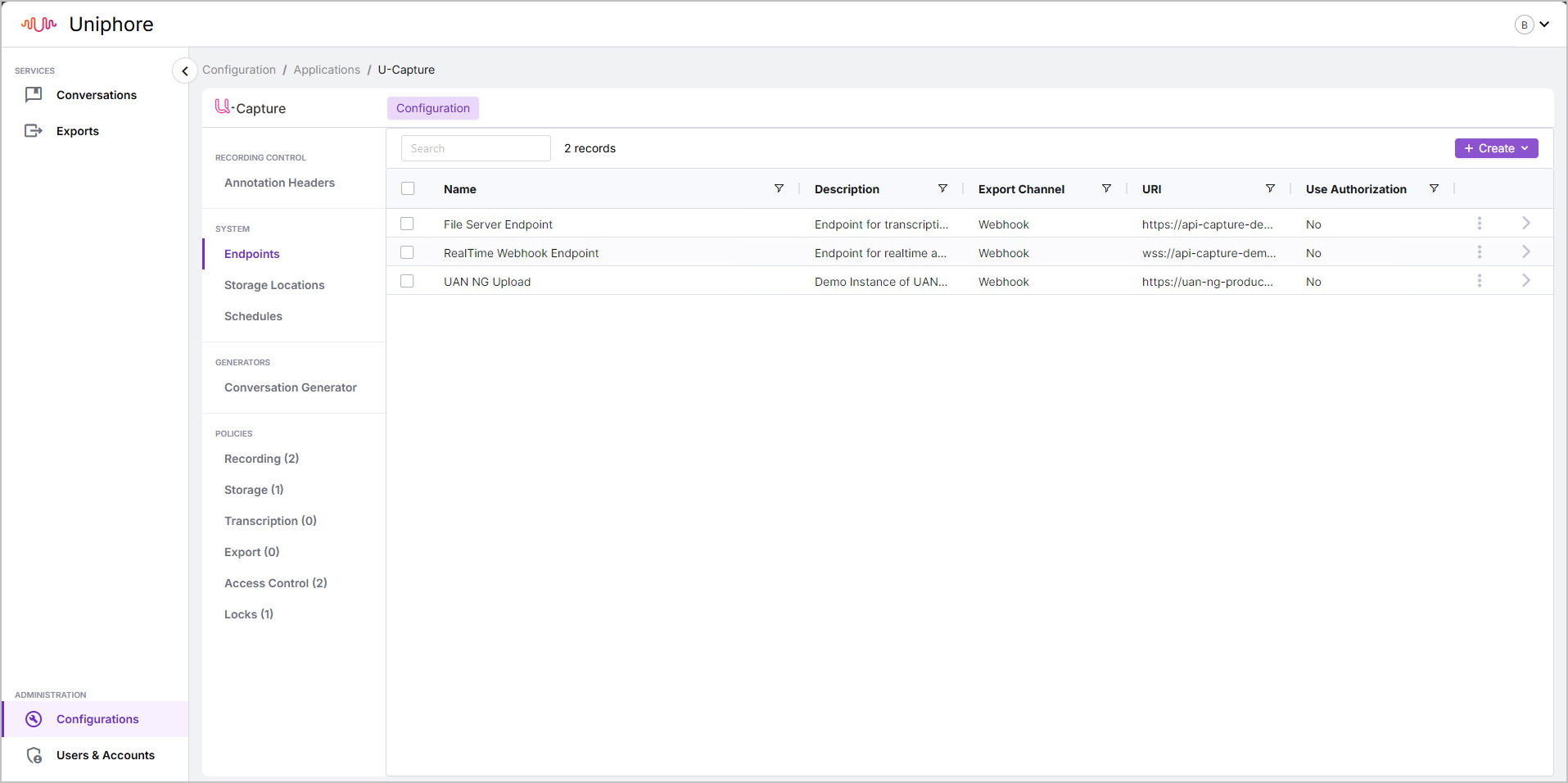
Go to Configurations > Configure (under Communication Recording Agent) > Endpoints.
Here, see a list of your configured endpoints, along with the endpoint Name, Description, Export Channel, URI, and whether the endpoint uses Authentication (Use Authorization).
To view more details, click the > arrow to the right of the endpoint, opening the properties panel to see Endpoint Information and Authorization settings.
Additionally, from the properties panel, you can remove an endpoint by clicking Delete and confirming, or create a copy of the endpoint by clicking Duplicate and making any adjustments.
To Add a New Endpoint
Go to Configurations > Configure (under Communication Recording Agent) > Endpoints.
Click + Create in the top right and select an Export Channel from the drop-down, either Webhook or Realtime Stream (Socket).
Note
Both Webhook and Realtime Stream can be used to export data in real-time.
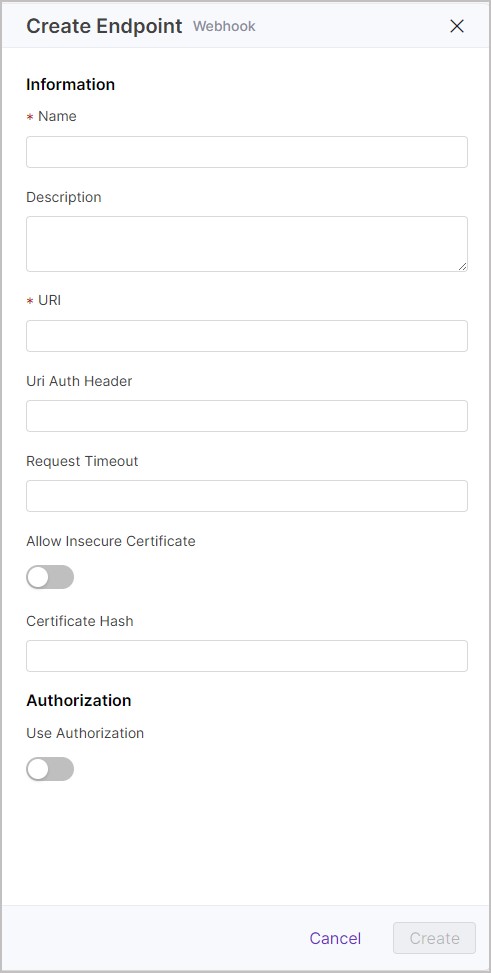
Enter the following Information for the endpoint:
Name - A friendly name for the endpoint, required.
Description - A useful description for the endpoint, optional.
URI - The address of the Webhook or Socket to export to, required.
Uri Auth Header - The authorization header to use during export, optional.
Request Timeout - The number of seconds allowed for exporting content, after which the export will fail. This is only taken into account after an initial export fails. Defaults to 100 seconds if not set, optional.
Allow Insecure Certification - Determine the required certificate security during exports to this Endpoint. Enable to allow uncertified certificates during exports to this Endpoint.
Certificate Hash - The hash of the certificate, which will allow exports to this Endpoint, optional.
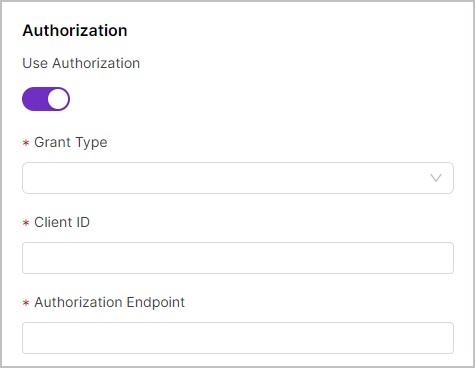
Under Authorization, determine if Authorization is enabled or disabled. If enabled, set the following settings to obtain an access token for exporting to the Endpoint if required:
Grant Type - Determine the method used to obtain the access token for the export from the drop-down, either Credentials Grant or Bearer Token.
Client ID - Used to obtain an access token for export.
Authorization Endpoint - The address or IP of the Authorization Endpoint used to obtain an access token for export.
When you're happy with your endpoint settings, click Create.
Tip
If you want to create an endpoint similar to an existing endpoint, you can select the existing endpoint and click Duplicate in the properties panel.
 |  |