Tracking Promises
Real-Time Guidance Agent can track the real-time progress of a Promise-type Intent and monitor its status.
When a Promise is accepted by an Agent or Supervisor after a call, Real-Time Guidance Agent will start tracking in accordance with the parameters that were configured for its Intent, typically executing an assigned X-Designer Flow.
Monitoring the status of a Promise is performed from the Promise Management page of the Supervisor Application (ACW).
Note
Any user with the Flow Admin Role (or higher) can create and configure a Real-Time Guidance Agent Promise; however, only a user with the U applications supervisor Role can monitor its activity and track its real-time progress.
For complete details about working with Real-Time Guidance Agent Promises, click here.
Basic Workflow for Promise Tracking
In order to enable tracking on a Promise, the following typical workflow is used:
Add a new Promise-type Intent to the relevant Real-Time Guidance Agent Experience, along with all parameters needed for its tracking.
In the X-Designer, add a new Data Flow or Service Flow that will be used to perform and manage related activities when the Promise is detected during a call.
Optionally, create one or more Integration Points (IPs) that will post and/or get activity and status data to or from any third-party applications. (For example, an IP can be invoked from inside the X-Designer Flow to report any status updates on the Promise from the company's CRM application.)
In the Promise Intent Details panel, assign the relevant X-Designer Flow to execute when the Promise is accepted after a call.
Example: Promise Tracking Flow Components
The following sample Data Flow might be used to track a Promise-type Intent:
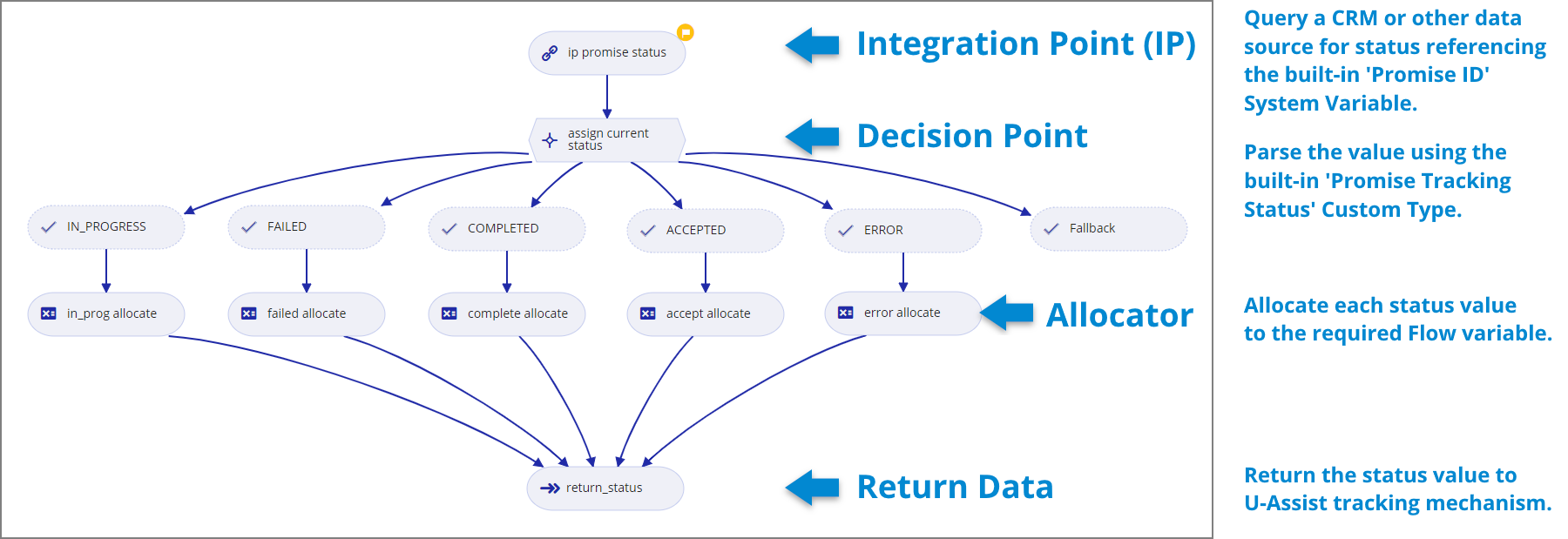
For our example, we need to query our company's CRM to find out the current status of the Promise. As this status will change over a period of days, we configure Promise tracking to run the Data Flow to report on CRM status each evening.
We use standard Data Flow elements (as described in the image above) to get the status, parse its value and then allocate the value to the variable that will pass the value back to Real-Time Guidance Agent. Our Data Flow and tracking configuration is designed to monitor the Promise until its value reaches COMPLETED.
Integration Point Details
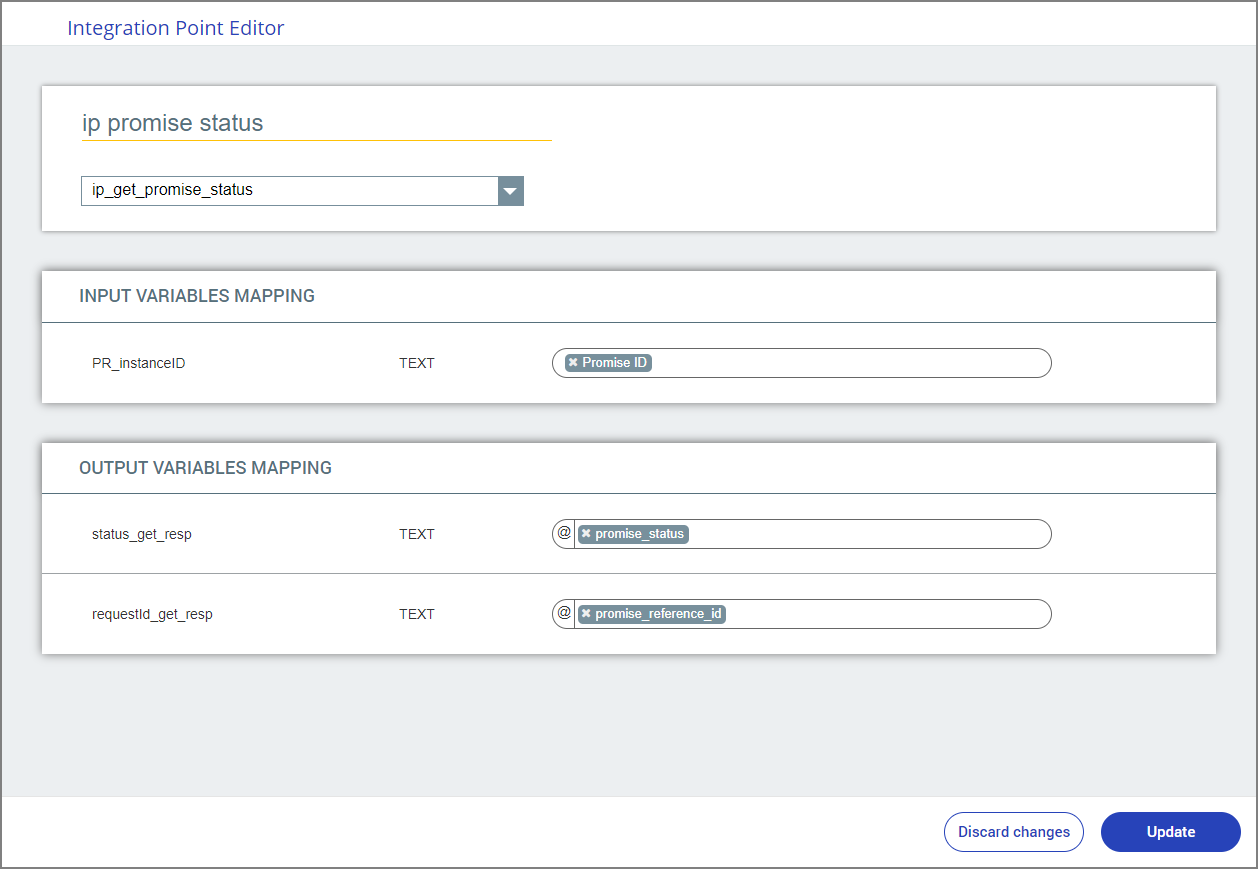
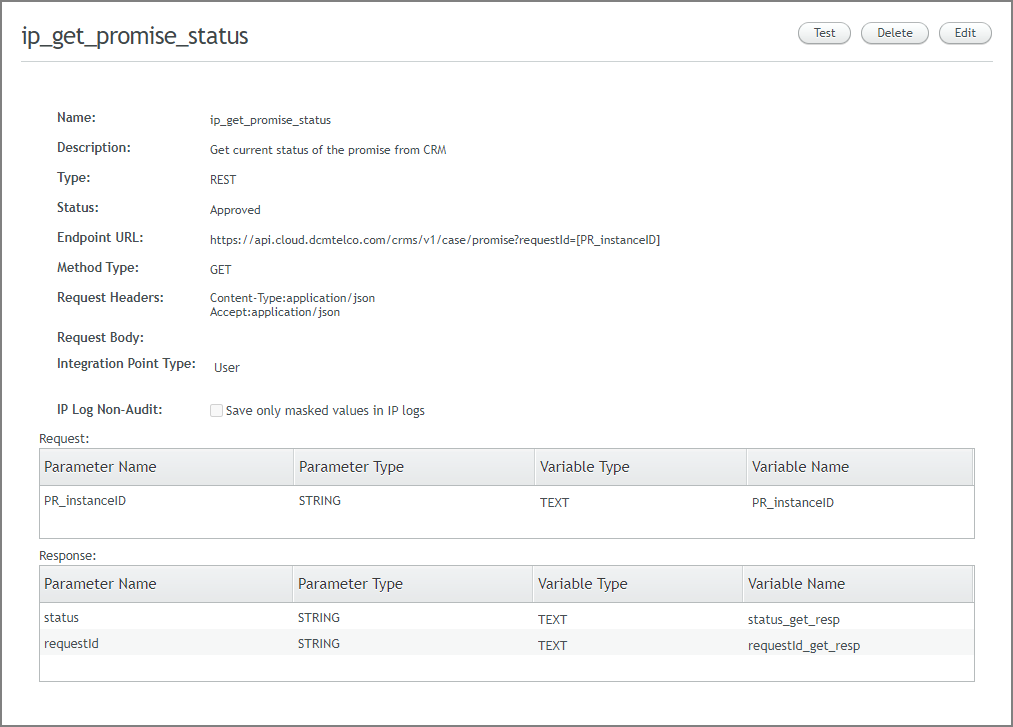
On the left side above are details of the Integration Point (IP) element that we insert into the X-Designer Data Flow that will retrieve external status information from the CRM. Note that it will assign the received output values directly to the variables we use in the Flow.
On the right side above is the actual Integration Point configuration that we created in X-Console to query our CRM. Note that it uses the Promise ID built-in variable to locate the matching external Promise (stored in the CRM as PR_InstanceID), returning its current status.