Setup Business Process
An Administrator can define Business Process under an Organization.
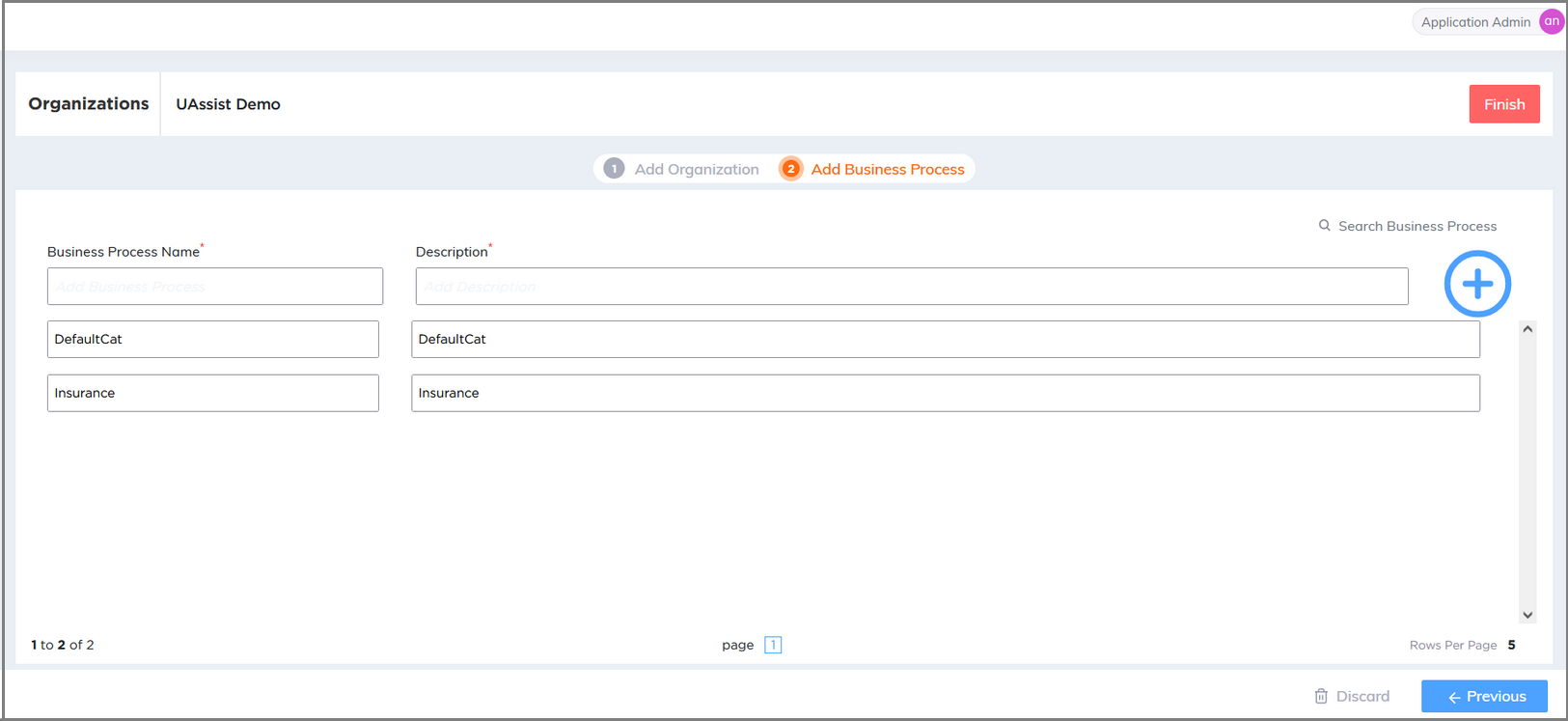
Enter the Business Process Name and Description of Business Process.
Click the plus (
 ) icon to save the business process and add a new business process.
Edit Business Process
To edit the Business Process details, click on the specific field and edit the details.
Press Enter to save the updated details.
Delete Business Process
Mouse hover the specific Business Process row and click Delete icon. A confirmation message will be displayed.
Click Yes to delete the Business Process. You can delete a Business Process only if it is not configured with Alerts, Entities, CTI language mapping, or Experience mapping. To cancel your activity at any time, click Cancel.
Note
The selected Organization / Business Process cannot be deleted in any of the scenarios listed below:
If the Alerts, Entities and CTI language mapping configured for the selected Business Process in the U-Assist ACW application.
If the Experience is mapped to the selected Business Process in the X-Console.
If the Business Process does not contain any of the configured alerts, and the 'Alerts' feature is disabled in the U-Assist ACW Admin Portal's App Profile Settings.
If the Business Process does not contain any of the configured Entities, and the 'ACW' feature is disabled in the U-Assist ACW Admin Portal's App Profile Settings.