 |
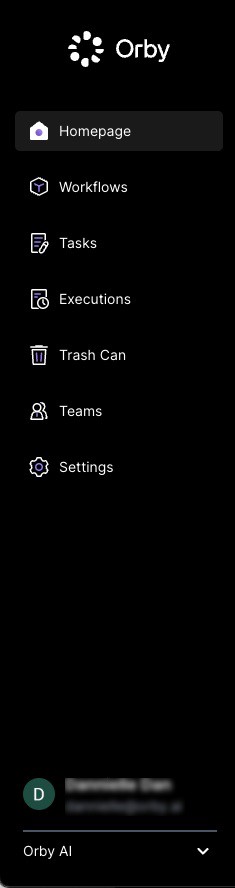
Dashboard: This page provides metrics related to your workflows.
Workflows: This is where workflows are managed for your organization
Admins have full control of the workflow
After clicking 'Create a Workflow', you can access a library of pre-made workflow templates
Reviewers can not view the workflow list and details
Tasks: This page displays tasks with "Pending Review", "Completed" and "Declined" statuses, the "Pending Review" tabs is where reviewers will access tasks assigned to them
Admins can see tasks across organizations
Reviewers will only see the tasks assigned to them
Completed Tasks: Tasks that have been successfully completed will appear under this tab
Declined Tasks: This tab contains all tasks that users have declined
Trash Can: This page contains all the tasks, workflows or connectors that have been deleted
Deleted items can be restored within 30 days. After 30 days, items will be permanently deleted
Teams: Admins can view a list of existing users and add new users
Users do not have the ability to manage teams; only administrators can do so.
Organization Switch: Located at the bottom of the navigation, this section displays the user's email and provides an organization drop-down menu. Users can also log out from here