Sample Flows for Summary Submission Error Handling
The system variable 'SummarySubmitServiceFlowStatus' must be used in the Service and Data Flows and assigned to the Call Summary and Retry action in the specific AI Agent Assist client application. This enables Agents to view notifications for failed Summary submissions and retry submissions in the AI Agent Assist application after submitting the Call Summary.
For more information on AI Agent Assist client settings, click here.
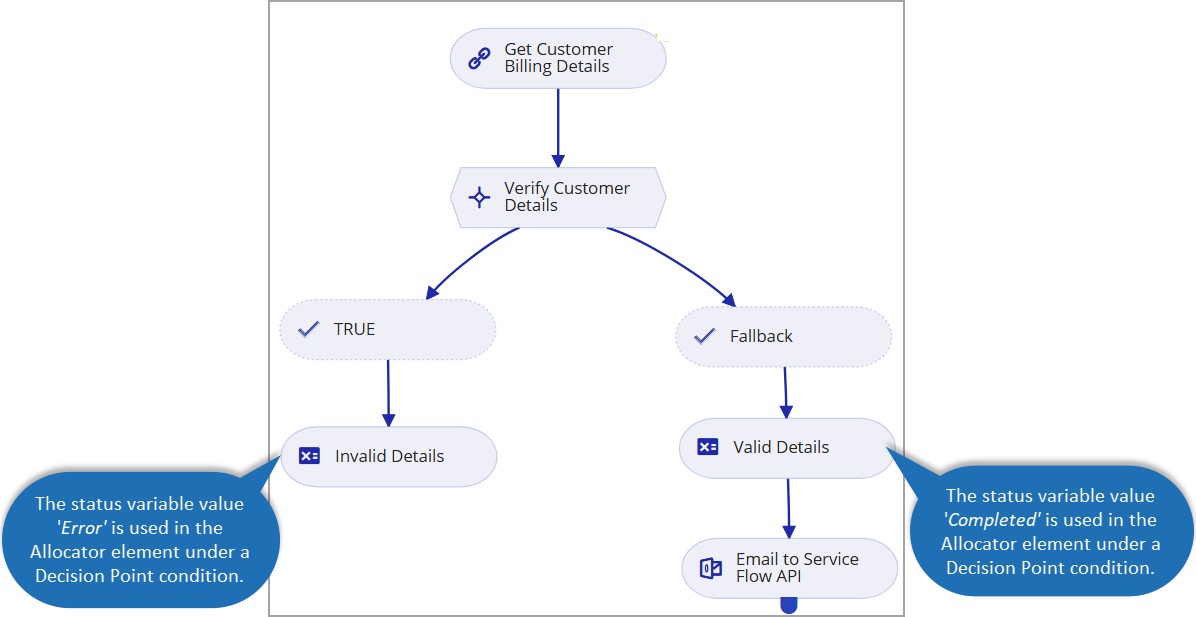
Sample Service Flow - To identify failed submission
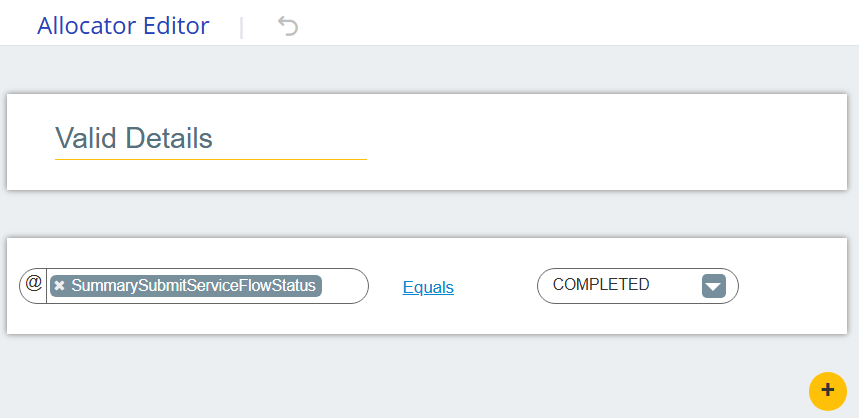
To identify failed Summary submissions in the AI Agent Assist application, an Account Admin or Flow Designer must configure one or more Decision Point conditions in the Service Flow using the Error and Completed values of the system variable 'SummarySubmitServiceFlowStatus'.
For more information on creating a Service Flow, click here.
 |  |
For more information on using Decision Point Logic Conditions, click here.
For more information on assigning variable values in the Allocator element, click here.
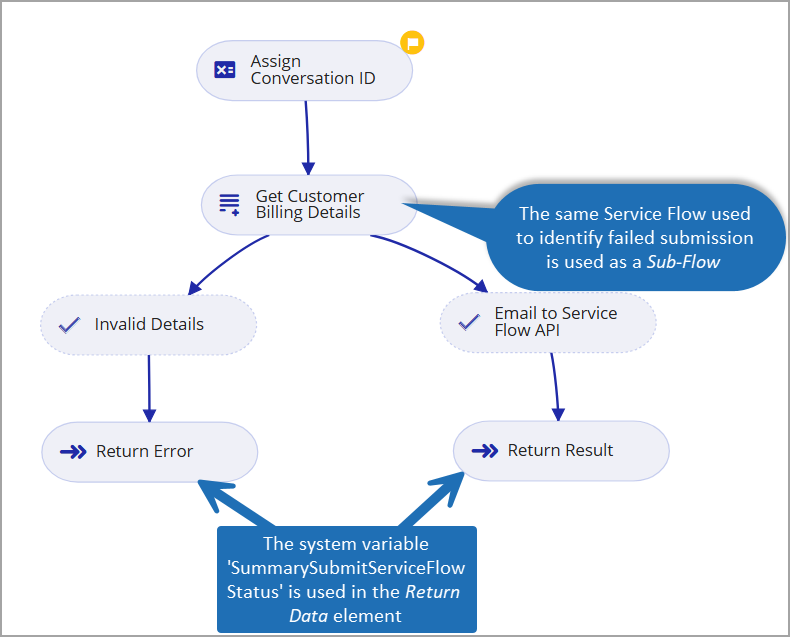
Sample Data Flow - To retrieve retry submission results
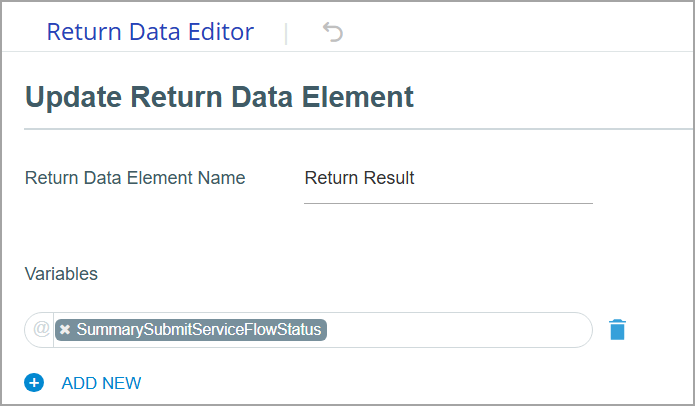
To retrieve the results of a retry submission in the AI Agent Assist application, the system variable 'SummarySubmitServiceFlowStatus' must be included in the Return Data element of the Data flow, and the same Service Flow must be reused as a Sub-Flow within the Data Flow.
For more information on creating a Data Flow, click here.
Note
It is recommended to use the Service Flow within the Data Flow to return the results. However, you can also manage retry conditions using a separate Data Flow.
The values of all Customer and Agent session variables used in the Service Flow are available by default when the same flow is invoked within the Data Flow.
 |  |
For more information on using Sub-Flows, click here.
For more information on adding Return Data elements, click here.