QM Workspace for Quality Analyst
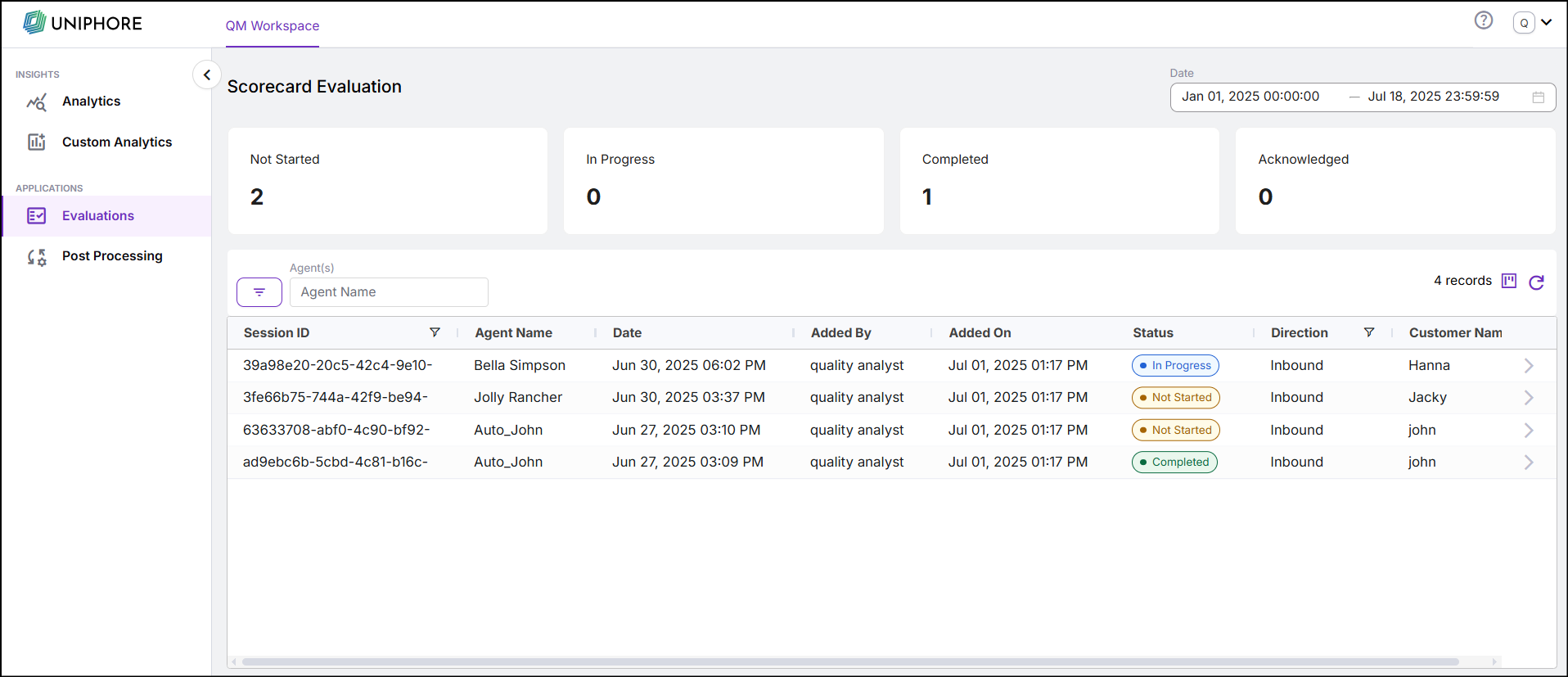
In the QM workspace, the Quality Analyst (QA) can view the list of conversations that are assigned to them, along with the evaluation status of each conversation. The evaluation status is categorized into:
Not Started: Conversation for which evaluation has not started.
In Progress: Conversation for which evaluation is in progress. For example, if a score card is partially evaluated then status is set as in progress.
Completed: Conversations that are evaluated and submitted by QA.
Acknowledged: Conversations that are acknowledged by Agents.
Manually Score Conversations
As a QA or quality evaluator, you can select conversations from the Conversation page, based on search criteria, and move them to the QM Workspace - Scorecard Evaluation. From QM Workspace, the QAs can manually evaluate the conversation. Click  the Column Recorder icon to include columns to be displayed. To learn more about Manual QM, click here.
Note
To ensure conversations are eligible for evaluation, check whether the following criteria are met:
Conversations should be associated with valid Scorecards.
Conversations should not be linked to the same user.
From the Evaluations tab, the Quality Analyst can select a conversation and start evaluating it. All scorecards that are in “Approved” status for the Organization will appear. It is mandatory to evaluate all scorecards to submit the evaluation.
Note
Currently, only one conversation can be selected for evaluation at a time.
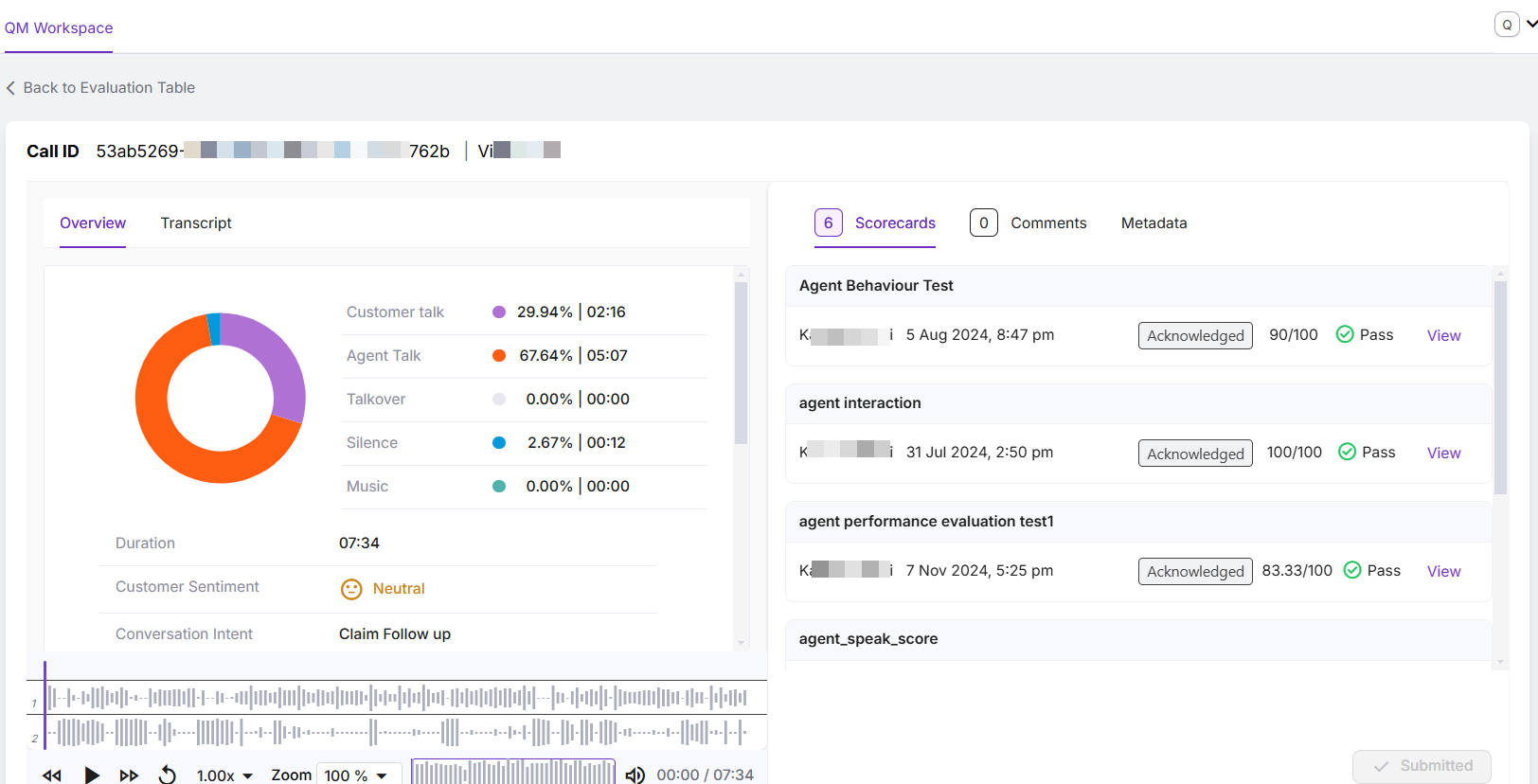
The QA can scroll through the transcript or listen to the audio while evaluating the conversation.
Features available while evaluating are:
Evaluation guidelines
Question-level comments
Conversation-level comments
Provide Agent Feedback
The QA can comment at both the conversation and question levels. When the evaluation is submitted, the agent can view these comments along with the Manual and Auto scores in their Evaluation page.
Note
When a conversation is re-processed, the manual scores are removed, and the QA needs to evaluate the conversation again.