New workflow recording
Once the Chrome Extension is downloaded (please contact your CSM to make sure you have the latest version)
Click “New Workflow“ to create a new workflow
Enter workflow name and click “Start Recording“
Go to the website where you would like to record a workflow, the first step will be recorded as “Go to URL“
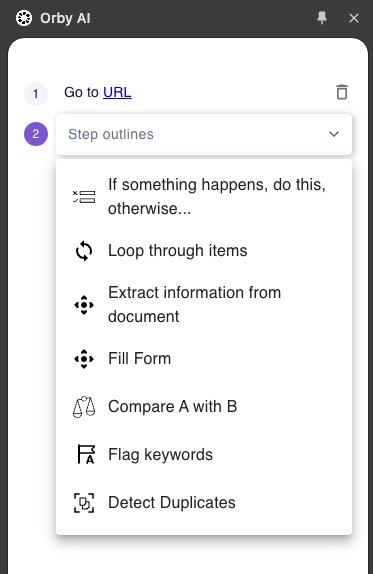
Continue to click and show Orby your workflow, Orby also supports building steps like the following: If then conditions, looping (commonly used for looping through a table), Extraction, fill form, comparison between two items, keyword lagging and duplication detection.
 |
Note: Google Authenticator MFA is supported as part of workflow recording
Users can now configure Google Authenticator as MFA for logging in. It requires a setup code. Then Orby can automate entering the authentication code during execution.