Manage Legal Matter
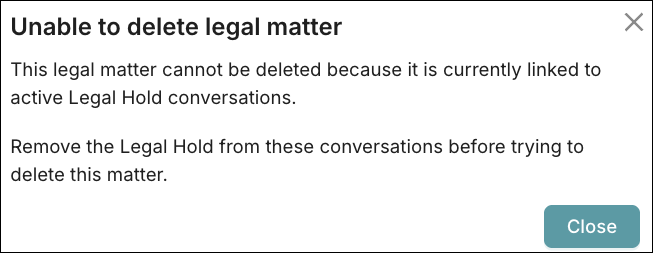
Only a Compliance Admin can create a Legal Matter, which can then be applied as a Legal Hold on a conversation. A Legal Matter cannot be deleted if it is associated with a call.
Add a Legal Matter
To add a Legal Matter:
Under Configurations > Recording Control >, select Legal Matter.
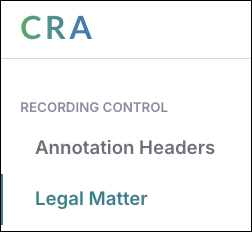
Click Add Legal Matter.
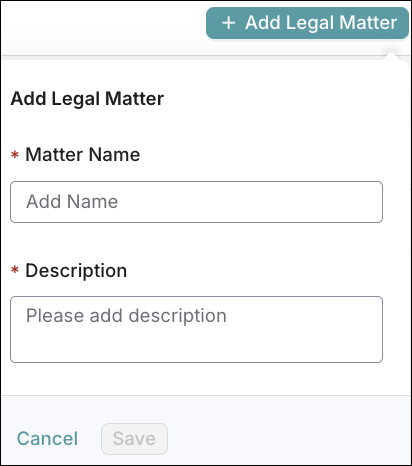
Enter a Matter Name. This cannot be edited after it is saved.
Enter a Description.
Click Save.
A Legal Matter is created and is available to apply as a Legal Hold.
Edit a Legal Matter
To edit a Legal Matter:
Select the Legal Matter.
Click the Edit
 icon.
icon.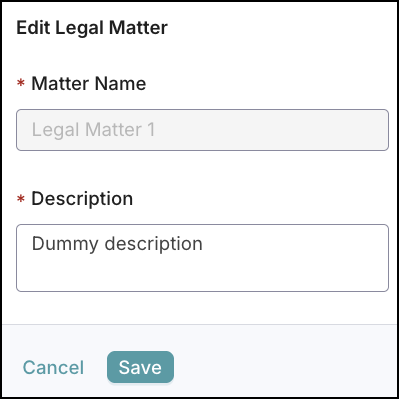
Edit the Description as needed. The Matter Name cannot be edited.
Click Save.
A confirmation message appears stating the Legal Matter was updated.
Delete a Legal Matter
To delete a Legal Matter:
Select the Legal Matter.
Click the Delete
 icon.
icon.This will permanently delete the legal matter and all associated information. Once deleted, it cannot be recovered.
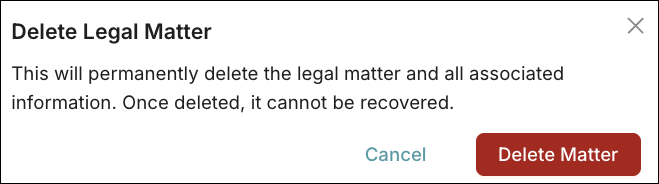
Click Delete Matter.
Note: A Legal Matter cannot be deleted if it is linked to an active Legal Hold conversation. Remove the Legal Hold from the conversation before trying to delete the Legal Matter.