Inference
What is inference?
Inference for document extraction uses AI to automatically analyze and extract key information from documents. It enhances efficiency by identifying unstructured data, as opposed to direct extraction. For example, the user could have a field to extract like “What is the annual revenue?“, based on the quarterly revenue from document from Q1 through Q4, we infer that the answer is the sum of all quarters.
Note: Inference is disabled by default, you can make a request from the customer success manager to enable it
What can inference do?
In addition to direct extraction, now Orby supports inference capabilities. It allows us to handle use cases like inferring percentages, sums and averages. Customers can automate not just data extraction but also derived calculations, enhancing efficiency and reducing manual effort.
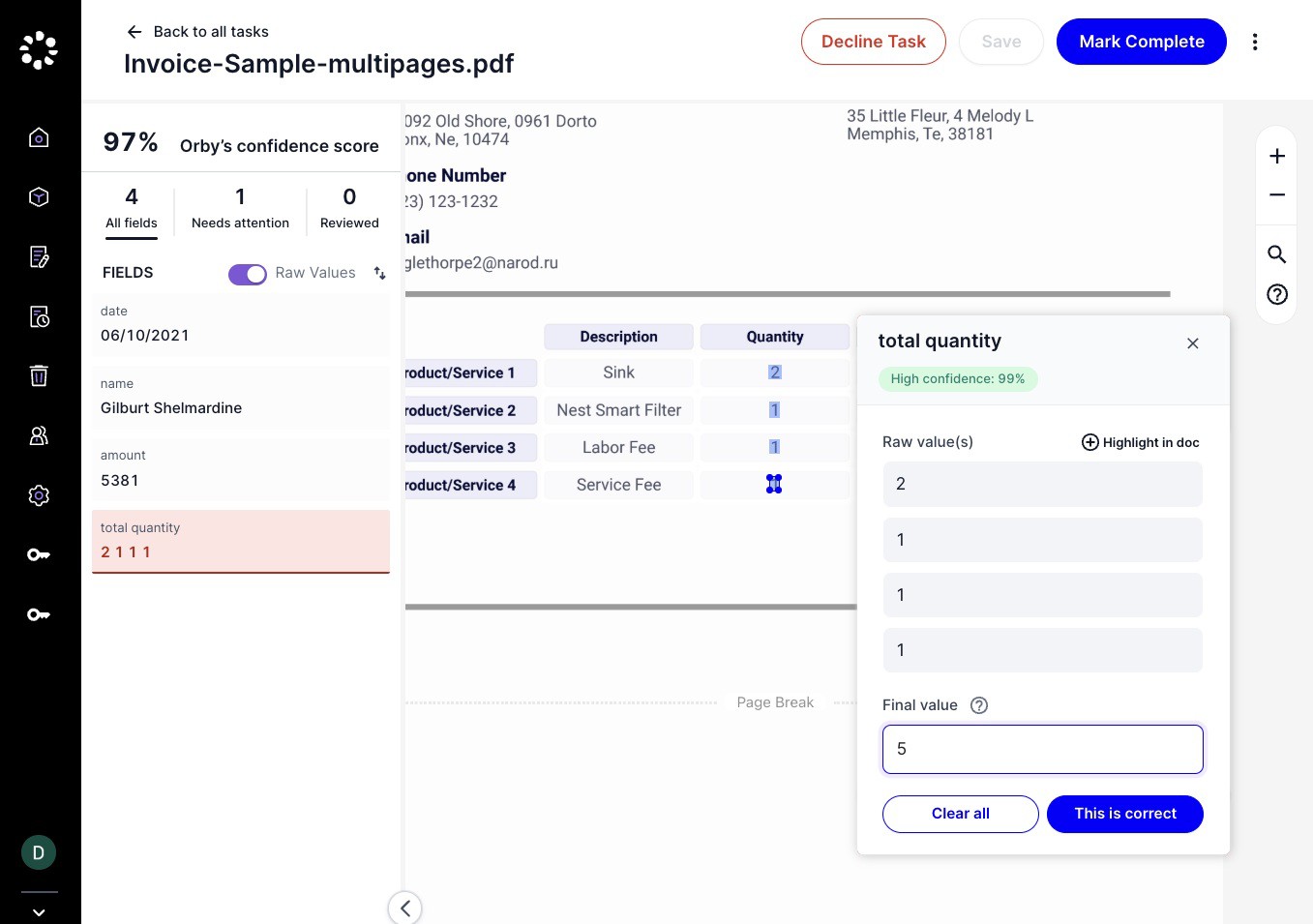
For example, if a user highlights various numbers from a table column in the doc and writes the sum as the final value, the inference pipeline may be able to learn to find the sum. Other arithmetic operations (multiplication, division, etc) also works.
For other cases than arithmetic and date, performance may vary.
Similarly, if a contract date is written as "X weeks after the start date" and the user labels the final value, we can likely infer this information in the future as well.
Reviewing a Fields
When reviewing tasks, the left panel field list supports displaying both raw values and final values (normalized values). By default, raw values will be shown, users can toggle to show Raw Values and switch between raw and final values. Orby will remember your preference for future use.
Raw value: it relects the source of the information
Real-time updates for final values occur when the entity value changes, either due to positional adjustments or manual edits by the user
As a best practice, always mark where the information was inferred under “Raw value”, so that Orby can learn and make more accurate predictions over time
Final value: it reflects the final value of what user would like this field to be in the output, the inferred prediction will show up in ‘Final value‘, Inferred value will show up in “Final value“
If the prediction is incorrect, users always have the option to update the "Final value"
 |
The quality of the results depends on the type of inference we are expected to do and whether the user labels the signals and final value during HITL.
Reviewing a Tables
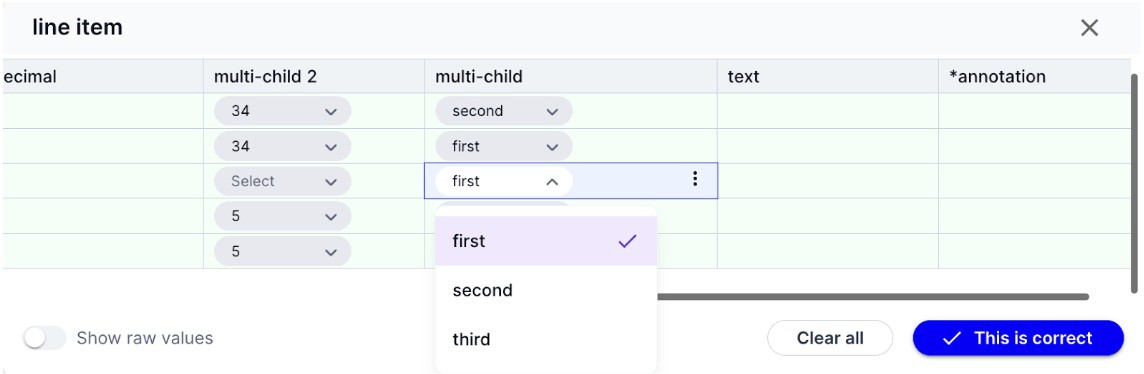
Users will see the final value of tables by default. If the user prefers to see raw value as well they can toggle on the "Show raw value". Orby will remember the user’s preferred settings to display raw values going forward All actions that are available for raw values are also available for final values.
Selection of either final or raw value will trigger the field selection
Best Practices
Similar to direct extraction, inference improves as more labeled data is provided, enabling more accurate predictions over time.
Doc Proto
Inferred value will show in the normalized value in the output, mentionText remains as the raw value of the field
Multiple Options
Additional capabilities for inference are now available with a new Multiple Options entity type.
 |