About Conversations
The Conversations page provides a centralized view of conversations handled by your AI agents. Use this page to monitor conversation activity, filter conversations based on specific criteria, and open individual conversations to review their details and transcripts.
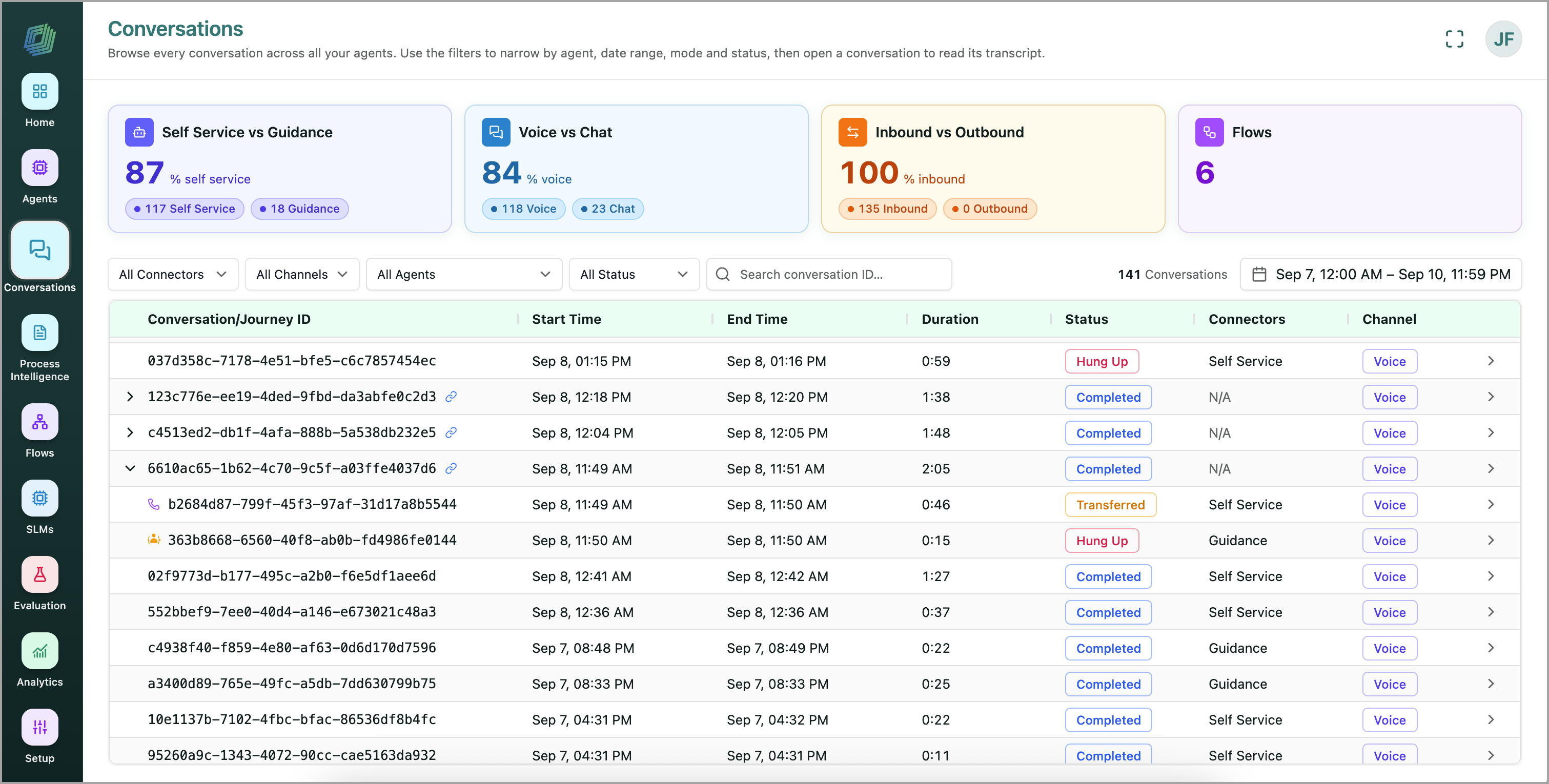
Viewing the Conversation page
The top of the page provides summary cards that give you a quick overview of conversation activity.
Self-Service vs Guidance | Shows the distribution of conversations handled through Self Service and Guidance.
|
Voice vs Chat | Shows the distribution of conversations by communication channel.
|
Inbound vs Outbound | Shows the distribution of conversations based on call direction.
|
Flows | Displays the number of flows associated with the conversations in the selected time period. |
Filtering Conversations
Use the filters above the conversation list to narrow the displayed conversations based on specific criteria.
Filter | Description |
|---|---|
Connectors | Filters conversations by the connector used to handle the interaction, such as Self Service or Guidance. |
Channels | Filters conversations by communication channel, such as Voice or Chat. |
Search agent | Searches for conversations handled by a specific agent. |
Status | Filters conversations based on the current conversation status. |
Search conversation ID | Finds a specific conversation using its Conversation/Journey ID. |
Date | Filters conversations based on a selected date range. Today is selected by default. |
The total number of conversations matching the selected filters is displayed next to the Date filter.
Viewing the conversation list
The conversation list displays key information for each conversation.
Column | Description |
|---|---|
Conversation/Journey ID | Unique identifier assigned to the conversation or journey. To copy the ID, hover over the conversation ID and select the Copy |
Start Time | Date and time when the conversation started. |
End Time | Date and time when the conversation ended. |
Duration | Total duration of the completed conversation. |
Status | Current state of the conversation:
|
Connectors | Connector or agent type associated with the conversation. |
Channel | Communication channel used for the conversation, such as Voice or Chat. |
Source | Source identifier associated with the conversation, such as a customer phone number or source name. |
Language | Language used for the conversation. |
Direction | Indicates whether the conversation is Inbound or Outbound. |

Viewing Conversation Details
Select the Conversation/Journey ID or the arrow at the end of a row to review an individual conversation.
For more details, refer to Conversation Details.
Viewing Conversations Associated with a Flow
The linked call  icon appears next to the journey ID when a call is transferred between agents.
If a flow is associated with the journey, you can view the conversation transfers between Telephony Agents, Guidance Agents, and External Agents within the journey.

For a transferred conversation, you can view the Transferred status and identify whether the conversation is Self Service or Guidance.