About AI Agents
A Uniphore AI Agent is an AI-based collection of skills and knowledge that you create to autonomously handle common workflow scenarios in your business.
Each AI Agent can use LLMs, knowledge base data, relevant business APIs to automate and respond to a wide range of processes and tasks.
AI Agents are the central component for performing activities and achieving business goals. As an Analyst or Developer, you typically create an AI Agent to support a specific business process, such as booking a hotel room, updating an insurance policy, or refunding a customer. During a call or chat session, the information and data that is collected or accessed by each AI Agent serve as the basis for end-to-end session handling, disposition, and analysis.
How Do AI Agents Work?
An AI Agent monitors the progress of its call or chat session from the time of initial connection, performs any configured pre-call or post-call activities, greets the user, and moves the session towards the desired outcome based on its designated instructions and tools, as well as the end-user data it has collected.
At runtime, each AI Agent follows natural language instructions in the context of its configured settings, requests the required information, stores key session data and values, and provides answers to related questions. The AI Agent can switch session contexts, terminate the session, or escalate it to a human Agent, as needed.
AI Agent Key Components
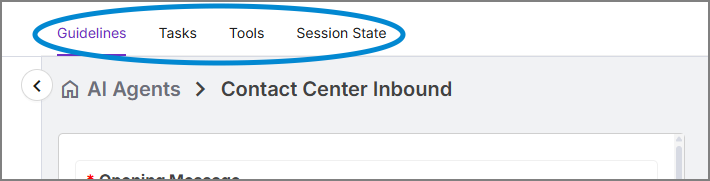 |
An AI Agent uses the following components to perform its work and achieve the required goals:
Guidelines | A Guideline defines the AI Agent's general behavior during the session. A Guideline includes the greeting, any required pre- and post-session actions, the primary objective of the AI Agent, and which knowledge base it uses to answer customer questions. |
Tasks | A Task specifies the outcomes to be achieved along with the steps that need to be taken by the AI Agent to achieve them during a call or chat session. For example: updating a customer's account details, finding a replacement flight, or filing an insurance claim. A Task is defined using natural language instructions and may also use one or more assigned Tools. |
Tools | A Tool is a key component used in Guidelines and Tasks to perform pre-defined actions and operations based on specific instructions. A Tool enables the AI Agent to execute APIs, connect to external systems, fetch and push data, perform actions, and generate summaries. |
Session State | The Session State page stores parameter names that the AI Agent uses during a call or chat session. Each name is a placeholder that refers to a specific value to be used in a Guideline, Task or Tool (e.g., first_name or customer_id). At runtime, the AI Agent is able to use the values and understand the context of a Session State parameter for the duration of the session. |
You can design these components in any order, as well as update them at any time.