Workflows Overview
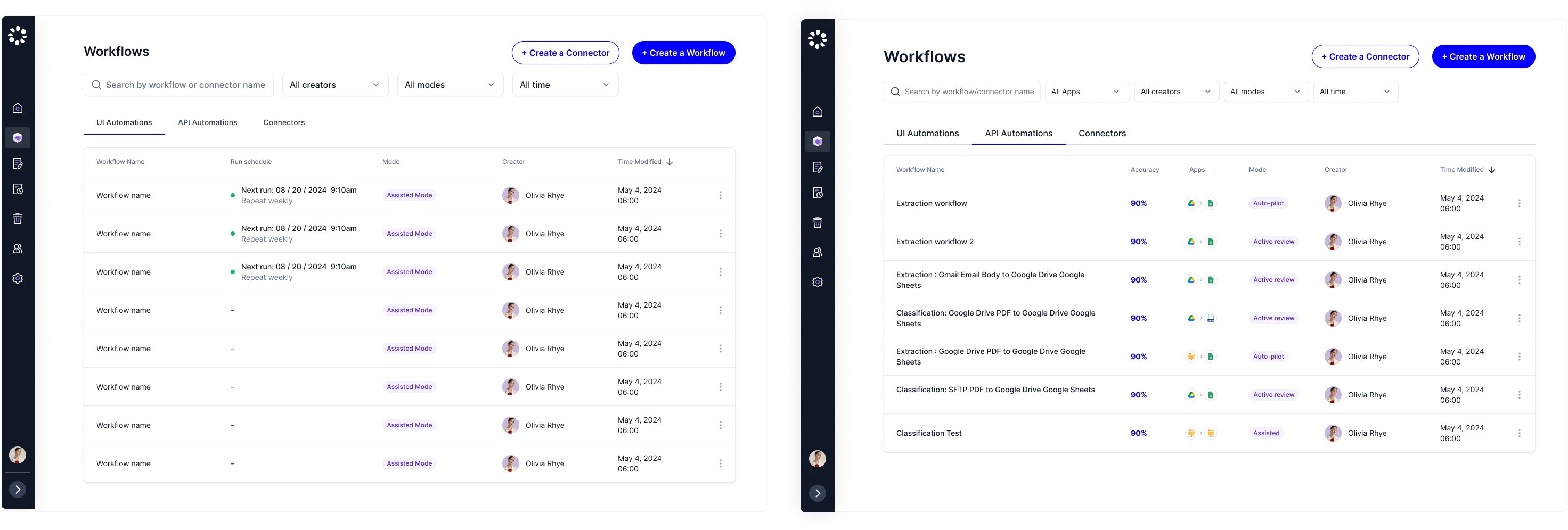
Your organization’s workflows will show up in this table. Depending on the products your organizations have enabled, users can see UI automation workflows or API automations with connectors, or all.
For UI Automations, admins can see the workflow name, type, mode, creator and time modified in the list view
For API Automations, admins can see the workflow name, accuracy (at the workflow level), apps used for this workflow, mode, creator and time modified
The "Accuracy" number is clickable: Users will be redirected to a new page that lists the fields and accuracy for this particular workflow
 |
Here are the possible actions admins can perform on the workflows depending on the types:
Edit
Delete
Copy tasks to
Download configuration (for API automation customers that have not enabled integrations)
Upload