Welcome to the X-Console
The X‑Platform Administration Console provides tools for viewing and managing most components of your Uniphore account, your Flows and your resources.
The X-Console, X-Designer, and your X‑Platform applications are always working together. Any updates that you make using the X-Console have an immediate effect on the other system components. For example, if you update global resources for a Flow in the X-Console, those resources will be immediately updated in runtime.
The Welcome Page
The first time you use the X-Console, the Welcome page provides a brief video introduction to Interact, along with key support links. To return to the Welcome page later, click the  icon found in the upper left corner.
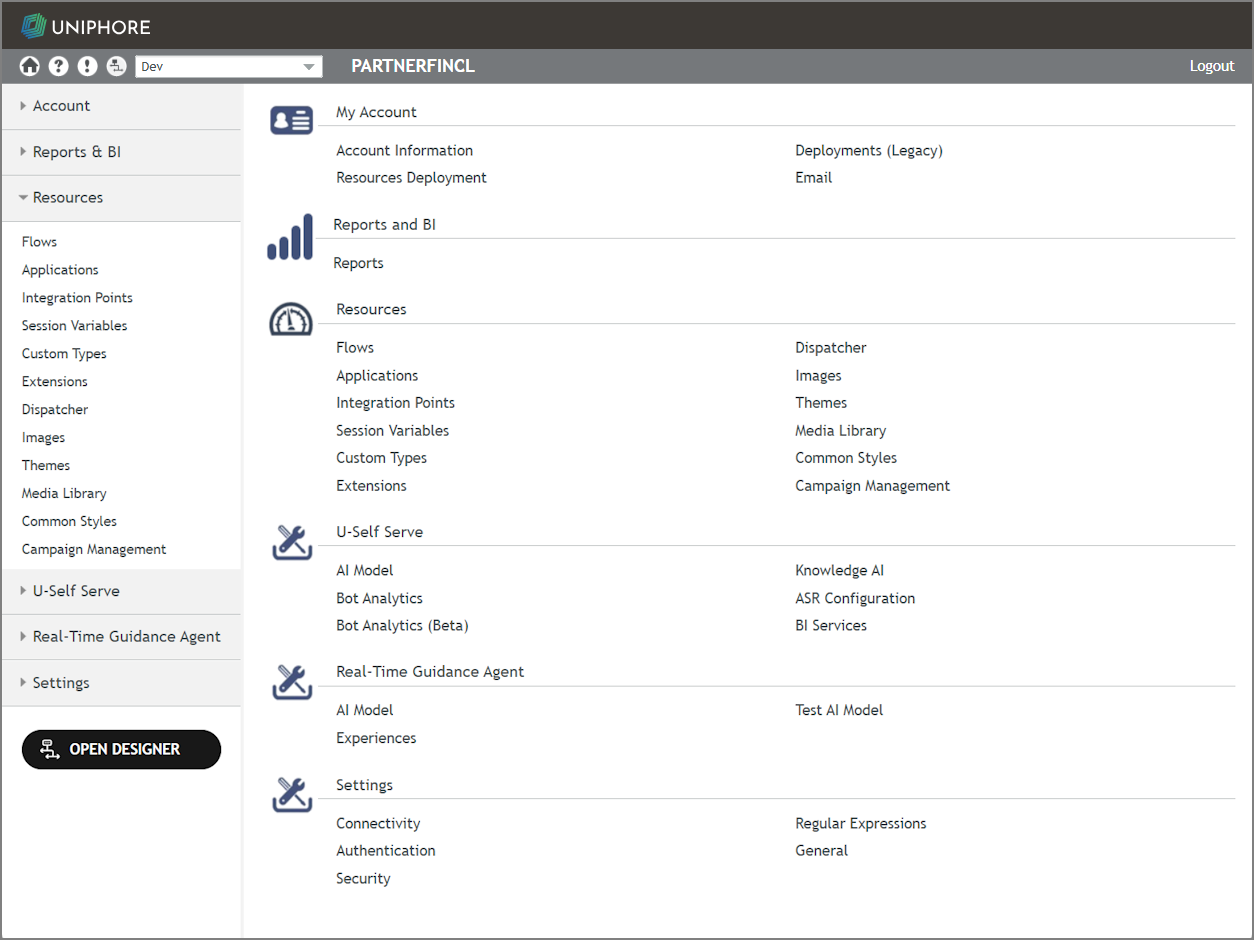 |
Common administrative actions performed using the X-Console are summarized in the sections below.
Note
Uniphore is in the process of migrating many Administration Platform features that are currently accessed via X-Console and Cloud Admin management applications to our new, streamlined UI. We're performing this migration progressively in order to reduce any impacts on your existing account configurations and workflows, wherever possible.
Account: General Account Maintenance
The Account menu enables you to view and manage all account-related information, such as:
Reports & BI: View Usage and Raw Data
The Reports & BI menu enables you to view and manage runtime data, including:
Resources: Server Resource Management
The Resources menu enables you to create, view and manage a variety of resources that are used by the X‑Platform, including:
Flows: Enabling you to view and manage the Flows published to your account.
Applications: Enabling you to view and manage the Applications used in your account.
Integration Points: Calls to web services that retrieve information from external data sources.
Session Variables: The Session Variables that are made available globally in the Designer.
Custom Types: Special function variables that contain a set of fields related to a specific object.
Dispatcher: Enabling you to coordinate automatic execution of selected Flows in your account.
Extensions: JavaScript extensions that build on existing functionality.
Images: Enabling you to create and manage images for the account.
Themes: Stylesheets that determine the look and feel of your Mobile Web, Web Self-Service, and Agent applications.
Media Libraries: Enabling you to manage videos that are available to Flows.
Common Styles: Enabling you to create and maintain a set of custom global CSS styles to use in Flows.
Campaign Management: Enabling you to create customized campaigns that give users access to specific Flows via SMS.
Settings: Connectivity and Security
The Settings menu allows you to define parameters for:
Connectivity settings for Call Now and Call Return handling
Security settings
General Settings for X‑Platform features available for the account
Note
When running Uniphore product applications, make sure that your screen resolution is at least 1280 × 1024.