Dashboard
The purpose of the homepage is to provide an at-a-glance overview of key Orby analytics metrics for admins and users.
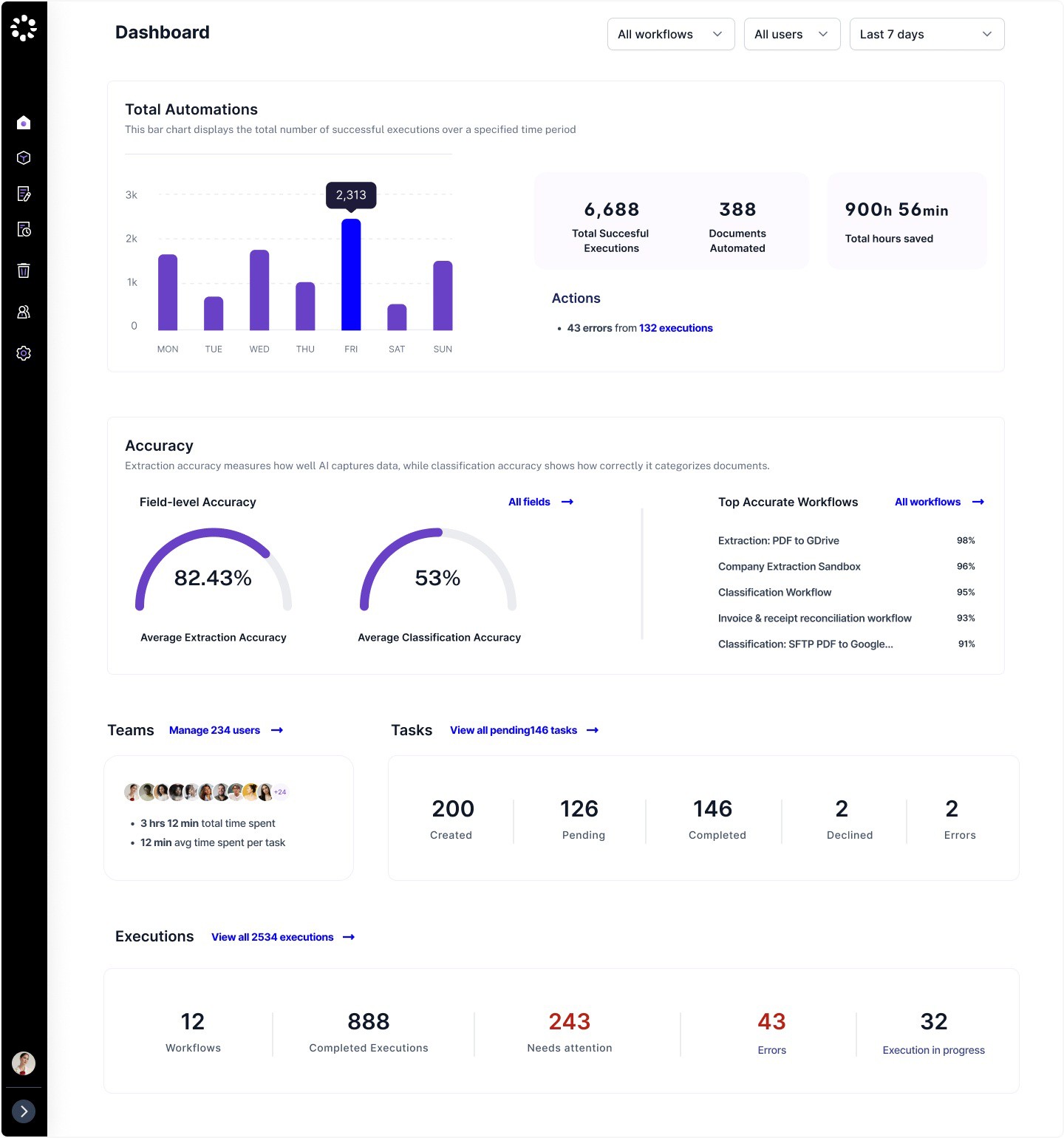 |
Total Automations
The total number of successful executions, presented in a bar chart for easy performance tracking.
Documents automated : Total documents successfully executed
Totalhours saved : Time saved across workflows
Accuracy
Accuracy is one of the metrics for measuring the performance of an AI product. It is calculated based tasks that have been through the human review, either through human approval or modification after completion (including cases where a human edits an auto-completed task). If none of the tasks in a workflow have been reviewed by a human, the workflow's accuracy will not be displayed.
Real-time metrics for all extraction and classification workflows
Accuracy is only calculated based on completed tasks involving user review
Access to the field-level accuracy, a new page where admins can look into accuracy for all fields across workflows
Top accurate workflows by accuracy
Teams & Tasks
The Teams section allows admins to have insight into the following
The latest members who joined the organization
Total time spent for all users
Average time spent per task across all users
Access to manage all users
The task summary section has enabled a link to view all pending tasks
Number of tasks created: Awaiting execution
Number of tasks pending (Not applicable to workflows in autopilot): Pending human review
Number of tasks completed: Successfully processed by Orby
Number of tasks declined: Declined by the user
Number of tasks that has error: this task has encountered errors
Filters
All workflow: All is selected by default, or search by workflow name to see workflow metrics All users (This filter is only visible to admins): Filter stats by one or more selected users Time filter
Default: Last 7 days
Other options: Today; Yesterday; Last 30 days; Custom range
Note: Dashboard filter settings can be preserved in the URL