Connectivity Administration: Overview
The X‑Platform provides three methods that a customer can use to connect with an Agent for assistance in real time: Call Now, Call Return and Email.
For details about how to add any of these methods in a Flow using the Designer, click here.
Configuring Connectivity Methods
In order to use any X‑Platform connectivity method, you first need to configure the method in the X-Console.
You can configure connectivity methods both at the account level and at the Application level.
To configure default connectivity settings for each of the methods used in an account, refer to any of the following articles:
Method | X-Console Page (Account-Level Configuration) |
Call Now | |
Call Return | |
Email Settings (Outgoing and Incoming) |
The Connectivity panel in some Application channel types enables you to specify the connectivity settings that will be used only for the selected Application:
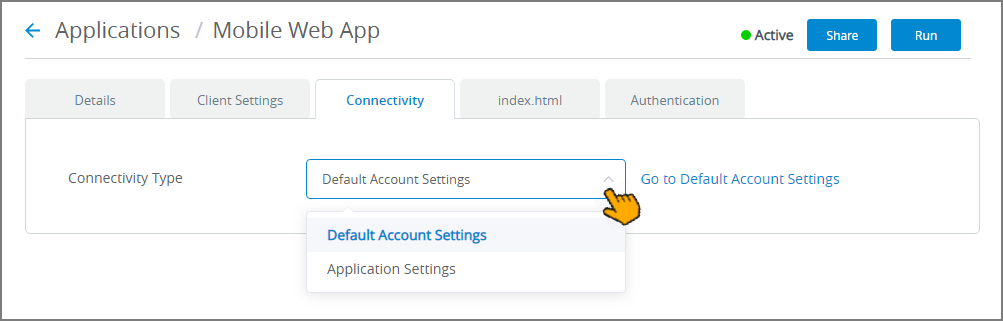 |
For more information about Application-level connectivity settings, click here.
The Client Settings panel in some Application channel types also provides control over which connectivity methods will be enabled for Agent escalation in the selected Application:
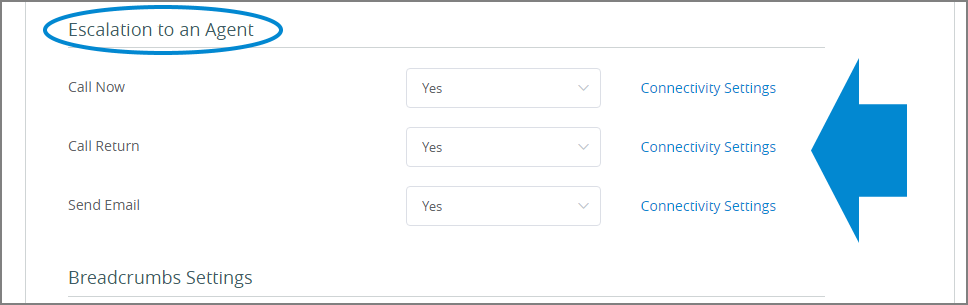 |
For more information about Application-level Agent escalation settings, click here.