API Release Notes
Feb 6, 2025 Release Notes
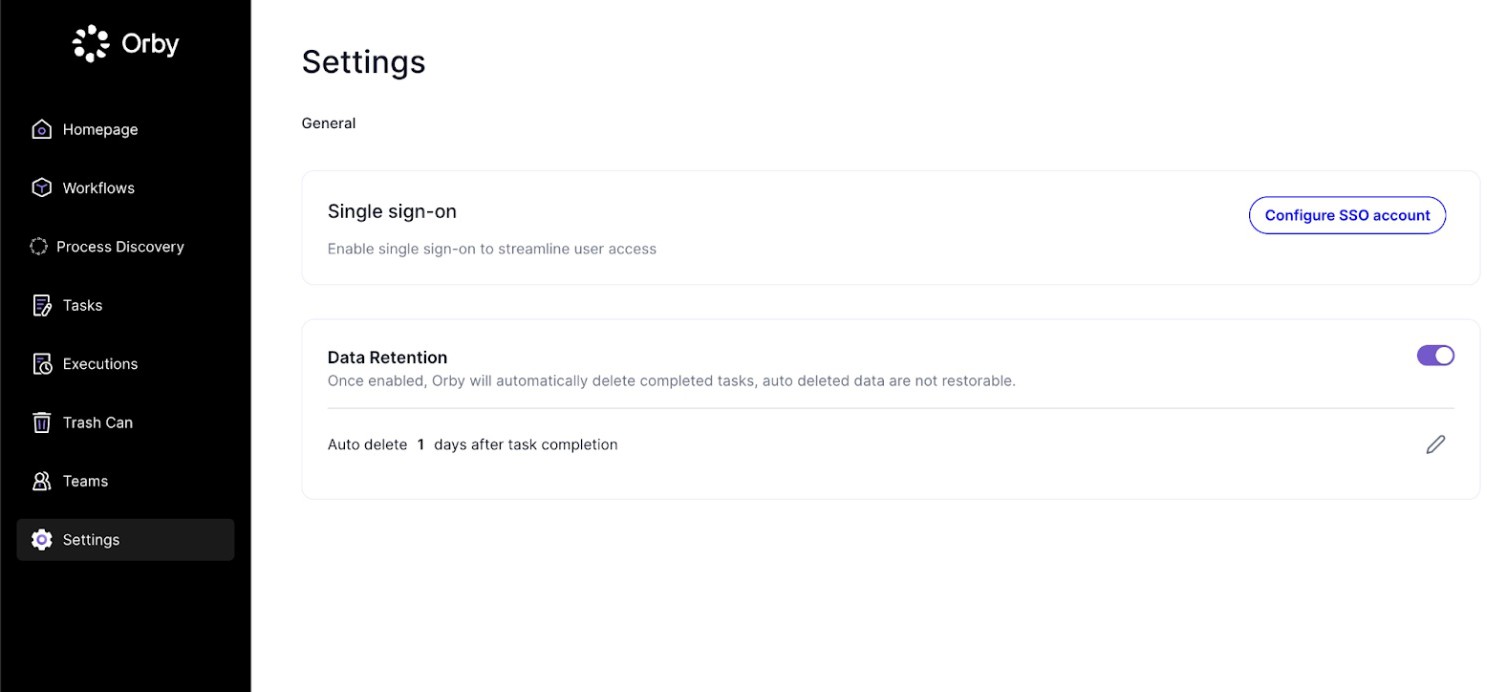
Introducing automated data retention
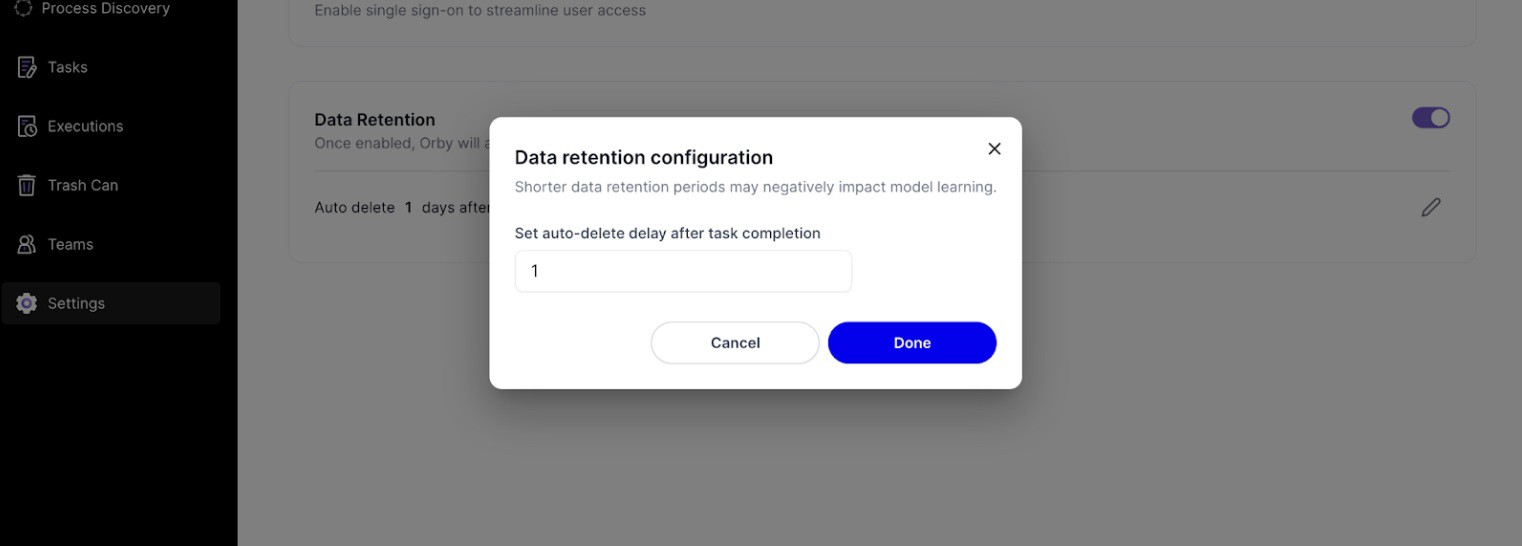
 Organization-level settings can be enabled for data retention. If configured, completed tasks will be automatically deleted permanently N days after task completion.
 Please note that modifying a completed task results in an update on completion date.
 |
 |
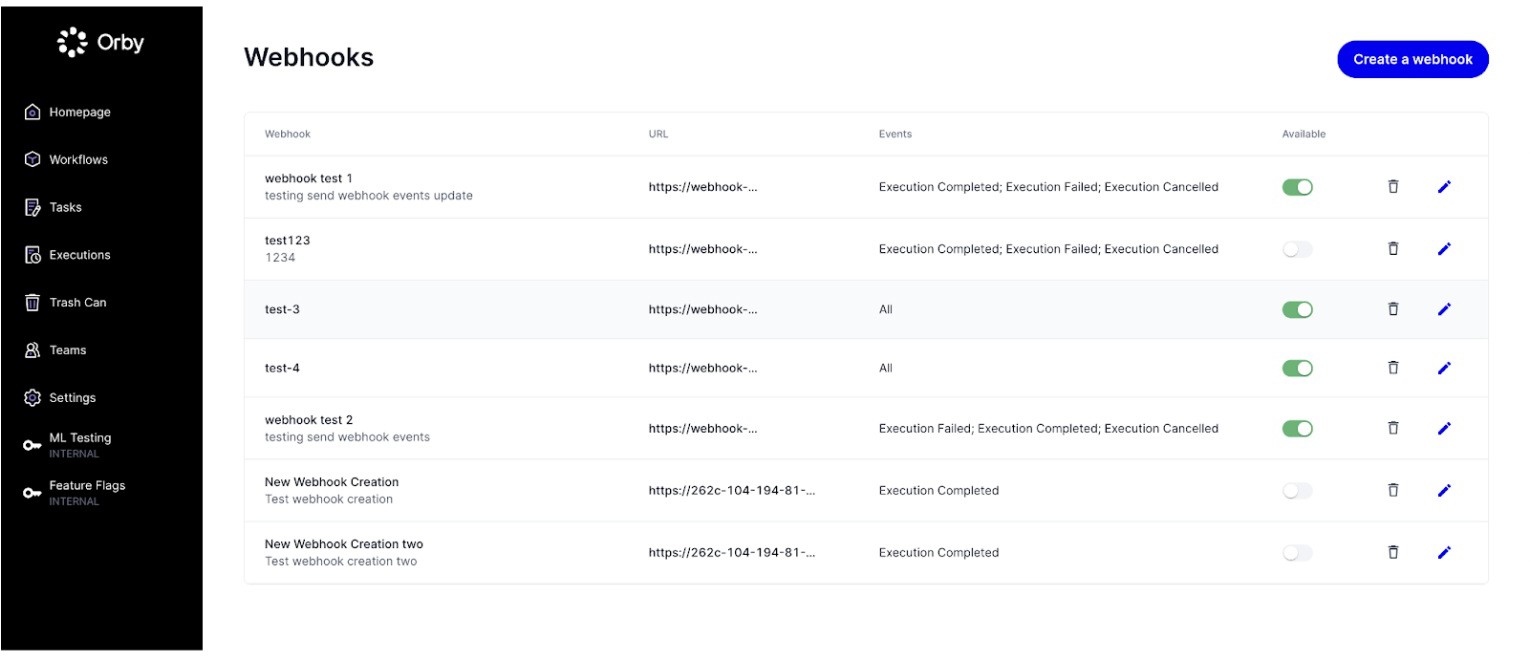
Orby API Webhook
 We now provide webhook support for a better integration of Orby. Webhook can be configured under "Settings → Webhooks", where admins can view, create, edit, and delete webhooks.
 |
Orby API Key Management
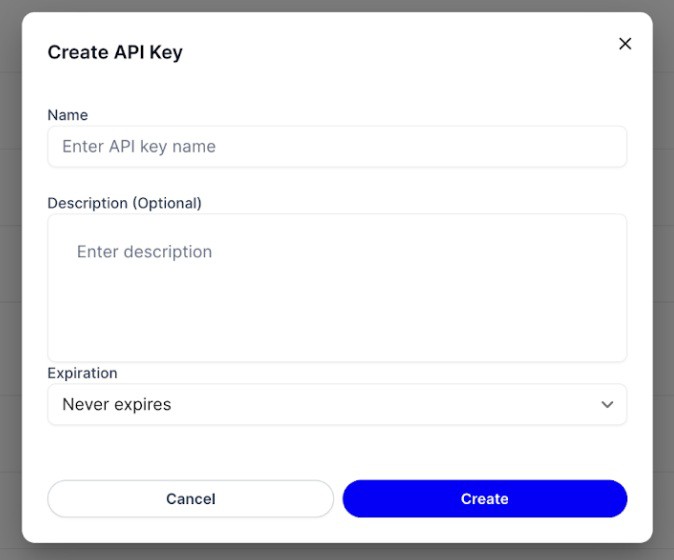
Now API Key management is available to let admins create API keys with an optional expiration date (Please contact your CSM for access) .
The raw value of the API key is only available to copy during the key creation process.
 |
API automation enhancements Inference
Inference is disabled by default, you can make a request from the customer success manager to enable it
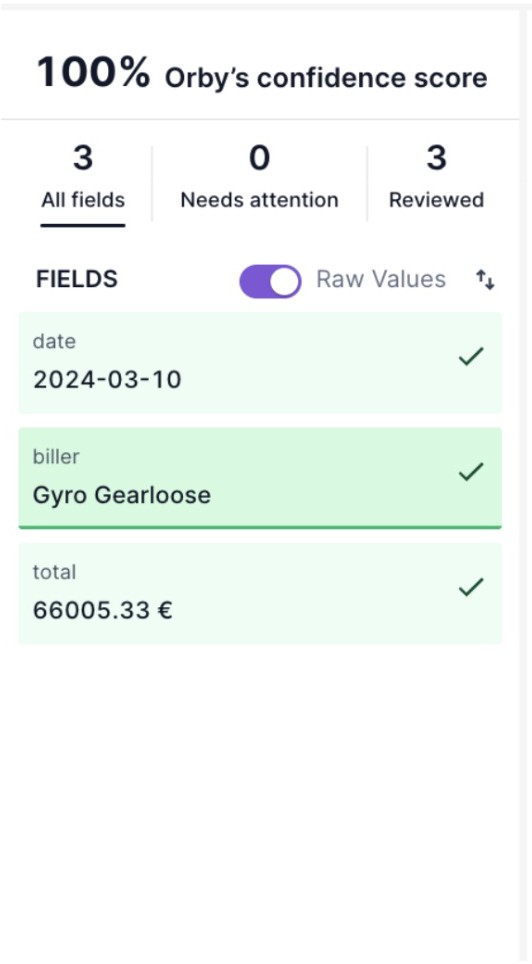
When reviewing tasks, the left panel field list now supports displaying both raw values and final values (normalized values). By default, raw values will be shown, users can toggle to show Raw Values and switch between raw and final values. Orby will remember your preference for future use.
Note on other human-in-the-loop improvements: When reviewing tasks, the left panel can now be sort fields in alphabetical order
 |
Tables
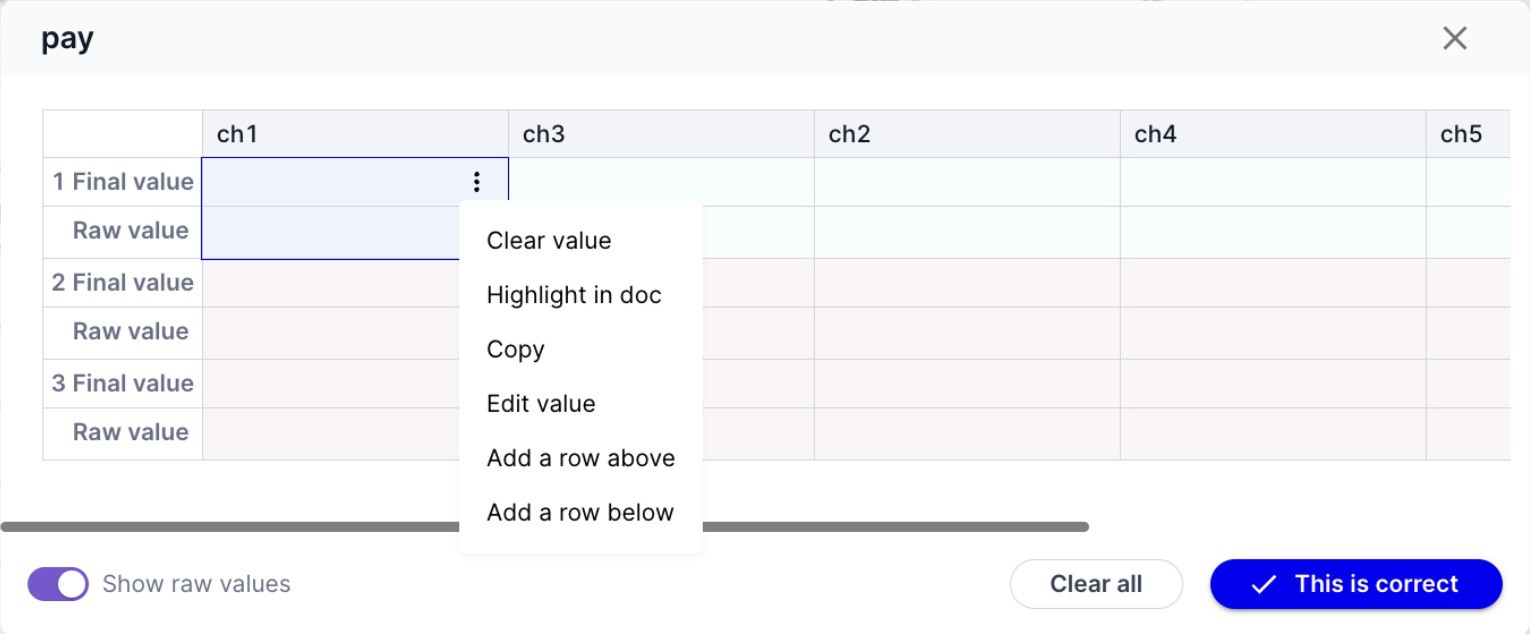
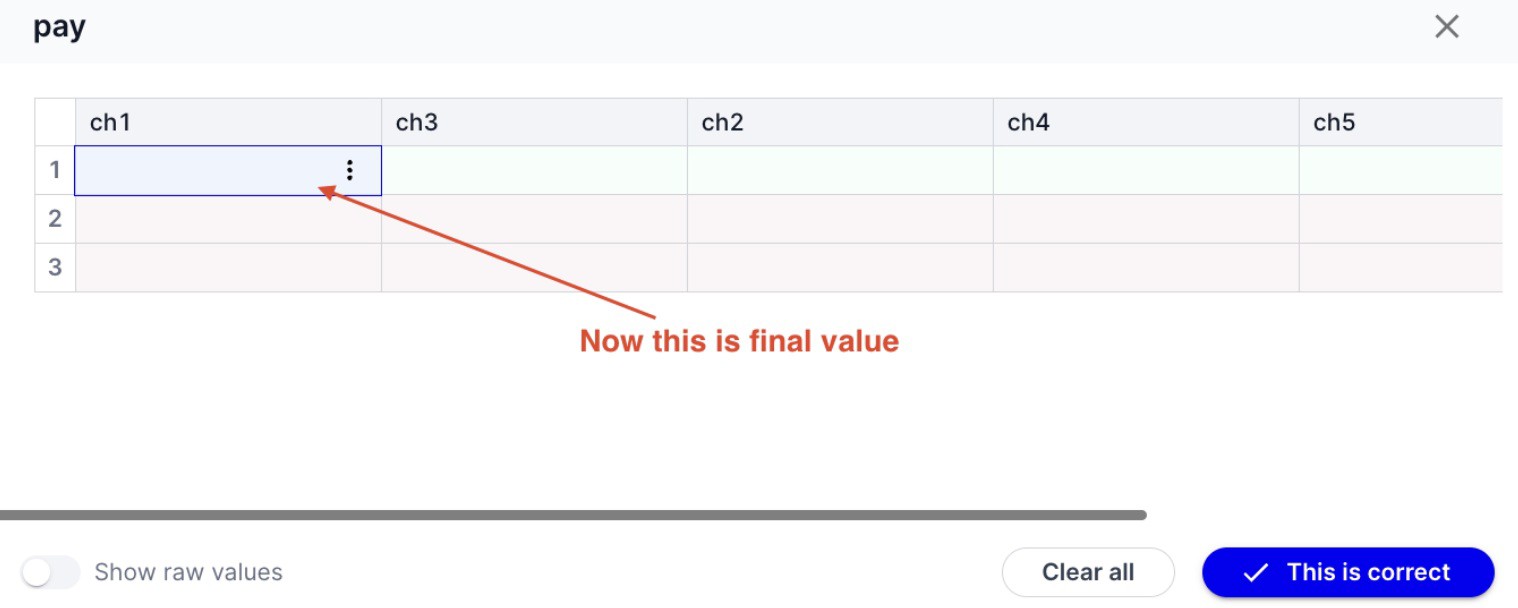
Users will now see the final value of tables by default instead of the raw value. If the user prefers to see raw value as well they can toggle on the "Show raw value". Orby will remember the user’s preferred settings to display raw values going forward
All actions that were previously available for raw values can now be performed on final values. Since the final value is now the primary representation for a table. Selection of either final or raw value will trigger the field selection
UI updates to ensure that final values are visually consistent with the table cells
 |
 |
 Doc Proto change
 Inferred value will show in the normalized value in the output, mentionText remains as the raw value of the entity
API Automations Workflow list
A new label "low learning quality" is introduced for API worklows lacking human reviewed tasks. This could happen to new worklows with limited completed tasks or worklows whose tasks have been deleted by admins or data retention settings.
 UI automation enhancements Manual Save for UI automations
Manual save is now available to UI automation tasks in addition to API automation tasks.
Users will now be reminded when leaving the task with unsaved changes in UI automation tasks too in addition to API automation tasks.
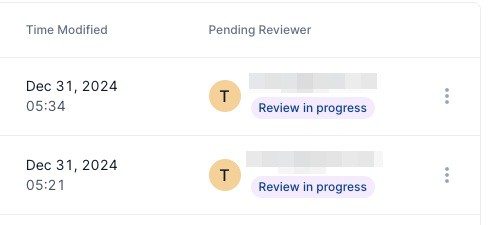 Introduced a Review In Progress label for tasks that are work in progress (this applies to API automation tasks as well), meaning at least one field is manually saved but the task is not completed yet.
UI automation worklow review mode
Autopilot Review mode are now supported
Admins can receive a custom message when invited to a worklow
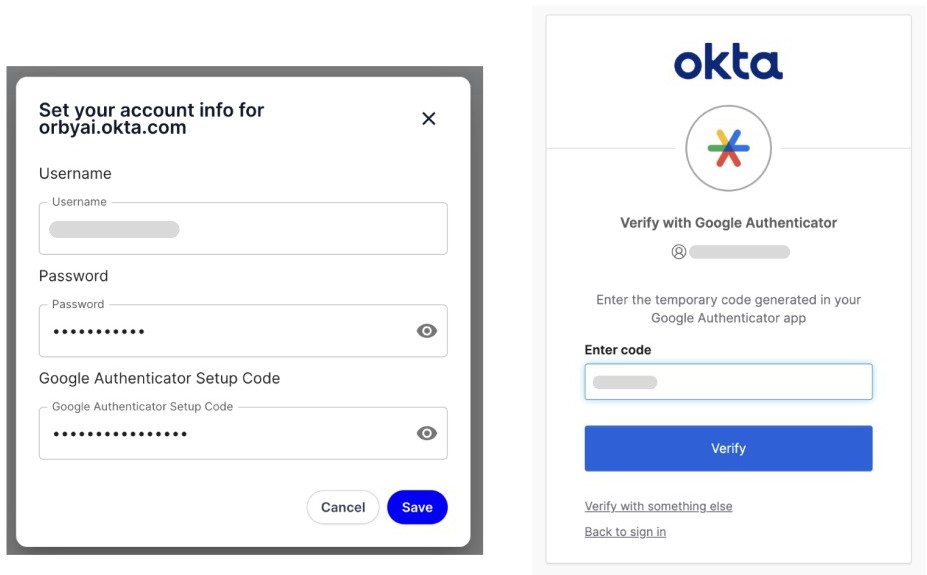
Support Google Authenticator MFA in UI Automation
Users can now configure Google Authenticator as MFA for logging in. It requires a setup code. Then Orby can automate entering the authentication code during execution.
 |
Adding machine for scheduled workflow runs
Users can now set up machines and connect their UI automation extensions to run scheduled worklows Scheduled worklows now only run on machines
How to create a machine:
Users should first install the latest chrome extension (v12.0.0 and above) on the target machine (usually a VM). They do not need to log in.
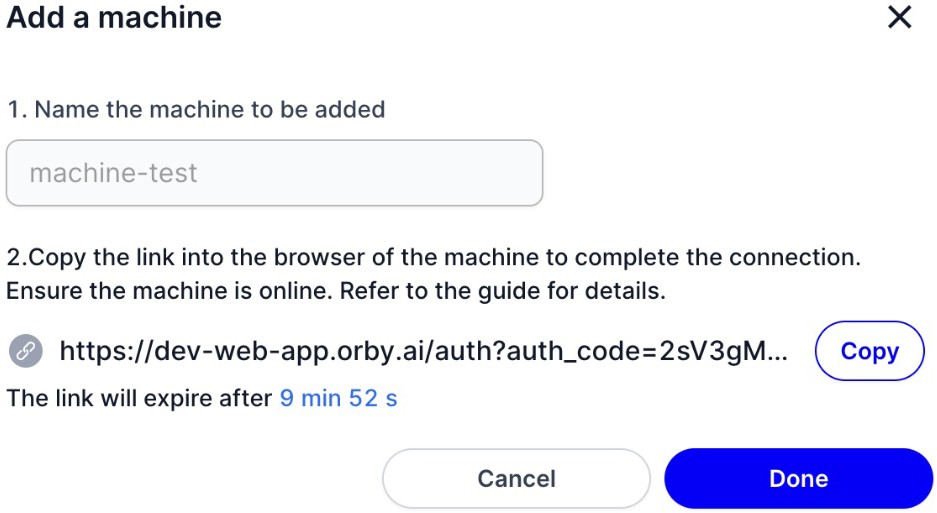 Users can create a machine in the Orby web app under Settings/Machines. Once a machine is created, users are provided with a link. They can copy that link and paste it in a chrome browser for the machine they are trying to authenticate as long as the UI automation extension is already installed (authentication is not required). After copying the link, click Done to close the modal.
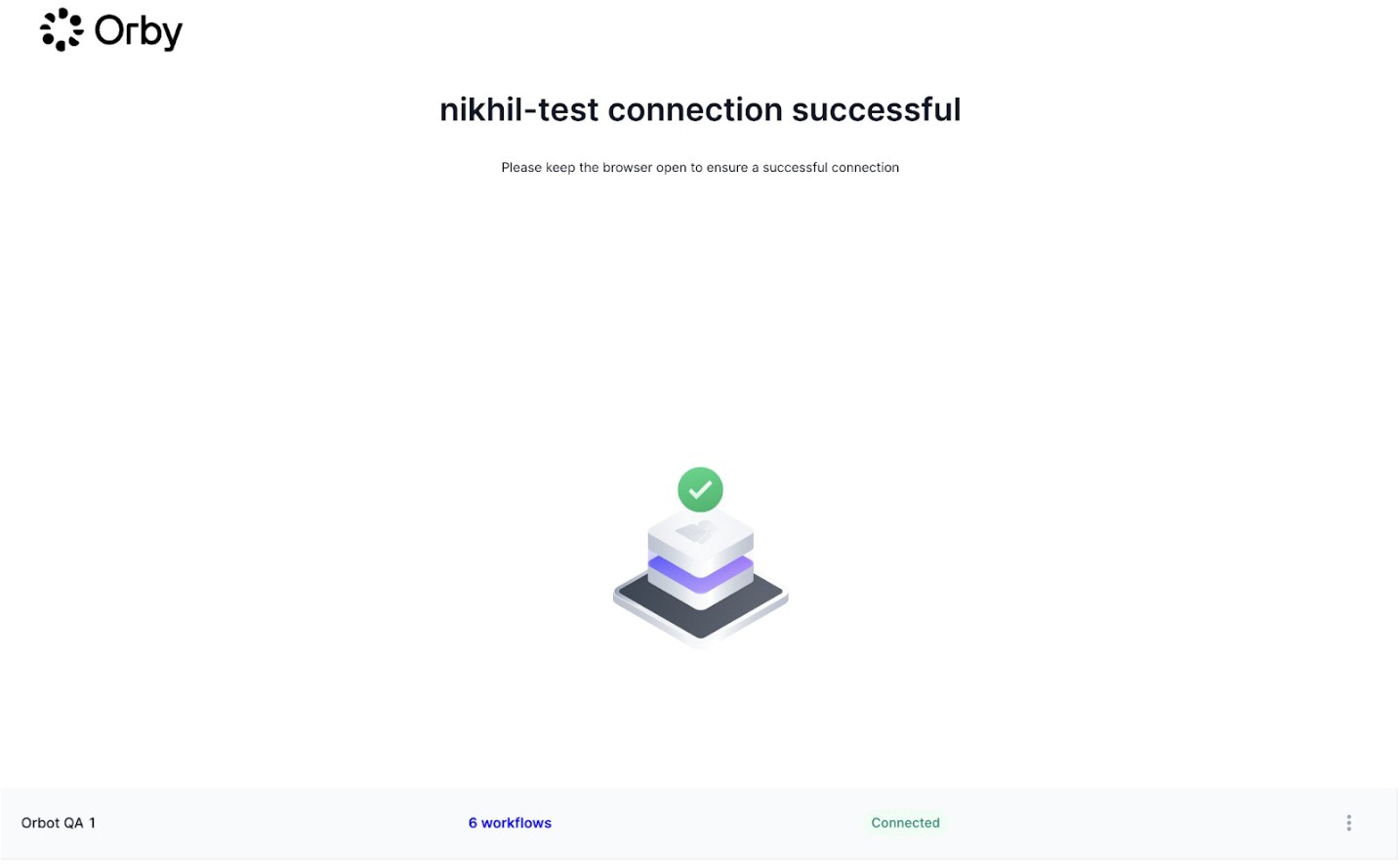
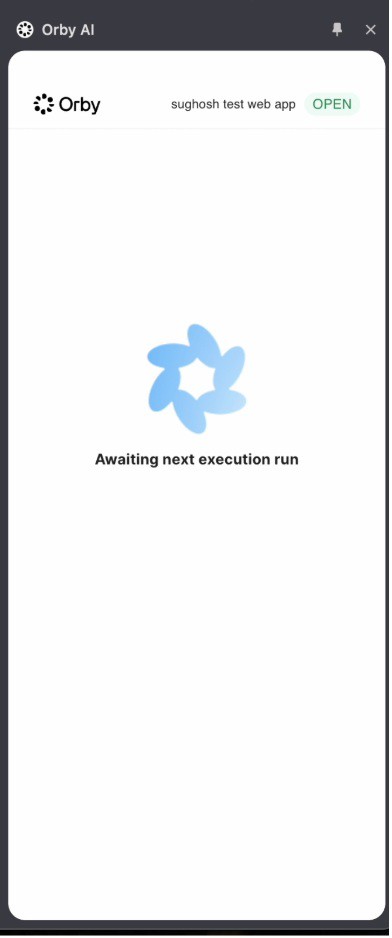
The chrome extension will authenticate the machine and it will show up as connected in the browser of the machine
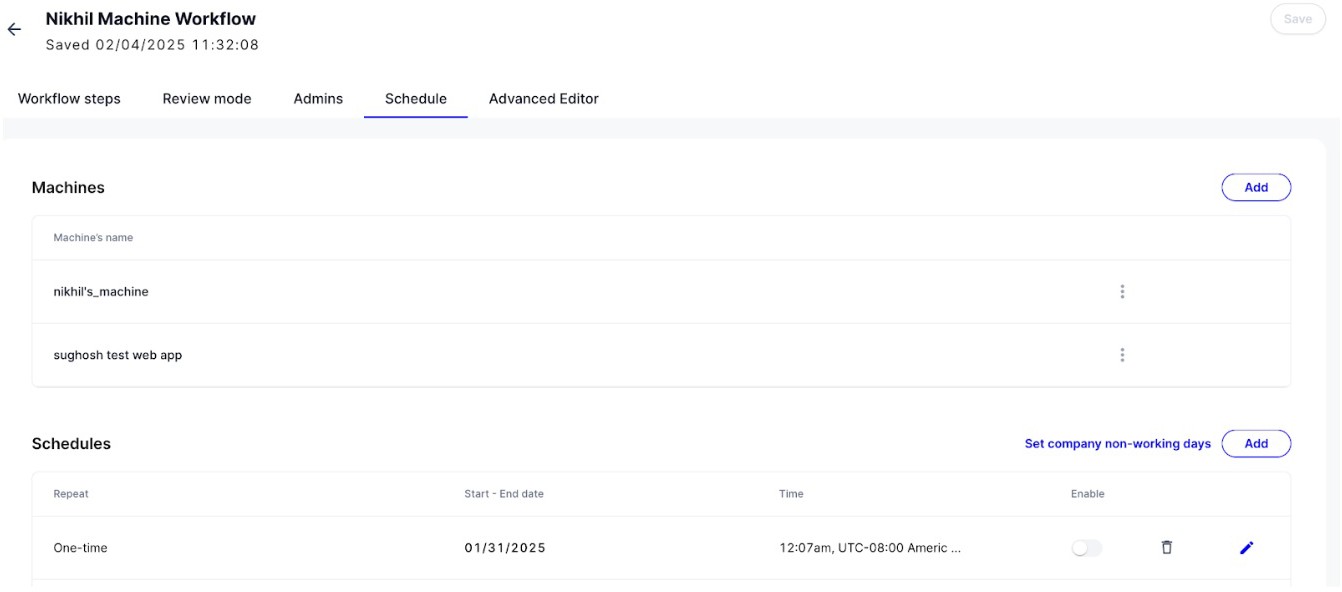
Now in the worklow schedule page, a user can configure a schedule and assign machines to execute the schedules
 |
This is an example of the extension in an authed machine:
 |
Notes
Machines can’t manually run worklows, only scheduled worklows User must keep the machine window open for worklows to run